How Many Watts Does a TV Use: 24, 32, 50, 55, 65 Inch TV and More [With a Data Table]
ZacharyWilliamTV Power Guide
Updated: April 22, 2026
Quick answer: most modern TVs use about 30 to 200 watts in normal home use, while larger and brighter models can go higher. A small 32-inch TV often lands around 30–50W, a typical 55-inch TV is often around 70–120W, and many 65-inch models sit around 90–160W. The biggest mistake people make is sizing power around the TV alone instead of the whole entertainment setup—TV + streaming box + soundbar + Wi-Fi + game console.
If your goal is backup power, camping, tailgating, or keeping the game on during an outage, the right number to use is your actual total setup load, not a guess from screen size.
Typical TV Watts by Size
If you just want a practical planning number, use the table below. These ranges are built for real households, not showroom mode. They are most useful for estimating electric cost, backup runtime, and whether a power station is enough for your TV setup.
| TV Size | Typical Home Viewing | Bright Room / HDR / Vivid Mode | Simple Planning Number | Yearly Use at 3 hrs/day |
|---|---|---|---|---|
| 24" | 20–35W | 30–45W | 30W | About 33 kWh |
| 32" | 30–50W | 45–65W | 40W | About 44 kWh |
| 40–43" | 45–75W | 65–95W | 60W | About 66 kWh |
| 50" | 60–100W | 85–130W | 80W | About 88 kWh |
| 55" | 70–120W | 95–150W | 95W | About 104 kWh |
| 65" | 90–160W | 120–200W | 125W | About 137 kWh |
| 75" | 110–200W | 150–260W | 155W | About 170 kWh |
| 85" | 150–270W | 200–330W | 210W | About 230 kWh |
These ranges are aligned with the current UDPOWER TV wattage guide, the general consumer baseline from EnergySage, and TV technology behavior discussed by ENERGY STAR and RTINGS.
How to Find Your TV’s Actual Wattage
Screen size gets you close. Your exact model gets you right.
- Check the sticker on the back of the TV. This is usually the fastest place to find the rated power.
- Check the spec page or manual. Manufacturer pages sometimes list power consumption or annual energy use.
- Use a plug-in watt meter. This is the most useful method if you want real numbers for movie nights, gaming, or outage planning.
- Measure the whole setup, not just the screen. Include the streaming stick or box, router, modem, soundbar, and console if they will run at the same time.
What Changes TV Power Use the Most?
The biggest driver is not just size. It is usually brightness. That is why two 65-inch TVs can feel very different on a power station.
| Factor | What It Usually Does | What To Do |
|---|---|---|
| Screen size | Bigger screens usually use more power. | Use a higher planning number as screen size grows. |
| Picture mode | Vivid / Dynamic mode usually pushes watts up. | Use Standard, Cinema, Filmmaker, or Eco when practical. |
| HDR content | HDR often raises power use because the TV drives brighter highlights. | Expect higher draw than normal SDR viewing. |
| Panel technology | LED/LCD, mini-LED, QLED, and OLED do not behave the same. | Do not assume one technology always uses less in every scene. |
| Gaming features | 120Hz, VRR, and bright gaming presets can add load. | Measure during actual gameplay if backup runtime matters. |
| Store mode vs home mode | Showroom settings are often much brighter. | Switch to Home mode after setup. |
A very practical point here: one utility guide notes that retailer display settings can use as much as 25% more energy than home mode, which is why a TV that looked normal in the store may feel surprisingly power-hungry at home if it is left in a very bright preset. See the efficiency tips from Hydro-Québec.
LED/LCD vs QLED/Mini-LED vs OLED
LED/LCD: usually the simplest planning baseline. Many mid-size models stay in very manageable ranges for home backup.
QLED / Mini-LED: can get very bright, which is great for bright rooms and HDR, but brightness usually means higher draw when the picture demands it.
OLED: dark scenes can be surprisingly efficient because pixels can switch off individually, but larger OLEDs and bright full-screen content can still use a lot of power. In other words, do not assume OLED automatically means lower wattage all the time.
How Much Electricity Does a TV Use Over Time?
Use this formula:
Energy (kWh) = Watts × Hours ÷ 1000
Then multiply that by your local electric rate. If you do not know your rate, look at a recent utility bill.
| TV / Setup | Planning Watts | 2 hrs/day | 4 hrs/day | 6 hrs/day |
|---|---|---|---|---|
| Small bedroom TV | 40W | About 29 kWh/year | About 58 kWh/year | About 88 kWh/year |
| Typical 55" TV | 95W | About 69 kWh/year | About 139 kWh/year | About 208 kWh/year |
| Typical 65" TV | 125W | About 91 kWh/year | About 183 kWh/year | About 274 kWh/year |
| Large bright TV | 180W | About 131 kWh/year | About 263 kWh/year | About 394 kWh/year |
If you want a fast monthly estimate, take your TV wattage, multiply by your average hours per day, multiply by 30, then divide by 1000.
For a deeper refresher on watts versus watt-hours, see Battery Runtime Basics: Watts → Watt-hours.
Why the Whole Setup Matters More Than the TV Alone
This is where most articles stop too early. If you are planning for an outage, an RV, or a tailgate, you rarely run the TV by itself.
| What You’re Actually Running | Typical Planning Range | Why It Matters |
|---|---|---|
| TV only | 30–160W | Fine for quick estimates, but often not the real load. |
| TV + streaming stick / box | 40–175W | Small add-on, but worth including for runtime math. |
| TV + soundbar | 60–220W | Audio can shorten runtime more than expected. |
| TV + modem + router | 50–190W | Important for streaming during outages. |
| TV + console | 150–350W+ | This is where your battery starts shrinking fast. |
| TV + Wi-Fi + soundbar + console | 220–400W+ | Plan around the full entertainment chain, not just the screen. |
If your goal is outage prep, these two pages pair well with this topic:
Can a Portable Power Station Run a TV?
Yes. In many cases, a TV is one of the easier appliances to run from a portable power station. The real question is not “can it run?” but for how long, and what else is plugged in with it.
Use this runtime formula:
Runtime (hours) ≈ Battery Wh × 0.85 ÷ Total Watts
The 0.85 factor is a practical shortcut to account for inverter losses and real-world use on AC power.
| Load You Want to Run | UDPOWER C600 596Wh / 600W |
UDPOWER S1200 1190Wh / 1200W |
UDPOWER S2400 2083Wh / 2400W |
|---|---|---|---|
| Small LED TV around 55W | About 9.2 hrs | About 18.4 hrs | About 32.2 hrs |
| Typical 55" TV around 95W | About 5.3 hrs | About 10.6 hrs | About 18.6 hrs |
| 65" bright TV around 140W | About 3.6 hrs | About 7.2 hrs | About 12.6 hrs |
| TV + Wi-Fi + streamer + soundbar around 220W | About 2.3 hrs | About 4.6 hrs | About 8.0 hrs |
These are planning estimates, not guarantees. Actual runtime changes with picture mode, content brightness, accessories, inverter losses, and battery condition.
Want to check your own setup? Use the UDPOWER Runtime Calculator.
Recommended UDPOWER Models for TV Use
This is the practical bridge most readers actually need: not just TV wattage, but which power station makes sense for their situation.

UDPOWER C600 — Best for a TV-only or light TV setup
If your goal is a smaller TV, a bedroom setup, or a TV plus router and streaming stick for a shorter outage, the C600 is the cleanest entry point. It gives you much more breathing room than a tiny battery pack without jumping straight to a larger home-backup unit.
View C600 Browse C-Series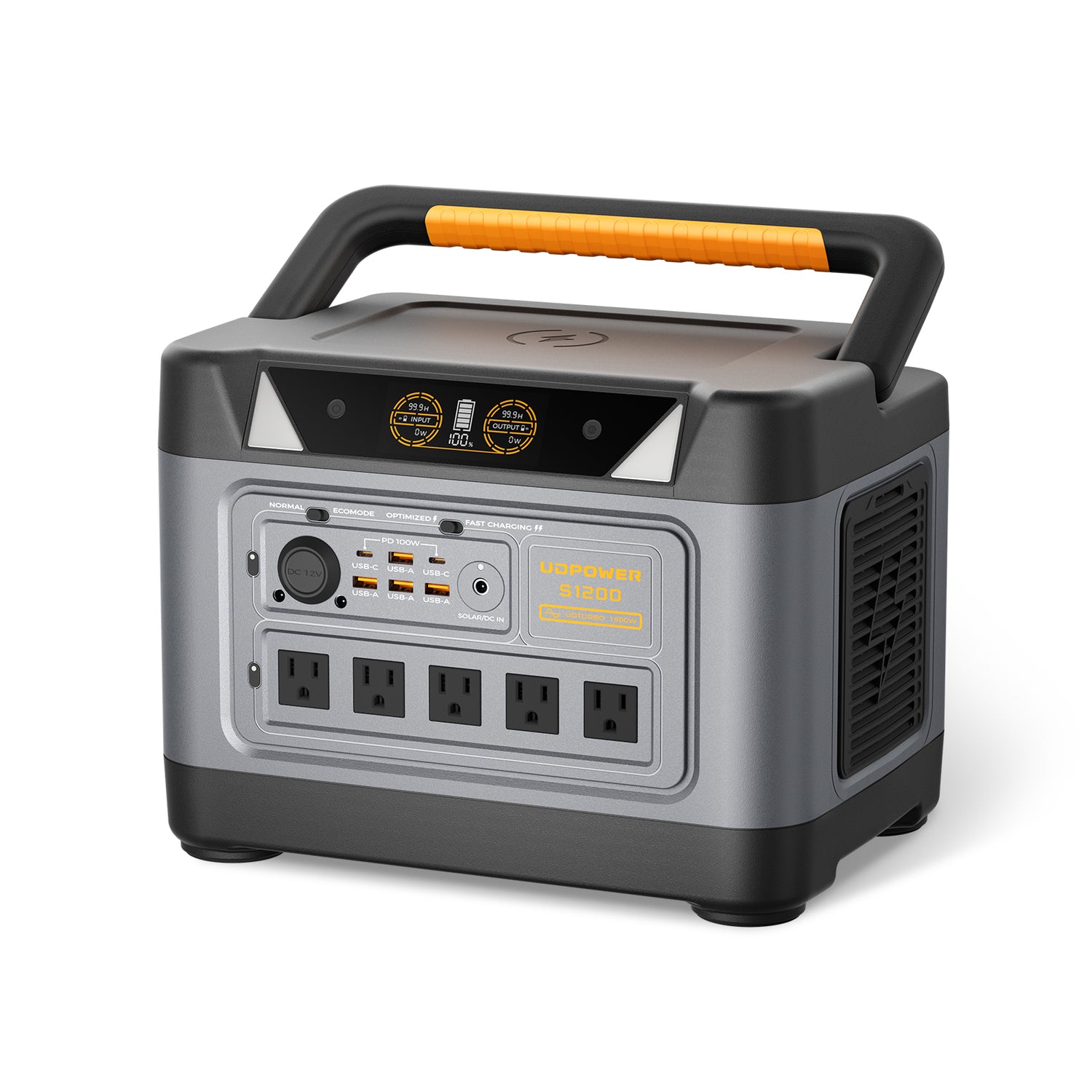
UDPOWER S1200 — Best for most households
This is the sweet spot for a lot of readers. The S1200 makes sense when you want to keep a normal living-room TV running with Wi-Fi, a streaming box, phones, and maybe a soundbar, without feeling squeezed on runtime. It is also a much more comfortable choice if you want headroom instead of constantly watching the watt display.
View S1200 Shop Portable Power Stations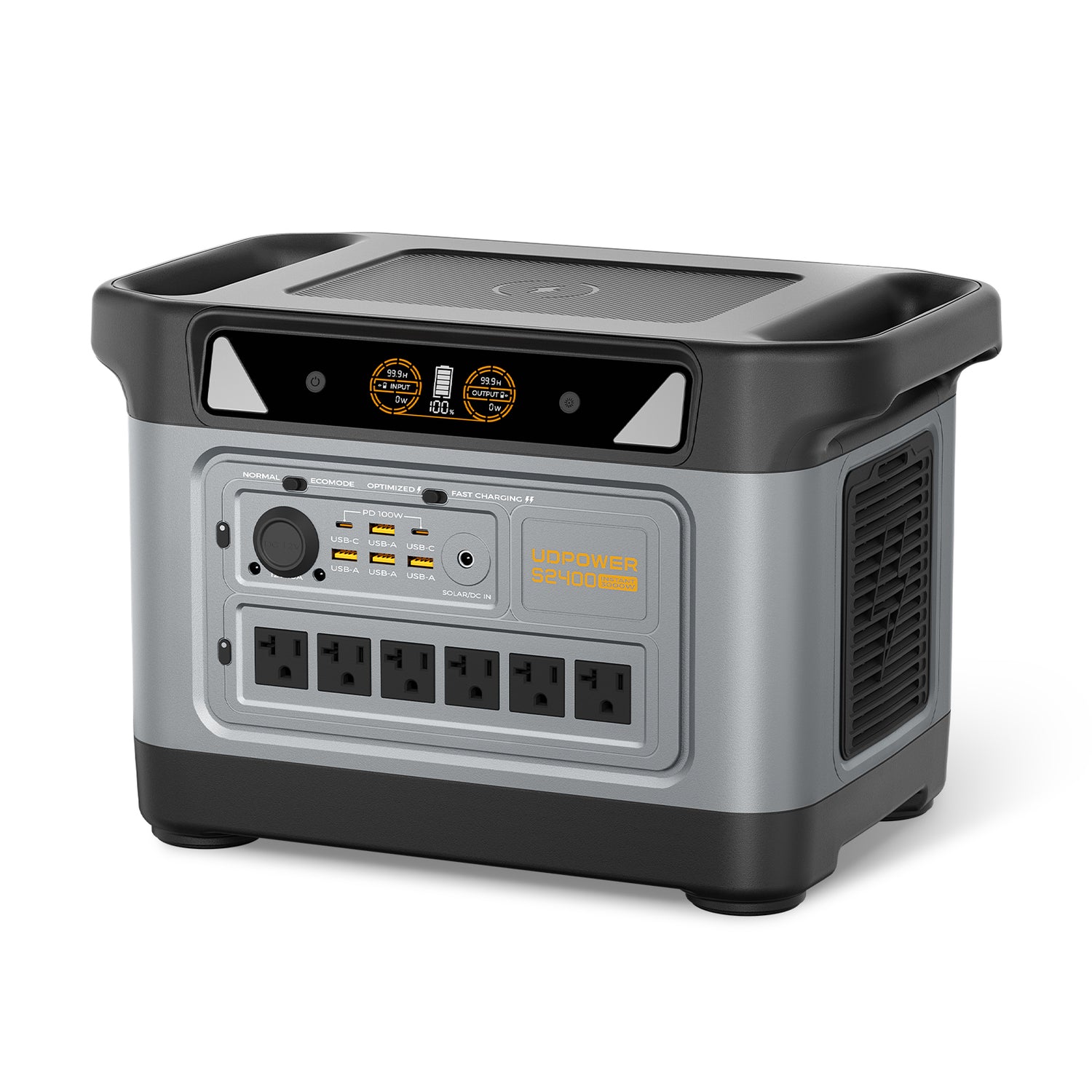
UDPOWER S2400 — Best for large TVs, longer outages, and multi-device backup
If you want to keep a large TV running for a long stretch, or you also need to power Wi-Fi, phones, lights, and other home essentials at the same time, the S2400 is the stronger fit. It gives you much more runtime margin and a lot more flexibility if the TV is just one part of your outage plan.
View S2400 See Solar Generator KitsFAQ
Do 4K TVs use more power than 1080p TVs?
Not automatically. Resolution alone is not the main driver. Brightness, panel type, picture mode, HDR, and screen size usually matter more than the jump from 1080p to 4K.
How many watts does a 55-inch TV use?
A modern 55-inch TV often lands around 70–120W in normal home viewing. For backup planning, 95W is a very usable middle-of-the-road number unless you know your exact model.
How many watts does a 65-inch TV use?
A lot of 65-inch TVs fall into the 90–160W range. If you do not know the exact model, 125W is a sensible planning number for runtime math.
Does OLED always use less power than LED?
No. OLED can be efficient in darker scenes, but bright full-screen scenes and larger OLEDs can still pull a lot of power. That is why it is better to check real measurements or use a watt meter instead of assuming based on panel type alone.
How much power does a TV use when it is off?
Many modern efficient TVs use very little in standby, but standby is not always zero. ENERGY STAR’s current criteria cap qualifying TVs at 0.5W in passive standby and 1.0W in network-active standby. Older TVs or models with extra always-on features can use more.
Can a portable power station run a TV and Wi-Fi together?
Yes. In fact, that is one of the most common real-life backup uses. Just add the TV load to your modem and router load, then use the total number for runtime planning.
Can I run a TV and a game console from the same power station?
Usually yes, but the console can change the math fast. A TV by itself may be a light load, while a TV plus console plus soundbar can become a medium or even heavy entertainment load.
What is the best way to measure my exact TV power use?
A plug-in watt meter is the best tool. If you already own a power station with a live output display, that works too. Measure the exact devices you plan to run together.
Ready to Pick the Right Power Setup?
If you already know your TV wattage, the next step is easy: match it to the runtime you want. If you do not know your exact number, use the planning table above and size your power station around the full setup, not just the screen.
Get Runtime Estimate View Products See Solar Kits

















![How to Live In The Woods [Complete Guide]](http://udpwr.com/cdn/shop/articles/Off-Grid_Cabin_Option_f6c94fe7-1ae7-4c3a-baf5-ed9fe684c832.png?v=1763523215&width=170)