





Battery Runtime Estimator: Watts to Watt-Hours
Knowing a battery's watt-hour rating is only the first step. To estimate how long a portable power station will actually run your refrigerator, CPAP, router, laptop, fan, television, or other equipment, you also need the device's average power draw, operating schedule, conversion losses, and startup requirements.
This guide explains the essential watts-to-watt-hours formulas, shows practical runtime examples, provides detailed comparison tables, and helps you choose an appropriately sized portable power station without relying on optimistic marketing claims.
Direct answer
To convert watts to watt-hours, multiply the device's power consumption by the number of hours it operates:
To estimate battery runtime, divide the battery's usable watt-hours by the device's average power consumption:
For UDPOWER planning estimates, this article uses 90% conversion efficiency and a 10% battery reserve. Under those assumptions, a 1,000Wh power station provides approximately 810Wh of conservative planning energy.
A constant 100W load would therefore run for approximately 8.1 hours:
Use average or measured running watts in the runtime formula. Use startup or surge watts only to determine whether the power station can start the appliance.

The three essential battery runtime formulas
1. Convert watts and time into watt-hours
A 60W device running for five hours uses 300Wh. A 1,200W microwave running for six minutes uses approximately 120Wh because six minutes is only 0.1 hour.
This is why a high-wattage appliance used briefly may consume less total battery energy than a low-wattage device that remains on all day.
2. Convert battery watt-hours into runtime
Efficiency accounts for energy lost while the portable power station converts and delivers electricity. The reserve prevents your plan from depending on draining the battery completely to 0%.
3. Calculate the battery capacity you need
For example, a 100W device running for eight hours needs 800Wh at the outlet. With 90% conversion efficiency and a 10% reserve:
How to find a trustworthy wattage number
The accuracy of a runtime estimate depends more on the wattage number than on the formula. A precise formula using an unrealistic wattage still produces an unreliable answer.
| Method | Best use | Accuracy | What to do | Source |
|---|---|---|---|---|
| Plug-in watt meter | Refrigerators, televisions, desktop computers, pumps, and variable loads | Best practical method | Measure the appliance over a realistic operating period instead of taking a reading for only a few seconds. | U.S. Department of Energy |
| EnergyGuide annual kWh | Refrigerators, freezers, and labeled major appliances | Useful for daily energy planning | Convert kWh per year into Wh per day instead of guessing how frequently the appliance runs. | FTC EnergyGuide guide |
| Input label or product manual | Chargers, lights, routers, and simple electronic devices | Moderate | Look for input watts. If only volts and amps are listed, multiply volts by amps to estimate maximum input power. | UDPOWER watt-hour guide |
| Generic appliance wattage chart | Early planning before the exact appliance model is known | Rough estimate only | Use a wattage range and plan with the higher end until you can verify the actual appliance. | DOE appliance guidance |
How to convert an EnergyGuide label into daily battery use
Many refrigerators and freezers list estimated annual energy use in kWh per year. That figure is often more useful than the compressor's running wattage because it accounts for the appliance cycling on and off during standardized operation.
A refrigerator labeled at 500kWh per year works out to approximately:
- 1,370Wh of energy per day
- 57W of average power across the year
Actual use can differ because room temperature, door openings, food load, ice production, defrost cycles, temperature settings, and appliance condition all affect consumption.
Watts-to-watt-hours examples
The examples below show how power and operating time combine to determine battery consumption. Replace the example wattages with measurements from your own equipment whenever possible.
| Device or load | Example power | Daily use | Energy consumed | Best way to verify |
|---|---|---|---|---|
| Router and modem | 18W | 24 hours | 432Wh per day | Read both power adapters or measure the combined load. |
| Several LED lights | 24W total | 6 hours | 144Wh per day | Add the rated watts of all bulbs used at the same time. |
| Laptop and charger | 65W | 3 hours | 195Wh per day | Measure the laptop during a normal workload. |
| CPAP example | 40W | 8 hours | 320Wh per night | Measure with your normal pressure, humidifier, and heated-tube settings. |
| Portable fan | 45W | 8 hours | 360Wh per day | Measure the fan at the speed you normally use. |
| LED television | 100W | 4 hours | 400Wh per day | Measure at your usual brightness and picture settings. |
| Coffee maker | 1,000W | 9 minutes | 150Wh | Check the input rating and time the complete heating cycle. |
| Microwave | 1,200W input | 6 minutes | 120Wh | Use input watts rather than the advertised cooking output. |
Why actual battery runtime differs from simple math
Conversion efficiency
A portable power station stores DC energy, while most household outlets deliver AC power. The inverter, internal electronics, and connected cables consume part of the stored energy during conversion and delivery.
This article uses 90% conversion efficiency for UDPOWER runtime estimates. Actual efficiency varies depending on the output type, connected load, temperature, and operating conditions.
Battery reserve
A calculation that assumes the battery will always be discharged to 0% leaves no room for unexpected appliance use, battery aging, colder temperatures, or a longer-than-expected outage.
A 10% reserve is a practical starting point. Consider a larger reserve when powering medical equipment, communications devices, or other critical loads.
Running watts versus average watts
A refrigerator compressor might draw 120W while operating but remain off for much of each hour. Using 120W as a continuous load could underestimate runtime. Using an unrealistically low average could overestimate it.
Startup surge
Refrigerators, pumps, compressors, air conditioners, and some power tools can briefly draw considerably more power when they start. Startup demand usually lasts too briefly to dominate the watt-hour calculation, but it can determine whether the appliance starts at all.
Low-load system overhead
Very small AC loads can produce lower-than-expected runtime because the inverter and internal control electronics still consume power. Dividing battery watt-hours by a tiny connected load may therefore create an overly optimistic result.
When compatible, powering small electronics through USB or DC outputs may reduce unnecessary conversion losses compared with using an AC wall adapter.
Temperature and battery condition
Cold or unusually hot conditions can affect available battery performance. Capacity also changes as a battery ages and accumulates charge cycles. A runtime estimate for a new battery at room temperature should not be treated as a permanent guarantee.
Overlapping loads
Add together every device that may operate simultaneously. A refrigerator, router, television, laptop, and coffee maker can create a much higher momentary load than any one device by itself.
How to estimate refrigerators and other cycling loads
Cycling loads are one of the most common reasons battery runtime estimates miss the mark. A refrigerator, freezer, water pump, heated blanket, or thermostat-controlled device does not necessarily draw its full running wattage continuously.
Best method: measure energy over time
Measure the appliance for at least 24 hours under normal conditions. Use the total Wh or kWh consumed during that period as the starting point for your daily energy budget.
A longer measurement period is useful for appliances affected by ambient temperature, door openings, defrost cycles, or changing household use.
Second-best method: use annual kWh
For a refrigerator or freezer, convert the annual kWh figure from the EnergyGuide label into Wh per day. This usually provides a better planning figure than assuming the compressor runs continuously.
Fallback method: estimate duty cycle
A compressor drawing 120W and running 35% of the time averages approximately 42W before standby and defrost consumption are included:
Using the S1200's conservative planning energy of approximately 964Wh, a 42W average load produces an initial estimate of about 23 hours:
Treat this as an initial estimate rather than a guaranteed refrigerator runtime. Defrost heaters, warmer rooms, frequent door openings, and compressor startup behavior can change the result.
For outage-specific refrigerator planning, read Food Safety During a Power Outage: Refrigerator and Freezer Guide.
UDPOWER battery runtime comparison table
The estimates below use a fully charged battery, 90% conversion efficiency, a 10% reserve, a constant AC load, and no incoming solar power. Values are rounded and should be used for planning rather than treated as guaranteed runtime.
| Constant load | Possible use |
C600 596Wh / 600W |
S1200 1,190Wh / 1,200W |
S2400 2,083Wh / 2,400W |
|---|---|---|---|---|
| 20W | Router, modem, or several small lights | About 24.1 hours | About 48.2 hours | About 84.4 hours |
| 40W | CPAP example without high heated settings | About 12.1 hours | About 24.1 hours | About 42.2 hours |
| 60W | Laptop, fan, or cycling-appliance average | About 8 hours | About 16.1 hours | About 28.1 hours |
| 100W | Television or combined small electronics | About 4.8 hours | About 9.6 hours | About 16.9 hours |
| 300W | Desktop computer setup or moderate appliance load | About 1.6 hours | About 3.2 hours | About 5.6 hours |
| 500W | Heavy electronics or short cooking load | About 1 hour | About 1.9 hours | About 3.4 hours |
| 800W | Coffee maker or cooking appliance | Above continuous rating | About 1.2 hours | About 2.1 hours |
| 1,200W | Microwave or high heating load | Above continuous rating | About 0.8 hour at rated limit | About 1.4 hours |
| 1,500W | Kettle, heater, or high-power cooking load | Above continuous rating | Above continuous rating | About 1.1 hours |
Heating appliances are normally used for short periods, so their actual energy requirement may be much lower than a full-hour runtime table suggests. However, the power station must still support the appliance's full input wattage while it is operating.
How to build a realistic 24-hour power budget
Runtime becomes easier to manage when you stop asking how long one device will run and start calculating the energy required by your entire daily routine.
| Essential load | Example watts | Hours per day | Daily energy |
|---|---|---|---|
| Router and modem | 18W | 24 hours | 432Wh |
| LED lighting | 24W | 6 hours | 144Wh |
| Laptop | 65W | 3 hours | 195Wh |
| CPAP example | 40W | 8 hours | 320Wh |
| Phone charging | 15W | 2 hours | 30Wh |
| Total without refrigerator | — | — | 1,121Wh per day |
With 90% efficiency and a 10% reserve, the example requires approximately:
Under these assumptions, an S1200 would require tighter load management or daytime recharging. An S2400 would provide more room for the complete schedule and unexpected power use.
What happens when a refrigerator is added?
A refrigerator rated at 500kWh per year adds approximately 1,370Wh per day. The total daily requirement then becomes approximately 2,491Wh.
This is more than the nameplate capacity of an S2400. A full-day plan would therefore require some combination of lower actual refrigerator consumption, reduced nonessential usage, scheduled appliance operation, solar recharging, or additional stored energy.
For a structured outage plan, read the 24-, 48-, and 72-Hour Power Outage Checklist and What to Run First During a Power Outage.
Which UDPOWER model fits your runtime requirements?
Choose output capability first, then battery capacity. A large battery does not help if its inverter cannot start your appliance. At the same time, a high-output station can still run out quickly if its watt-hour capacity is too small for your daily schedule.
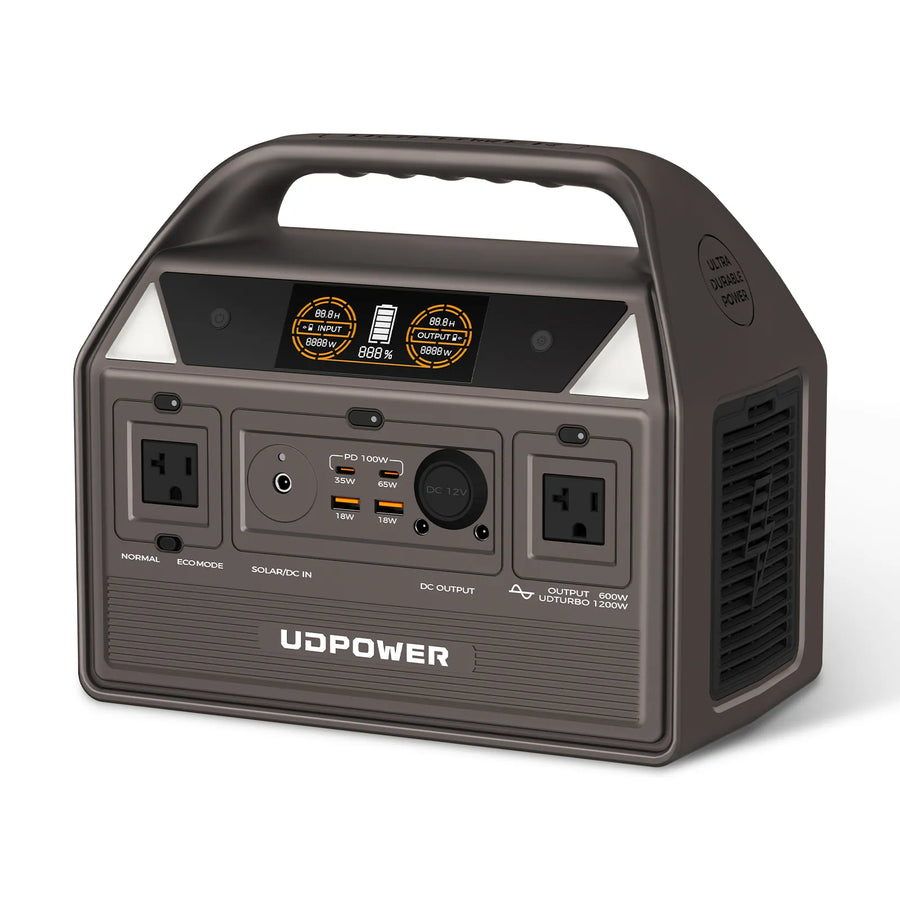
UDPOWER C600: compact backup for smaller loads
- Battery capacity: 596Wh
- Rated output: 600W
- Peak output: Up to 1,200W
- Battery chemistry: LiFePO4
- Cycle rating: 4,000+ cycles
- Conservative planning energy: Approximately 483Wh with 90% efficiency and a 10% reserve
The C600 is best suited to phones, laptops, cameras, lights, routers, fans, and other loads that remain within its 600W continuous output. It is a practical option for short outages, road trips, outdoor photography, and lightweight camping setups.
View UDPOWER C600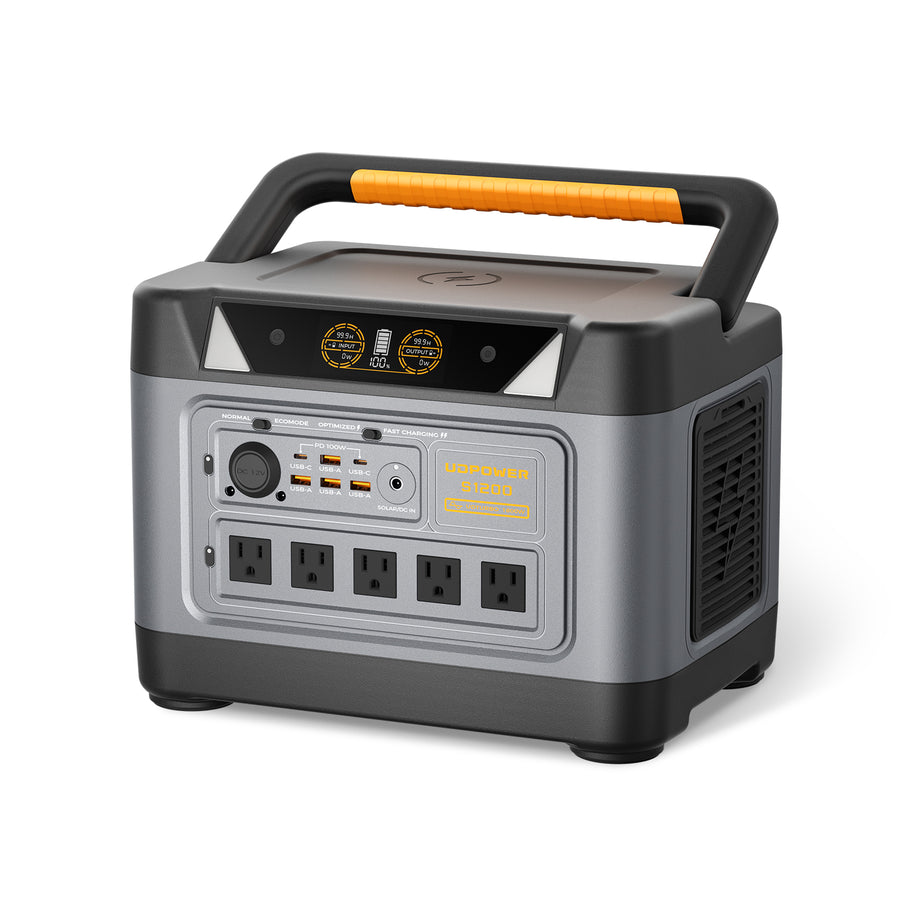
UDPOWER S1200: balanced backup for everyday essentials
- Battery capacity: 1,190Wh
- Rated output: 1,200W
- UDTURBO output: Up to 1,800W
- Solar input: Up to 400W
- UPS switchover: Under 10ms
- Cycle rating: 4,000+ cycles
- Conservative planning energy: Approximately 964Wh with 90% efficiency and a 10% reserve
The S1200 is a stronger fit for overnight CPAP use, refrigerator cycling, internet equipment, laptops, lighting, televisions, and short use of higher-wattage appliances. Its 1,200W continuous output provides broader appliance compatibility while remaining portable.
View UDPOWER S1200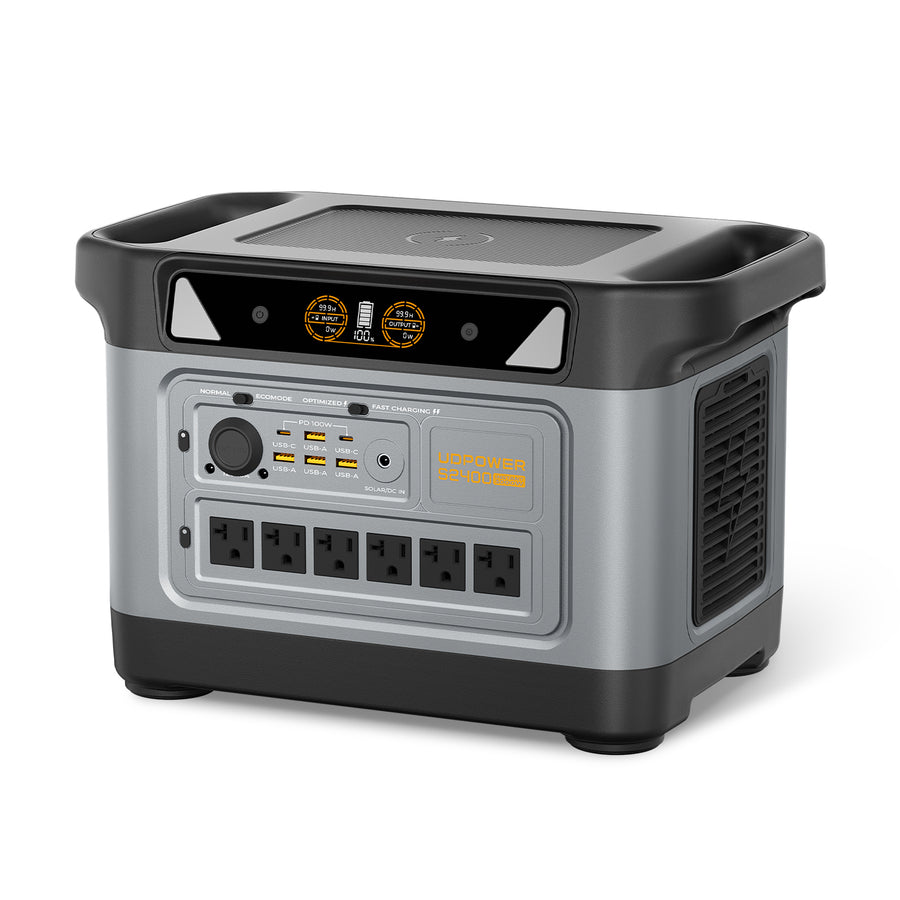
UDPOWER S2400: longer runtime and higher-output appliance support
- Battery capacity: 2,083Wh
- Rated output: 2,400W
- Surge support: Up to 3,000W
- AC outlets: 6
- Solar input: Up to 400W
- UPS switchover: Under 10ms
- Cycle rating: 4,000+ cycles
- Conservative planning energy: Approximately 1,687Wh with 90% efficiency and a 10% reserve
The S2400 is better suited to larger combined loads, longer home-backup periods, RV use, cooking appliances, power tools, and equipment that exceeds the S1200's continuous output. Its larger battery also provides more room for unexpected energy use.
View UDPOWER S2400A four-step portable power station selection check
- Add the running watts of every device that may be operating at the same time.
- Confirm that motor or compressor startup demand is within the station's supported surge capability.
- Add the watt-hours required by every device over your target operating period.
- Choose a recharging strategy if the trip or outage will last longer than one battery cycle.
Compare the complete lineup on the UDPOWER portable power station comparison page. For a power station and solar panel package, browse UDPOWER solar generator kits.
Quick battery sizing examples
These examples use 90% efficiency and a 10% reserve. They show the approximate minimum nameplate capacity suggested by the formula before adding extra headroom.
| Power requirement | Energy needed at the outlet | Suggested battery capacity | Output check |
|---|---|---|---|
| 20W internet setup for 24 hours | 480Wh | Approximately 593Wh | Small continuous load |
| 40W CPAP example for 8 hours | 320Wh | Approximately 395Wh | Check humidifier and heated-tube settings |
| 100W load for 8 hours | 800Wh | Approximately 988Wh | Most medium-sized stations support the wattage |
| 500W load for 2 hours | 1,000Wh | Approximately 1,235Wh | Station must support at least 500W continuously |
| 1,500W kettle for 6 minutes | 150Wh | Approximately 185Wh | Station still needs at least 1,500W of output capability |
Common battery runtime calculation mistakes
- Confusing watts with watt-hours. Watts describe power at a moment. Watt-hours describe energy consumed over time.
- Using battery Wh ÷ load W without accounting for losses. This produces an ideal laboratory-style result rather than a practical planning estimate.
- Using maximum label wattage as average consumption. Variable and cycling equipment often consumes less power on average than its maximum input rating.
- Using surge wattage in the runtime formula. Surge demand affects startup compatibility but usually does not represent continuous energy use.
- Ignoring multiple simultaneous loads. Overlapping appliances can exceed the inverter rating even when each device works independently.
- Planning to discharge the battery to 0%. Including a reserve protects the plan from uncertain appliance use and operating conditions.
- Assuming a solar panel always produces its rated wattage. Sun angle, clouds, temperature, partial shading, cable losses, and power station input limits affect charging.
- Trusting a generic refrigerator wattage. A 24-hour energy measurement or EnergyGuide figure usually provides a more useful estimate.
- Forgetting system overhead at very low loads. The inverter and internal electronics consume energy even when the connected device uses very little power.
- Failing to update the estimate after settings change. CPAP heat, television brightness, fan speed, laptop workload, and appliance modes can materially change consumption.
Battery runtime estimator FAQ
What is the formula for calculating battery runtime from watts?
Divide usable battery energy by the average connected load. The formula is: battery Wh × efficiency × remaining battery percentage ÷ average watts.
How long will a 1,000Wh battery run a 100W appliance?
The ideal result is 10 hours. At 90% efficiency with a 10% reserve, a more conservative planning estimate is approximately 8.1 hours.
How many watt-hours does a 100W device use in eight hours?
It uses 800Wh because 100W multiplied by eight hours equals 800Wh.
Should I use running watts or surge watts to estimate runtime?
Use average or measured running watts for runtime. Use surge watts only to check whether the portable power station can start the appliance.
Why is actual battery runtime lower than the formula suggests?
Common causes include inverter losses, low-load system overhead, temperature, battery condition, inaccurate appliance wattage, additional connected loads, and appliances operating more frequently than expected.
How do I estimate refrigerator runtime?
The most reliable practical method is to measure the refrigerator's energy use over at least 24 hours. You can also convert its EnergyGuide kWh-per-year figure into Wh per day and compare that daily requirement with the battery's usable watt-hours.
Does a 50% duty cycle double battery runtime?
It can approximately double runtime compared with a true 100% continuous load, but only when the operating wattage, standby consumption, and duty-cycle estimate are accurate.
Does using DC or USB power improve runtime?
It may improve efficiency when it avoids running the AC inverter and an additional wall adapter. The actual difference depends on the connected device and the power station's output design.
How much battery reserve should I include?
A 10% reserve is a useful starting point for general planning. Consider a larger reserve when the load is uncertain, the battery is older, temperatures are extreme, or the equipment is critical.
Can I run an appliance that matches the exact output rating of the power station?
It may operate, but there is little room for startup demand, power variation, or another device turning on. Choosing reasonable output headroom usually creates a more dependable setup.
Do solar panels extend battery runtime?
Solar panels add energy while the portable power station is charging. If solar input equals the energy consumed by connected loads over the same period, the battery level can remain relatively stable. Real solar production varies, so use conservative input expectations.
Which UDPOWER model should I choose?
Choose the C600 for smaller loads within 600W, the S1200 for a balanced combination of 1,190Wh capacity and 1,200W output, or the S2400 when you need longer runtime and support for loads up to 2,400W. Always calculate both simultaneous watts and total watt-hours before selecting a model.
Sources and calculation references
- U.S. Department of Energy: Estimating Appliance and Home Electronic Energy Use
- Federal Trade Commission: How to Use the EnergyGuide Label
- ENERGY STAR Refrigerator Product Finder and Annual Energy Data
- UDPOWER C600 official specifications
- UDPOWER S1200 official specifications
- UDPOWER S2400 official specifications
Turn your wattage list into the right backup-power setup
Add the energy used by your essential devices, check their startup requirements, and choose a portable power station with enough capacity and output headroom for the way you actually plan to use it.
Compare Models and Choose View Portable Power Stations Get the 24/48/72-Hour Outage GuideRelated Articles


