
Business Power Outage Checklist: What to Do Before, During, and After a Blackout
A business power outage can do more than shut off the lights. It can stop payments, take down internet access, disrupt customer service, and put refrigerated or temperature-sensitive inventory at risk. This guide gives small businesses a practical power outage checklist for every stage of an outage, including what to prepare in advance, what to prioritize in the first 15 minutes, how to protect critical operations, and how to restart safely once power returns. It also explains how to plan backup power around real business needs and how to choose the right portable power setup for communications, checkout, and selective essential loads.
Quick answer
A business power outage checklist should do more than remind you to grab flashlights. The version that actually protects revenue is a short, tested plan for people, building safety, internet and phones, payments, refrigeration or temperature-sensitive items, data access, shutdown order, and restart order.
If you only do five things before the next outage, do these first: map your must-run devices, assign staff roles, keep a manual fallback kit at the front desk, test backup power on the exact devices you plan to run, and print a one-page reopen checklist.

What most businesses get wrong during an outage
Most outage checklists stop at “buy backup power.” That is not enough. Real business losses usually come from smaller misses:
- The modem, router, and ONT are plugged into three different places, so the internet still dies even though you have battery backup.
- The point-of-sale system works, but the receipt printer, barcode scanner, or Wi-Fi node does not.
- The refrigerator stays closed, but nobody writes down the outage start time.
- The front door lock, gate, or alarm panel needs power, and nobody has the manual override steps printed.
- The team knows how to shut down equipment, but nobody knows the right restart order.
The smartest outage plan is not the longest one. It is the one your team can follow under stress in under five minutes.
The first 15 minutes: what to do when the power goes out
This is where most businesses either stay calm and controlled or lose the plot. Use a simple time-based sequence.
| Time window | Priority | What to do | Do not do this |
|---|---|---|---|
| 0–2 minutes | People first | Check whether the outage is local to your suite or broader. Keep staff calm. Move customers away from dark stairwells, powered doors, or equipment that stopped mid-cycle. | Do not assume the building is fully safe just because emergency lights are on. |
| 2–5 minutes | Stop immediate risk | Shut down heat-producing tools, cooking equipment, shop tools, lab devices, and anything that should not restart unexpectedly. | Do not use candles. Use battery lighting only. |
| 5–10 minutes | Protect operations | Switch internet, POS, phone charging, and one core workstation to backup power if the outage is not just a quick flicker. Write down the outage start time. | Do not waste backup power on nonessential screens, signs, or break-room devices. |
| 10–15 minutes | Make the stay-open or close decision | Decide whether you can safely continue limited operations, switch to manual mode, or close. Post a sign, update staff, and notify customers online if needed. | Do not “wait and see” for an hour while inventory warms up and customers get no information. |
Your before-the-outage checklist
This is the part that actually saves money. Do it before storm season, before summer peaks, and before your busiest sales weeks.
1) Assign roles before you need them
- Name one outage lead and one backup lead for every shift.
- Name one person responsible for customer communication.
- Name one person responsible for powered equipment shutdown and restart.
- Name one person responsible for refrigerated, frozen, or temperature-sensitive inventory.
- Print the role sheet and keep it at the front desk, office, or manager station.
2) Map what must stay powered
- List every device required to keep the business safe and minimally operational.
- Label the exact outlet or power strip for internet gear, POS gear, and one core workstation.
- Group modem, ONT, router, and any essential switch or mesh node together so one backup source can keep them all alive.
- Write down the actual running watts from the nameplate or power brick, not guesses from memory.
- Separate “must stay on,” “nice to have,” and “turn off immediately.”
3) Build a manual fallback kit
- Paper receipts or manual order forms
- Printed contact sheet for staff, vendors, building management, and utility contacts
- Printed customer appointment list for the day
- Flashlights and spare batteries
- Permanent marker, tape, and “temporarily closed / cash only / internet down” signs
- Device charging cables in one labeled pouch
- Appliance thermometers if you store food or temperature-sensitive goods
4) Prepare the building, not just the devices
- Know where electric, water, and gas shutoffs are.
- Know how to access the meter room or service entrance.
- Make sure someone on each shift knows how to manually operate security gates or powered doors.
- Test emergency lighting and any battery-backed alarm, phone, or security systems.
- Plug sensitive electronics into surge protection.
- Post a simple electrical diagram or outlet map in a place your team can actually find.
5) Plan for internet, payments, and customer communication
- Keep one hotspot or hotspot-ready phone available.
- Confirm whether your POS can work in offline mode and under what conditions.
- Keep a cash-change drawer if your business can legally and practically use cash during an outage.
- Save outage, weather, and utility alert pages on manager phones.
- Prepare one short customer update message for your website, Google Business Profile, and social channels.
6) Protect refrigerated, frozen, or temperature-sensitive items
- Put thermometers in every critical fridge and freezer.
- Keep cooler space, ice suppliers, or transfer locations identified in advance.
- Train staff not to keep opening doors “just to check.”
- If you store vaccines, medicine, or regulated temperature-sensitive products, keep a separate emergency pack-out plan ready.
7) Test your backup plan like it is real
- Run the exact internet chain you will need: ONT + modem + router + one laptop + one phone charger.
- Run the exact POS chain you will need: terminal + tablet + scanner + printer if required.
- Run one fridge, one under-counter unit, or one critical device at a time and verify startup behavior.
- Practice the restart order. Most businesses practice shutdown once and never practice recovery.
- Repeat the test quarterly and before high-risk weather seasons.
Plan by function, not by square footage
Square footage does not tell you much about outage risk. A 900-square-foot café may need more critical backup than a 2,500-square-foot office. Build the plan around what must keep working.
| Business function | What should stay alive | What can go manual | Common miss | Best planning move |
|---|---|---|---|---|
| Front desk / office | Internet, one laptop, phones, lights for one area | Paper sign-in, printed contact lists | Forgetting the ONT or second Wi-Fi node | Put all internet gear on one labeled backup strip |
| Retail checkout | POS terminal, tablet, router, phone charging | Manual receipts, limited cash sales | Trying to keep signage screens and speakers running too | Build a small “checkout continuity kit” |
| Café / food service | Cold storage monitoring, one register, internet, task lighting | Reduced menu, written tickets | Opening fridge doors too often | Log outage start time immediately |
| Clinic / wellness / medical office | Internet, phones, one workstation, temperature-sensitive storage protocol | Paper intake forms, limited scheduling | No separate plan for regulated storage | Keep a dedicated transport or transfer procedure ready |
| Warehouse / light industrial | Safety lighting, communications, critical scanners, access control | Paper pick lists, manual inventory notes | Restarting all equipment at once | Stage restart in waves |
| Salon / studio / service business | Scheduling, payments, phones, one comfort-lighted station if safe | Paper appointments and rescheduling | Losing the whole day because customer communication lags | Prepare a same-day reschedule message template |
How much backup power does a small business really need?
Do not choose backup power by the size of the building. Choose it by the loads you must keep alive for a defined period of time.
A practical planning formula is:
Estimated runtime (hours) ≈ usable battery watt-hours ÷ total running watts
For real life, add margin. Startup surges, inverter losses, extra chargers, and forgotten accessories are where most plans break.
| Backup tier | Typical use case | Planning target | What it usually covers well | What it usually does not cover well |
|---|---|---|---|---|
| Light continuity | One internet chain + phones + one laptop + simple POS | Keep essential communication alive | Offices, appointment-based services, pop-up checkout, mobile workflows | Long refrigeration support or multiple higher-draw devices |
| Core operations | Internet + front desk + several chargers + more lighting + moderate device mix | Run the business in reduced mode | Retail counters, small offices, front-of-house continuity | Heavy heating tools, large coffee equipment, multiple compressors at once |
| Heavier continuity | Internet + workstations + safety lighting + selective refrigeration or higher-draw loads | Bridge a long outage without losing core service | Longer events, larger teams, selective cold storage, stronger restart support | Whole-building power or “everything at once” expectations |
If you want exact runtime math, pair this article with the UDPOWER runtime calculator and the runtime planning guide for outages.
Recommended UDPOWER setups for business outage readiness
This is the practical middle of the article: matching backup power to the way small businesses actually operate, not to fantasy “run the whole building” expectations.

1) UDPOWER C600 — best for a minimal continuity kit
If your goal is to keep the internet up, keep phones charged, run one laptop, and handle light checkout or scheduling, the UDPOWER C600 is the leanest sensible entry point.
- Good fit for: solo offices, appointment desks, mobile service teams, backup checkout
- Why it works: compact, quiet, simple, and easier to move where the outage is actually hurting you
- Best add-on: 120W portable solar panel for daytime refill support during extended outages
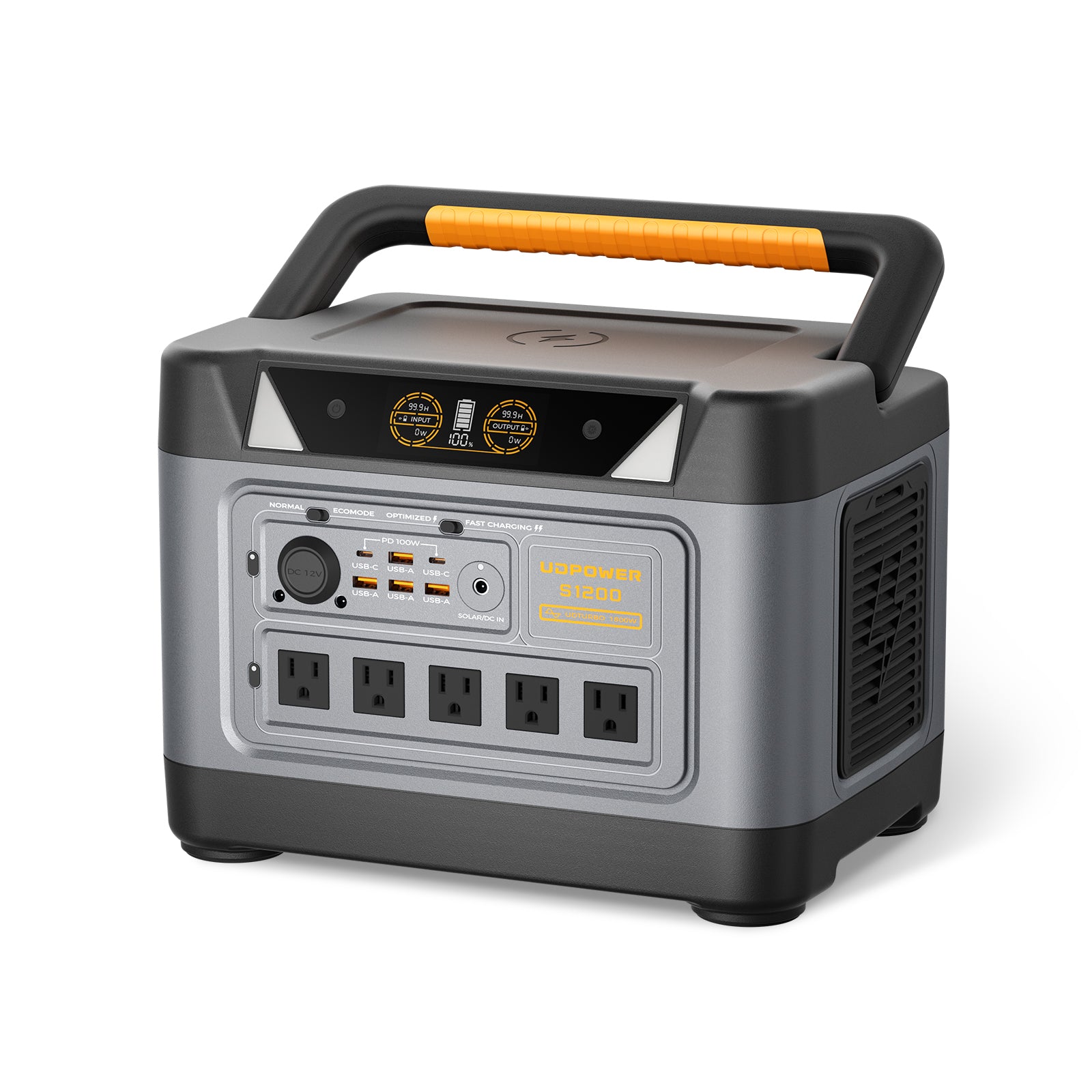
2) UDPOWER S1200 — best for most small business outage plans
The UDPOWER S1200 is the most practical choice for businesses that want to keep internet, checkout, phones, lights, and a broader mix of low-to-medium loads running without getting into a full generator setup.
- Good fit for: small offices, retail counters, salons, reception areas, service businesses, front-of-house continuity
- Why it works: stronger runtime cushion than entry-level units, more outlets, quiet operation, and UPS-style switchover for critical electronics
- Best add-on: 120W panel for lighter use, or 210W foldable panel for faster refill planning
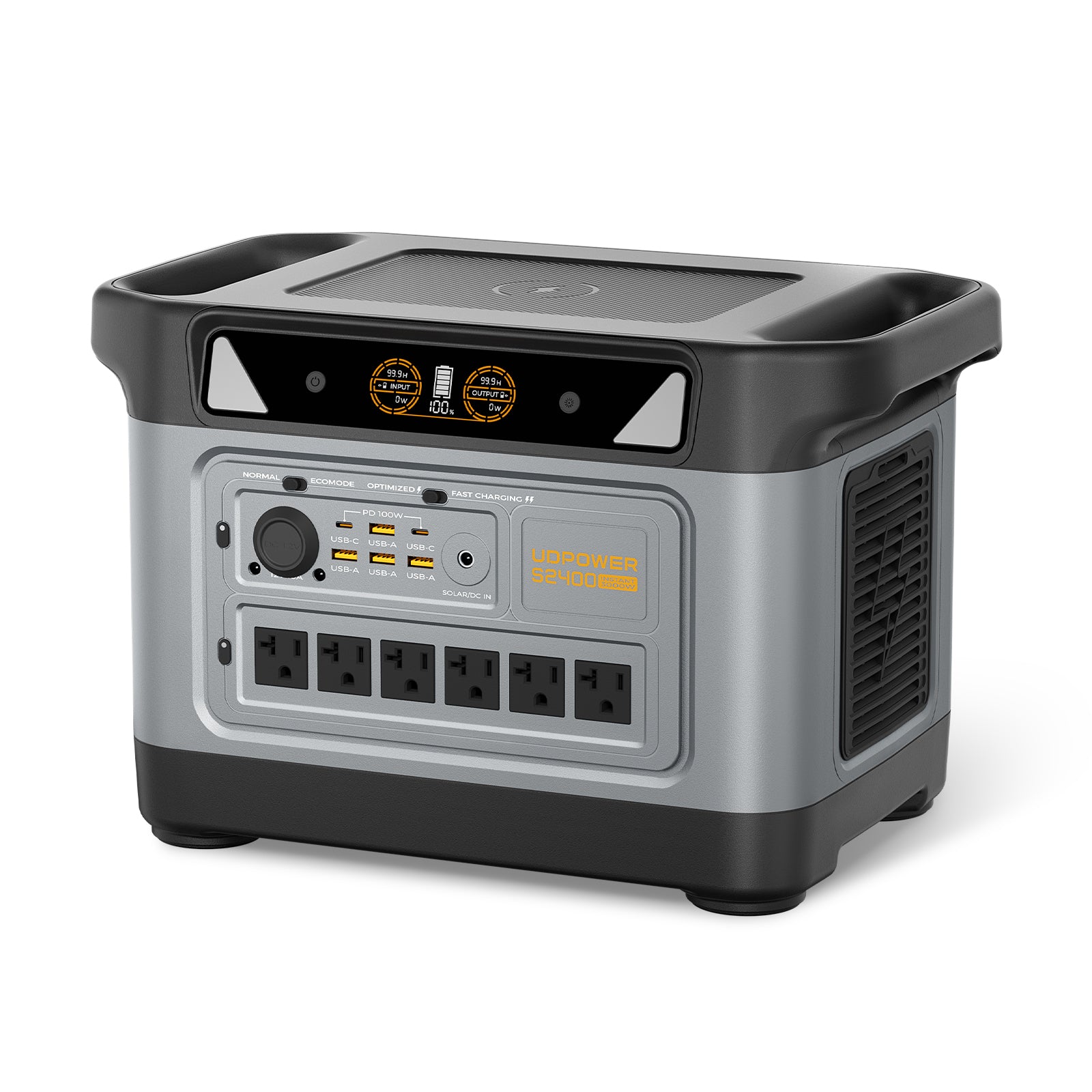
3) UDPOWER S2400 — best for longer outages and heavier selective loads
The UDPOWER S2400 makes more sense when your outage plan includes a wider device mix, longer runtime goals, or selective support for higher-draw equipment. It is also the safer step-up when startup surges matter.
- Good fit for: larger front desks, shops with more equipment, cafés with selective cold-storage protection, longer outage bridges
- Why it works: more runtime headroom, more continuous wattage, more outlets, and stronger surge handling
- Best add-on: 210W foldable panel when you want better daytime recovery during multi-hour or multi-day events
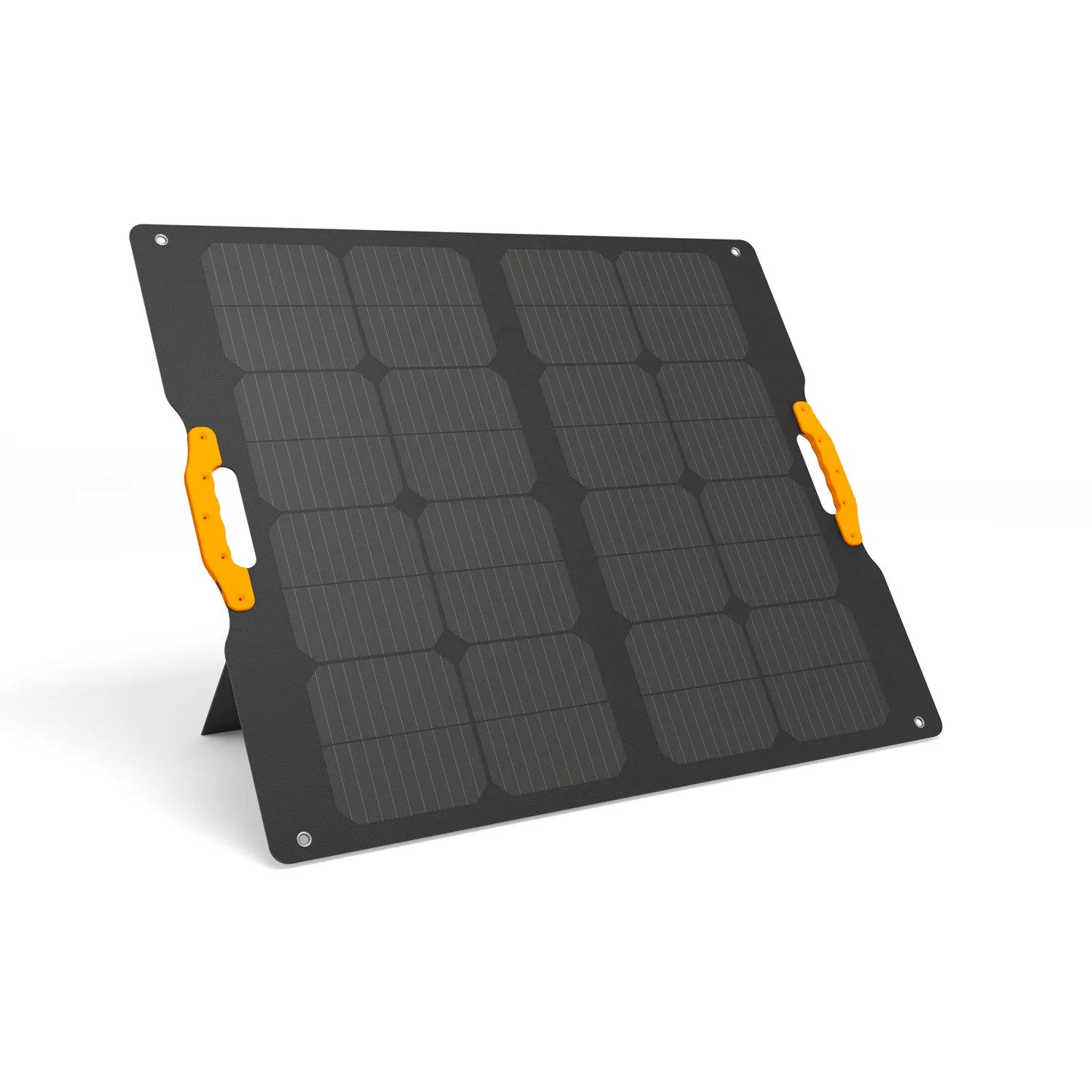
4) Solar matters more the longer the outage gets
Wall charging is great for short events. Solar helps when the outage runs long or when you want to stretch the same battery across a full workday and into the next one.
Browse both options here: UDPOWER solar panels.
Rules worth printing: the outage facts that matter in real life
This is the section to keep simple and visible. These are the rules that help teams make better calls when the power is out.
| Situation | Rule to remember | What that means for your business | Source |
|---|---|---|---|
| Building safety after an outage | Restrict access to essential staff until you know the building is safe to occupy. | Do not reopen just because some lights or backup systems are working. Check safety, access, alarms, and any damaged equipment first. | DOE |
| Backup power planning | Know critical utilities, backup options, shutdown procedures, permits, testing needs, and fuel logistics in advance. | A backup unit is only useful if it is sized, wired, tested, and supportable during an actual event. | DOE |
| Business prep checklist basics | Train employees, keep a list of equipment to turn off, know utility shutoffs, and plan for customers too. | Your outage plan should cover staff, customers, equipment, and communication, not just backup power. | SCE |
| Fridge and freezer rules | An unopened refrigerator is good for about 4 hours; a full freezer about 48 hours; a half-full freezer about 24 hours. | Log the outage start time immediately and keep doors closed as much as possible. | FDA |
| Perishable food after outage | Discard refrigerated perishable food that has been above 40°F for 4 hours or more. | This matters for cafés, breakrooms, clinics, and anywhere you store staff or customer food. | FDA |
| Vaccines or temperature-sensitive medical items | Keep a dedicated emergency transport and packing procedure ready for power failures. | If you store regulated temperature-sensitive inventory, do not improvise in the moment. | CDC |
| Portable generator safety | Never run it indoors. Use it outside only, at least 20 feet from buildings, and not on porches or in carports. | If your business uses a portable gas generator, generator safety is part of the outage plan, not a side note. | CPSC |
| Ready-made planning framework | Use a structured business outage toolkit instead of starting from a blank page. | If you need a broader continuity framework, use a formal business outage toolkit and adapt it to your location and industry. | Ready Business Toolkit |
When power comes back: restart in the right order
The restart is where businesses create second-round damage. Do not flip everything back on at once.
- Verify site safety first. Look for tripped breakers, burned smells, wet areas, alarm faults, or equipment that stopped in an unsafe state.
- Restore communications first. Bring internet, phones, and one key workstation back up before you chase nonessential loads.
- Restore transaction tools next. Check POS sync, payment terminals, receipt printers, scanners, and appointment tools.
- Bring refrigeration or temperature-sensitive equipment back into your process. Check and document temperatures before assuming everything is fine.
- Restart higher-draw equipment one item at a time. This helps avoid overloads and lets you catch a problem early.
- Document losses and downtime. Record spoiled inventory, canceled appointments, damaged equipment, and customer-impact notes while details are fresh.
- Restock the outage kit within 24 hours. The worst time to discover you used your last flashlight batteries is the next outage.
Printable one-page business power outage checklist
Keep this version in your manager binder, front desk drawer, or opening/closing folder.
Before an outage
- Critical loads are listed and labeled
- Internet chain is grouped and tested
- POS fallback method is confirmed
- Emergency contacts are printed
- Flashlights, chargers, signs, and manual forms are stocked
- Fridge/freezer thermometers are in place
- Shutoff locations and manual access steps are known
- Backup power is charged, tested, and ready
During an outage
- Check safety and scope of outage
- Shut down risky or heat-producing equipment
- Write down outage start time
- Switch only critical devices to backup power
- Keep cold storage closed
- Post customer-facing update
- Decide: limited service, manual mode, or temporary close
After power returns
- Verify building and equipment safety
- Restore internet and communications first
- Restore payments and core operations next
- Check temperature-sensitive inventory
- Restart larger loads one at a time
- Record losses, lessons, and restock needs
FAQ
What should a small business do first when the power goes out?
Check safety first, then stop risky equipment, then protect your core operations. In practice, that usually means: confirm the outage scope, shut down heat-producing or unsafe devices, record the outage start time, and move only critical loads like internet, phones, and checkout to backup power.
Can a business stay open during a power outage?
Sometimes, yes. It depends on safety, building access, payment capability, lighting, internet needs, refrigeration needs, local rules, and your type of business. Many businesses can operate in reduced mode if they planned ahead. Many others should close temporarily instead of improvising.
What should I keep on backup power first?
Start with communication and revenue: modem, router, ONT, phone charging, one laptop, and your checkout system. After that, protect inventory and service-critical devices. Comfort loads come later.
Is a generator always better for a business outage?
No. A generator is stronger for long, heavy, fuel-supported backup. A portable power station is simpler, quieter, indoor-safe for selective loads, and faster to deploy for communications, checkout, lighting, and targeted continuity. Many businesses do better with selective backup than with an oversized, rarely-tested setup.
How long can refrigerated business inventory stay safe without power?
As a general rule, an unopened refrigerator is good for about 4 hours. A full freezer is good for about 48 hours, and a half-full freezer for about 24 hours. But for perishables, temperature matters more than hope, so log the outage start time and use thermometers.
Do I need solar if I already have battery backup?
Not always, but solar becomes much more useful as outages get longer. For short interruptions, a charged battery may be enough. For all-day outages, repeated seasonal outages, or daytime operations, solar gives you a way to recover energy instead of just spending it down.
How often should a business test its outage plan?
Quarterly is a good baseline, and again before your highest-risk weather season. Test the exact gear chain you plan to rely on, not just the battery itself.
Can one portable power station run my whole business?
Usually not, and that is the wrong goal anyway. A good outage plan keeps the right things running: communications, payments, critical refrigeration, safety lighting, and one or two key workstations. That is how businesses stay functional without overspending.
Build your outage setup before the next outage tests it for you
Use the sizing tools, compare the right UDPOWER models, and build around the devices that actually keep your business operating.
Related Articles





