
How Many Watts Does a TV Use: 24, 32, 50, 55, 65 Inch TV and More [With a Data Table]
Last updated: July 29, 2026
How Many Watts Does a TV Use?
Most modern TVs use about 30 to 200 watts during normal home viewing. A compact 32-inch TV commonly uses 30–50W, a 55-inch TV often uses 70–120W, and many 65-inch TVs fall between 90W and 160W. Large, extra-bright televisions can exceed 200W, especially when displaying HDR content in a bright picture mode.
These ranges are useful for budgeting electricity and making an initial backup-power estimate. For an outage, RV, tailgate, or outdoor movie, calculate the load of the entire entertainment setup, including the TV, modem, router, streaming device, soundbar, and game console.

TV Wattage by Screen Size
Screen size is the fastest way to estimate TV wattage when you do not know the exact model. It is not a guarantee, however. Two 65-inch TVs can have very different power consumption because of panel technology, brightness, local dimming, picture mode, and HDR performance.
| TV size | Typical home viewing | Bright room, HDR, or vivid mode | Simple planning number | Annual use at 3 hours/day | Annual cost at $0.16/kWh |
|---|---|---|---|---|---|
| 24 inches | 20–35W | 30–45W | 30W | About 33 kWh | About $5.26 |
| 32 inches | 30–50W | 45–65W | 40W | About 44 kWh | About $7.01 |
| 40–43 inches | 45–75W | 65–95W | 60W | About 66 kWh | About $10.51 |
| 50 inches | 60–100W | 85–130W | 80W | About 88 kWh | About $14.02 |
| 55 inches | 70–120W | 95–150W | 95W | About 104 kWh | About $16.64 |
| 65 inches | 90–160W | 120–200W | 125W | About 137 kWh | About $21.90 |
| 75 inches | 110–200W | 150–260W | 155W | About 170 kWh | About $27.15 |
| 85 inches | 150–270W | 200–330W | 210W | About 230 kWh | About $36.79 |
| Planning ranges are synthesized from the consumer baseline published by EnergySage, model-level testing trends reported by RTINGS, and efficiency information from ENERGY STAR. Electricity cost uses the FTC EnergyGuide comparison rate of $0.16 per kWh. Actual utility rates and TV models vary. | |||||
When you need one quick number, use 100W for a typical mid-size modern TV, 150W for a large living-room TV, and at least 200W for an extra-large or very bright model. Add the wattage of every device that will operate with it.
Three TV Power Numbers That Are Easy to Confuse
1. Rated or maximum input
The label on the TV may show a maximum power rating, or it may provide volts and amps. This number helps determine electrical limits, but it can be noticeably higher than normal viewing consumption.
2. Actual on-mode wattage
This is the live number shown by a watt meter while the TV is running. It changes with brightness, content, picture mode, and HDR. This is the most useful value for estimating portable power station runtime.
3. Annual energy consumption
The yellow EnergyGuide label reports estimated annual energy use in kilowatt-hours and an estimated annual operating cost. Under the current FTC television-labeling rule, the comparison is based on five hours of on-mode use and 19 hours of standby per day, using an electricity rate of $0.16 per kWh.
See the FTC television EnergyGuide requirements for the current testing and comparison assumptions.
TV Power Consumption by Display Type
Display technology affects power use, but the label on the box does not tell the whole story. A bright Mini-LED TV can draw more power at maximum brightness than a darker OLED scene, while a large OLED displaying a bright sports broadcast can use more than a standard LED TV.
| Display type | Broad planning range | How its power use behaves | Best planning advice |
|---|---|---|---|
| LED-backlit LCD | About 30–200W | The backlight is the main load. Power generally rises with screen size and brightness. | Use the normal picture-mode measurement rather than the brightest showroom setting. |
| QLED or Mini-LED | About 60–300W+ | These are LCD-based TVs that can reach high brightness. Large, bright HDR models may have high maximum draw. | Measure both ordinary SDR viewing and bright HDR content. |
| OLED | About 60–250W+ | Individual pixels produce light. Dark scenes can use less power, while bright full-screen content can use much more. | Do not rely on one fixed wattage for every movie, game, or picture mode. |
| Plasma | About 100–500W | Older plasma TVs are usually much less efficient than modern LED-backlit televisions. | Measure the actual TV before choosing a battery or inverter. |
| CRT | About 60–400W | Consumption varies widely with screen size and design. These older sets are generally less efficient than modern flat panels. | Use the rear label only as a limit; confirm normal draw with a meter. |
| Sources and testing context: RTINGS TV power testing, ENERGY STAR televisions, and the U.S. Department of Energy television test procedure. | |||
What Changes a TV’s Wattage the Most?
Screen size
A larger screen has more illuminated area, so power use generally rises as the screen gets larger. Technology improvements can make a newer 65-inch television more efficient than an older 55-inch model, which is why size should be treated as a starting point rather than an exact answer.
Brightness and picture mode
Brightness is one of the strongest day-to-day variables. Vivid, Dynamic, Sports, and showroom modes are designed to stand out in bright environments and can draw considerably more power than Cinema, Standard, or energy-saving modes.
SDR versus HDR content
HDR can require brighter highlights and may change the TV’s energy-saving behavior. The U.S. Department of Energy has specifically discussed the higher power demands of HDR content in its television test-procedure work. A runtime test based only on a dim menu screen may therefore be too optimistic for HDR movies or games.
Backlight and local dimming
LED and Mini-LED TVs use a backlight behind the LCD panel. Raising the backlight level increases power draw. Local dimming can reduce or redistribute lighting in darker scenes, but a bright full-screen image can still demand substantial power.
What is displayed on an OLED TV
OLED power changes more noticeably with picture content. A dark movie scene may be relatively efficient because many pixels are dim or off. Snow scenes, hockey, bright animation, and white web pages can produce a much higher reading.
Ambient light control
Some TVs use a room-light sensor to adjust brightness automatically. This can reduce consumption in a dark room, but the result depends on the manufacturer’s settings and whether the feature is enabled.
Connected equipment
Streaming devices, cable boxes, soundbars, subwoofers, routers, modems, and consoles can use as much power as—or more power than—the television. This matters far more when calculating battery runtime than when looking at the TV by itself.
Standby and network features
A TV that appears off may remain connected to Wi-Fi, listen for voice commands, install updates, or wait for a quick-start signal. ENERGY STAR television criteria limit qualifying models to no more than 0.5W in passive standby and 1W in network-active standby, but nonqualifying, older, or differently configured TVs can use more.
How to Find Your TV’s Actual Wattage
The same basic relationship applies when the label provides volts and amps:
For example, a device drawing 0.8 amps from a 120V supply has a calculated input of 96W. For a more detailed explanation, read How Many Amps Does a TV Use?
How Much Electricity Does a TV Use Per Day, Month, and Year?
Watts describe the rate at which the TV is using power. Kilowatt-hours describe how much energy it uses over time.
Example: 95W TV used four hours per day
Daily energy use: 95W × 4 hours ÷ 1,000 = 0.38 kWh
Annual energy use: 0.38 kWh × 365 = 138.7 kWh
Annual cost at $0.16 per kWh: 138.7 × $0.16 = about $22.19
| TV or setup | Planning load | 2 hours/day | 4 hours/day | 6 hours/day |
|---|---|---|---|---|
| Small bedroom TV | 40W | 29.2 kWh/year | 58.4 kWh/year | 87.6 kWh/year |
| Typical 55-inch TV | 95W | 69.4 kWh/year | 138.7 kWh/year | 208.1 kWh/year |
| Typical 65-inch TV | 125W | 91.3 kWh/year | 182.5 kWh/year | 273.8 kWh/year |
| Large bright TV | 180W | 131.4 kWh/year | 262.8 kWh/year | 394.2 kWh/year |
| Multiply any value by your own electricity rate to estimate cost. The FTC’s current EnergyGuide comparison rate is $0.16 per kWh, but your local rate may be higher or lower. | ||||
The Whole Entertainment Setup Matters More Than the TV Alone
A 100W television does not necessarily create a 100W backup load. Streaming during an outage may also require a modem, optical network terminal, Wi-Fi router, and streaming player. Gaming adds a console and often more demanding HDR picture settings.
| What is running | Practical planning range | Why it matters |
|---|---|---|
| TV only | 30–200W | Useful for basic estimates, but it may not represent how you normally watch content. |
| TV + streaming player | 35–215W | A dedicated streaming player usually adds a modest load. |
| TV + modem + router | 45–230W | Both networking devices may need backup power for streaming. |
| TV + soundbar or audio system | 55–260W | Audio consumption varies with the amplifier, subwoofer, and listening volume. |
| TV + game console | 130–400W+ | The console can consume more power than the TV during demanding games. |
| TV + console + Wi-Fi + audio | 170–500W+ | This is a more realistic gaming or complete entertainment load. |
| Connected-device context: ENERGY STAR digital media players. For outage networking, see the UDPOWER Wi-Fi outage guide . Accessory consumption varies widely, so measure the complete power strip whenever possible. | ||
Can a Portable Power Station Run a TV?
Yes. Most modern televisions are relatively easy for a portable power station to operate. Even a 200W television is far below the continuous output of many current power stations.
The more important question is how long the TV and its connected equipment will run. To answer that, check two different power station specifications:
Output power in watts
Continuous AC output must be higher than the total simultaneous load. A 180W TV setup does not require a 1,800W power station simply because the larger unit has more output. It requires an inverter that can comfortably support at least the measured load.
Battery capacity in watt-hours
Battery capacity determines runtime. A larger Wh number usually means more viewing time, even when two power stations have similar output ratings.
Pure sine wave AC output
A pure sine wave inverter provides AC power intended for ordinary household electronics. Current UDPOWER C600, S1200, and S2400 product pages list pure sine wave AC output.
For a dedicated compatibility walkthrough, see Can You Run a TV Off a Portable Power Station?
How Long Will a Portable Power Station Run a TV?
For UDPOWER runtime planning, use approximately 90% conversion efficiency unless you have measured a different result with your exact setup.
This is a planning estimate rather than a guaranteed result. Remaining battery charge, temperature, inverter overhead, battery age, picture brightness, and changing content can all affect actual runtime.
| Measured setup load | Example setup | C600 596Wh |
S1200 1,190Wh |
S2400 2,083Wh |
|---|---|---|---|---|
| 60W | Compact TV or efficient 43-inch TV | About 8.9 hours | About 17.9 hours | About 31.2 hours |
| 120W | Typical living-room TV | About 4.5 hours | About 8.9 hours | About 15.6 hours |
| 180W | TV, internet equipment, and streaming player | About 3.0 hours | About 6.0 hours | About 10.4 hours |
| 300W | Large TV with console, Wi-Fi, or audio equipment | About 1.8 hours | About 3.6 hours | About 6.2 hours |
| Calculations use 90% planning efficiency. Official capacity and output specifications: UDPOWER C600, UDPOWER S1200, and UDPOWER S2400. Measure your complete entertainment setup for the most useful estimate. | ||||
You can enter your own measured wattage into the UDPOWER Portable Power Station Runtime Calculator instead of relying on a generic screen-size estimate.
Recommended UDPOWER Portable Power Stations for TVs
All three models below have more than enough continuous output for an ordinary television. Choose between them mainly by the total setup load, desired runtime, number of outlets, portability, and whether you also want to back up other household devices.
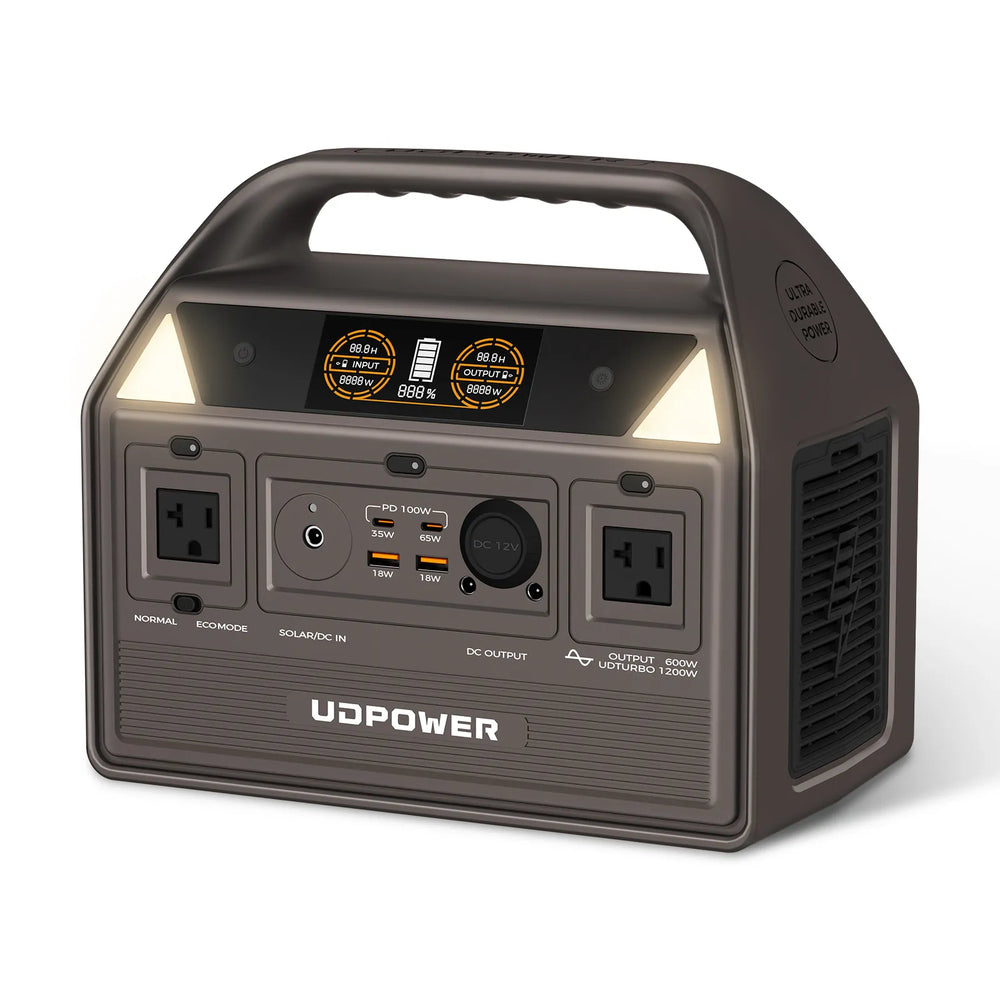
UDPOWER C600: Best for a TV-Only or Lightweight Setup
- Battery capacity: 596Wh
- Rated AC output: 600W
- AC outlets: 2
- Weight: 12.3 lb
- Best fit: Small or mid-size TV, streaming player, and short-to-medium outage coverage
The C600 is a practical choice when portability matters and your main goal is to keep a TV, router, or streaming setup running for several hours. At a measured 120W load, the 90% planning formula gives an estimated runtime of about 4.5 hours.
Readers comparing similar loads can also review What Can a 600W Portable Power Station Run?
View UDPOWER C600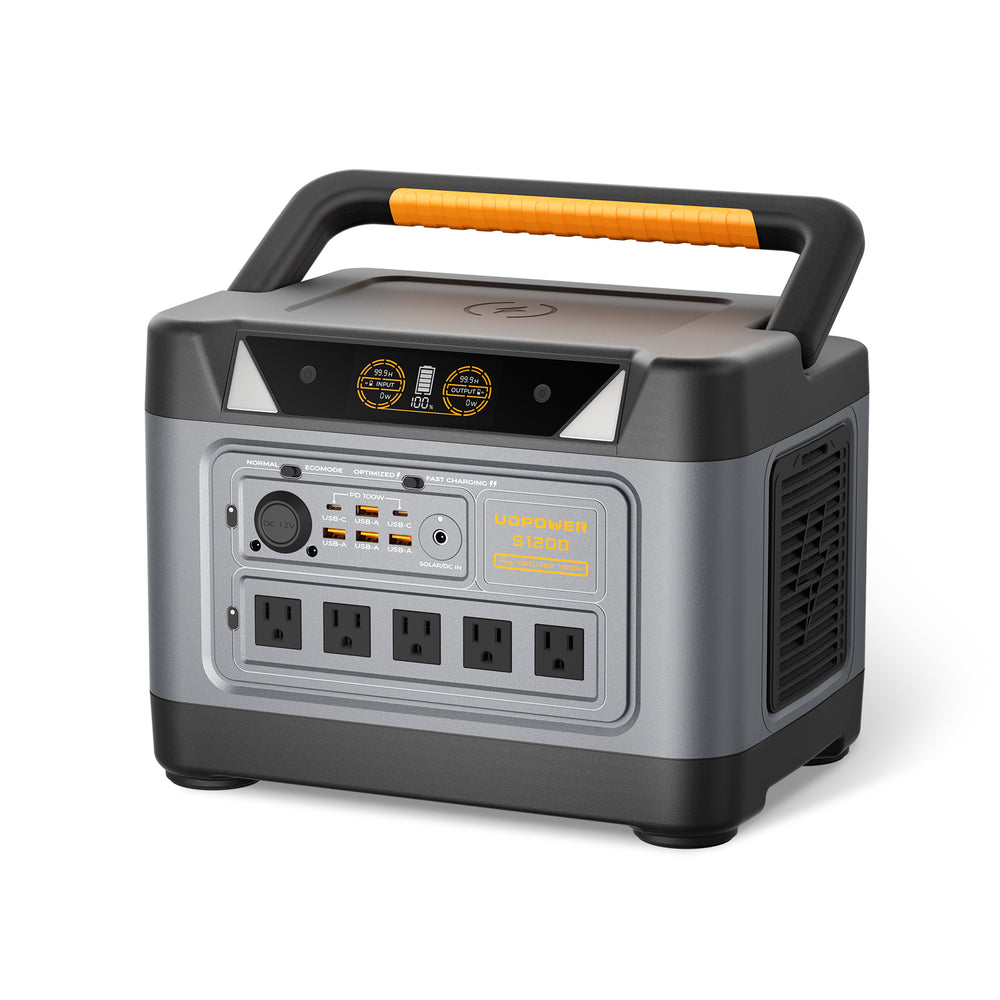
UDPOWER S1200: Best for Most Household TV Setups
- Battery capacity: 1,190Wh
- Rated AC output: 1,200W
- AC outlets: 5
- UPS switchover: 10ms or less
- Weight: approximately 26 lb
- Best fit: TV, Wi-Fi, streaming equipment, soundbar, phones, and longer outage coverage
The S1200 offers a useful balance between battery capacity and portability. A 180W TV-and-internet setup has an estimated planning runtime of about six hours, while a 120W TV load is approximately 8.9 hours.
For a wider appliance comparison, read What Can a 1200W Portable Power Station Run?
View UDPOWER S1200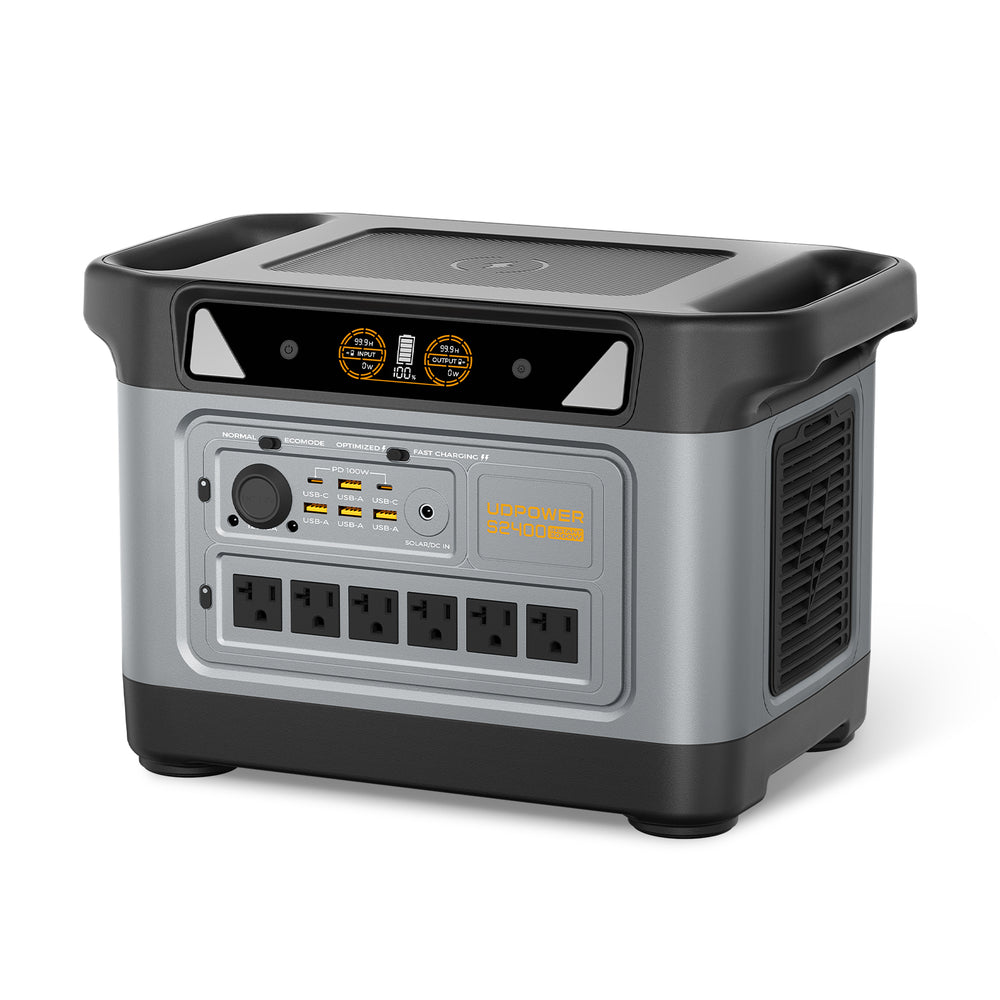
UDPOWER S2400: Best for Long Outages and Multi-Device Backup
- Battery capacity: 2,083Wh
- Rated AC output: 2,400W
- AC outlets: 6
- UPS switchover: 10ms or less
- Weight: approximately 40.8 lb
- Best fit: Large TV, networking equipment, audio, lighting, charging, and additional home essentials
Choose the S2400 when the television is only one part of your backup plan. Its larger battery provides an estimated 10.4 hours for a 180W entertainment-and-internet load or about 6.2 hours for a heavier 300W setup.
View UDPOWER S2400How to Reduce TV Power Use Without Ruining the Picture
Switch out of Vivid or Dynamic mode
Standard or Cinema mode usually provides a more natural image and lower backlight demand than a showroom-oriented preset.
Lower the backlight or OLED pixel brightness
Adjust the panel-light control rather than making the picture so dark that it becomes difficult to watch. A moderate reduction can noticeably change wattage on bright televisions.
Enable the ambient light sensor
Automatic brightness control can reduce unnecessary output in a dark room. Check the watt meter afterward because different brands implement this feature differently.
Use a dedicated streaming player instead of a game console
ENERGY STAR notes that game consoles use substantially more energy for streaming than dedicated digital media players. During an outage, this change can preserve battery capacity for much longer.
Turn off Quick Start and unused network-wake features
These functions keep parts of the TV active so it can wake quickly or respond through the network. Disable them when fast startup or remote network control is unnecessary.
Use a sleep timer
A sleep timer prevents the TV and connected equipment from running for hours after everyone has left the room or fallen asleep.
Power down unnecessary accessories
Turn off the console, subwoofer, decorative lighting, and unused cable boxes when your goal is to maximize emergency runtime.
Dim the room before making the screen brighter
Closing blinds or reducing glare can make the picture easier to see without increasing the television’s backlight to maximum.
Common TV Wattage and Backup-Power Mistakes
- Using the maximum rear-label rating as normal consumption: the maximum input may be higher than everyday viewing wattage.
- Calculating runtime from the TV alone: the router, modem, audio system, and console must also be included.
- Assuming a 4K TV automatically uses twice as much as a 1080p TV: brightness, panel design, screen size, and HDR often matter more than resolution alone.
- Testing only a dark menu: bright HDR content can produce a much higher reading.
- Using 100% of the battery’s Wh rating: AC conversion and system overhead reduce practical usable energy.
- Choosing only by inverter watts: output determines what the station can run, while battery Wh largely determines how long it will run.
- Confusing watts with watt-hours: watts describe present power draw; watt-hours describe stored or consumed energy.
Frequently Asked Questions
How many watts does a 32-inch TV use?
A modern 32-inch TV commonly uses about 30–50W during normal viewing. Bright picture settings may raise it to approximately 45–65W. Use 40W as a simple estimate when the exact model is unknown.
How many watts does a 55-inch TV use?
Many 55-inch TVs use around 70–120W during normal home viewing. Bright HDR or Vivid mode may raise consumption toward 95–150W or more on certain models. A 95W planning value is reasonable until you measure the exact TV.
How many watts does a 65-inch TV use?
A 65-inch television often uses about 90–160W in normal viewing. Bright HDR content and high-output Mini-LED models can reach roughly 120–200W or more. Use 125W for an initial estimate.
Do smart TVs use more electricity than regular TVs?
Smart features can add a small amount of operating and standby consumption, but screen size, brightness, panel technology, and picture mode usually have a larger effect. Network standby and Quick Start settings can matter when the TV is turned off.
Does a 4K TV use more power than a 1080p TV?
Not automatically. Resolution is only one design factor. A newer, efficient 4K LED TV can use less power than an older 1080p model. Screen size, brightness, HDR, backlight design, and picture mode are generally more useful predictors.
Does an OLED TV always use less power than an LED TV?
No. OLED power varies with the displayed image. Dark scenes can be efficient, while bright full-screen content can require substantially more energy. Large OLED TVs may use more power than efficient LED-backlit models during ordinary viewing.
How much electricity does a TV use when it is off?
An efficient TV may use less than one watt in standby, but standby is not always zero. ENERGY STAR criteria limit qualifying televisions to 0.5W in passive standby and 1W in network-active standby. Older models or TVs with Quick Start and network features may consume more.
Will a 1,000W power station run a TV?
A true 1,000W continuous-output power station can run almost any ordinary television because most TVs use far less than 1,000W. Runtime depends on the power station’s battery capacity in Wh and the total entertainment-system load.
How long will a 600Wh power station run a 100W TV?
Using a 90% planning efficiency, the estimate is 600Wh × 0.90 ÷ 100W, or about 5.4 hours. A 150W TV-and-internet setup would run for about 3.6 hours. Actual results may be lower because of inverter overhead, battery condition, temperature, and changing TV consumption.
Can a portable power station run a TV and Wi-Fi together?
Yes, provided the total wattage remains below the power station’s continuous output. Include the modem or fiber ONT, router, TV, and streaming device in the runtime calculation. Internet service can still fail during a regional outage even when your home networking equipment remains powered.
Can I use a portable power station as a UPS for my TV?
Only use a model that officially supports UPS operation and stay within its stated limits. UDPOWER lists a switchover time of 10ms or less for the S1200 and S2400. Whether a particular TV, router, or streaming device restarts can still depend on that device’s power supply sensitivity.
Can a solar panel run a TV directly?
Most portable solar panels do not provide the stable 120V AC outlet a household TV requires. The practical setup is to connect the panel to a compatible portable power station, then plug the television into the station’s AC outlet.
How many watts should I add for safety when sizing a power station?
For an ordinary TV setup, choose continuous output comfortably above the highest measured load. Runtime should be calculated separately from battery Wh. Adding 15–25% runtime reserve is sensible when the TV is needed for weather updates, emergency information, or a long outage.
Methodology and Source Notes
The wattage tables in this guide are planning ranges, not claims that every television of a given size uses the same amount of power. They were developed from broad consumer-use baselines, independent model-testing trends, U.S. television efficiency requirements, and the practical difference between normal SDR viewing and brighter HDR operation.
- EnergySage: TV electricity-use baseline
- RTINGS: LED and OLED model-testing methodology
- ENERGY STAR: Television efficiency guidance
- ENERGY STAR: Current television product criteria
- FTC: Television EnergyGuide labeling rule
- U.S. Department of Energy: Television test procedure
UDPOWER product capacities, rated output, AC outlet counts, weight, UPS information, and product images were verified against their respective official product pages before this update. Prices are not included because promotions and inventory can change.
Related Reading
Choose the Right TV Backup Power
Start with your TV’s actual wattage, add every device that must run with it, and choose the battery capacity according to the number of hours you need. Do not size the system from screen dimensions alone.
Get a Runtime Estimate View Portable Power Stations View Solar Generator KitsRelated Articles





