Xcel Power Outage Map: How to Check the Outages in Colorado, Denver, and More
ZacharyWilliamColorado Power Outage Guide
When the lights go out in Denver or another Xcel-served part of Colorado, the official outage map is usually the fastest place to start. It shows active electric outages, planned Public Safety Power Shutoff events, and restoration details that help you decide what to do next.
You do not need a long checklist just to get oriented. In most cases, the right order is simple: check the official Xcel outage map, confirm whether your home is part of a larger outage, look at the estimated restoration time, and then shift immediately into food, communication, and backup-power planning.

Quick answer: Use the official Xcel outage map first. If you need account-level status, use Check Outage Status or text STAT to 98936. If you need to report a new outage, go to Report an Outage or text OUT to 98936. Then move fast on the practical stuff: keep the fridge closed, protect electronics, and decide what actually needs backup power first.

What the Xcel power outage map is really for
The Xcel outage map is not just a “yes or no” outage screen. For Colorado customers, it is the fastest way to see whether your outage is part of a broader neighborhood event, whether a planned wildfire-related shutoff is in play, and whether Xcel has posted an estimated restoration time.
That matters in Denver especially. A short outage changes your plan one way. A storm-related or PSPS-style outage changes it another way. If you know early that restoration may take hours instead of minutes, you can stop guessing and start protecting food, medical gear, internet access, lights, and battery reserves.
| What you need right now | Best tool | Why it helps | Source |
|---|---|---|---|
| See active electric outages and PSPS events | Xcel outage map | Best first look for map-based outage visibility and near-real-time updates | Official map |
| Check your own outage | Check Outage Status | Better when you want account-level status instead of a neighborhood view | Account status page |
| Report a new outage | Online report or text OUT | Fastest official reporting path if your address is affected but not yet logged | Report outage |
| Get restoration changes automatically | Xcel notifications | Useful when you do not want to refresh the map all night | Notification signup |
| Check a wider statewide picture | PowerOutage.us | Helpful if you are in Colorado but not on Xcel, or you want utility-wide context | Colorado utility tracker |
How to check outages in Colorado and Denver
Most people overcomplicate this. Use this sequence instead:
- Open the official Xcel outage map.
- Zoom into your area or search around your address if you are in an Xcel-served part of Colorado.
- Look for three things first: estimated restoration time, cause, and comments.
- If the map is too broad or you want your exact service status, use Check Outage Status or text STAT to 98936.
- If your home is dark and you do not see a posted outage yet, report it with Xcel’s report page or text OUT to 98936.
- Turn on outage alerts so you get restoration changes without babysitting the map.
Best shortcut for Denver readers
If you are in Denver and need to know whether the outage is just your home or part of a larger local event, do not start with social media. Start with the Xcel map, then pair it with Denver emergency guidance only if the outage is lasting long enough to affect food, medicine, heating, cooling, or shelter plans.
How to read the outage map without wasting time

Estimated restoration time is useful, but it is still an estimate
Xcel uses an ERT so customers know roughly when power may return. That time can move as crews inspect damage, isolate the fault, or discover a larger issue than the first report suggested. Treat it as planning guidance, not a promise.
Cause and comments tell you more than the outage count
If the map shows “unplanned,” weather damage, or crew comments, that gives you a much better sense of whether you should settle in for a quick blip or start a longer outage plan.
PSPS matters in Colorado
Xcel’s Colorado map also tracks Public Safety Power Shutoff events. That is especially important during elevated wildfire-risk conditions, because a planned shutoff can require a different mindset than a random neighborhood outage.
A blank map does not always mean nothing is wrong
If your address shows no outage but your home is dark, check your main breaker, ask a nearby neighbor, and then report the outage. Some problems start as very local issues before they appear clearly on a broader map.
How to report an outage or track your own address
The public map is best for orientation. If you want a direct answer about your own service, use Xcel’s account-based tools instead. Xcel’s outage pages point customers to online outage reporting, the mobile app, text messaging, and outage alerts through My Account.
| Task | Fastest move | Why this is better than guessing | Official link |
|---|---|---|---|
| I think my home just lost power | Report the outage online or text OUT | Helps Xcel log the outage faster instead of waiting for a wider cluster of reports | Report outage |
| I already reported it and want updates | Use Check Outage Status or text STAT | Better for tracking your own service than watching the public map alone | Check status |
| I want restoration alerts pushed to me | Turn on Xcel notifications | Useful for overnight outages, workdays, and longer storm events | Notification signup |
| I want the general outage workflow in one place | Use Xcel Outages & Emergencies hub | Map, reporting, text keywords, and preparedness pages are all linked there | Outages & Emergencies |
Useful Colorado and Denver backup resources
The Xcel map is the center of the workflow, but it should not be your only tab when an outage starts lasting longer than expected. In Colorado, the next best resources depend on the reason for the outage.

| If this is your problem | Use this resource | Why it matters | Link |
|---|---|---|---|
| You think wildfire risk or a planned shutoff may be involved | 211 Colorado PSPS page | Useful for Front Range customers and for the reality that restoration after major events can take hours or even days | 211 Colorado |
| You need local outage safety guidance in Denver | Denver Office of Emergency Management | Clear, practical advice on generators, food, medications, and backup planning | Denver OEM |
| You are in Denver and unsure whether to call city services | Denver health emergency page | Denver directs residents with no electricity or low-hanging wires to Xcel directly | Denver residential emergency info |
| You need food safety timing, not guesses | FDA and FoodSafety.gov | Best source for when refrigerated and frozen food is still safe | FDA food safety |
| You want a general federal outage checklist | Ready.gov and CDC | Solid guidance for preparation, sheltering, and generator safety | Ready.gov |
What to do in the first 15 minutes of an outage
This is where people either save themselves a lot of stress or make the night harder than it needs to be. The first 15 minutes should be about clarity and preservation, not panic.

| Time window | What to do | Why it matters |
|---|---|---|
| Minute 0 to 2 | Check your breaker panel, look outside, and see whether nearby homes are also dark. | Separates a house problem from a wider Xcel event. |
| Minute 2 to 5 | Open the Xcel outage map and check your address area. If needed, text STAT to 98936. | Gets you out of guesswork fast. |
| Minute 5 to 10 | Keep the fridge and freezer closed. Unplug sensitive electronics you do not want hit by a surge when power returns. | Protects food and helps reduce surge damage. |
| Minute 10 to 15 | Top off phones, power banks, and emergency lights from any battery backup you have. Make a plan for medications, CPAP, internet, and heat or cooling needs. | These loads usually matter more than entertainment gear once the outage stretches. |
The food rule most people forget
The refrigerator generally holds a safe temperature for about 4 hours if left unopened. A full freezer can hold temperature for about 48 hours, or roughly 24 hours if it is half full. That is why repeatedly opening the door during a Colorado outage is one of the fastest ways to turn a manageable disruption into wasted groceries.
Helpful next reads on your site: food safety during a power outage, what to run first during a power outage, how much water to store, how to keep Wi-Fi running, and CPAP backup planning.
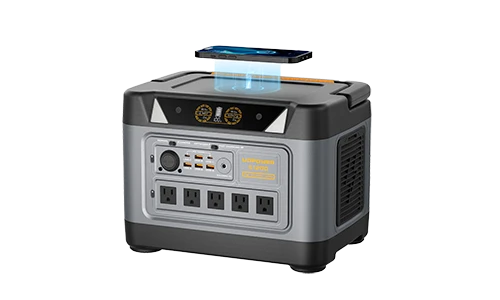
Best UDPOWER picks for Xcel outage backup
The Xcel map tells you what is happening. It does not keep your essentials running. If you want practical outage backup, the right power station depends on whether you are trying to protect food, internet, medical gear, lights, or just basic communication.
For most readers, the smart question is not “What is the biggest unit?” It is “What do I actually need to keep alive during an Xcel outage in Colorado?”
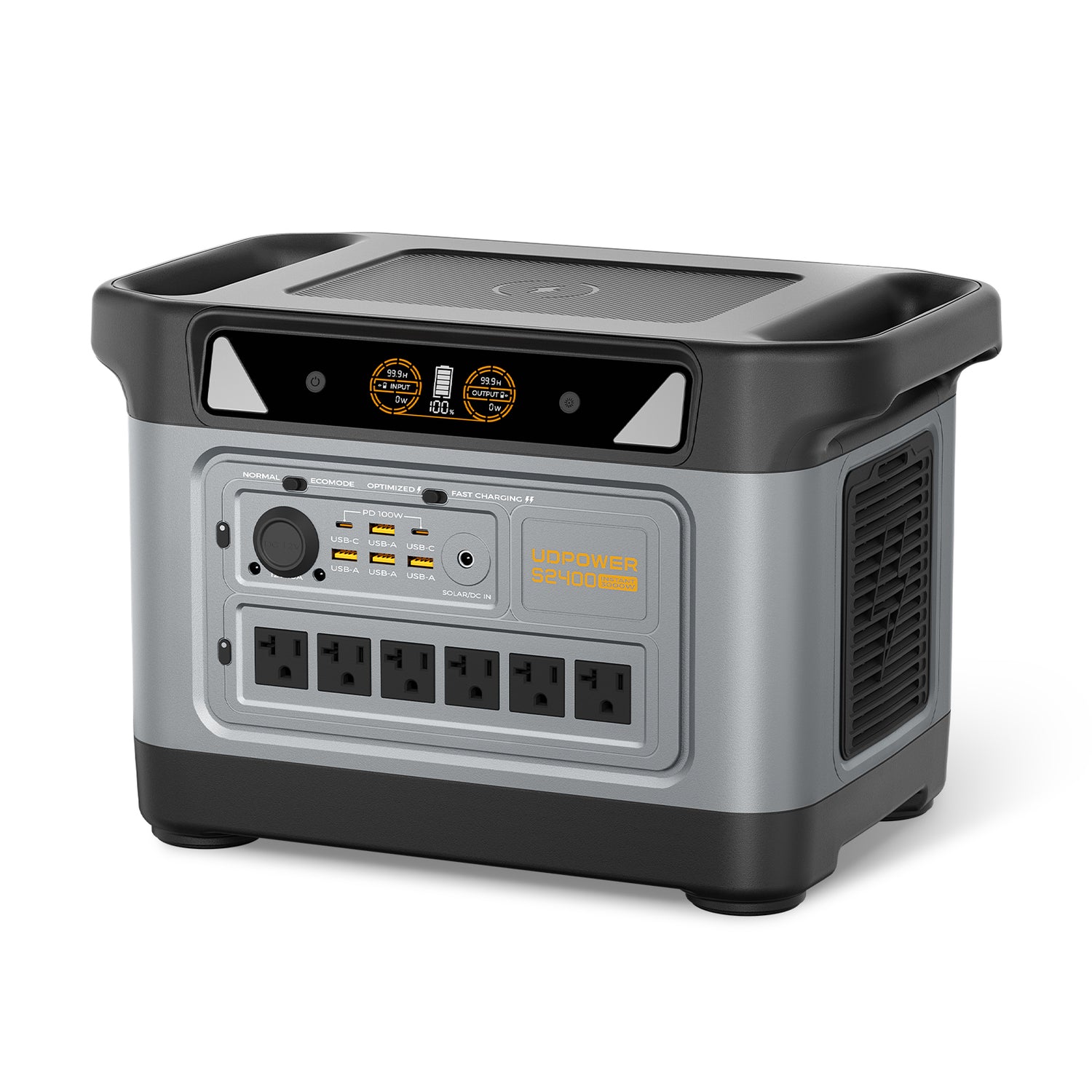
UDPOWER S2400
If your outage plan is built around protecting refrigerated food, keeping the router online, charging phones, and running a few key household loads, the S2400 is the strongest fit in the current UDPOWER lineup.
- 2,083Wh capacity
- 2,400W output
- 6 AC outlets + 10 DC outputs
- UPSPRIME switchover time ≤10ms
- Solar input 12–50V, 10A max, up to 400W
- 40.8 lbs
View S2400 · See outage runtime planning · Read solar charging voltage safety
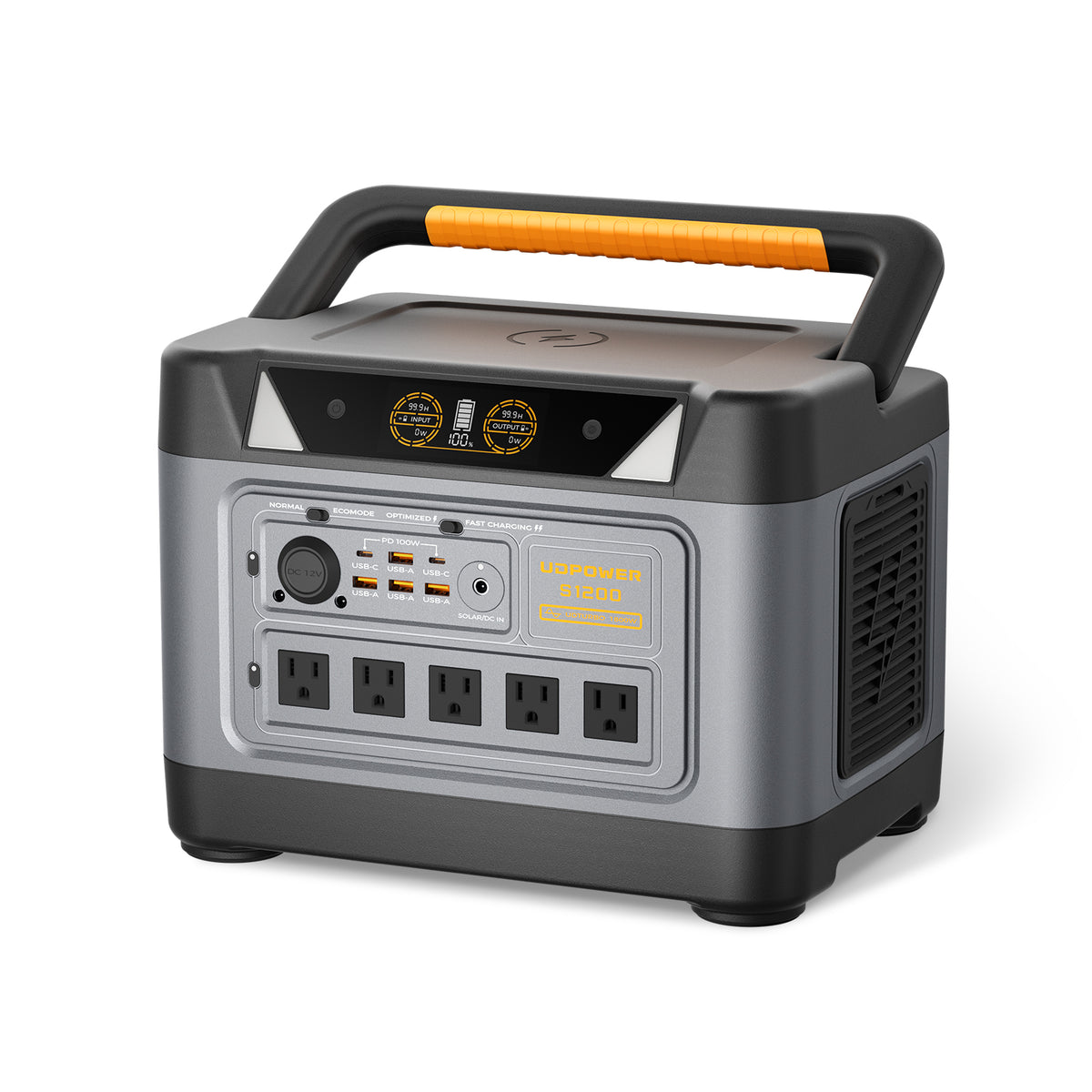
UDPOWER S1200
If you want more than a small essentials box but do not want to step up to the size and weight of the S2400, the S1200 is the practical middle lane. It is a strong fit for apartment and condo users, home office backup, internet gear, lights, and smaller appliance planning.
- 1,190Wh capacity
- 1,200W output
- 1.5-hour fast AC charging
- <10ms UPS switching
- 4,000+ cycle LiFePO4 battery
- About 26.0 lbs on the site’s best-seller listing
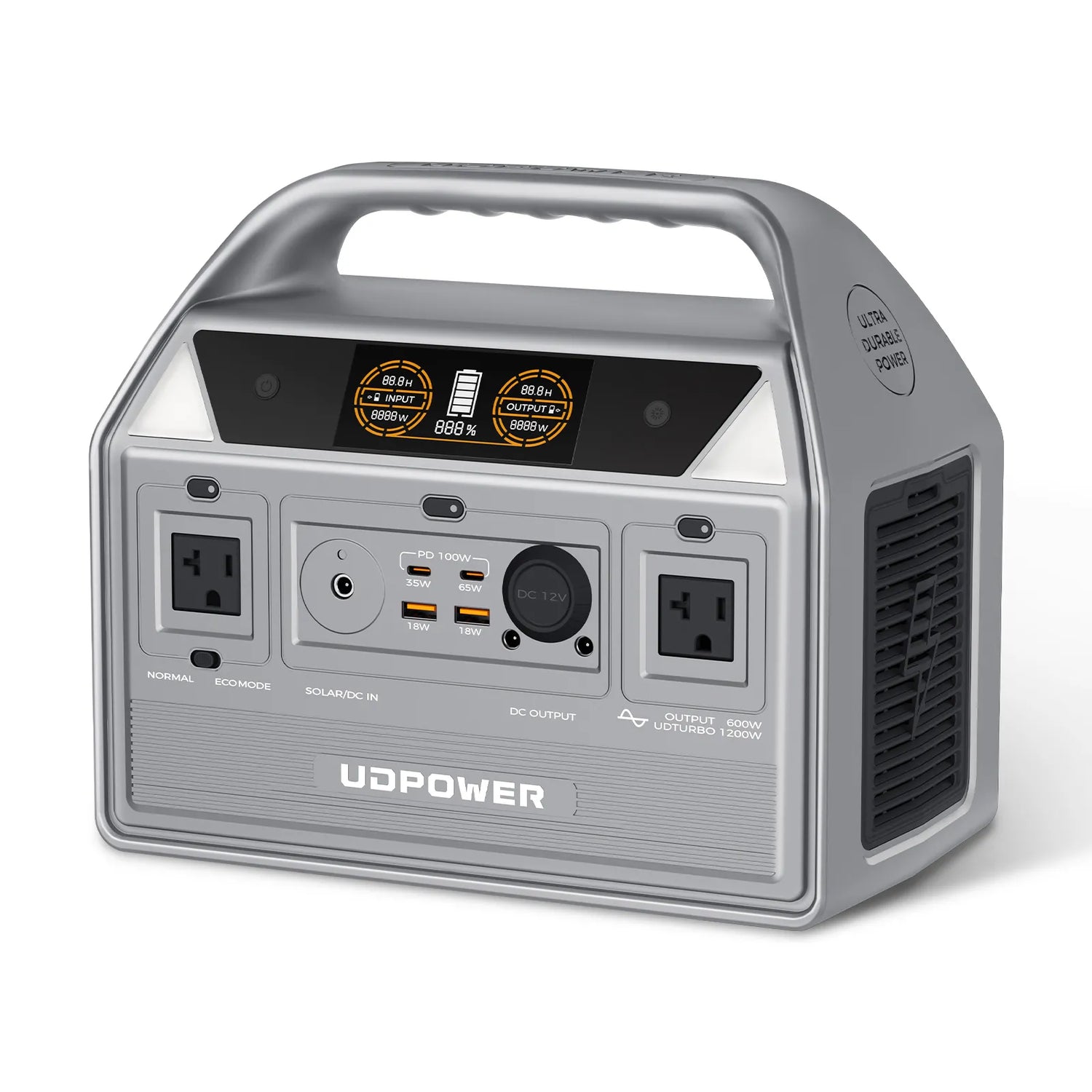
UDPOWER C600
If your main concern is keeping communication and a few small essentials alive during a shorter outage, the C600 is the easy pick. It is much lighter, simpler to move, and a better match for router, phone, laptop, lights, and similar loads than a full-size whole-room backup plan.
- 596Wh capacity
- 600W rated output, 1200W surge
- 2 AC outlets plus USB-C, USB-A, and 12V car output
- LiFePO4 battery
- 12.3 lbs
- Low-noise operation listed below 30dB
View C600 · See CPAP backup guide · Compare power station vs generator
| Model | Best Xcel-outage use case | Capacity | Output | Weight | Source |
|---|---|---|---|---|---|
| UDPOWER S2400 | Fridge protection, longer home backup, more AC headroom | 2,083Wh | 2,400W | 40.8 lbs | Product page |
| UDPOWER S1200 | Apartment backup, router + lights + charging, lighter home use | 1,190Wh | 1,200W | 26.0 lbs | Product page |
| UDPOWER C600 | Router, phones, laptop, lights, compact essentials | 596Wh | 600W | 12.3 lbs | Product page |
Simple runtime math before the next storm
You do not need a giant spreadsheet to estimate backup time. A practical shortcut is:
Estimated runtime ≈ battery capacity × 0.85 ÷ device watts
The 0.85 factor is a planning cushion for inverter losses and normal system overhead. Real results vary, but it is a clean way to compare models before the next Xcel outage instead of buying blind.
| Model | Approx. runtime at 50W load | Approx. runtime at 100W load | Approx. runtime at 300W load | Approx. runtime at 600W load |
|---|---|---|---|---|
| UDPOWER C600 | 10.1 hrs | 5.1 hrs | 1.7 hrs | 0.8 hr |
| UDPOWER S1200 | 20.2 hrs | 10.1 hrs | 3.4 hrs | 1.7 hrs |
| UDPOWER S2400 | 35.4 hrs | 17.7 hrs | 5.9 hrs | 3.0 hrs |
Two practical planning rules
- If your real goal is internet, charging, and a few lights, buy for runtime, not for the biggest advertised surge number.
- If your real goal is food protection and a refrigerator buffer during a Denver storm outage, buy for capacity first, then check the startup and running wattage of the appliance.
Useful next reads: battery runtime estimator, what to run first, and portable power station runtime planning.
Common outage mistakes that make things worse
- Refreshing neighborhood chatter instead of checking the official Xcel map. Start with the map, then move to account status if needed.
- Opening the refrigerator too often. That is one of the fastest ways to lose the food-safety buffer you still had.
- Waiting too long to protect your communication gear. Internet, phones, and lights usually matter before TVs and kitchen extras.
- Assuming every outage will be brief. Colorado weather events and wildfire-related shutoffs can turn into longer waits, especially when line inspections are part of restoration.
- Using fuel-burning gear unsafely indoors. Denver and the CDC both warn against using generators or similar combustion equipment inside the home or near openings.
- Buying backup power without a load plan. It is much cheaper to know your must-run devices before the outage than to guess after the power is gone.
FAQ
Is the Xcel outage map the best way to check a Denver outage?
Yes, for Xcel-served parts of Denver it is the best first step. It gives you the fastest public view of active outages, restoration estimates, and PSPS-related activity. For your exact service status, pair it with Xcel’s Check Outage Status page or the STAT text option.
What does “estimated restoration time” mean on the Xcel outage map?
It is Xcel’s best current estimate for when service may be restored. It is useful for planning, but it can change if crews find more damage, weather slows access, or a larger section of the system is affected than first reported.
Can I check or report an Xcel outage by text?
Yes. Xcel’s outage pages direct customers to text OUT to 98936 to report an outage and text STAT to 98936 to check outage status.
What if my house is dark but the map shows nothing?
Check your breaker panel first, look for signs that nearby homes are also affected, and then report the outage. Some problems start out very local, and some are house-specific rather than grid-wide.
How long is refrigerated food usually safe during a power outage?
A refrigerator usually keeps food cold for about 4 hours if it stays closed. A full freezer usually holds temperature for about 48 hours, or around 24 hours if it is half full. That is why keeping the doors shut matters so much.
What should I power first with a battery backup during an Xcel outage?
Start with the loads that protect safety and communication: medical devices, internet gear, phones, basic lights, and refrigeration if needed. For a deeper breakdown, see what to run first during a power outage.
Bottom line
If you remember only one thing, make it this: the Xcel outage map is the fastest way to understand what is happening, but it is not the whole outage plan. The smart move is to use the map for clarity, then shift immediately into a simple home strategy—protect food, protect communication, and know which backup loads actually matter.
For short disruptions, that may mean only lights, Wi-Fi, and phones. For longer Colorado outages, especially during storms or wildfire-related shutoffs, a properly sized power station gives you more control than waiting in the dark and hoping the ERT does not move.