

WE Energies Outage: Map, Reports & Restoration Times
Quick Answer
Looking for a WE Energies outage? Open the official WE Energies outage map to see reported outages in its service area. The map updates every 10 minutes and lets you search by city or ZIP code.
To check the status of your own electric service or report a power outage, use the official outage status and reporting page, the We Energies mobile app, or call 800-662-4797.
When will power be restored? Restoration estimates depend on the damage, safety conditions, and crew assessments. During major storms, We Energies may display an estimated restoration time as unavailable or revise an earlier estimate.
If your power is already out, report it, keep your refrigerator and freezer doors closed, unplug vulnerable electronics, and follow official safety guidance. If you see a fallen power line, stay at least 25 feet away and call 911 or We Energies.
WE Energies Official Outage Resources
View WE Energies Outage Map Report Outage / Check My Status Set Up Outage AlertsPower outage hotline: 800-662-4797
These links go directly to We Energies. Outage information and restoration estimates are provided by the utility, not UDPOWER.

When the lights go out in Milwaukee or another community served by We Energies, I would start with two questions: Is my outage part of a larger grid problem, and has the utility received a report for my address?
Those questions are related, but they aren't interchangeable. A colored marker on the outage map may show a neighborhood problem without confirming the exact status of your house. And a street full of working lights doesn't rule out an electrical service problem affecting only your property.
I'll walk through the actual map and reporting tools first. Then we'll cover what the restoration information means, what to check when your home isn't shown, and how to plan backup electricity if the interruption lasts 4, 12, 24, or 48 hours.
1. How to Use the WE Energies Outage Map
The official WE Energies outage map covers reported electric outages across the utility's service territory in Wisconsin and Michigan. It provides a geographic view of affected areas, the number of customers without electricity, and outage information organized by municipality, county, and region.
Official map: we-energies.com/outagesummary/view/outagegrid
Step-by-step: Check your area
Open the official outage map
Use the We Energies outage map rather than an old screenshot shared on social media. The utility states that its map data updates every 10 minutes.
Search by city or ZIP code
Locate the map's search field and enter your city or ZIP code. If you're checking a property outside your immediate neighborhood, search that location separately.
Check the outage marker
Review the affected-customer category and available details for the reported interruption. The marker represents an outage area or grouping, not an individual household electricity meter.
Review the municipality or county list
Use the expandable outage listings when a marker is difficult to find or several nearby outages overlap. You can also use the map's region grouping to understand whether the interruption extends beyond your immediate community.
Check your specific service status
If you need confirmation for your address, select the official "Report outage / Check status" option. The map by itself cannot guarantee that your service is included in a reported incident.
What the map symbols mean
| Map indicator | Meaning | What you should do | Source |
|---|---|---|---|
| Fewer than 50 | Outage affecting fewer than 50 customers | Check your address-specific outage status instead of assuming every home on the street is affected. | Official map |
| 50–1,000 | Outage affecting 50 to 1,000 customers | Review the available outage details and check for restoration updates. | Official map |
| More than 1,000 | Outage affecting more than 1,000 customers | Prepare for a potentially complex restoration involving larger portions of the distribution system. | Official map |
| Multiple | Multiple outage locations represented together | Zoom in or use the location listings to examine the separate affected areas. | Official map |
| Dark blue line | Utility service-area boundary | Check whether the property lies within the mapped service area. | Official map |
The category ranges and service-area indicator come from the official WE Energies map legend. Counts and groupings can change as new reports arrive and crews restore service.
What the 10-minute update interval does not mean: It does not guarantee that a new outage will appear within exactly 10 minutes of your lights going out. The map displays utility reporting and estimation data, and We Energies warns that emergency conditions can cause incomplete, delayed, or inaccurate information.
Can you check a WE Energies outage by ZIP code?
Yes. Enter a ZIP code into the map's "Search City or ZIP" field. A ZIP code search moves your view to the area; it is not the same as confirming the outage status of a particular home.
For a street address, use the account or service-location lookup described below.
2. How to Report a WE Energies Outage
We Energies accepts power outage reports through its website, mobile app, and telephone hotline. It does not accept outage or emergency reports through ordinary email or text messages.
| Reporting method | Where to go | Best use | Requirement |
|---|---|---|---|
| Website | Check status / Report outage | Checking or reporting an electric outage for a specific service location | Identify the location using an available lookup method |
| Phone | 800-662-4797 | Reporting an outage when online access is unavailable | Provide the affected location and requested details |
| Mobile app | We Energies app information | Reporting outages, viewing status, and managing notifications | Outage reporting in the app is limited to linked account addresses |
How to identify your service address online
On the official status page, you can sign in to your account or identify the affected location through available fields. The current online form supports the following identification methods:
- Phone and ZIP: Enter the 10-digit telephone number and ZIP code associated with the service-location lookup.
- Street address: Enter the house number, street name, city, and state, with apartment or suite details where appropriate.
- Account information: Use the 15-digit account number and customer name as requested by the form.
Follow the on-screen instructions to complete the report or check the outage status. Save any confirmation details shown after submission.
If you're reporting an outage affecting a property not linked to your mobile app account, We Energies directs customers to call 800-662-4797.
What if a power line has fallen?
Stay at least 25 feet away. Treat every downed power line as energized, including lines that appear quiet or are lying on snow, wet ground, a fence, or a vehicle.
Call 911 or 800-662-4797. Do not approach the line, attempt to move it, or touch branches or objects in contact with it.
Source: WE Energies emergency instructions.
If you smell natural gas, leave the area immediately without operating switches or electrical devices, and call the WE Energies gas emergency number, 800-261-5325, from a safe location.
3. How to Get WE Energies Outage Alerts
Checking the outage map repeatedly is less convenient than receiving updates directly for your affected service location.
We Energies offers outage alerts through text, email, and phone notifications. According to the utility, text and email alerts are available 24 hours a day, while telephone-call alerts are delivered between 9 a.m. and 9 p.m.
| Alert type | What it tells you | How to use it |
|---|---|---|
| Outage occurrence | A power outage is affecting your service location | Confirm the interruption and begin your outage plan |
| Outage cause | Available information about what caused the interruption | Understand whether damage has been identified |
| Crew status | Information about restoration crew activity | Monitor reported restoration progress |
| Estimated restoration time | The utility's current estimate for electricity restoration | Adjust plans for food storage, backup energy, or relocation |
| Power restored | A notice that service is reported restored | Verify power at your own address |
Alert categories and delivery times: We Energies Outage Alerts.
Set up notifications before the next outage
- Open the official Outage Alerts page.
- Sign in to My Account or use the We Energies app.
- Confirm the telephone number and email address associated with your account.
- Choose the available outage notification channels.
- Check the notification settings for each service location you manage.
One distinction to remember: Receiving an outage update by text message does not mean you can report a new outage by replying to that message. Use the website, app, or outage hotline to file a report.
4. How Long Will a WE Energies Outage Last?
WE Energies restoration times are estimates, not fixed appointments. The utility states that individual restoration times depend on conditions that may not be captured in the general outage estimate.
During severe storms, the map may show the restoration time as "unavailable." That can happen while damage is being assessed or when conditions prevent the utility from producing a dependable estimate.
How to interpret the restoration information
| What you see | What it means | What to do next |
|---|---|---|
| No restoration estimate | A usable estimate has not been published for your outage | Report the outage if needed, activate your essential-device backup plan, and monitor updates |
| Restoration time unavailable | The utility may be operating under storm or emergency conditions | Do not base medication, heating, or food-safety decisions on an assumed short outage |
| Estimated time displayed | The utility has published a current restoration estimate | Use it as a planning reference, not a guarantee |
| Estimated time moves later | The previous assessment has changed | Recalculate remaining battery energy and arrange alternatives if essential services may run out |
| Restoration reported, but your home is dark | Your address may have a separate issue or another interruption | Check your individual status and report that electricity remains out |
The utility's outage map disclaimer explains that restoration estimates can be delayed, changed, or unavailable during major emergencies. See the official map and disclaimer.
Why the estimated restoration time can change
Consider a storm that damages a neighborhood distribution line and the individual service line serving one house.
Repairing the neighborhood line might restore electricity to most customers. The house with a damaged service connection can remain dark until that separate damage is handled.
That means the restoration time for the neighborhood and the time for an individual address can be different, even when both interruptions began during the same storm.
Other factors include damaged substations, blocked access, trees on lines, and unsafe working conditions. We Energies describes its response sequence on the official restoration page.
My planning rule: If the utility has not published a reliable estimate, plan electricity use around the battery energy and supplies you actually have. For example, a 1,190Wh power station running a 100W AC load does not provide an unlimited 12-hour backup. At 90% conversion efficiency, the simplified runtime is approximately 10.7 hours before additional losses.
5. How WE Energies Restores Power After a Storm
During widespread damage, WE Energies prioritizes making dangerous conditions safe and repairing infrastructure that serves large numbers of customers and critical facilities.
Its official restoration sequence has five stages.
| Sequence | Restoration activity | Why it comes at this stage | Source |
|---|---|---|---|
| 1 | Make areas with damaged or downed electrical equipment safe | Reduce immediate danger to the public and restoration crews | WE Energies |
| 2 | Repair damaged substations | Substations serve large numbers of customers | WE Energies |
| 3 | Restore critical facilities | Hospitals, public safety facilities, and water treatment facilities require service | WE Energies |
| 4 | Repair main distribution lines | These lines supply neighborhoods and larger service areas | WE Energies |
| 5 | Repair smaller and individual outages | Remaining problems may affect a few customers or one property | WE Energies |
Why your neighbors might get power first
If your home has an individual service-line failure, repairing the main distribution line may restore your neighbors while leaving your property without electricity.
Check whether the outage report for your address remains active. If nearby service is restored and your home is still out, report the continuing problem directly to We Energies.
Don't assume restoration order is based only on when customers submitted reports. The utility's stated process also considers safety, critical infrastructure, and the number of customers a repair can restore.
6. What If Your WE Energies Outage Isn't Showing on the Map?
A missing map marker does not prove that electricity is working at your address. The utility warns that posted outage information may be incomplete or delayed, particularly during emergencies.
Situation A: Your entire home is without electricity
- Look outside only from a safe location to see whether neighboring buildings or streetlights are also dark.
- Open the official outage map and check your city or ZIP code.
- Use the individual outage-status page to look up your property.
- Report the outage if your service has not been identified.
- Check your main electrical panel only when it is dry, undamaged, accessible, and safe to approach. Do not repeatedly reset a breaker that trips again.
If you see damaged wiring, water near electrical equipment, or signs of an electrical fault, stop and contact the appropriate professional or emergency service.
Situation B: Some rooms have power, but others do not
This may be a tripped branch circuit, damaged household equipment, or a partial utility service problem.
Check for an obvious tripped breaker only if the panel and surrounding area are safe. If you experience flickering lights, unusually bright or dim lights, burning smells, or evidence of a partial-service failure, disconnect sensitive appliances where safe and contact We Energies or a qualified electrician.
Do not open the utility meter enclosure, touch service conductors, or attempt to repair outdoor wiring.
Situation C: Everyone nearby has power except your house
Check the individual outage status and report your address even if the larger neighborhood outage has disappeared from the map.
Service equipment responsibility depends on which component was damaged. We Energies provides diagrams identifying equipment maintained by the utility and equipment that may require a licensed electrician.
See the WE Energies Service Equipment Responsibility Guide.
Situation D: The map says power is restored, but your lights are still off
Confirm the outage report for your service address and report that your electricity has not returned. A larger repair may have restored other customers while leaving a separate failure at your property.
Do not assume the issue has been resolved because a regional outage count decreased.
Never approach a damaged service drop or utility equipment. Fallen branches, broken meter connections, and damaged electrical wiring can remain energized. We Energies instructs customers to stay away from damaged equipment and contact the utility first.
7. What Causes WE Energies Power Outages?
WE Energies identifies equipment failures, trees and vegetation, animals, human activity, and weather as common outage causes.
The utility also publishes a breakdown of its unexpected outage causes. The data excludes extraordinary storms, transmission-related outages, and planned interruptions, so it should not be used as a forecast for a specific blizzard or severe-weather event.
| Cause | Published share | Examples or interpretation | Source |
|---|---|---|---|
| Equipment | 40% | Failures involving electrical distribution equipment | WE Energies |
| Fallen trees, limbs, and vegetation | 30% | Trees or branches damaging or contacting electrical lines | WE Energies |
| Human activity and accidents | 8% | Vehicle accidents, vandalism, and other human-caused incidents | WE Energies |
| Animals | 11% | Animal contact with electrical equipment | WE Energies |
| Weather | 6% | Wind, lightning, snow, ice, rain, and temperature-related events | WE Energies |
| Miscellaneous | 5% | Other causes including certain mechanical damage, construction errors, and fires | WE Energies |
Percentages are from the utility's published breakdown of unexpected outage causes, excluding extraordinary storms, transmission outages, and planned outages. They are not current outage statistics.
Why a winter storm can create several separate outages
Heavy snow or freezing rain can load tree branches until they fall across distribution lines. Wind can damage equipment or interrupt individual connections. A single severe-weather event can therefore create multiple outage locations, each requiring its own safety assessment and repair.
One neighborhood may be restored after a distribution-line repair, while another remains out because damaged equipment or a fallen tree is blocking the work.
Planned versus unexpected outages
WE Energies also performs planned interruptions for maintenance. The utility states that affected customers and communities are informed in advance of planned outages.
If you are unsure whether your interruption was scheduled, check your service notifications or contact We Energies rather than relying on assumptions about the weather.
8. What to Do in the First 10 Minutes of a WE Energies Outage
Start with a short sequence that reduces electrical hazards, preserves food, and keeps your phone available for updates.
Check for immediate hazards
Look for signs of fire, damaged wiring, fallen lines, water near electrical equipment, or a gas leak. Leave the affected area and contact emergency services when needed.
Check and report the outage
Open the official WE Energies outage map, check your address, and report the interruption if it has not been identified. Save the outage hotline in your phone.
Protect cold food
Close the refrigerator and freezer doors. Record the outage start time. Gather an appliance thermometer and a cooler if you have one, but avoid repeatedly opening the refrigerator to check its contents.
Conserve electricity and protect appliances
Turn off or unplug unnecessary electrical appliances and sensitive equipment where safe. Switch essential devices to a compatible backup supply if available.
Check household priorities
Confirm whether anyone needs electricity for medical equipment, temperature-sensitive medicine, communication, or mobility. Monitor indoor temperature and arrange an alternative location if safe heat cannot be maintained.
WE Energies also recommends using flashlights rather than candles, keeping refrigerator doors closed, and turning off appliances that could create problems when power returns. See its Power Outage Safety Tips.
What to do as the outage gets longer
| Time since outage | Priority action | Decision to make |
|---|---|---|
| 0–1 hour | Report outage, check hazards, preserve food, and enable essential backup | Which devices must remain powered? |
| 1–4 hours | Monitor restoration information and indoor conditions | Is a cooler, additional battery supply, or alternative location needed? |
| 4–12 hours | Evaluate refrigerated perishables using food-safety guidance; check medical needs | Can essential services continue safely? |
| 12–24 hours | Recalculate remaining stored energy, food, water, and heating options | Should you move to a heated location or obtain additional supplies safely? |
| 24–48 hours | Reassess freezer conditions, weather, and available backup electricity | Can the household safely sustain another day without grid power? |
| 48+ hours | Continue official updates, food-safety decisions, and relocation planning | Which essential needs cannot be maintained at home? |
The table is an action schedule, not a prediction of WE Energies restoration time. Actual outage duration must come from utility updates and the conditions at your service location.
For a more detailed household plan, use the 24-, 48-, and 72-Hour Power Outage Checklist.
9. Refrigerator and Freezer Safety During a WE Energies Outage
Food safety has its own timeline, regardless of what the utility's restoration estimate says.
FoodSafety.gov states that an unopened refrigerator can keep food safe for up to four hours without electricity. An unopened full freezer can hold its temperature for approximately 48 hours, while a half-full freezer can hold it for approximately 24 hours.
| Situation | Official time or temperature guideline | Recommended action | Source |
|---|---|---|---|
| Refrigerator without power | Up to 4 hours if unopened | Keep the door closed; prepare another safe cold-storage option if the outage continues | FoodSafety.gov |
| Full freezer without power | About 48 hours if unopened | Keep closed and evaluate individual foods after the outage | FoodSafety.gov |
| Half-full freezer without power | About 24 hours if unopened | Plan an earlier food-temperature assessment | FoodSafety.gov |
| Perishable refrigerated food | Discard if exposed to temperatures above 40°F for more than 2 hours | Follow the official food-by-food chart | FoodSafety.gov |
| Frozen food with remaining ice crystals | May be safe to refreeze when food-safety conditions are met | Evaluate the item rather than relying on appearance alone | FoodSafety.gov |
For an outage longer than four hours, discard refrigerated perishables such as meat, poultry, fish, eggs, and leftovers unless you have maintained safe temperatures with another cooling method.
Do not taste questionable food to decide whether it is safe.
Example: Your power goes out at 6 p.m.
- 6 p.m.: Close the refrigerator and record the outage time.
- 8 p.m.: Continue monitoring utility updates without opening the refrigerator unnecessarily.
- 10 p.m.: Four hours have elapsed. Apply official food-safety guidance to refrigerated perishables unless you have maintained safe cold storage.
- Next morning: Use an appliance thermometer and the FoodSafety.gov chart to assess items that have remained safely cold or frozen.
This timeline shows why a restoration estimate that moves from 9 p.m. to midnight can change your food storage decisions.
For individual food categories and freezer decisions, read Food Safety During a Power Outage: Refrigerator and Freezer Guide.
10. WE Energies Outages in Winter: Heat and Carbon Monoxide Safety
During a Wisconsin winter outage, the household heating system may become a more urgent concern than lighting or internet access.
A gas furnace can still depend on electricity for its blower, electronic controls, and ignition components. A fully electric heating system also loses its power source when grid electricity stops.
The correct response depends on the home's actual heating equipment, indoor temperature, outside weather, and the needs of the people inside.
What to check when the furnace stops
- Confirm whether the thermostat and furnace have power.
- Check the equipment's operating instructions and electrical requirements.
- Use warm layers, blankets, and sleeping bags while conditions remain safe.
- Close unused rooms and reduce drafts without blocking required ventilation.
- Monitor the temperature in the occupied area.
- Identify a safe heated location before indoor conditions become dangerous.
Can a portable power station run a furnace?
A furnace's electrical requirements must be checked before connecting backup power. Some furnaces use hardwired connections, while others may require specific grounding, control-board compatibility, or electrical arrangements.
UDPOWER portable power stations should not be used to backfeed a home through a wall outlet. If the furnace is hardwired, ask a qualified electrician about a code-compliant backup connection.
For a 240V appliance, verify that the backup system actually supplies the required voltage. A 120V portable power station does not become a 240V source because it has a higher wattage rating.
Why a 1,500W electric space heater drains batteries quickly
A 1,500W heater running continuously consumes 1,500Wh in one hour.
With a 2,083Wh battery and an assumed 90% AC conversion efficiency:
2,083Wh × 0.90 ÷ 1,500W = 1.25 hours
That is a simplified energy estimate before additional losses. It does not support using a portable power station as a dependable multi-day whole-home heating replacement.
Generator and carbon monoxide warning: Never use a fuel-powered generator inside a house, garage, or basement, even with doors open. The CDC advises keeping generators outdoors at least 20 feet from windows, doors, and vents, with exhaust directed away from occupied spaces.
Use working carbon monoxide detectors. Never heat a room with a charcoal grill or gas oven.
Source: CDC Power Outage Safety.
WE Energies advises going to a safe shelter if the home becomes extremely cold or hot. During an extended outage, it also recommends contacting 211 or checking with local municipalities for assistance.
11. How Much Backup Electricity Do You Need During a WE Energies Outage?
Once you've checked the utility's restoration information, you can estimate how much stored battery energy is needed to keep essential equipment running.
I use watt-hours rather than the number of outlets when comparing backup options. A battery's watt-hour capacity describes stored energy; its watt rating tells you how much power it can supply at once.
A refrigerator drawing 100W for two hours uses 200Wh of energy. A router drawing 15W for the same period uses 30Wh. Both can plug into an AC outlet, but their energy requirements are very different.
Battery capacity (Wh) × 0.90 ÷ Device load (W) = Estimated runtime (hours)
For these UDPOWER estimates, I use a 90% AC conversion efficiency assumption. Results are calculated examples, not measured winter-outage performance. Actual runtime can be lower because of inverter idle consumption, battery temperature, equipment cycling, and other operating conditions.
Example essential-device power requirements
| Device | Illustrative watts | Operating time | Energy used | Practical note |
|---|---|---|---|---|
| Wi-Fi router | 12W | 12 hours | 144Wh | Does not include modem or fiber ONT |
| Modem or ONT | 13W | 12 hours | 156Wh | External ISP network must also remain operational |
| LED lighting | 10W | 5 hours | 50Wh | Combined load from selected lights |
| Phone charging | 12W | 2 hours | 24Wh | Actual charging power changes during charging |
| CPAP without heated accessories | 40W | 8 hours | 320Wh | Measure actual machine power with intended settings |
| Refrigerator | 60W average | 24 hours | 1,440Wh | Average daily draw; compressor startup must be checked separately |
| Electric heater | 1,500W | 4 hours | 6,000Wh | High energy demand; not a practical battery-first heating plan |
Wattages and usage periods in this table are illustrative planning assumptions, not measurements from specific household devices. Actual power requirements should be confirmed from appliance specifications or a watt meter.
Runtime comparison for three UDPOWER models
Based on published battery capacities, the estimated usable AC energy is approximately 230Wh for the C400, 1,071Wh for the S1200, and 1,875Wh for the S2400 under the stated 90% conversion assumption.
| Constant AC load | C400 256Wh | S1200 1,190Wh | S2400 2,083Wh |
|---|---|---|---|
| 25W network equipment | 9.2 hours | 42.8 hours | 75.0 hours |
| 40W CPAP example | 5.8 hours | 26.8 hours | 46.9 hours |
| 75W average appliance load | 3.1 hours | 14.3 hours | 25.0 hours |
| 150W combined load | 1.5 hours | 7.1 hours | 12.5 hours |
| Rated AC output | 400W | 1,200W | 2,400W |
| Official specifications | C400 | S1200 | S2400 |
These estimates assume steady AC loads. Refrigerator compressors, humidifiers, and other cycling equipment can consume energy at different rates over time.
Scenario: Keep communications running during a 24-hour outage
Suppose your internet setup uses 25W and remains powered continuously.
25W × 24 hours = 600Wh of AC energy
At 90% efficiency, you would need approximately 667Wh of nominal battery capacity to deliver that energy in this simplified model.
The 256Wh C400 is too small for that continuous 24-hour AC scenario without recharging. The S1200 and S2400 have sufficient theoretical capacity, assuming no substantial additional loads.
However, keeping your router powered does not guarantee an internet connection. The internet provider's network equipment must also remain operational.
See How to Keep Wi-Fi Running During a Power Outage.
Scenario: Keep a refrigerator running for 24 hours
If a refrigerator averages 60W across the full day:
60W × 24 hours = 1,440Wh of AC energy
The simplified battery capacity requirement is 1,440 ÷ 0.90 = 1,600Wh.
That exceeds the S1200's 1,190Wh capacity but fits within the S2400's nominal 2,083Wh capacity in the simplified energy budget.
Actual operation also depends on the refrigerator's startup demand and the battery's continuous output limits. Use the refrigerator's energy label or measured consumption to replace the example 60W figure.
Scenario: Plan a full day of essential loads
| Essential load | Power | Daily use | Daily energy |
|---|---|---|---|
| Router and modem | 25W | 12 hours | 300Wh |
| LED lights | 10W | 5 hours | 50Wh |
| Phone charging | 12W | 2 hours | 24Wh |
| CPAP | 40W | 8 hours | 320Wh |
| Total | — | One day | 694Wh |
At the stated efficiency assumption, 694Wh of AC consumption requires approximately 771Wh of nominal battery capacity.
That daily load would use about 65% of an S1200's calculated available AC energy and about 37% of an S2400's. In practice, additional inverter idle consumption and environmental factors would change the final result.
If the outage extends beyond one day, repeat the daily energy calculation and compare it with the battery energy remaining on the display.
For a complete calculation method, read Portable Power Station Runtime Planning for Outages.
12. Recommended UDPOWER Backup Power for WE Energies Outages
The right portable power station depends on what you want to keep running. A phone and weather radio have different requirements from a refrigerator, CPAP machine, or several appliances operating together.
For a WE Energies outage, I'd narrow the choices to three different levels of backup.
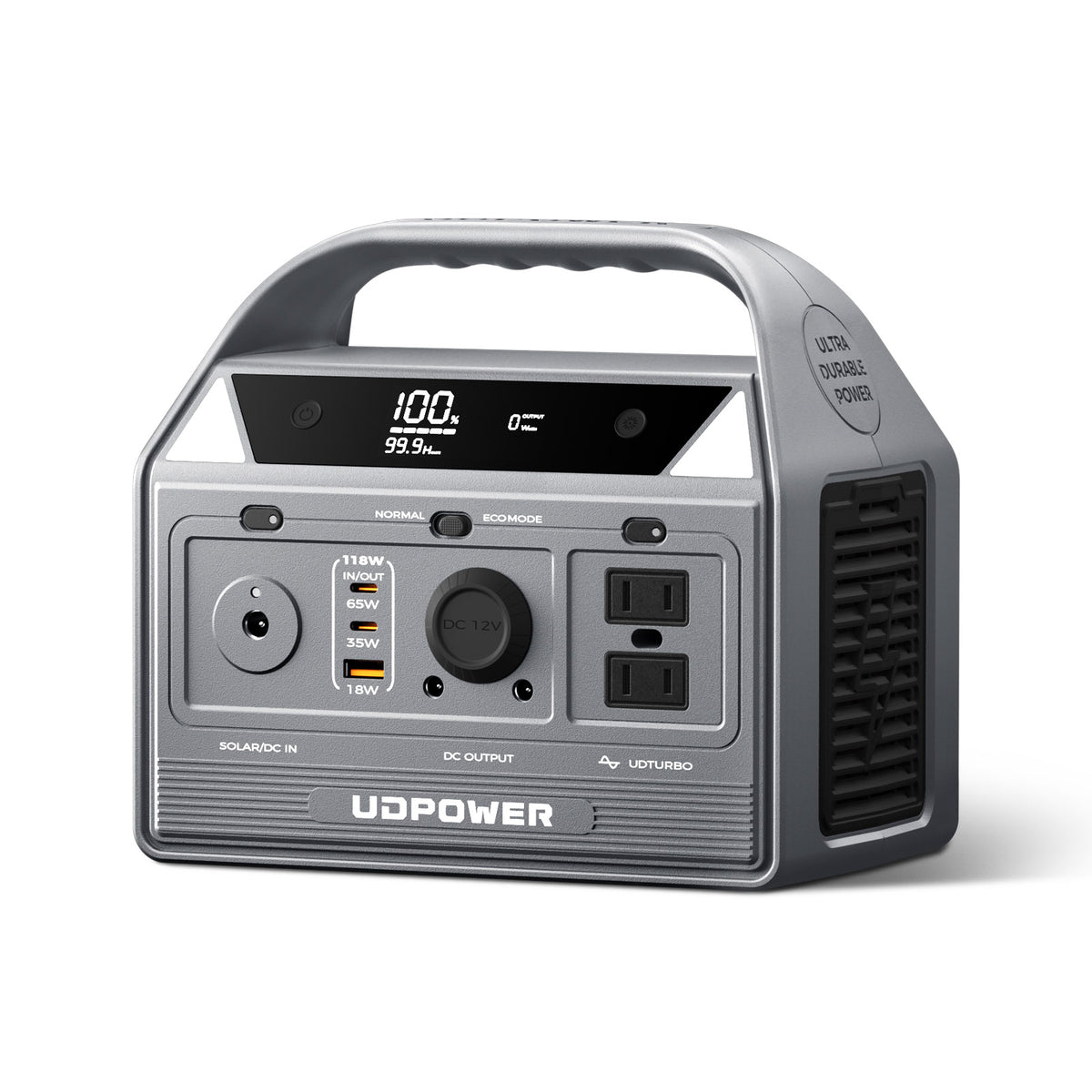
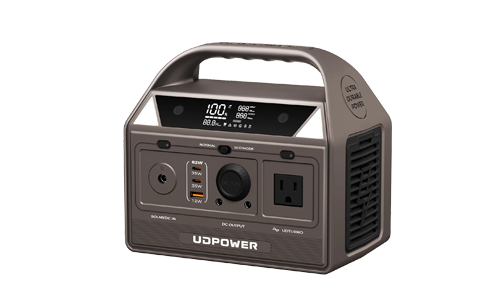
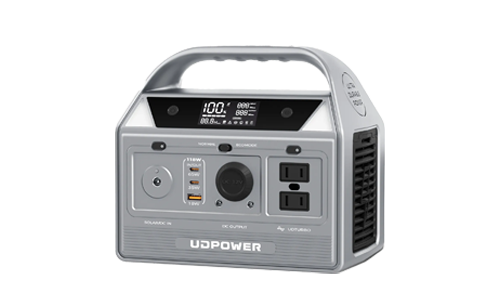
UDPOWER C400 — 256Wh / 400W
The C400 is a compact option for phones, portable lighting, and low-power communication equipment. Its 256Wh battery is best suited to shorter interruptions or carefully limited electricity use.
- Battery capacity: 256Wh
- Rated AC output: 400W
- Battery chemistry: LiFePO4
- Example 25W AC load: Approximately 9.2 hours
- Weight: Approximately 6.88 lb
Choose it when: You need a small backup for network equipment and communication rather than continuous all-day refrigerator support.
View UDPOWER C400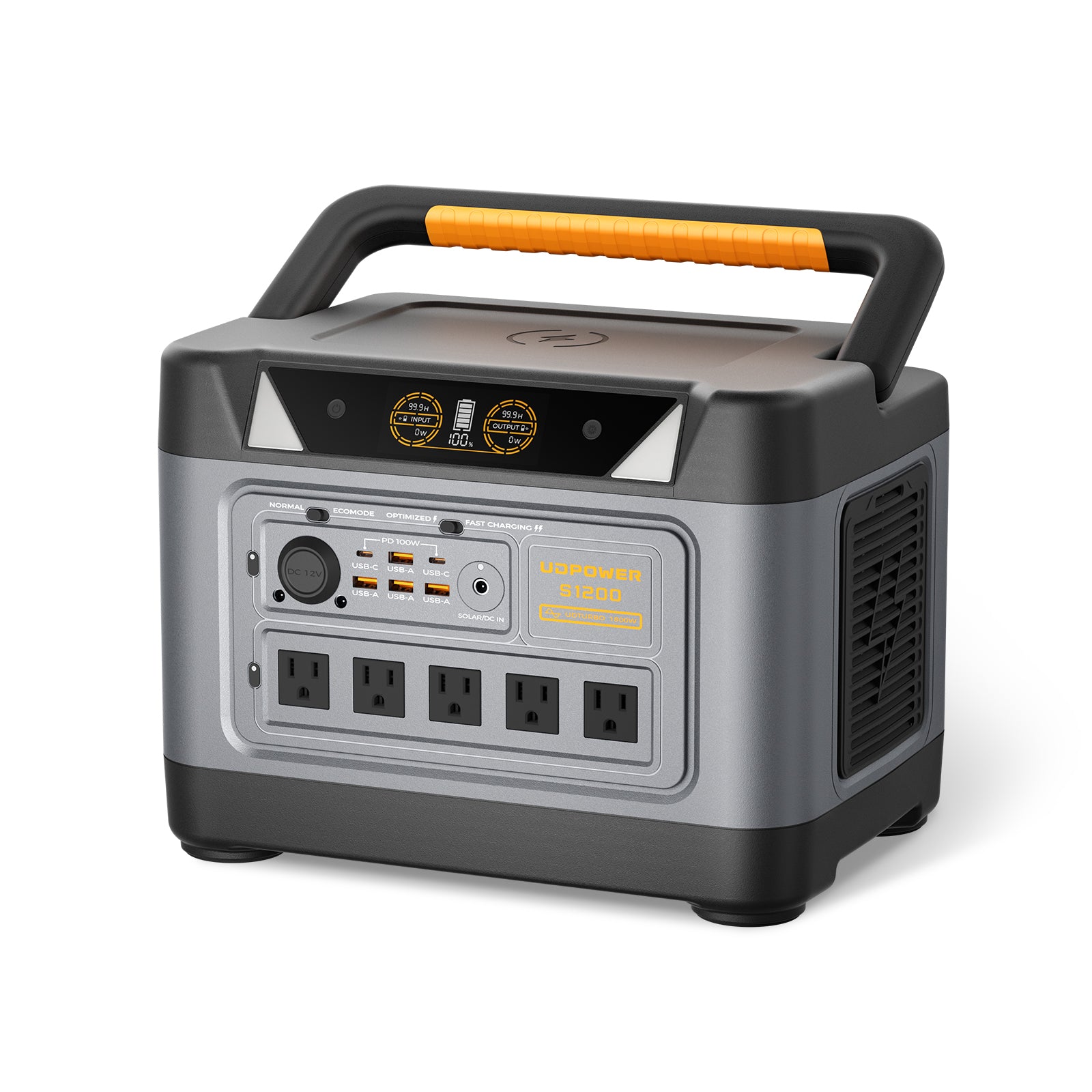
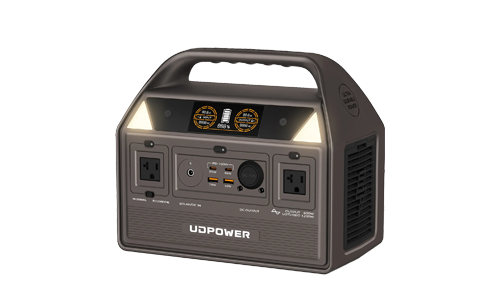
UDPOWER S1200 — 1,190Wh / 1,200W
The S1200 adds enough capacity for longer low-power loads, a compatible CPAP machine, lighting, networking, or limited refrigerator support when startup and operating wattages fit its specifications.
- Battery capacity: 1,190Wh
- Rated AC output: 1,200W pure sine wave
- Battery chemistry: LiFePO4
- Maximum solar input: 400W
- UPS switching: 10ms or less, subject to connected-device compatibility
- Example 40W AC load: Approximately 26.8 hours
- Weight: Approximately 26 lb
Choose it when: You want more operating time for essential appliances than a compact battery provides, but you do not need the S2400's full output capacity.
For CPAP equipment, confirm electrical compatibility and test the actual humidifier and heated-tube settings before relying on the battery.
View UDPOWER S1200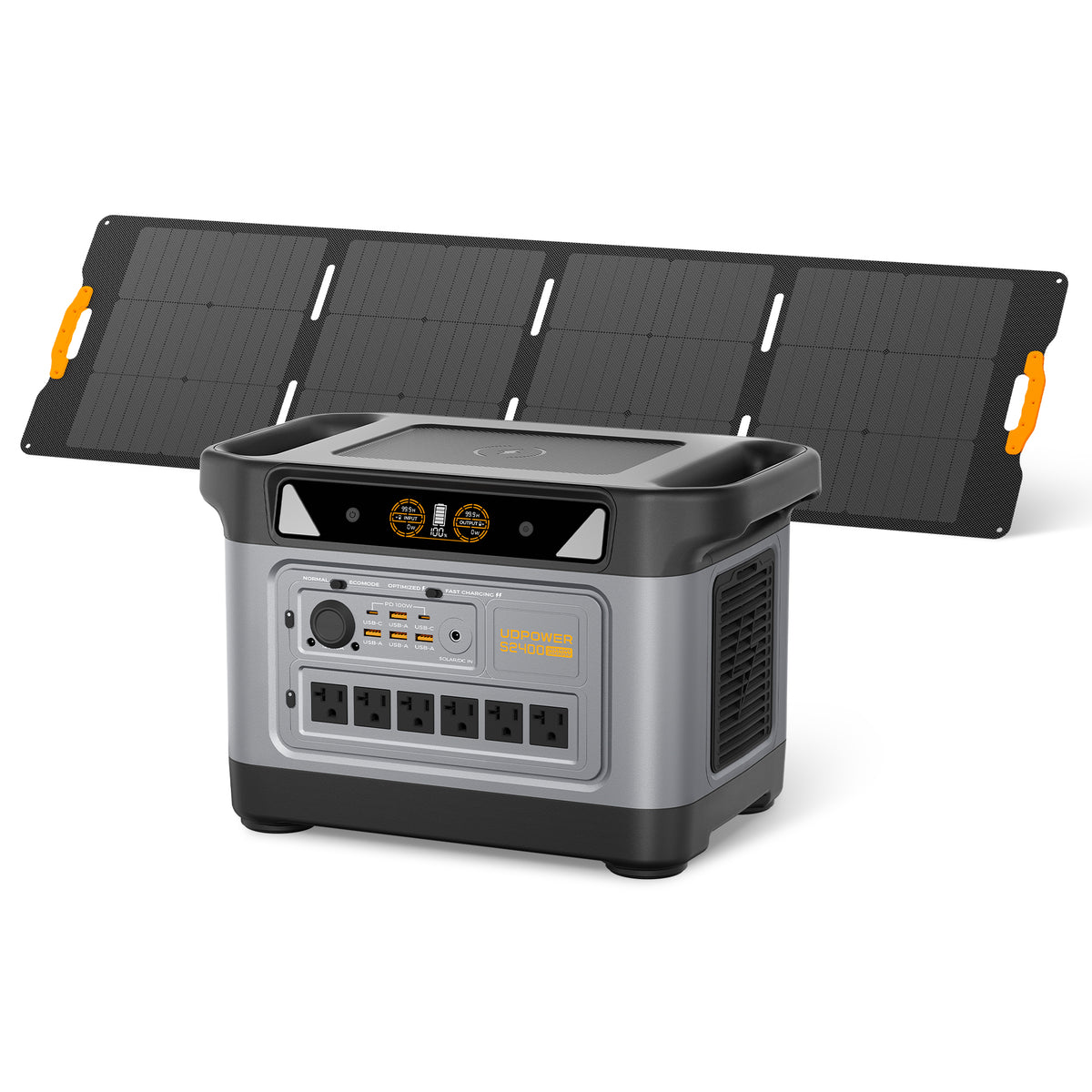
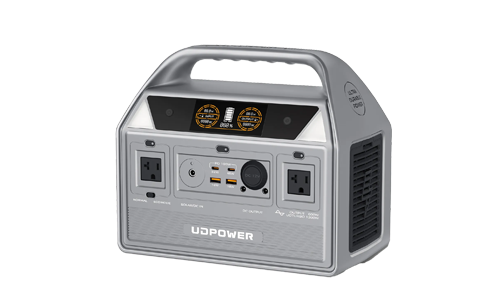
UDPOWER S2400 — 2,083Wh / 2,400W
The S2400 offers a larger energy reserve and higher rated AC output. It is the model I'd compare first when the backup plan includes a refrigerator, overnight medical equipment, networking, and several other compatible devices.
- Battery capacity: 2,083Wh
- Rated AC output: 2,400W pure sine wave
- Battery chemistry: LiFePO4
- Maximum recommended solar input: 420W
- UPS switching: 10ms or less, subject to connected-device compatibility
- Example 75W AC load: Approximately 25 hours
- Weight: Approximately 40.8 lb
Choose it when: Your measured daily electricity requirement exceeds the S1200's available energy or you need additional continuous output headroom for compatible appliances.
The image shows a solar-panel configuration. Solar panels are included only with the corresponding bundle option.
View UDPOWER S2400Which battery matches your outage plan?
| Use case | Suggested starting model | Reason | What to verify |
|---|---|---|---|
| Phone, router, and lights for a short outage | C400 | Compact 256Wh capacity | Total wattage and intended hours |
| Router, lights, and compatible overnight CPAP | S1200 | 1,190Wh of stored energy | Actual CPAP load and connection requirements |
| Refrigerator plus other essential loads | S2400 | 2,083Wh battery and 2,400W rated output | Compressor startup load and total daily energy consumption |
| Several days without recharging | Calculate total Wh before selecting | Outage duration may exceed any single battery's stored energy | Recharge availability, total loads, and safe alternatives |
| 240V well pump or hardwired furnace | Equipment-specific electrical solution | 120V portable AC outlets may not be compatible | Voltage, wiring, startup demand, and electrician-approved installation |
These selections are based on battery capacity and rated output, not promises of performance with an unknown appliance. For exact specifications, see the official UDPOWER Portable Power Station Comparison.
13. Can Solar Panels Help During a Wisconsin Power Outage?
Solar charging can replenish a portable power station when conditions permit. During a Wisconsin winter storm, however, snow cover, cloud cover, shading, and shorter daylight hours can severely limit production.
A solar panel's rated wattage is measured under specified test conditions. It is not a promise that the panel will deliver that wattage during a cloudy afternoon or while covered with snow.
A practical winter solar calculation
Suppose you connect a compatible 210W panel and receive two equivalent full-sun hours in one day. For an illustrative calculation, assume the complete setup delivers 70% of that nominal energy after losses.
210W × 2 hours × 0.70 = 294Wh
That is enough energy to offset approximately 11.8 hours of a 25W network load in a simplified energy calculation before additional AC conversion losses.
It is not enough to offset a refrigerator consuming 1,440Wh in one day.
| Panel rating | Sun-hour assumption | System factor | Illustrative energy |
|---|---|---|---|
| 120W | 2 hours | 70% | 168Wh |
| 210W | 2 hours | 70% | 294Wh |
| 420W | 2 hours | 70% | 588Wh |
This table uses hypothetical sunlight and system-loss assumptions. It is not a local solar forecast or a guarantee of energy production during a storm.
Cold-weather charging precautions
- Keep the power station in a dry, protected location within its permitted operating temperatures.
- Check the battery's charging temperature limits. For example, the S2400 lists a charging range of 32°F to 104°F.
- Do not assume freezing outdoor temperatures are safe for charging the battery itself.
- Check solar input voltage compatibility, including how cold weather can increase panel open-circuit voltage.
- Do not climb an icy roof or position panels where they can slide, fall, or obstruct emergency access.
- Read the actual solar input wattage shown by the power station rather than assuming the panel is delivering its full rated output.
The S1200 supports up to 400W solar input. The S2400's maximum recommended solar input is 420W. Using the S2400's two solar input ports at the same time does not add their charging power; the station uses the higher-power input.
For more examples, read Solar Recharging During a Power Outage.
14. What to Do After WE Energies Restores Power
An outage isn't fully resolved for your household until you've confirmed that your own service and essential equipment are working safely.
Check the restoration status
Confirm that power has returned to the property. If a notification says service is restored but your home remains dark, use the WE Energies status page or hotline to report the continuing interruption.
Check essential appliances
- Confirm refrigerator and freezer operation and check food temperatures.
- Reconnect sensitive devices only when the electrical supply appears stable.
- Check heating and cooling systems for normal operation.
- Confirm that routers, modems, and other network equipment reconnect successfully.
- Check backup battery charge levels before returning them to standby use.
Inspect for damage without touching electrical hazards
Look for visible damage from a safe distance. Do not approach a damaged service drop, meter enclosure, tree resting on power lines, or flooded electrical equipment.
If damage involves utility-owned equipment, contact We Energies. If it involves customer-owned service equipment, a licensed electrician may need to perform repairs before the utility can reconnect the property.
Review Service Equipment Responsibility for the utility's diagrams and instructions.
Recharge and restock for the next outage
Charge your portable power station, phone power bank, rechargeable lighting, and emergency radio. Replace consumed emergency food, batteries, and other supplies.
After the next outage, record three specific details: how many hours your electricity was unavailable, which device consumed the most backup energy, and what supply ran short first.
Those numbers give you a better starting point for the next storm than guessing the next outage will be the same length.
Frequently Asked Questions About WE Energies Outages
Where can I check the current WE Energies outage map?
Use the official map at we-energies.com/outagesummary/view/outagegrid. It displays reported outages across the service area, with city and ZIP code search tools. We Energies states that the map updates every 10 minutes.
How do I report a WE Energies power outage?
Report an outage through the official WE Energies website, the We Energies mobile app, or by calling 800-662-4797. The utility does not accept power outage or emergency reports through ordinary text messages or email.
What is the WE Energies outage phone number?
The WE Energies power outage hotline is 800-662-4797. For a downed electrical line or immediate electrical danger, stay at least 25 feet away and call 911 or the utility. For a natural gas leak, leave the area and call 800-261-5325 from a safe location.
How often does the WE Energies outage map update?
The official WE Energies outage map states that it updates every 10 minutes. During major emergencies, outage reports and restoration estimates may still be delayed, incomplete, or subject to change.
How can I check a WE Energies outage by ZIP code?
Open the official outage map and enter your ZIP code into the "Search City or ZIP" field. To confirm the outage affecting a specific home, use the utility's address-based outage status and reporting page.
Why is my WE Energies outage not showing on the map?
The outage may not have been reported yet, or the map information may be delayed. Check the outage status for your specific address and submit a report if necessary. If you see damaged wiring or electrical equipment, stay away and contact the utility or a qualified professional.
How do I find my WE Energies estimated restoration time?
Check your individual outage status, the official outage map, or notifications from We Energies. Estimated restoration times can change as crews identify damage and complete repairs. During storm conditions, an estimate may be unavailable.
Why does my neighbor have power when I do not?
Your home may have a separate service-line problem, damaged customer-owned equipment, or another localized interruption. Check your individual outage status and report that electricity remains out. Do not handle outdoor electrical equipment or damaged wiring.
Can I get WE Energies outage alerts by text?
Yes. WE Energies offers outage notifications by text and email 24 hours a day, and by telephone between 9 a.m. and 9 p.m. Alerts can include outage occurrence, cause, crew status, estimated restoration time, and confirmation of restoration.
How long will refrigerator food stay safe during a WE Energies outage?
An unopened refrigerator keeps food safe for up to four hours without power, according to FoodSafety.gov. A full unopened freezer can maintain its temperature for approximately 48 hours, and a half-full freezer for approximately 24 hours. Food safety depends on actual temperatures and storage conditions.
Can a portable power station run my refrigerator during an outage?
Yes, if the refrigerator's voltage, compressor startup demand, and operating wattage are compatible with the power station. For example, a refrigerator averaging 60W over 24 hours uses approximately 1,440Wh of energy. At 90% conversion efficiency, that requires about 1,600Wh of nominal battery capacity before additional losses.
Which UDPOWER power station is suitable for a WE Energies outage?
The C400 provides 256Wh for smaller communication and lighting loads. The S1200 provides 1,190Wh with 1,200W rated AC output. The S2400 provides 2,083Wh with 2,400W rated AC output. Select a model based on measured appliance wattage, required runtime, and electrical compatibility.
Can I use a generator inside my home during a winter outage?
Never use a fuel-powered generator inside a home, basement, or garage. The CDC advises placing generators outdoors at least 20 feet from windows, doors, and vents, with exhaust directed away from buildings. A compatible battery-powered portable power station operates without engine exhaust, but it still must be used according to its electrical and environmental specifications.
What should I do if a WE Energies outage lasts more than 24 hours?
Continue monitoring official restoration updates, assess refrigerated and frozen food safety, and calculate your remaining backup electricity. Check indoor temperature, water availability, and medical equipment needs. If safe heat or essential services cannot be maintained, arrange access to a safe shelter or another suitable location.
Prepare for the Next Outage
Build a Backup Power Plan Around Your Actual Appliances
Start with the watts your refrigerator, router, lights, or medical equipment use. Then calculate the battery capacity needed for the hours you want them to operate.
Compare UDPOWER portable power stations by capacity, rated output, and estimated runtime before choosing a home backup setup.
Compare UDPOWER Power Stations Shop Portable Power Stations Read the 72-Hour Outage GuideRemember: For current outage counts, individual restoration estimates, and emergency reporting, use the official WE Energies resources. For household electricity planning, check your equipment's actual requirements and keep a safe alternative available when heating, medical needs, or other essential services cannot be maintained.
Related Articles


