





Home Backup Power by Budget: What Can $300, $500, or $1,000 Run During an Outage?

If your home backup budget is around $300, think communications, lights, device charging, a laptop, fan, or one carefully selected medical or refrigeration load. Around $500 is where refrigerator backup and overnight home essentials become much more practical. Around $1,000 gives you enough battery and output for a broader group of household essentials, and it can also leave room for solar recharging so the system can recover energy during a longer outage.
Using current UDPOWER pricing as a real-world example, a 596Wh C600 fits just under $300 when available, a 1,190Wh S1200 fits comfortably below $500, and a 2,083Wh S2400 can be paired with solar while keeping the package near $1,000.
The important distinction is that a budget does not buy "whole-home power." It buys a certain number of watt-hours, a certain AC output limit, and a certain level of outage protection. The smartest purchase is the one that protects the loads you actually care about.
What $300, $500, and $1,000 Buy in Home Backup Power
Instead of comparing power stations only by price, it is more useful to ask what level of outage protection each budget can realistically provide.
| Budget | Practical UDPOWER Example | Battery Capacity | Rated AC Output | Planning Energy at 90% | Best Outage Role |
|---|---|---|---|---|---|
| Around $300 | C600 when available | 596Wh | 600W | About 536Wh | Internet, lights, phones, laptop, CPAP, fan, small refrigeration loads |
| Around $500 | S1200 | 1,190Wh | 1,200W | About 1,071Wh | Refrigerator, CPAP, router, lights, work-from-home equipment and overnight essentials |
| Around $1,000 | S2400 + solar option | 2,083Wh | 2,400W | About 1,875Wh before solar recovery | Larger mixed essential loads, longer refrigerator backup and daytime solar recovery |
Product specifications and current configurations: UDPOWER Portable Power Stations and UDPOWER Power Station Comparison.
How We Calculate Realistic Backup Runtime
A battery's advertised watt-hour capacity is not the same as the amount of energy that reaches an AC appliance. The inverter, battery-management system, cooling system and electrical conversion all consume some energy.
For the UDPOWER examples in this guide, we use a 90% planning efficiency.
For example, the 1,190Wh S1200 provides approximately:
If the connected equipment averages 100W:
This is a planning estimate, not a guaranteed runtime. Refrigerators cycle on and off. CPAP consumption changes with pressure, heated tubing and humidification. Laptops change power draw with workload. Battery temperature and inverter standby consumption also matter.
If you want to calculate a refrigerator more precisely, UDPOWER also provides a refrigerator runtime comparison tool.
What Can a $300 Home Backup Setup Run?
A $300 backup-power budget should be treated as an essentials-first budget. It is enough to keep a household connected and functional during a short outage, but it is not the tier to approach with a "run everything" mindset.
The closest capacity-focused UDPOWER option is the C600, which is listed at $289.99 with a 596Wh battery and 600W rated AC output. It was sold out when this article was updated, so availability should be checked before planning around it.
UDPOWER C600 Portable Power Station

- Current listed price: $289.99
- Capacity: 596Wh
- Planning energy at 90%: approximately 536Wh
- Rated output: 600W pure sine wave
- Peak output: up to 1,200W
- Solar input: up to 240W
- Weight: about 12.3 lb
- Current availability: sold out when checked
Estimated C600 Runtime During an Outage
| Load | Planning Wattage | Estimated Runtime | Practical Use |
|---|---|---|---|
| Router + modem | 20W | About 26.8 hours | Excellent use of a small battery during an outage |
| CPAP without high-draw heated features | 40W | About 13.4 hours | Potentially enough for one night with reserve |
| Laptop | 60W | About 8.9 hours | Useful for a full remote-work session |
| Box fan | 60W | About 8.9 hours | Much more battery-friendly than air conditioning |
| TV | 100W | About 5.4 hours | Possible, but entertainment competes with essential loads |
| Illustrative refrigerator average | 100W | About 5.4 hours | Only if startup demand stays within the station's capability |
What a $300 Setup Is Good At
- Keeping your modem and Wi-Fi online.
- Charging phones and tablets many times.
- Running efficient LED lighting overnight.
- Keeping a laptop or compact home-office setup working.
- Running a fan through a hot evening.
- Supporting many lower-power CPAP configurations for a night.
- Running selected small refrigerators or coolers when startup demand is compatible.
Where the $300 Tier Starts to Struggle
The problem is not only battery capacity. The C600 has a 600W rated inverter, so coffee makers, microwaves, electric kettles, space heaters, hair dryers and many full-size cooking appliances are outside the normal use case even if enough battery energy remains.
Full-size refrigerators also deserve caution. Some efficient refrigerators may work, but a compressor can demand much more power at startup than its average running consumption suggests. If food refrigeration is the main reason you are buying backup power, the $500 tier is the more comfortable place to start.
If You Need to Buy Today
Because the C600 was out of stock when this guide was updated, there is another way to use an exact $300 budget: the C400 + 120W solar panel configuration was listed at $299.99.
The tradeoff is important. The C400 stores only 256Wh, giving about 230Wh of planning energy at 90% efficiency, so overnight runtime is much shorter. In exchange, the included panel gives you a way to put energy back into the battery during daylight.
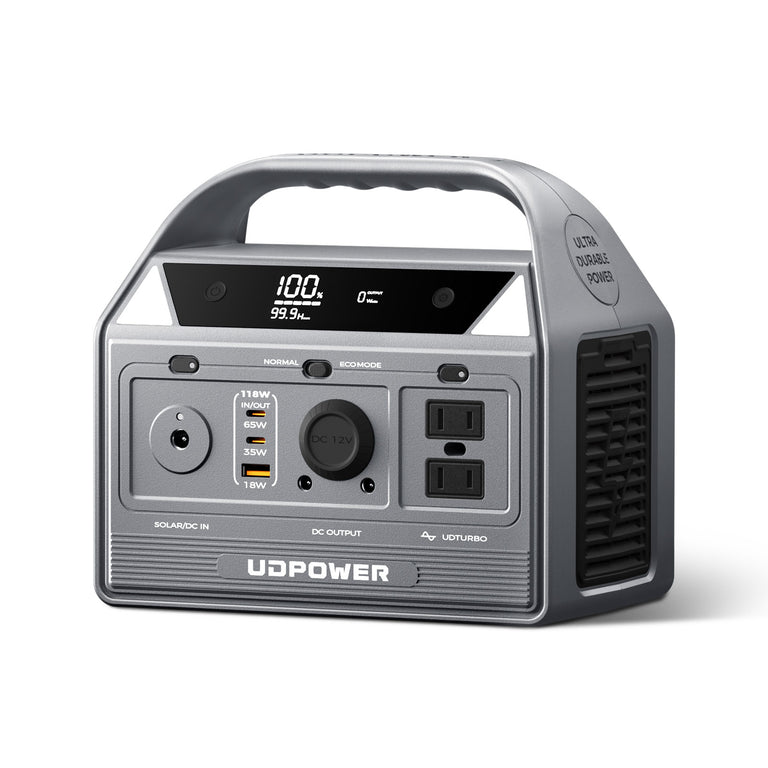
UDPOWER C400 + 120W Solar Panel
- Bundle price checked: $299.99
- Battery: 256Wh
- Planning energy: approximately 230Wh
- Rated AC output: 400W
- Solar panel: 120W
- Best fit: communication, lighting, phones, laptop charging and short low-power backup
What Can a $500 Home Backup Setup Run?
The jump from roughly $300 to $500 is much more meaningful than the extra $200 might suggest. This is where a portable power station begins to work like a serious household emergency battery rather than primarily a charging hub.
The current UDPOWER S1200 starts below the $500 ceiling and combines a 1,190Wh battery with 1,200W rated pure sine wave output.
That gives it about 1,071Wh of planning energy using the 90% assumption in this guide: almost exactly twice the planning energy of the C600.
UDPOWER S1200 Portable Power Station

- 3-AC configuration price checked: $399.99
- Capacity: 1,190Wh
- Planning energy at 90%: approximately 1,071Wh
- Rated AC output: 1,200W pure sine wave
- Higher-power capability: up to 1,800W for compatible loads
- Maximum solar input: 400W
- UPSPrime response: under 10ms under stated operating conditions
- Weight: about 26 lb
Estimated S1200 Runtime
| Load | Planning Wattage | Estimated Runtime | What It Means During an Outage |
|---|---|---|---|
| Router + modem | 20W | About 53.5 hours | Internet equipment is a very small load relative to this battery |
| CPAP without high-draw heated features | 40W | About 26.8 hours | Potentially multiple nights depending on the actual machine |
| Laptop | 60W | About 17.9 hours | Enough energy for extended remote work |
| Box fan | 60W | About 17.9 hours | Practical warm-weather comfort load |
| Illustrative refrigerator average | 100W | About 10.7 hours | A much more practical refrigerator tier |
| Fridge + router + LED lighting | 130W combined average | About 8.2 hours | Strong short-outage essentials setup |
| Fridge + router + CPAP + light | 170W combined average | About 6.3 hours if all loads were continuous | Actual household use may last longer because loads do not always run continuously |
The $500 Tier Is the Refrigerator Breakpoint
Food preservation is often the point where a small emergency battery starts feeling inadequate. According to the USDA Food Safety and Inspection Service, a closed refrigerator generally keeps food safely cold for about four hours during an outage.
That does not mean you must power a refrigerator continuously from the moment the grid fails. It means refrigerator backup becomes increasingly valuable when the outage moves beyond the short window where the closed appliance can hold temperature on its own.
The S1200 gives you enough inverter headroom and battery capacity to make refrigerator management practical while still reserving energy for Wi-Fi, phones, lighting or a CPAP.
For a deeper refrigerator-specific guide, see Can a Portable Power Station Run Your Refrigerator?
A Better Way to Use 1,071Wh
Instead of plugging everything in at once, think of the S1200 as an energy account.
| Example Task | Illustrative Energy Use | Why It Matters |
|---|---|---|
| Run a 20W router for 12 hours | 240Wh | Keeps communication and online work available |
| Run a 40W CPAP for 8 hours | 320Wh | Covers an overnight medical-device load in this example |
| Use 20W of LED lighting for 5 hours | 100Wh | Provides evening lighting at low energy cost |
| Charge phones and small electronics | About 30–60Wh | Small relative to the battery capacity |
| Remaining planning energy | Roughly 350–380Wh | Can be reserved for refrigeration, laptop use or unexpected needs |
What Can a $1,000 Home Backup Setup Run?
At $1,000, the question changes.
You are no longer asking only, "How big a battery can I afford?" You can start asking, "How will I replace the energy after the first night?"
That distinction matters in a long outage. A large battery eventually reaches zero. A slightly more complete system with meaningful battery capacity and a way to recharge can be more resilient than spending every dollar on stored energy alone.
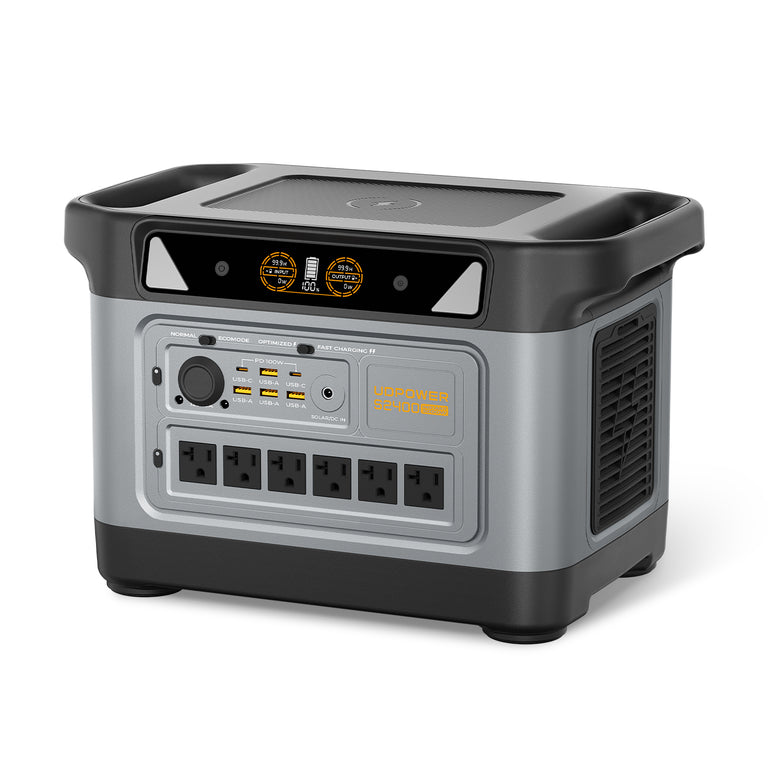
The UDPOWER S2400 is currently listed at $699.99 for the unit alone. The S2400 + 210W solar panel kit is listed at $949.99, keeping the package under the $1,000 target before applicable tax.
UDPOWER S2400 + Solar
- S2400 unit-only price checked: $699.99
- S2400 + 210W solar kit price checked: $949.99
- Battery capacity: 2,083Wh
- Planning energy at 90%: approximately 1,875Wh
- Rated AC output: 2,400W pure sine wave
- Higher-power capability: up to 3,000W for compatible loads when operating from battery/inverter mode
- Maximum recommended solar input: 420W
- UPSPrime response: 10ms or less under stated operating conditions
- Weight: about 40.8 lb
Estimated S2400 Runtime Before Solar Recharging
| Load | Planning Wattage | Estimated Runtime | Outage Use |
|---|---|---|---|
| Router + modem | 20W | About 93.7 hours | Small communication loads barely dent a 2kWh-class battery |
| CPAP without high-draw heated features | 40W | About 46.9 hours | Substantial multi-night reserve in this simplified example |
| Laptop | 60W | About 31.2 hours | Extended remote-work capacity |
| Illustrative refrigerator average | 100W | About 18.7 hours | Useful overnight and extended-outage refrigeration |
| Fridge + router + LED lighting | 130W combined average | About 14.4 hours | Strong essential-load combination |
| Fridge + router + CPAP + light | 170W combined average | About 11.0 hours if continuous | Better suited to an overnight mixed-load plan |
| 1,000W appliance | 1,000W | About 1.9 total hours | Use high-watt appliances briefly rather than continuously |
Why a Microwave Can Make Sense but a Space Heater Usually Does Not
High wattage is not automatically bad. What matters is wattage multiplied by time.
A 1,000W microwave used for 10 minutes consumes roughly 167Wh before allowing for appliance and system variation. That can be a reasonable use of a large backup battery because the load is short.
A 1,500W space heater running for two hours would demand roughly 3,000Wh. That exceeds the S2400's entire stored battery capacity before conversion losses are even considered.
So the smartest $1,000 backup system is not the one that lets you turn on the most appliances. It is the one that lets you distinguish between high-power short-duration loads and high-power continuous loads.
The $1,000 Advantage Is Recovery
A solar panel does not make a battery unlimited. Cloud cover, shade, sun angle, panel temperature, season and charging limits all affect real production.
But solar changes the energy equation because some of yesterday's consumption can be replaced during the next day.
For location-specific solar estimates, the National Renewable Energy Laboratory provides the PVWatts Calculator. Portable panels will not behave exactly like a fixed rooftop array, but local solar-resource data is still useful when thinking about how much sunlight is realistically available where you live.
Same House, Three Different Budgets
The easiest way to understand these budgets is to use the same household and change only the amount of backup power available.
Imagine the priority list is:
- Keep phones charged.
- Keep internet available.
- Provide basic lighting after dark.
- Protect refrigerated food if the outage continues.
- Run a CPAP overnight if required.
- Use a laptop when necessary.
| Household Need | $300 Tier | $500 Tier | $1,000 Tier |
|---|---|---|---|
| Phones | Easy | Easy | Easy |
| Router + modem | Strong fit | Very strong fit | Minimal impact on battery |
| LED lighting | Strong fit | Strong fit | Strong fit |
| Laptop / home office | Manageable | Comfortable | Extended use |
| CPAP overnight | Possible for many configurations | Much more reserve | Multi-night potential depending on actual consumption |
| Full-size refrigerator | Limited and appliance-dependent | Practical short-outage backup | Much better runtime and output margin |
| Microwave / short kitchen use | Generally not a good match | Possible only when actual input stays within limits | Far more practical for short use |
| Space heater | Poor fit | Poor battery economics | May be electrically possible but drains the battery very quickly |
| Solar recovery | Possible but budget-constrained | Usually an additional purchase | Can fit inside the total budget |
| Multi-day outage strategy | Extreme load discipline | Load scheduling required | Battery + recharge strategy becomes realistic |
This is the key difference between the tiers: more money does not simply buy "more hours." It changes which loads can become part of your emergency plan.
How Much Average Load Can Each Battery Support for 8, 12, or 24 Hours?
Most runtime charts start with appliance wattage and calculate hours. For outage planning, reversing the math is often more useful.
Start with the length of outage you want to survive, then calculate how many watts you can afford to average over that entire period.
| Backup Window | C600: 536Wh Planning Energy | S1200: 1,071Wh Planning Energy | S2400: 1,875Wh Planning Energy |
|---|---|---|---|
| 4 hours | About 134W average | About 268W average | About 469W average |
| 8 hours | About 67W average | About 134W average | About 234W average |
| 12 hours | About 45W average | About 89W average | About 156W average |
| 24 hours | About 22W average | About 45W average | About 78W average |
| 48 hours | About 11W average | About 22W average | About 39W average |
This table explains why a battery that feels enormous during a two-hour outage can suddenly feel small during a two-day outage.
If you want an S1200 to last 24 hours without recharging, for example, your average load has to stay around 45W. That might mean a router runs continuously while refrigeration is scheduled intermittently and lights are used only when necessary.
For more detailed long-duration planning, see How Long Will a 2,000Wh Power Station Last?
What Should You Power First During an Outage?
When battery energy is limited, priority matters more than the number of outlets on the power station.
Priority 1: Medical and Safety Needs
If someone in the household depends on powered medical equipment, that load should be sized first. Do not build the plan around a generic wattage chart alone. Check the actual equipment, accessories and operating mode.
For CPAP-specific planning, read Sleep Apnea Equipment Backup Power.
Priority 2: Food Preservation
Once an outage extends beyond the refrigerator's passive cold-storage window, refrigeration becomes a high-value use of stored energy.
Keeping the refrigerator door closed, cooling food before severe weather arrives and avoiding unnecessary door openings can reduce the amount of electrical backup you need.
Priority 3: Communication
A modem, router and charged phones usually consume very little energy compared with kitchen appliances or heating equipment. They provide weather information, emergency alerts, work access and communication for relatively few watt-hours.
Priority 4: Lighting
LED lighting is another low-cost load. A few efficient bulbs can provide an evening of useful lighting while consuming less energy than running a large TV for the same period.
Priority 5: Comfort and Convenience
Fans, TVs, laptops and short cooking loads come after critical needs are covered. This does not mean you cannot use them. It means you should know what portion of the battery you are spending.
When Is It Worth Adding Solar to a Home Backup Setup?
Solar becomes increasingly valuable when the expected outage is longer than one full battery cycle.
For a four-hour outage, a solar panel may never leave storage. For a 48-hour outage, your ability to recharge can become just as important as the original battery capacity.
| Outage Situation | Battery-Only Strategy | Battery + Solar Strategy |
|---|---|---|
| 2–4 hours | Usually sufficient if sized correctly | Often unnecessary |
| 8–12 hours | Strong option with 1kWh+ battery | Useful if outage continues into the next day |
| 24 hours | Requires careful load management | Daytime energy recovery becomes valuable |
| 48+ hours | Stored energy alone becomes restrictive | Recharging strategy becomes central to the plan |
Do not estimate solar recharge from panel wattage alone. A 210W panel does not continuously produce exactly 210W from sunrise to sunset.
Real output changes with clouds, shade, panel angle, season, temperature and charging-system losses. For that reason, solar is best treated as runtime extension and recovery, not guaranteed unlimited power.
Browse current options in the UDPOWER Solar Panels collection or compare complete solar generator kits.
What Should You Avoid Running From a Limited Backup Battery?
Some appliances are technically possible to run but make poor emergency-energy choices.
| Appliance Type | Typical Issue | Better Outage Strategy |
|---|---|---|
| Space heater | Often 750–1,500W continuously | Preserve battery for critical loads and use safer non-electric warming strategies where appropriate |
| Electric kettle | Very high wattage | Use only briefly and only on a power station with enough output |
| Hair dryer | High continuous draw | Skip during an extended outage |
| Electric oven or range | High power and often 240V | Do not build a portable 120V battery plan around it |
| Central air conditioning | Large startup and continuous demand, often 240V | Use fans or a separately engineered backup system |
| Electric water heater | Very high energy consumption | Not a normal portable-power-station priority |
| Microwave | High wattage but usually short use | Reasonable on a larger station if used for only a few minutes |
A common mistake is buying a larger inverter because it can operate a high-wattage appliance, then forgetting that battery capacity still determines how long that appliance can run.
For more on the difference between output and runtime, see How Do You Know If a Portable Power Station Can Power Your Device?
Which Home Backup Budget Is Right for You?
Choose Around $300 If...
- Your main concern is phones, internet and lighting.
- You need backup for a laptop or other low-power electronics.
- You want one night of support for a modest CPAP configuration.
- You are comfortable prioritizing loads aggressively.
- Refrigerator backup is optional rather than the main goal.
Choose Around $500 If...
- Your refrigerator is part of the emergency plan.
- You need CPAP, Wi-Fi and lighting at the same time.
- You want enough battery for an overnight outage without constantly watching every phone charger.
- You want 1,200W-class AC output for a broader range of appliances.
- You want a practical home-backup sweet spot without moving to a 40-pound battery.
Choose Around $1,000 If...
- You want refrigerator backup plus several other essentials.
- You expect overnight or multi-day outages.
- You want to use selected higher-wattage appliances for short periods.
- You want more output margin for motor-driven appliances.
- You want enough budget to add solar recharging instead of relying only on stored battery energy.
The Most Important Budget Breakpoint
If your goal is simply staying connected, $300 can be enough.
If your goal includes keeping food cold overnight, the roughly $500 tier is a much more practical starting point.
If your concern is a longer outage where you may need to replenish the battery before grid power returns, the $1,000 tier makes more sense because you can combine substantial stored energy with solar recovery.
Home Backup Does Not Mean Whole-Home Backup
The phrase "home backup" can be misleading. A portable power station is normally best used to power selected devices directly from its outlets.
Even the S2400's 2,400W rated output and 2,083Wh battery should not be confused with an installed whole-home battery system capable of operating every circuit, central HVAC, electric water heating, clothes dryers and large 240V appliances.
For most people shopping below $1,000, the more useful goal is:
If you are new to this distinction, read Basics of LFP Home Battery Backups.
Three Rules That Stretch Any Backup Budget
1. Measure the Load You Actually Own
A generic refrigerator chart can help you plan, but your refrigerator is the one connected to the battery. Check its EnergyGuide information, appliance label, manual or measured consumption.
2. Separate Running Watts From Watt-Hours
Watts determine whether a power station can operate the appliance. Watt-hours determine how long it can continue doing so.
A high-output battery with low capacity can start a large appliance and still run out quickly. A high-capacity battery with insufficient inverter output may contain plenty of stored energy but still fail to start the appliance.
3. Budget Energy by Job, Not by Outlet
Having five or six AC outlets does not mean all five or six should be filled during an outage. Every connected device is competing for the same stored watt-hours.
Think in terms of jobs:
- Keep food cold.
- Keep a medical device operating.
- Keep the household connected.
- Provide lighting.
- Maintain safe comfort.
Once those jobs are funded, everything else is optional.
Frequently Asked Questions
Is $300 enough for emergency home backup power?
Yes, if your priorities are modest. Around $300 can cover phones, Wi-Fi, LED lighting, laptops, fans and selected CPAP or small refrigeration loads. It is not a realistic budget for powering an entire home or continuously running high-wattage appliances.
What size power station is best for a refrigerator during a blackout?
For a typical household refrigerator, a 1,000–1,200Wh-class power station with enough compressor-starting headroom is a practical starting point. A 2,000Wh-class unit gives considerably more runtime and reserve for additional loads. Always check the actual refrigerator's startup and energy requirements.
What can a $500 power station setup run during an outage?
Around $500 can put you into the 1kWh-class range. Using the 1,190Wh UDPOWER S1200 as an example, you can realistically plan around a refrigerator, router, lights, CPAP, laptop, fan, television and other home essentials, provided total simultaneous power stays within the station's limits.
Is a $1,000 backup power setup enough for a whole house?
Generally no. A $1,000 portable battery setup is better described as substantial essential-load backup. It can keep selected household appliances and electronics operating, but it should not be confused with an installed whole-home system designed for central HVAC, 240V appliances and every household circuit.
How many watt-hours do I need for an 8-hour outage?
Multiply your average load in watts by eight hours, then allow for conversion losses and reserve. A continuous 100W average load requires 800Wh delivered to the devices, so a battery somewhat larger than 800Wh is appropriate. Using a 90% planning efficiency, the theoretical minimum would be about 889Wh before adding reserve.
How long will a 1,000Wh-class battery run a refrigerator?
It depends on the refrigerator's average energy use and compressor cycling. With approximately 1,071Wh of planning energy from the 1,190Wh S1200, a simplified 100W average refrigerator load works out to about 10.7 hours. An efficient cycling refrigerator may last longer, while an older or harder-working refrigerator may last less.
Should I spend my extra budget on a bigger battery or solar panels?
For a short outage, more stored battery capacity is usually the simpler advantage. For outages that may last a day or longer, the ability to recharge becomes more valuable. The right balance depends on local sunlight, the loads you must protect and whether another charging source is available.
Can a portable power station run a microwave?
Some larger models can. Check the microwave's electrical input wattage rather than only its advertised cooking wattage. The S2400's 2,400W rated output provides much more headroom for short microwave use than a compact 400W or 600W station, but high-power cooking still consumes stored energy quickly.
Can I run a space heater from a portable power station?
A sufficiently powerful station may operate many space heaters, but it is usually an inefficient backup-power strategy. A 1,500W heater consumes energy so quickly that even a 2kWh-class battery will provide relatively short runtime.
Can I connect a portable power station directly to my home's electrical panel?
Do not backfeed a wall outlet or electrical panel. UDPOWER portable stations are designed to power compatible devices directly through their outputs. Any connection to home wiring or transfer equipment should use properly designed equipment and be reviewed and installed by a qualified electrician.
Do solar panels keep a power station running forever during an outage?
No. Solar production varies with weather, shade, season, panel angle, temperature and the power station's charging limits. Solar can extend runtime and replace part of the energy used during the previous day, but it should not be treated as guaranteed unlimited power.
What is the best budget for most households?
If refrigerator backup, Wi-Fi, lighting and other basic essentials are the goal, the roughly $500 tier is a strong starting point. If the household expects longer outages or wants solar recharging and more appliance flexibility, moving toward $1,000 provides much more resilience.
Choose Backup Power Around Your Real Loads
Do not buy a home backup battery only because the price fits your budget. Start with the appliances you cannot afford to lose, calculate how many hours they need to run, then choose enough battery capacity and AC output to cover that job with margin.
Compare UDPOWER Models View Home Backup Power Stations View Solar Generator Kits Read the Home Backup GuideRelated Articles


