





Why Did Power Go Out During Storms?
Last updated: June 10, 2026
When the power goes out during a storm, it usually is not because “the whole grid failed.” Most storm outages start much closer to home: a tree limb hits a distribution line, wind snaps a pole, lightning damages equipment, ice pulls lines down, flooding reaches electrical gear, or protective devices shut off part of the circuit to prevent fire and electrocution.
Quick answer: Power often goes out during storms because wind, rain, lightning, ice, flooding, and falling trees damage the local equipment that carries electricity from substations to homes. Sometimes your lights go out even when there is no visible damage because fuses, breakers, and reclosers automatically isolate a fault. The safest response is to stay away from downed lines, report the outage, keep refrigerator doors closed, and power only essential devices until utility crews restore service.

The Simple Reason Storms Cause Outages
Electricity reaches most homes through a chain: generation, high-voltage transmission, substations, local distribution lines, transformers, service drops, and finally your home panel. Storms usually break the local part of that chain first.
That is why one neighborhood can be dark while another neighborhood two blocks away still has lights. A storm does not have to damage a power plant to shut off your home. One fallen tree across a local feeder line can interrupt electricity for hundreds or thousands of customers.
The practical takeaway: Storm outages are often local, mechanical, and safety-driven. The utility system is designed to shut off damaged sections quickly so a downed wire does not keep energizing a road, fence, tree, or flooded area.
The Most Common Reasons Power Goes Out During Storms
Storm damage is not one single problem. It can be wind, water, lightning, vegetation, equipment protection, or a combination of all of them. The table below explains what is actually happening in plain English.
| Storm factor | What it does to the power system | What you may notice at home | Source |
|---|---|---|---|
| High wind | Pushes trees into lines, breaks limbs, damages poles, and can make overhead wires slap together. | Lights flicker, then one section of the neighborhood goes dark. | NOAA/NSSL |
| Lightning | Can strike lines, transformers, poles, or nearby objects and trigger protective equipment. | A sudden pop, flash, or instant outage during a thunderstorm. | Ready.gov |
| Heavy rain and flooding | Water can damage underground equipment, vaults, substations, and exposed electrical gear. | Power may stay off longer because crews must wait for safe access. | Ready.gov |
| Ice, sleet, and freezing rain | Adds weight to lines and trees until branches or wires break. | Outages may spread slowly as ice keeps building through the storm. | U.S. EIA |
| Hurricane or tropical storm winds | Can snap large branches, topple trees, damage poles, and affect wide service areas at once. | Outages may last from hours to several days depending on damage and access. | National Hurricane Center |
| Protective shutoff | Fuses, breakers, and reclosers isolate a fault so damaged equipment does not stay energized. | Power blinks, returns, blinks again, then stays off. | U.S. EIA |
Recent reliability data shows how strongly major weather events affect outage time. The U.S. Energy Information Administration reported that U.S. electricity customers averaged about 11 hours of interruptions in 2024, with major hurricanes accounting for a large share of those outage hours. That does not mean every local storm will cause a long outage, but it explains why storm preparation matters even if your home usually has reliable service.
Why Do Lights Flicker Before the Power Goes Out?
A flicker is often the grid trying to protect itself. When a branch briefly touches a line, the system may interrupt power for a moment, then automatically try to restore it. If the fault clears, your lights come back. If the problem is still there, the circuit may trip again and stay off until a crew inspects the line.
What flickering can mean: A momentary fault may have cleared, but it can also be a warning that lines, transformers, or nearby trees are under stress. During active storms, unplug sensitive electronics if it is safe to do so, and avoid touching anything connected to damaged outdoor wiring.
Flickering does not always mean your home wiring is bad. If the whole street flickers at the same time, the cause is usually outside your house. If only one room flickers repeatedly, or breakers trip inside your panel, call a licensed electrician after the immediate storm risk has passed.
Why Does My Neighbor Have Power But I Don’t?
It feels unfair, but it is common. Homes that look close together can be served by different transformers, different lateral lines, or even different feeder circuits. A storm may damage the exact line serving your side of the street while leaving the next circuit untouched.
| What you see | Likely reason | What to do |
|---|---|---|
| Your house is out, next-door neighbor is on | Your service drop, transformer, or side of the circuit may be affected. | Report your outage directly. Do not assume the utility already knows your specific home is out. |
| One side of the street is dark | Different distribution equipment may serve each side. | Check your utility outage map and report downed wires if visible. |
| Only a few rooms are out | The issue may be inside your home panel, a tripped breaker, GFCI, or damaged circuit. | Check breakers only if the area is dry and safe. Call an electrician if damage is suspected. |
| Power returns, then goes out again | Crews may be switching circuits or isolating another fault. | Keep essential devices on backup power until service is stable. |
How Utilities Restore Power After Storms
Restoration is not always first-come, first-served. Utilities usually work in a priority order that brings the most people back online safely and protects critical services first.
| Restoration priority | What crews usually handle | Why it matters |
|---|---|---|
| 1. Life safety hazards | Downed wires, energized roads, damaged poles, blocked emergency routes. | No restoration work is worth risking electrocution or fire. |
| 2. Substations and major feeders | Equipment that serves large groups of customers. | One repair can restore thousands of homes and businesses. |
| 3. Critical facilities | Hospitals, emergency services, water systems, shelters, and communications. | These services support public safety during the outage. |
| 4. Neighborhood laterals | Smaller lines serving streets, subdivisions, or rural sections. | These repairs bring power back to smaller groups. |
| 5. Individual service issues | Service drop damage from pole to house or weatherhead damage. | These may require both utility work and homeowner-side electrical repair. |
That is why a large outage may improve quickly at first, then seem slow near the end. The last few homes may need highly specific repairs, blocked-road access, tree removal, or electrical inspection before reconnection.
What to Do When Power Goes Out During a Storm
The first goal is safety. The second goal is preserving essential power. The third goal is avoiding waste, damage, and panic.
First 10 minutes
- Look outside only from a safe location. Do not walk toward downed lines, sparking transformers, leaning poles, or flooded electrical areas.
- Report the outage through your utility’s outage map, app, or phone number.
- Turn off or unplug sensitive electronics if power is flickering repeatedly.
- Keep refrigerator and freezer doors closed.
- Use flashlights instead of candles when possible.
First hour
- Check phones, power banks, and backup batteries.
- Decide what must stay on: phone, router, medical device, fridge, light, fan, or communication gear.
- Move essential devices to a safe central area where cords will not create trip hazards.
- If using a gas generator, keep it outdoors and away from windows, doors, and vents.
- Do not open the fridge “just to check.” Every opening shortens the safe window.
Safety warning: Never touch a downed line or anything in contact with it. Fences, puddles, wet soil, tree limbs, and vehicles can become energized. If you use a gasoline generator, never run it inside a home, garage, basement, crawlspace, shed, tent, or near open windows.
Refrigerator and Freezer Safety During a Power Outage
Food safety is one of the most urgent household concerns during storm outages. The rule is simple: keep doors closed and track time.
| Appliance | Safe time if doors stay closed | Best action | Source |
|---|---|---|---|
| Refrigerator | About 4 hours | Keep closed. After 4 hours without power, move perishables to a cooler with ice if available. | CDC |
| Full freezer | About 48 hours | Keep closed. Group frozen food together to help it stay cold longer. | FoodSafety.gov |
| Half-full freezer | About 24 hours | Keep closed and use a thermometer when power returns. | FDA |
If keeping a refrigerator running is a top priority, a battery power station can be a practical bridge for short-to-medium outages. The key is using the fridge’s average running watts, not just the startup surge, to estimate runtime.
What Should You Power First During a Storm Outage?
During a storm outage, the best backup plan is not “power everything.” It is “power the right things long enough.” Start with safety, communication, medical needs, and food protection.
| Priority | Device or need | Typical watt range | Why it matters |
|---|---|---|---|
| Critical | Phone, emergency radio, basic LED light | 5W–20W | Communication and visibility use very little battery. |
| Critical for some homes | CPAP or medical comfort device | 30W–90W | Runtime depends heavily on humidifier, heated tube, pressure, and device model. |
| High | Wi-Fi router and modem | 10W–30W | Useful if your internet line remains active after the power outage. |
| High | Refrigerator or freezer | 60W–150W average, higher startup surge | Protects food after the first few hours, but should be tested before storm season. |
| Comfort | Fan, TV, laptop, small monitor | 30W–150W | Useful after essentials are covered. |
| Usually avoid on battery | Space heater, kettle, air fryer, high-heat cooking appliance | 900W–1,800W+ | Heat drains batteries quickly and may exceed the station’s output rating. |
For more device-matching guidance, see UDPOWER’s portable power station device compatibility guide and the Portable Power Station collection.
Recommended UDPOWER Backup Options for Storm Outages
The right backup size depends on what you need to keep running. For storm outages, most households should think in three levels: basic communication backup, essential home backup, and extended multi-device backup.
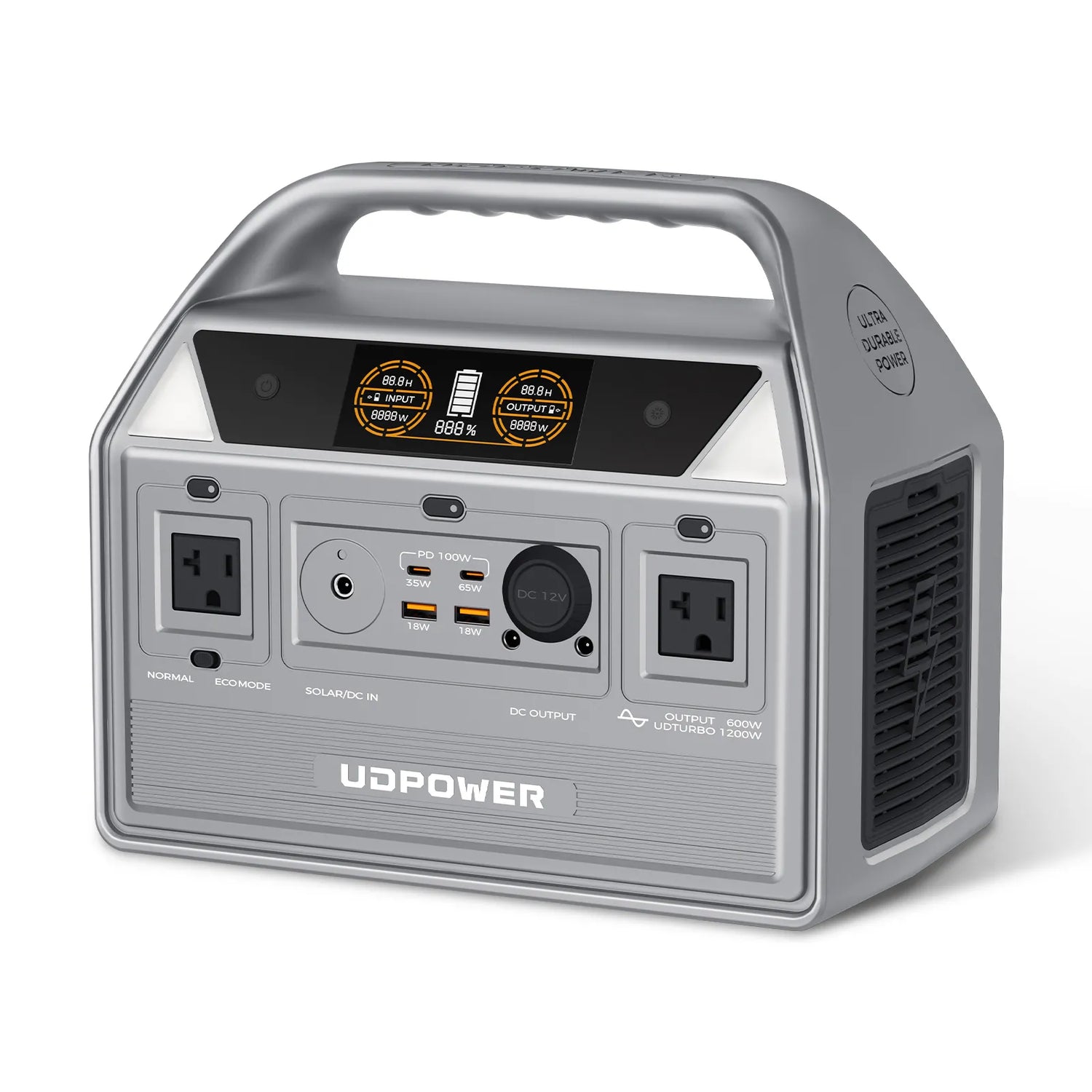
UDPOWER C600 Portable Power Station — Short Outage Essentials
Best for phones, lights, routers, laptops, fans, cameras, and short comfort backup. It is a practical choice when you need more than a pocket power bank but do not need to run a full-size refrigerator for a long period.
- Capacity: 596Wh
- AC output: 600W rated output
- Peak: 1200W peak
- Battery: LiFePO4, 4,000+ cycles
- Best fit: router, lights, fan, laptop, phones, small emergency devices
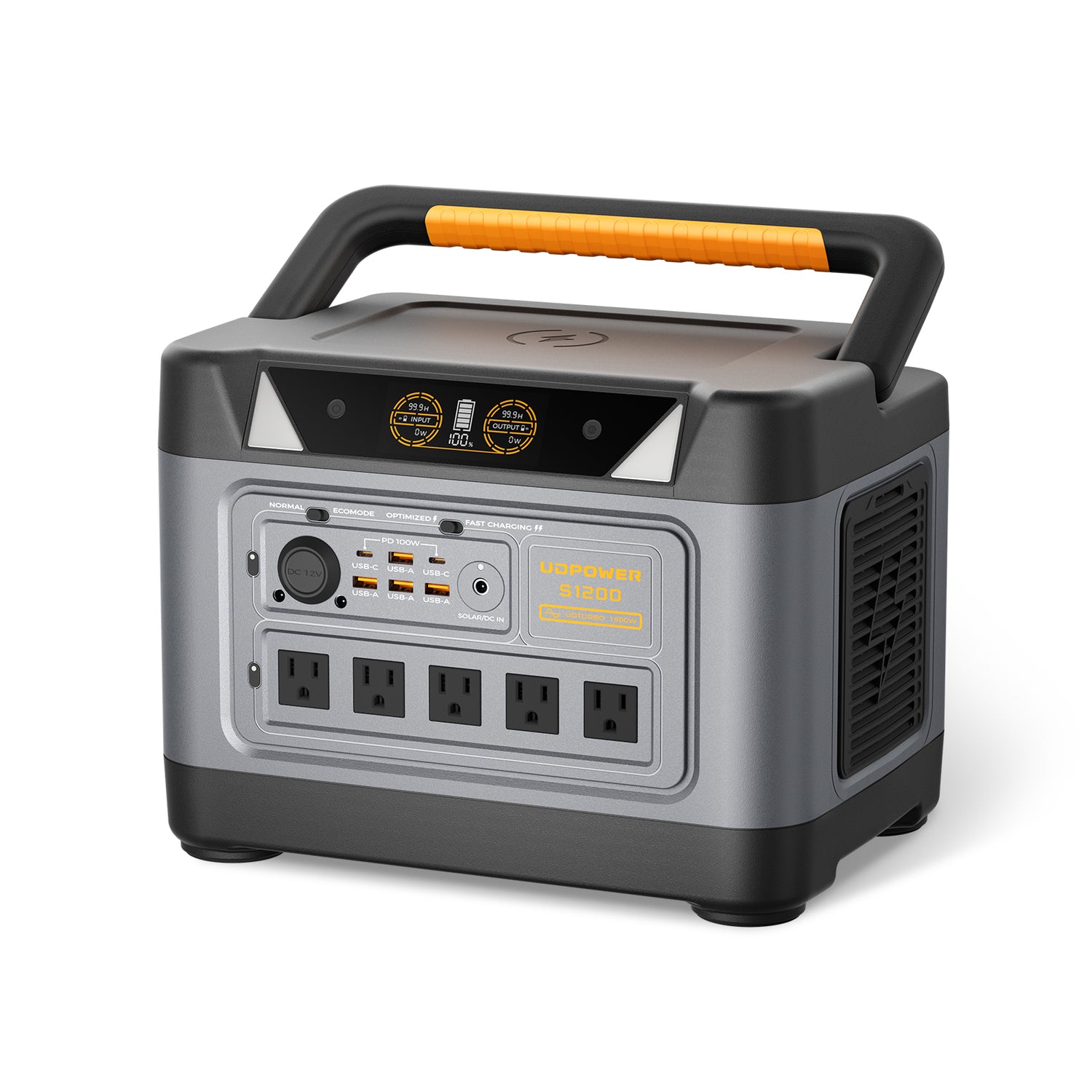
UDPOWER S1200 Portable Power Station — Best Middle Ground for Home Essentials
Best for households that want to cover a refrigerator, CPAP, router, phone charging, lights, and a fan without jumping straight to a heavy backup system. For many storm outages, this is the practical “keep the essentials alive” size.
- Capacity: 1,190Wh
- AC output: 1,200W rated output
- Surge: Up to 1,800W
- Battery: LiFePO4, 4,000+ cycles
- Backup feature: UPSPRIME-style switchover under 10ms
- Solar input: Up to 400W
- Best fit: refrigerator, CPAP, router, lights, fans, laptops, moderate home backup
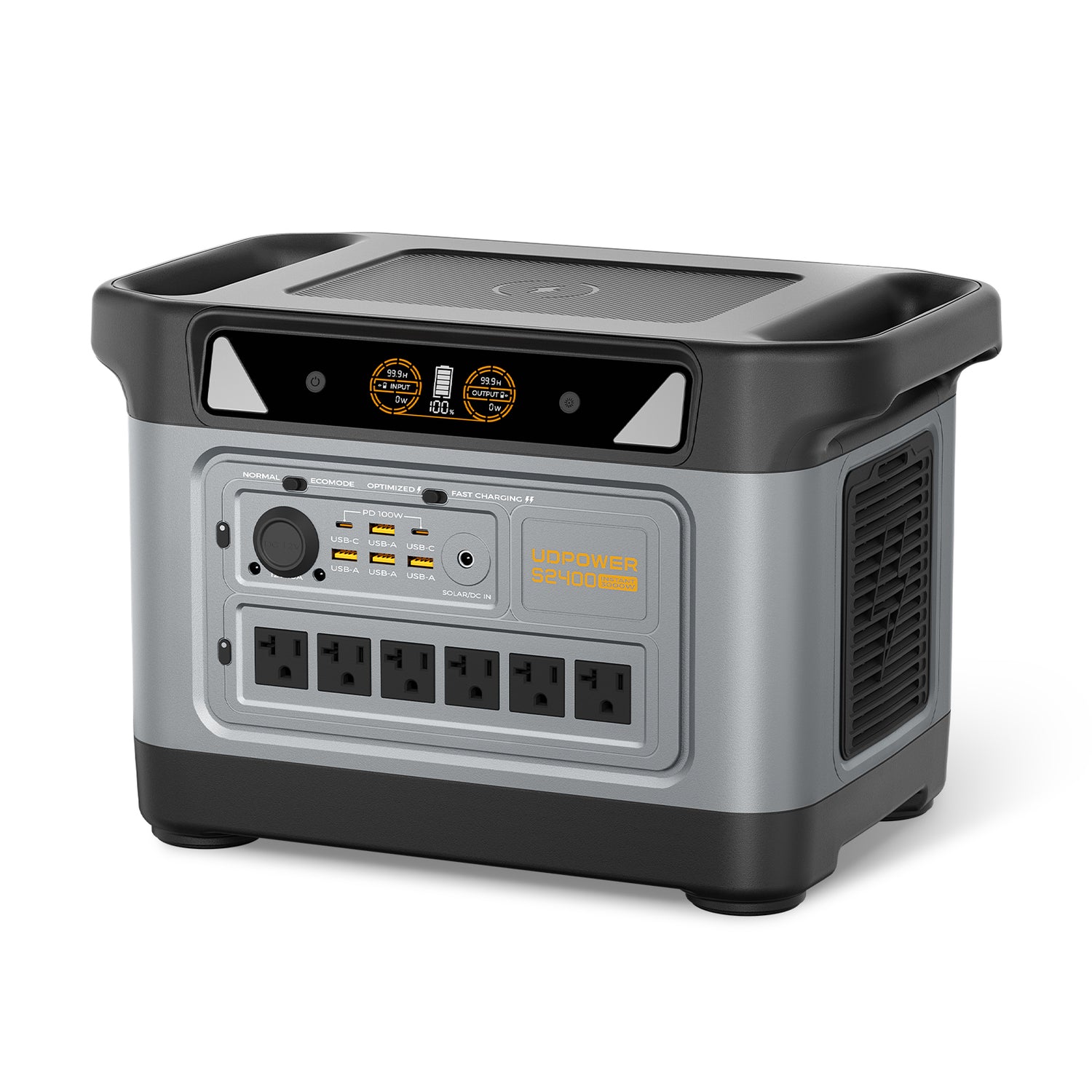
UDPOWER S2400 Portable Power Station — Longer Runtime and Bigger Appliance Headroom
Best for longer outages, larger refrigerators or freezers, multiple essentials, RV backup, and users who want more wattage headroom for everyday appliances. It is not a whole-home generator, but it gives significantly more battery reserve than compact stations.
- Capacity: 2,083Wh
- AC output: 2,400W rated output
- Surge: Up to 3,000W
- Battery: LiFePO4, 4,000+ cycles
- Backup feature: UPSPRIME-style switchover under 10ms
- Solar input: Up to 400W
- Best fit: refrigerator, freezer, router, lights, CPAP, microwave use in short bursts, RV and extended outage planning
Need to compare sizes quickly? Use the UDPOWER Power Station Comparison or browse S-Series portable power stations for higher-capacity backup options.
Estimated Runtime During a Storm Outage
The table below uses a practical estimate: usable watt-hours = battery capacity × 90% efficiency. Real runtime changes with device wattage, compressor cycling, startup surge, room temperature, battery age, and whether you use AC or DC output.
| Device | Typical watts | UDPOWER C600 596Wh × 90% |
UDPOWER S1200 1,190Wh × 90% |
UDPOWER S2400 2,083Wh × 90% |
Storm outage note |
|---|---|---|---|---|---|
| Phone charging | 10W | About 53.6 hours | About 107.1 hours | About 187.5 hours | Small loads are the easiest way to stretch backup time. |
| Wi-Fi router + modem | 20W | About 26.8 hours | About 53.6 hours | About 93.7 hours | Only useful if your internet service remains active. |
| LED light | 10W | About 53.6 hours | About 107.1 hours | About 187.5 hours | Use low-watt lighting instead of large lamps. |
| Box fan | 50W | About 10.7 hours | About 21.4 hours | About 37.5 hours | Important for warm-weather outages. |
| CPAP without heated humidifier | 40W | About 13.4 hours | About 26.8 hours | About 46.9 hours | Test your exact CPAP setup before storm season. |
| CPAP with humidifier | 80W | About 6.7 hours | About 13.4 hours | About 23.4 hours | Humidifiers and heated tubes can cut runtime sharply. |
| Full-size refrigerator | 100W average | About 5.4 hours | About 10.7 hours | About 18.7 hours | Actual runtime depends on compressor cycling and startup surge. |
| Chest freezer | 120W average | About 4.5 hours | About 8.9 hours | About 15.6 hours | Run intermittently if safe; keep lid closed. |
| Microwave | 1000W | Not recommended | About 1.1 hours total | About 1.9 hours total | Use in short bursts only; high-heat devices drain batteries fast. |
For refrigerator-specific planning, read UDPOWER’s guide: Can a Portable Power Station Run Your Refrigerator?. For CPAP backup planning, see Sleep Apnea Equipment Backup Power.
Can Solar Panels Help After a Storm?
Yes, solar panels can help recharge a portable power station after the storm passes, but they are not magic during heavy rain, deep cloud cover, or unsafe outdoor conditions. The best use is after the severe weather has moved away and you can place panels in direct sunlight without exposing yourself to downed lines, flooding, or flying debris.
| Solar situation | Expected result | Best practice |
|---|---|---|
| Clear sun after storm | Best charging conditions | Face panels toward direct sun and adjust angle while watching input watts. |
| Cloudy weather | Lower and inconsistent input | Use solar to extend runtime, not as your only emergency plan. |
| Heavy rain or unsafe wind | Do not deploy panels | Wait until conditions are safe. Personal safety comes first. |
| Panel behind glass | Reduced charging | Use direct outdoor sunlight when safe and dry. |
| Wrong connector or voltage | May not charge or may create risk | Match the connector and input limits of your power station. |
Browse compatible options on the UDPOWER Solar Panels page or see solar-ready kits in UDPOWER Solar Generators.
Common Mistakes During Storm Power Outages
1. Treating a portable power station like a whole-home generator
A battery power station is best for selected essentials. Do not expect one portable unit to run central air conditioning, electric heat, an electric oven, a well pump, and a whole home at the same time.
2. Opening the refrigerator too often
Every door opening releases cold air. If the outage may be short, keeping the door closed is often better than plugging the fridge in immediately for a short, inefficient run.
3. Forgetting startup surge
Refrigerators, freezers, pumps, and compressors may need more power at startup than they use while running. Always check both running watts and surge demand.
4. Running gasoline equipment indoors
Gas generators, grills, and camp stoves can produce carbon monoxide. Use combustion equipment only outdoors and away from openings, and keep working carbon monoxide alarms in the home.
5. Backfeeding a home outlet
Do not plug a generator or power station into a wall outlet to “power the house.” That can energize utility lines and endanger repair crews. Whole-home connections require proper transfer equipment installed according to code.
6. Waiting until the storm starts to test your setup
The best time to test a backup power plan is on a normal day. Plug in your router, CPAP, fridge, fan, or lights and measure real runtime before you actually need it.
FAQ: Storm Power Outages
Why does power go out when it rains?
Rain alone does not always cause outages, but heavy rain often comes with wind, lightning, falling branches, flooding, and saturated soil. Wet ground can make trees easier to uproot, and flooding can make electrical equipment unsafe to operate or repair.
Why did my power blink but not fully go out?
A blink often means protective equipment detected a temporary fault and restored power after the problem cleared. If a branch briefly touched a line, the system may interrupt power for a moment before reconnecting.
Why is only part of my house without power?
If only part of your home is out, the issue may be a tripped breaker, GFCI outlet, damaged circuit, or partial service problem. If you smell burning, see sparks, or suspect storm damage, avoid the panel and call a licensed electrician or your utility.
How long does it take to restore power after a storm?
It depends on the damage. A simple protective trip may be restored quickly. A broken pole, flooded substation, blocked road, or widespread tree damage can take much longer. Utilities usually restore major feeders and critical services before smaller neighborhood or individual repairs.
Can a portable power station run a refrigerator during a storm outage?
Yes, if the power station’s rated output and surge capacity match the refrigerator’s requirements. Runtime depends mostly on battery capacity and the fridge’s average watts. The UDPOWER S1200 and S2400 are better fits for refrigerator backup than small compact stations.
Can I use a portable power station indoors?
Yes, a battery-based portable power station can be used indoors when used according to the manufacturer’s instructions. It does not burn gasoline and does not create exhaust. Keep it dry, ventilated, and within its rated input and output limits.
Can I use solar panels during a storm outage?
Use solar panels only when conditions are safe. After the storm passes, direct sunlight can help recharge a solar-ready power station. During heavy wind, lightning, flooding, or unsafe rain conditions, do not deploy panels outside.
Should I unplug appliances during a storm?
If power is flickering repeatedly and it is safe to do so, unplug sensitive electronics such as computers, TVs, and gaming systems. Avoid touching cords, outlets, or outdoor-connected equipment if there is flooding, visible damage, or active lightning risk.
What should I power first in a blackout?
Start with communication, light, medical comfort devices, router/modem, and food protection. Avoid high-heat appliances unless you have a large enough station and a short, specific use case.
Where can I check outage status?
Use your local utility’s outage map first because it has the most direct restoration information. You can also monitor broader outage conditions through public outage trackers such as PowerOutage.us.
Build a Storm Backup Plan Before the Next Outage
Storm outages are easier to handle when you already know what needs power, how many watts each device uses, and which backup size fits your home. Start with essentials, test your real devices, and choose a power station that matches your actual outage plan.
View UDPOWER Portable Power Stations Compare Power Station Models Read the Solar Emergency Generator GuideExternal safety and outage references used in this guide include NOAA/NSSL, Ready.gov, CDC, FDA, FoodSafety.gov, the National Hurricane Center, and the U.S. Energy Information Administration. Product specifications and product images are from UDPOWER official product pages.
Related Articles


