Solar Panel Connector Types: What They Are, How to Identify Them, and How to Connect Safely
ZacharyWilliamIf you’ve ever ordered a “solar panel,” then discovered your power station or charge controller doesn’t match the plug—this is the page you wanted. We’ll cover the connector types you’re most likely to see in the U.S., the common “MC4 vs everything else” confusion, and a compatibility checklist you can use before you buy adapters.

Quick map: the connector families you’ll see most

| Connector family | Where you’ll typically see it | Why it matters | Common “gotchas” |
|---|---|---|---|
MC4 / “MC4-compatible” |
Most modern solar panels (rooftop and many portable folding panels), PV extension cables, PV branch (Y) splitters | It’s the default PV-world connector in 2025; weather-sealed and locking | “MC4-compatible” doesn’t always mean code/UL-compliant; mixing brands can be risky; male/female terminology is confusing |
H4 / PV connectors (Amphenol, etc.) |
Rooftop PV modules, inverters, installers’ PV cable assemblies | Same idea as MC4: PV-rated, weather resistant, locking | May look “MC4-ish” but confirm mating + certification before mixing |
Tyco / TE SolarLok (PV4-S, etc.) |
Some PV installations and component ecosystems | PV-rated alternative with its own ecosystem | Compatibility can be limited if your panel/cables are MC4 |
DC barrel (5521 / 5525 / 7909 “8mm”) |
Portable power stations, DC devices, folding panels with “solar generator” leads | Device-side inputs vary a lot, even when they look similar | 5521 vs 5525 mismatch; “8mm” can mean multiple geometries; polarity mistakes |
XT60 (and XT30/XT90) |
Portable solar/power ecosystems, adapters from MC4 | Compact, keyed, high-current; popular for portable setups | Cheap clones can run hot; don’t exceed your device input limits |
Anderson (Powerpole / SB) |
High-current DC in RV, off-grid, radio, some batteries/inverters | Rugged, low-resistance, good for higher current | Different housings/keys; not weather-sealed unless protected |
SAE 2-pin |
Battery tenders, small portable panels, motorcycles/RVs | Simple and common for 12V-ish systems | Polarity conventions vary by vendor; not great for high current or high voltage |
Two “connector worlds”: PV-side vs device-side
1) PV-side (panel-to-panel and panel-to-system)
This is the wiring that connects panels to each other, then to your inverter, charge controller, or combiner. These connectors are designed for outdoor exposure: UV, temperature swings, moisture, and long service life.
Typical traits: weather seals, locking tabs, PV-specific crimp contacts, and published certifications/standards.
2) Device-side (panel-to-device input)
This is how a solar source connects into a specific device: a portable power station, MPPT charge controller, RV battery charger, or DC load. Here, connector choice varies by brand and model—and tiny dimensional differences matter.
Typical traits: many shapes, many sizes, and more opportunities for polarity or sizing mistakes.
Glossary you’ll see on spec sheets
| Term | Meaning | Why it matters for connectors/adapters |
|---|---|---|
| Voc (Open-circuit voltage) | Voltage with no load (panel disconnected) | Your device’s max PV input voltage must be higher than the array Voc (especially in cold weather, when Voc rises) |
| Isc (Short-circuit current) | Current when panel outputs are shorted | Cable/connector heating risk is current-driven; parallel wiring increases current |
| Vmp / Imp | Voltage/current at max power point (real operating point under load) | Helps you estimate real charging power and choose series vs parallel safely |
PV-side connectors: MC4 and common alternatives
MC4 (and “MC4-compatible”)
MC4-style connectors are the most common PV connectors you’ll encounter on modern panels. They’re built for outdoor PV wiring and typically include: weather seals, locking tabs, and crimp contacts sized for solar cable.

What MC4 is great at
- Outdoor durability when properly assembled (correct stripping length, correct crimp, correct gland torque).
- Low resistance when mated properly and kept clean/dry.
- Fast modular wiring for series/parallel expansion.
Common MC4 pitfalls (real-world)
- Brand mixing: “fits” doesn’t always mean “safe.” Different manufacturers may not certify mixed-mate pairs.
- Gender confusion: PV people often say “male/female” based on the plastic housing, but polarity can’t be assumed—verify markings or meter it.
- Hot spots: loose crimps, contaminated contacts, or under-rated wire gauge can cause heat under load.

Amphenol H4 (and similar PV connector families)
H4-style PV connectors serve the same job category as MC4—PV-rated, weather-resistant connectors used on panels and PV wiring harnesses. In practice, you treat them as part of a specific ecosystem: confirm mating compatibility and certification before mixing across brands.

Example references are included in the Sources section.
TE / Tyco SolarLok (PV4-S and others)
SolarLok is another PV connector family you may see on certain installations and component ecosystems. Like other PV connectors, it’s designed for outdoor PV duty and typically includes locking + sealing features.

If your panels are MC4 and your extension/combiner gear is SolarLok (or vice versa), plan on a deliberate transition strategy (correct adapters, correct ratings), rather than forcing a “close enough” connection.
Legacy and less common PV-side connectors you might still run into
MC3

Older generation connector. If you inherit an older PV setup, you may encounter MC3 and need an upgrade path.
T4 / other vendor-specific variants

Some manufacturers ship their own PV connector variants. Treat as “verify compatibility” items, not assumptions.
RADOX / other ecosystems

More common in certain markets or industrial contexts. Use within the ecosystem unless you have certified adapters.
Device-side connectors for portable solar & power stations
DC barrel connectors (5521 / 5525 / “8mm” DC7909)
Barrel connectors are everywhere on DC devices—and that’s exactly the problem: many look similar while being electrically or mechanically incompatible. For portable power stations, you’ll often see larger “8mm” style barrels (commonly labeled DC7909), while smaller electronics often use 5.5 mm barrels (5521/5525).

| Label you’ll see | What it typically means | Common use | What to verify |
|---|---|---|---|
| 5521 (5.5×2.1) | 5.5 mm outer / 2.1 mm inner | Routers, LED, small DC loads, some small charge controllers | Polarity (center+ / center-), plug length, current rating |
| 5525 (5.5×2.5) | Looks like 5521 but larger inner pin | Some monitors, some DC inputs on power gear | Don’t force-fit; loose fit can arc/heat |
| “8mm” / DC7909 | A family of larger barrels (geometry varies by ecosystem) | Portable power stations and solar generator inputs | Exact OD/ID/length + polarity; “8mm” can be ambiguous |
XT60 (and XT30/XT90)
XT-series connectors are common in portable power because they’re compact, keyed (harder to reverse), and can handle meaningful current. You’ll often see MC4-to-XT60 adapter cables used to bridge PV panels into portable power station inputs.

- Use-case sweet spot: portable setups where you want a robust, quick-connect DC interface.
- Watch-outs: cheap clones, undersized wire, and long cable runs that increase voltage drop.
Anderson Powerpole / SB series
Anderson connectors show up when current is higher (or when a modular, rugged connector is desired). In RV and off-grid contexts, they’re common for battery-to-inverter or battery-to-DC distribution.

- Great for: higher-current DC links and repeated connect/disconnect cycles.
- Watch-outs: not inherently weather-sealed—protect from direct water exposure.
SAE 2-pin
SAE connectors are extremely common for small “12V-ish” solar setups and battery maintainers. They’re convenient, but they’re not the best choice for high voltage PV strings or high current charging.

- Great for: low-to-moderate current 12V battery charging and portable trickle solar.
- Watch-outs: polarity conventions vary—verify with markings or a meter.
How to identify a connector in under 5 minutes

Step-by-step identification checklist
-
Start with “PV-side or device-side?”
If it’s on the panel’s pigtails coming from the junction box, it’s usually PV-side (often MC4-style). If it plugs into a power station, charge controller, or DC device, it’s device-side (barrel/XT60/Anderson/etc.). -
Look for labels on the cable and the port.
Many devices print a voltage range and polarity symbol near the input. Panels often list Voc/Isc/Vmp/Imp on their spec label. -
Measure barrel connectors (if applicable).
Use a caliper if possible. For barrels, OD × ID is the starting point (e.g., 5.5×2.1 vs 5.5×2.5). -
Confirm polarity with a multimeter (solar panels can be “live”).
Do a quick DC voltage check in sunlight. Don’t assume polarity based on “male/female” wording. -
Match electrical limits before you ever plug in.
Verify your device’s PV input max voltage/current/wattage vs your panel (or panel array) specs.
Series vs parallel: how connectors fit into wiring
Series (voltage goes up)
In series, the voltage adds. This is common when your device needs a higher input voltage window to operate efficiently (or at all). MC4 branch-free connections often make series wiring straightforward.
Connector implication: Your connectors must be PV-rated for the higher string voltage, and your device’s max PV input voltage must exceed cold-weather Voc.
Parallel (current goes up)
In parallel, current adds while voltage stays roughly the same. People do this to increase charging speed when their device is current-limited rather than voltage-limited.
Connector implication: Current is what makes wires and connectors hot. Use appropriately rated branch connectors/cables and follow any device guidance about parallel inputs.
Quick decision rule (portable power stations)
- If your panel’s Voc is near your device’s max input voltage: prefer parallel over series.
- If your panel voltage is too low to charge efficiently: series may help—only if your device supports it and stays within limits.
- If you’re not sure: stay within the manufacturer’s documented solar input range and avoid mixing different panel models in the same string.
Adapters & safety rules (the “don’t fry it” section)
The 8 rules that prevent most failures
- Match voltage first. Your array Voc must be below the device’s max PV input voltage (with margin for cold weather).
- Don’t exceed the device’s input current rating. Parallel connections raise current. Heat is your warning sign.
- Confirm polarity at the final device plug. Especially for barrel connectors; center-positive vs center-negative matters.
- Avoid “adapter stacks.” Every extra adapter adds contact resistance and failure points.
- Use PV-rated cable on the PV side. Outdoor exposure needs UV and temperature-rated jacket + correct wire gauge.
- Don’t mix connector brands casually. “Mates physically” is not the same as “listed/certified together.”
- Don’t disconnect PV connectors under heavy load. Reduce load or shade panels before disconnecting where possible.
- Inspect for heat and discoloration. Warm is normal; hot to the touch or browned plastic means stop and fix the connection.
Adapter map (most common bridges)
| Goal | Typical adapter | What to verify | When it’s a good idea |
|---|---|---|---|
| PV panel to portable power station (XT input) | MC4 → XT60 | Device PV voltage window, polarity, cable gauge | Your power station uses XT60 as the solar input |
| PV panel to portable power station (“8mm” barrel input) | MC4 → DC7909 (“8mm”) | Exact barrel geometry, center polarity, device input limits | Your station’s solar/DC input is DC7909 |
| Parallel two panels with XT60 outputs into one device | XT60 (2-in) → DC7909 (1-out) Y cable | Device max input current, matched panels (similar Voc/Vmp), cable current rating | Device supports the combined current and you want faster charging without higher voltage |
| Small solar panel / battery tender to 12V system | SAE → ring terminals or SAE → DC barrel | Polarity, fuse, current rating | Lower-power 12V charging and accessory power |
UDPOWER examples: common solar inputs + a practical adapter
How UDPOWER fits into the connector landscape (light-touch)
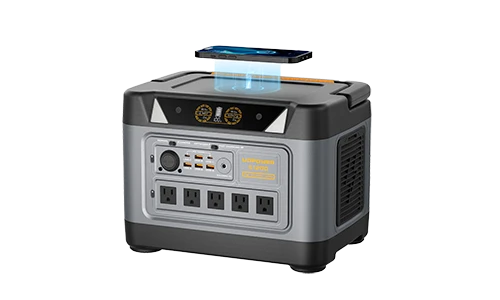
UDPOWER’s ecosystem is a good illustration of the “PV-side vs device-side” split: panels commonly use PV-style outputs, while power stations accept solar through a device-side input window (voltage/current limits + a specific plug). UDPOWER also publishes a practical guide to DC input connector families (barrels, XT-series, MC4-to-device adapters, and sizing pitfalls).
Example: UDPOWER power station solar input specs (why the numbers matter)
Your connector choice is only half the story. The other half is whether your panel (or array) fits your power station’s input window. Here are three examples (always confirm on the product page/manual for your exact model and revision).
| Model | Solar/DC input window (as listed) | Solar input max power (as listed) | Why this affects connector/adapter choices |
|---|---|---|---|
| C200 Product page |
Minimum 11V / Maximum 28V | 150W max (solar input) | Many “high-voltage” folding panels are not a fit here. Even if you can physically adapt the plug, voltage limits still apply. |
| C600 Product page |
Minimum 11V / Maximum 28V | 240W max (solar input) | Supports more solar wattage than smaller models, but the same voltage window means you still plan arrays carefully. |
| S1200 Product page |
Solar charging input: 12V–75V, 12A, 400W max (also notes DC7909 12V/12A 144W) | 400W max (solar charging input) | Higher voltage window can accommodate higher-Voc folding panels that would exceed 28V-limited inputs. |
Example: UDPOWER solar panels and why connector planning matters
Two panels can both be labeled “portable,” yet behave very differently electrically—so the same adapter might be safe for one model and unsafe for another.
| Panel | Key specs (as listed) | Practical compatibility note |
|---|---|---|
| UDPOWER 120W Portable Solar Panel Product page |
Rated Power 120W; Isc 6.65A; Max Current 5.82A; Open Circuit Voltage 17.8V; Maximum Voltage 21.7V (plus “Type 1/2/3 cables (varies by kit)”) | A ~“12–24V class” panel is typically easier to fit into 11–28V input windows (with correct adapters and within current limits). |
| UDPOWER 210W Portable Solar Panel Product page |
Power Output 210W; Voc 48V; Vmp 40V; Isc 6.2A; Imp 5.25A | Higher Voc panels like this require a higher-voltage input window (for example, devices supporting up to 75V). You don’t “solve” voltage mismatch with a plug adapter. |
A practical adapter example: parallel two XT60-output panels into a DC7909 input
If your portable setup uses XT60 outputs and your power station uses a DC7909 (“8mm”) input, a dedicated parallel Y cable can simplify the wiring and reduce adapter stacking. UDPOWER’s XT60-to-DC7909 parallel Y cable is one example designed for this use-case.
| Spec item | What it is (as listed) | Why you care |
|---|---|---|
| Input / Output | 2× XT60 male → 1× DC7909 (8mm) male | Confirms it’s for “two panels in, one station input out” |
| Polarity | DC7909: center-positive (typical) | Polarity mistakes are one of the fastest ways to damage device-side inputs |
| Wire / Length | 15 AWG tinned copper; 1.2 m / 47 in per branch | Wire gauge + length affects voltage drop and heating under current |
| Limits | Max Voltage 60V DC; recommended ≤ 15A total (limited by DC7909 port & device spec) | Parallel increases current; your device input still sets the real limit |
Troubleshooting: zero watts, hot plugs, and intermittent charging
Symptom: “0W input” even in full sun
- Check voltage at the panel output with a meter (is there any DC voltage?).
- Confirm the device input is enabled (some stations require a wake or detect threshold).
- Verify polarity at the final device plug (especially barrels).
- Confirm your array Voc is within the device window (too high can trigger protection; too low may not start MPPT).
Symptom: connector gets hot
- Stop and inspect. Heat usually means resistance: loose contact, bad crimp, contamination, or undersized wire.
- Check for “adapter stacks.” Multiple adapters often create weak points.
- Reduce current. If you’re running parallel, test with a single panel.
Symptom: charging starts, then drops / flickers
- Mechanical stress: strain relief or cable pull can intermittently break contact.
- Water ingress: poorly sealed PV connectors or loose glands can cause intermittent faults.
- Voltage drop: long, thin cables can cause device input to dip below tracking thresholds.
FAQ
Is “MC4” the same thing as “solar connector”?
Do all solar panels use MC4 connectors?
Can I use an adapter to make any solar panel work with any power station?
Why do “5521” and “5525” look identical?
What does an IP rating mean for connectors?
Sources & further reading
External links below open in a new tab and use rel="nofollow" as requested.
- EcoFlow competitor reference (for comparison): Types of Solar Panel Connectors
- Stäubli MC4 datasheet (PV connector ratings/approvals): Original MC4 (PDF)
- Amphenol H4 PV connector reference: H4 PV Connector product page | Amphe-PV H4 Plus reference (PDF)
- TE / SolarLok example reference: SolarLok PV4-S overview
- IP rating overview (IEC 60529 context): IEC 60529 IP Code overview
- UDPOWER internal references: DC input connector guide, 120W panel, 210W panel, XT60→DC7909 Y cable.
Disclaimer: This guide is for general educational purposes. Always follow your device and solar equipment manuals, local electrical codes, and installer guidance.