
How to Protect Electronics From EMP (Electromagnetic Pulse)
Worried about EMP damage to your phones, radios, router, or backup power gear? This practical guide explains what electronics to protect first, which shielding methods actually make sense at home, and how to build a recovery-ready setup with protected power, communication, and charging essentials.
Preparedness Guide
An EMP guide does not need to sound like a physics lecture to be useful. For most households, the practical question is simple: What do I protect first, what actually works, and how do I keep a small recovery-power setup ready if the grid is disrupted?
Here is the plain-English version: shielding beats wishful thinking, long wires create risk, spare gear matters more than fancy gear, and your backup power plan only helps if the backup itself is still alive when you need it.
That means an EMP-ready setup should not stop at phones and radios. It should also cover your charging cables, router kit, spare lighting, important digital files, and the portable power station or solar accessories you plan to rely on afterward.

What actually matters in an EMP scenario
For an everyday reader, the big picture is this: there are two practical problems you are planning around.
- A direct pulse problem: sensitive electronics can be damaged by a fast, intense electromagnetic event.
- A long-wire and grid problem: power lines and communication lines can carry damaging surges into systems that were fine a minute earlier.
That is why good preparation usually combines shielding, disconnecting nonessential equipment, protecting line-connected systems, and keeping protected backups ready for recovery.
| Threat type | What usually gets hit first | Why it matters at home | Best household move | Source |
|---|---|---|---|---|
| High-altitude nuclear EMP | Sensitive electronics, connected equipment, long-line systems | You may lose communications, charging, lighting, and any recovery system that depends on modern control electronics | Shield critical small electronics; protect backups before the event; avoid relying on one device | CISA, WBDG |
| E2-like induced surges | Equipment attached to power or communication lines | Think of the line-side damage problem, not just the gadget itself | Use quality surge protection for line-connected gear, but do not confuse surge strips with full EMP shielding | WBDG |
| Solar storm / geomagnetic disturbance | Grid equipment, transformers, long conductors, communications | Homes often feel this through outages, unstable power, communications problems, or grid-side equipment damage | Watch NOAA alerts, top off devices, disconnect nonessential gear, and be ready to operate off backup power | NOAA SWPC: Electric Power, NOAA Scales |
Important reality check: A surge strip can help with some line-induced events, but it is not the same thing as shielding a device inside a properly built conductive enclosure. For true EMP planning, the most dependable consumer-level move is still a well-made shielded container or shielded room for the gear you cannot afford to lose.
What to protect first
The biggest mistake is trying to protect everything equally. Start with the gear that gives you the fastest recovery path.
| Priority tier | What belongs here | Why it matters | Best storage choice | Source |
|---|---|---|---|---|
| Tier 1: Communication | Spare phone, NOAA weather radio, FRS/GMRS radios, charging cables, small power bank | If you can still receive alerts and contact family, you are ahead of most people | Faraday bag inside a metal can or shielded box | NOAA Alerts |
| Tier 2: Light + information | Rechargeable headlamp, lantern, spare batteries, USB battery charger, SSD or USB drive with documents | You need light, and you need copies of the information that usually lives online | Insulated pouch inside a metal enclosure | Ready.gov Power Outages |
| Tier 3: Recovery power | Portable power station, charging brick, extension cord, small power strip, DC cables | Backup power only helps if the unit and the accessories still work | Shielded cabinet, metal locker, or protected storage zone | WBDG |
| Tier 4: Network recovery | Router, modem/ONT, spare Ethernet cable, hotspot device | Internet often matters for maps, banking, claims, outage updates, and work | Shielded storage with labeled accessories | UDPOWER Wi-Fi Outage Guide |
| Tier 5: Solar and charging accessories | Charge controller, adapters, MC4 tools, solar cables, spare fuses | Panels do not help much if the electronics that manage charging are gone | Protected parts box inside the same shielded setup | WBDG, Solar inverter vulnerability study |
A smart rule is to build one shielded recovery kit, not a pile of random protected gadgets. Put the device, its cable, its charger, and one short instruction note in the same protected container. That alone makes your setup more useful than most EMP checklists online.
What works and what does not
| Method | What it does well | Where it falls short | How to use it wisely | Source |
|---|---|---|---|---|
| Shielded metal container | Best consumer-level protection for small electronics | Works only if seams, lid, and condition are good | Line the interior, keep devices off the metal, and check for rust or gaps | WBDG |
| Layered storage | Adds extra resilience if one layer fails | Takes more space and organization | Use a Faraday pouch inside a larger metal container | WBDG layered protection |
| Surge protection | Useful for induced current and lightning-like events on lines | Not a substitute for shielding against the direct EMP problem | Use it on the gear that stays connected, but still shield your backups | WBDG surge protection |
| Unplugging equipment | Reduces exposure through external wires and helps with grid-return surges | Unplugged is still not the same as shielded | Disconnect nonessential devices, then move mission-critical spares into protected storage | Ready.gov |
| Grounding | Supports a broader protection system | Not a stand-alone cure | Do not rely on grounding alone to “EMP-proof” a house | WBDG grounding guidance |
How to build a simple home shielding setup
You do not need a military bunker to do something useful. For most families, a small metal trash can with a tight-fitting lid, a metal locker, or a dedicated shielded storage box covers the essentials better than complicated gear you never finish setting up.
A practical home version
- Pick a conductive metal container with a lid that closes firmly.
- Line the interior with cardboard, foam, or another non-conductive layer so devices are not touching bare metal.
- Pack gear in use-based groups: “communications,” “lighting,” “router kit,” “power station accessories,” and “documents.”
- Put the smallest critical items inside inner pouches or bags, then place those inside the larger metal container for layered protection.
- Label everything. In an outage, speed matters more than a perfect packing photo.
- Inspect the container a few times a year for corrosion, bent seams, lid damage, or pinholes.
Why condition matters: corrosion, cracks, and worn entry points can reduce shielding performance over time. That is not a theory problem. It is a maintenance problem.
A simple screening test
Place a powered phone or small radio inside, close the container fully, and try to call the phone or check whether the radio still picks up a strong signal. If signals still get through easily, improve the closure and sealing. Treat this as a rough screening check, not formal certification. NIST has noted that shielding devices do not always prevent communication the way users assume they do.
Common EMP myths that waste money
| Myth | Reality | Better move | Source |
|---|---|---|---|
| “If it’s turned off, it’s safe.” | Powering down helps, but it is not the same as shielding. | Keep powered-off spare devices inside a shielded container. | CISA, WBDG |
| “One cheap surge strip solves EMP.” | Surge protection helps with part of the line problem, not the full shielding problem. | Use surge protection where appropriate, but shield your backups separately. | WBDG |
| “Loose foil wrapping is good enough.” | Improvised wrapping is easy to do badly and easy to tear. | Use a real container, rigid walls, and an insulated interior. | DHS shielding best practice |
| “My microwave means I’m covered.” | A household microwave may block some signals, but that does not make it a trusted EMP storage solution. | Use a dedicated storage method you can inspect, label, and maintain. | NIST SP 800-101r1 |
| “I only need to protect the power station.” | The cables, router, controller, chargers, and spare lights are often the real failure points. | Protect the whole recovery chain, not just the biggest box. | WBDG redundancy guidance |
How EMP prep changes for power stations, routers, and solar gear
This is where many articles stay too vague. Protecting a phone is easy. Protecting a usable recovery-power system takes a little more thought.
| Device or system | Main risk | What to protect with it | Best practical move | Source |
|---|---|---|---|---|
| Portable power station | Internal control electronics, ports, BMS-related functions, attached cords | AC cable, DC cable, small power strip, load list | Store unit in protected space when not in use; keep accessories together | WBDG backup energy note |
| Router + modem/ONT | Fragile network electronics and line-connected exposure | Power adapter, short Ethernet cable, hotspot fallback | Keep a spare network kit shielded and labeled | UDPOWER Wi-Fi Outage Guide |
| Solar charging setup | Controller, inverter, adapters, exposed wiring, input electronics | Charge controller, MC4 leads, adapters, fuse kit, manual | Protect the electronics that make the panel usable, not just the panel itself | PV inverter study, WBDG |
| External drive / digital records | Loss of access to IDs, insurance, maps, manuals, and contacts | Encrypted SSD or USB drive plus printed index | Store one digital copy and one paper summary | Ready.gov |
If you already own a portable power station, the better question is not “Will it survive?” The better question is: Can I keep one complete, working recovery kit protected and ready to deploy fast?
That is also where these related UDPOWER guides fit naturally into the plan:
- Power Outage Checklist (24/48/72 Hours)
- What to Run First in a Power Outage
- Portable Power Station Runtime Planning for Outages
- Portable Power Station Runtime Calculator
- Power Station Safety Guide
- Solar Recharging During a Power Outage
UDPOWER picks for an EMP-ready backup plan
One thing to say clearly: a portable power station is not EMP shielding. It becomes valuable in this conversation when you protect it as part of your recovery kit and use it to restore the loads that matter most: communications, lighting, network gear, refrigeration support, and small medical loads.
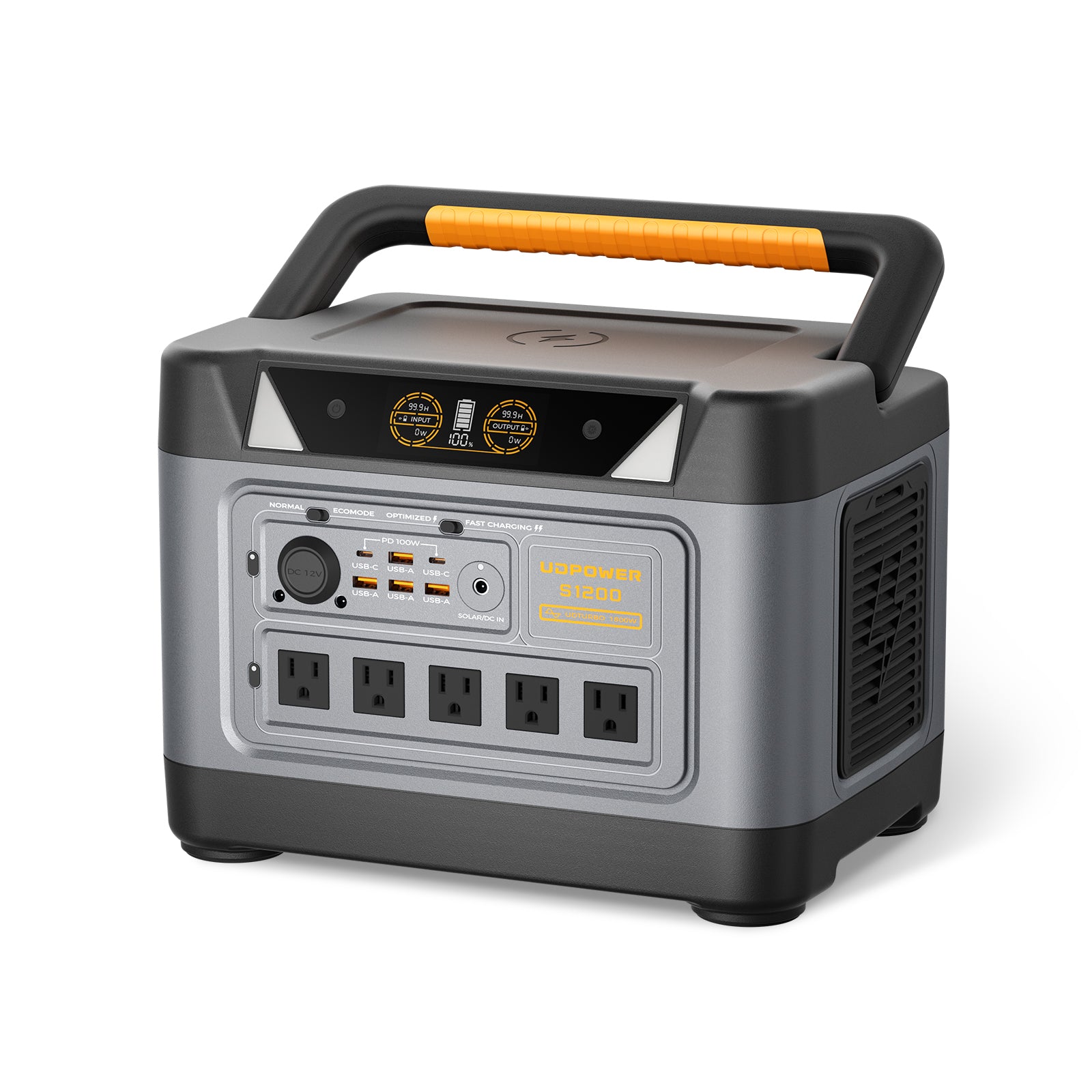
UDPOWER S1200
Why it fits this topic: the S1200 is easier to move into protected storage than a very large unit, but it still gives you meaningful runtime for the loads people actually fight to keep alive after an outage: router, modem, phones, lighting, laptop, radios, and smaller essentials.
Best use case here: build a compact recovery kit around it. Store the unit, AC cable, DC cable, a short extension cord, and your communications kit so you can bring the whole package online quickly.
Official page highlights include 1,190Wh capacity, 1,200W rated pure sine wave output, UDTURBO up to 1,800W, 26.0 lbs, fast charging, and <10 ms UPS protection.
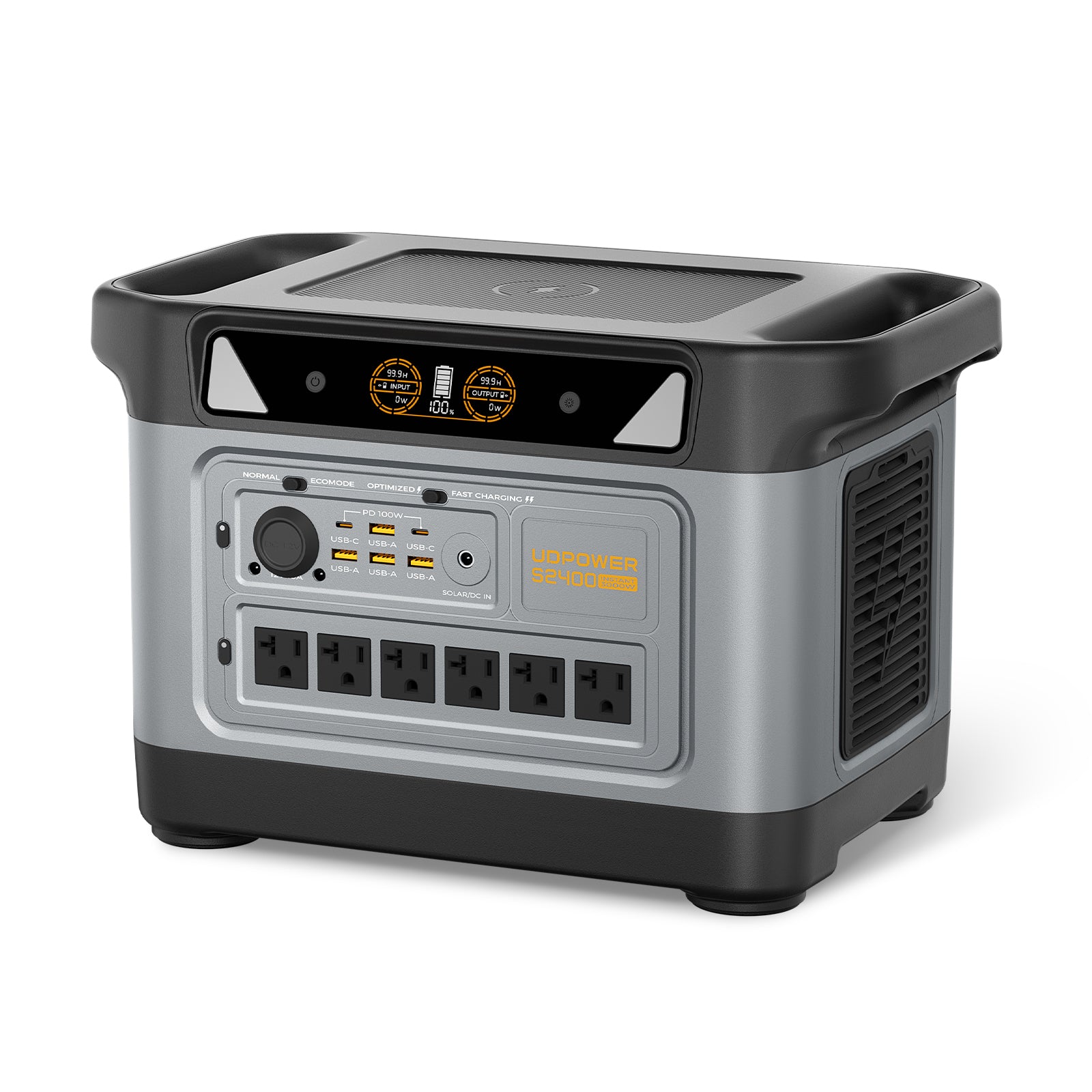
UDPOWER S2400
Why it fits this topic: if your recovery plan includes more than communications and lighting, the S2400 gives you the headroom to run heavier essentials after the event. Think longer runtime, more simultaneous loads, and better breathing room when you are managing a real household instead of a single room.
Best use case here: pair it with a dedicated shielded storage solution or metal locker and keep the accessories together. If you plan to recharge from solar later, protect the small solar electronics and adapters just as carefully as the main unit.
Official page highlights include 2,083Wh capacity, 2,400W AC output, UDTURBO surge support up to 3,000W, 4,000+ cycles, and 6 AC plus 10 DC outputs.
If you are comparing the two for preparedness, the decision is straightforward:
- Choose S1200 if your plan is communications-first, compact storage, and easier handling.
- Choose S2400 if your plan includes more demanding outage recovery and you have space to protect a larger unit properly.
What to do if NOAA issues a serious space-weather alert
A natural solar-storm scenario is not identical to a weaponized EMP, but it matters because it can still affect power transmission, communications, and grid stability. The big advantage is that space-weather alerts can provide warning time.
- Top off your protected power stations, power banks, spare phone, and radio kit.
- Move your Tier 1 gear into shielded storage if it is not already there.
- Download maps, outage tools, manuals, and contact lists for offline use.
- Disconnect nonessential electronics from wall power and data lines.
- Stage one lighting kit, one communications kit, and one backup-power kit where you can reach them in the dark.
- Review your runtime plan so you know what to power first, not after the blackout starts.
For live status and warnings, monitor NOAA SWPC Alerts, Watches and Warnings and the NOAA Space Weather Scales.
15-minute EMP prep checklist
- Pick one shielded container and set it up today.
- Put a spare phone, charging cable, radio, headlamp, and power bank inside.
- Add one SSD or USB drive with IDs, insurance, maps, and manuals.
- Add one printed sheet with family numbers, login recovery info, and medical notes.
- Create a small “router recovery kit” with modem/router, adapters, and one Ethernet cable.
- Group your power station accessories together instead of scattering them around the house.
- Label the container by function, not by brand name.
- Test your storage with a simple signal-blocking check.
- Inspect for rust, bent seams, cracked lids, or worn closures twice a year.
- Bookmark your outage resources and NOAA alert pages.
If you want the power side dialed in next, start with what to run first, then use the runtime calculator to turn that into a real load plan.
FAQ
Will an EMP destroy electronics that are turned off?
It can. Turning a device off is better than leaving it connected and active, but powered-off is not the same thing as shielded. If a device truly matters, store a spare version in a shielded container.
Do I need to protect my everyday phone or a spare phone?
A spare phone is the smarter first move. Daily-use devices are hard to keep shielded consistently. A stored backup with a cable, power bank, and offline documents is more realistic.
Is a Faraday bag enough by itself?
A good Faraday bag can be useful, but layered protection is better. Put the bag inside a rigid metal container if the device really matters.
Does unplugging electronics protect them?
It helps reduce exposure through connected lines and it is good practice before unstable power returns, but unplugging alone is not a full EMP solution.
What should I protect before I worry about larger appliances?
Protect communication, lighting, and recovery-power gear first: radio, spare phone, chargers, headlamp, router kit, and the power source you plan to depend on later.
Can solar panels save me after an EMP?
Only if the electronics that manage charging still work. Treat controllers, adapters, and inverter-related components as priority items in your protected kit.
Is a portable power station itself EMP-proof?
No. It is useful after the event only if you protect it and the accessories it depends on. Think of it as part of the recovery plan, not the protection method.
Which UDPOWER model makes more sense for preparedness?
The S1200 is the easier communications-first option for compact storage and everyday outage use. The S2400 makes more sense if you need longer runtime and more output headroom for a larger recovery plan.
Sources
External links below are included for reader reference and use rel="nofollow" where appropriate.
- CISA: Electromagnetic Pulse
- DHS S&T: Electromagnetic Pulse Shielding Mitigations Best Practice
- WBDG: High Altitude Electromagnetic Pulse (HEMP) Effects and Protection
- NOAA SWPC: Electric Power Transmission
- NOAA SWPC: NOAA Space Weather Scales
- NOAA SWPC: Alerts, Watches and Warnings
- Ready.gov: Power Outages
- NIST SP 800-101r1
- Energy Policy abstract: Assessing the vulnerability of solar inverters to EMPs
- UDPOWER S1200 official product page
- UDPOWER S2400 official product page
- UDPOWER Power Outage Checklist (24/48/72 Hours)
- UDPOWER Wi-Fi During a Power Outage
- UDPOWER What to Run First in a Power Outage
- UDPOWER Runtime Planning for Outages
- UDPOWER Runtime Calculator
- UDPOWER Power Station Safety Guide
- UDPOWER Solar Recharging During a Power Outage
Related Articles





