





How to Maintain Your Portable Power Station
Portable Power Station Care Guide · Latest updated: June 10, 2026
A portable power station does not need oil changes, spark plugs, gasoline stabilizer, or carburetor cleaning. But it still needs the right charging habits, storage temperature, cable care, dust control, and a simple test routine if you want it ready during a blackout, camping trip, RV stop, or emergency.
Quick Answer: The Best Way to Maintain a Portable Power Station
To maintain your portable power station, keep it clean and dry, store it in a cool indoor location, avoid leaving it completely empty for long periods, recharge and test it on a schedule, keep the air vents clear, use the correct charging cable, stay within the rated wattage and solar input limits, and stop using it if you notice swelling, burning smells, unusual heat, cracked ports, water exposure, or repeated error codes.
For most owners, the easiest routine is simple: check it monthly, recharge it every few months, test your key devices before storm season, and store it away from heat, freezing conditions, moisture, and direct sun.

Portable Power Station Maintenance Schedule
The best maintenance plan is not complicated. Think of your power station like emergency food, a first-aid kit, or a flashlight: it only helps if you check it before you actually need it.
| When | What to Do | Why It Matters | Good Rule of Thumb |
|---|---|---|---|
| After each use | Turn off unused AC/DC outputs, unplug loads, wipe dust, check ports and cables. | Prevents slow drain, heat buildup, and port damage from loose accessories. | Do a 2-minute shutdown check before storing it. |
| Monthly | Power it on, check display, check battery level, inspect vents, and confirm the unit charges normally. | Finds problems before an outage or trip. | Pick one recurring date, such as the first weekend of every month. |
| Every 3 months | Recharge if the battery has dropped too low, then store it again in a moderate state of charge. | Long storage at 0% is one of the easiest ways to shorten battery life. | For long-term storage, avoid both fully drained and constantly full conditions unless your manual says otherwise. |
| Before storm season | Run a real backup drill with your refrigerator, router, CPAP, lights, or phone chargers. | A runtime estimate is useful, but a real test shows actual wattage, startup surge, and auto-shutoff behavior. | Test your most important load for at least 30–60 minutes. |
| After camping, RV, beach, or worksite use | Clean dust from the shell, check for sand near ports, inspect solar cable ends, and dry the unit before storage. | Outdoor use exposes the unit to dirt, humidity, salt air, and cable strain. | Never store it wet, muddy, sandy, or connected to loose cables. |
How to Protect Battery Health
Battery health is mostly about avoiding extremes. A quality LiFePO4 power station can last for years, but poor storage, heavy heat exposure, repeated deep discharge, blocked vents, and wrong charging habits can still reduce performance.
1. Do Not Store It Completely Empty
If you use the power station down to a very low battery level, recharge it before putting it away. Leaving a lithium battery empty for months can make recovery harder and may shorten useful life.
2. Do Not Treat 100% as the Best Long-Term Storage Level
Charging to 100% before a trip or outage is fine. Keeping it full all year is different. For long-term storage, a moderate charge level is usually better unless your specific user manual gives a different storage instruction.
3. Use the Right Charger and Cable
Use the original AC charging cable, approved car charging cable, or compatible solar input cable. Fire departments and consumer safety agencies consistently warn against mismatched chargers, damaged cables, and charging damaged battery devices.
4. Avoid Running Near Maximum Output for Long Periods Without Airflow
Portable power stations are built with fans, vents, and internal protection. Those protections work best when the unit has breathing room. Do not run high loads while the unit is buried under blankets, inside a closed cabinet, under a pile of gear, or in direct sun.
The Practical Battery Rule
For daily use, recharge when convenient. For emergency storage, check it every month and top it up every few months. For long outages, use only the loads you truly need instead of keeping every port active.
How to Store a Portable Power Station
Storage is where many owners accidentally shorten the life of their unit. The safest place is usually indoors, dry, ventilated, and away from direct sunlight, heaters, damp floors, and freezing conditions.
| Storage Situation | Best Practice | Avoid | Why |
|---|---|---|---|
| Apartment or home closet | Store upright on a shelf or floor area with airflow. | Covering vents with blankets, clothes, or paper. | Airflow helps prevent heat buildup during charging or quick testing. |
| Garage | Use only if the garage stays within the storage temperature range. | Hot summer garages, freezing corners, damp concrete, and direct sun through windows. | Heat, cold, and moisture are harder on batteries and electronics than normal indoor storage. |
| RV or van | Store in a shaded, secured spot where it cannot slide or tip. | Leaving it in a parked vehicle during extreme heat or cold. | Vehicle interiors can become much hotter or colder than the outdoor air. |
| Emergency kit | Store with the correct AC cable, car cable, solar cable, and a short load list. | Separating the power station from its charging cables. | During an outage, missing cables can make a full battery less useful. |
| Long-term storage | Check state of charge monthly and recharge as needed. | Putting it away at 0% and forgetting it for a season. | Deep storage at low charge can reduce long-term battery health. |
For UDPOWER models, the official storage temperature listed on the product specification pages is generally 32°F to 104°F (0°C to 40°C) for C400, C600, S1200, and S2400. Always follow the manual for your exact model.
Temperature Limits You Should Not Ignore
Temperature affects charging speed, output stability, battery life, and safety. Cold weather can reduce performance, while high heat can stress internal cells and electronics. The most important rule is simple: charging limits are usually narrower than discharging limits.
| Model | Discharging Temperature | Charging Temperature | Storage Temperature | Official Product Source |
|---|---|---|---|---|
| UDPOWER C400 | -4°F to 113°F (-20°C to 45°C) | 32°F to 104°F (0°C to 40°C) | 32°F to 104°F (0°C to 40°C) | C400 specs |
| UDPOWER C600 | -4°F to 113°F (-20°C to 45°C) | 32°F to 104°F (0°C to 40°C) | 32°F to 104°F (0°C to 40°C) | C600 specs |
| UDPOWER S1200 | -4°F to 113°F (-20°C to 45°C) | 23°F to 104°F (-5°C to 40°C) | 32°F to 104°F (0°C to 40°C) | S1200 specs |
| UDPOWER S2400 | -4°F to 113°F (-20°C to 45°C) | 32°F to 104°F (0°C to 40°C) | 32°F to 104°F (0°C to 40°C) | S2400 specs |
Cold Weather Reminder
If the unit has been sitting in a freezing vehicle, garage, or outdoor storage box, bring it into a normal indoor temperature range before charging. OSHA battery safety guidance notes that charging lithium batteries below freezing can cause damage, and extreme heat can also damage lithium batteries.
Cleaning, Ventilation, and Port Care
Most portable power station “maintenance” is physical care: keeping the shell clean, vents open, ports dry, and cables strain-free.
How to Clean It Safely
- Turn the power station off and unplug all devices before cleaning.
- Use a dry or lightly damp soft cloth on the outer shell.
- Do not spray water, cleaners, or compressed liquid directly into ports or vents.
- Remove dust around vents with a soft brush or gentle dry cloth.
- Check AC outlets, DC ports, USB ports, and solar input for sand, debris, corrosion, or bent contacts.
- Let the unit dry fully before charging or discharging if it was exposed to humidity.
Port and Cable Checks
| Part | What to Check | What a Problem Looks Like | What to Do |
|---|---|---|---|
| AC outlets | Fit, looseness, burn marks, melted plastic, dust. | Plug feels loose, outlet is darkened, or device flickers. | Stop using that outlet and contact support. |
| Solar/DC input | Correct connector, firm insertion, no bent pin, no cable strain. | Solar input cuts in and out when the cable moves. | Check the cable first; do not force the connector. |
| USB-C ports | Dust, sand, moisture, loose cable fit. | Charging starts and stops repeatedly. | Try a known-good cable; inspect the port gently. |
| Cooling vents | Dust buildup, blocked sides, storage against fabric. | Fan runs more often, unit becomes warmer than usual. | Move to open air and clean the vent area. |
| Power cords | Cracks, kinks, exposed wire, hot plug ends. | Cable feels unusually warm or insulation is damaged. | Replace the cable with a compatible one. |
Solar Charging Maintenance
Solar charging is one of the best ways to keep a portable power station useful during camping, RV travel, and outages, but solar input is not “plug in anything and hope for the best.” You need the right voltage, connector, panel wattage, and sunlight setup.
| Solar Maintenance Step | Best Practice | Why It Helps |
|---|---|---|
| Use the correct input port | Connect solar through the model’s specified solar/DC input, such as DC7909 on UDPOWER S-Series models. | Wrong ports or forced adapters can cause unstable charging or connector damage. |
| Stay within input limits | Check voltage, current, and wattage before connecting third-party panels. | Solar panels can exceed input voltage even when the wattage looks safe. |
| Keep panels clean | Wipe dust, pollen, and dirt from the panel surface with a soft cloth. | Dirty panels reduce input watts and increase charging time. |
| Watch live input watts | Adjust the panel angle and direction while watching the display. | The best angle can change throughout the day. |
| Protect the power station from weather | Keep the battery unit dry and shaded even when the panel is outdoors. | Panels may be weather-resistant, but the power station ports and outlets should not be exposed to rain. |
UDPOWER Solar Input Reference
| Model | Solar Input | Maintenance Note | Product Source |
|---|---|---|---|
| C400 | 150W max; 11V minimum input, 28V maximum input | Best for light solar top-ups and small-device camping use. | C400 specs |
| C600 | 240W max; 11V minimum input, 28V maximum input | Good middle-size match for car fridges, drones, cameras, and weekend backup. | C600 specs |
| S1200 | DC7909 solar input: 12V–75V, 12A, 400W max | Strong fit for home essentials, CPAP backup, RV, and longer outdoor use. | S1200 specs |
| S2400 | DC7909 solar input: 12V–50V, 10A max, up to 400W | Best for larger backup loads where solar recovery matters during a long outage. | S2400 specs |
For solar panel care, UDPOWER’s 120W and 210W portable panels are listed with monocrystalline cells, foldable designs, adjustable angle brackets, and outdoor-focused construction. If you use solar often, also keep the charging cable in the same bag or box as the panel so it is not missing when you need it.
View UDPOWER 120W solar panel · View UDPOWER 210W portable solar panel
Recommended UDPOWER Models by Use Case
If you are buying a power station and want easier long-term ownership, look for LiFePO4 battery chemistry, clear temperature ratings, proper safety certifications, pure sine wave AC output, and enough capacity so you do not have to run the unit at its limits every time.

UDPOWER C400 Portable Power Station
Best for: phones, laptops, cameras, small fans, small camping loads, and travel backup.
Key specs: 256Wh capacity, 400W pure sine wave AC output, 800W surge, LiFePO4 battery, 6.88 lb weight, 150W max solar input.
Maintenance advantage: Small enough to store easily, check monthly, and carry for weekend trips without turning maintenance into a chore.
View C400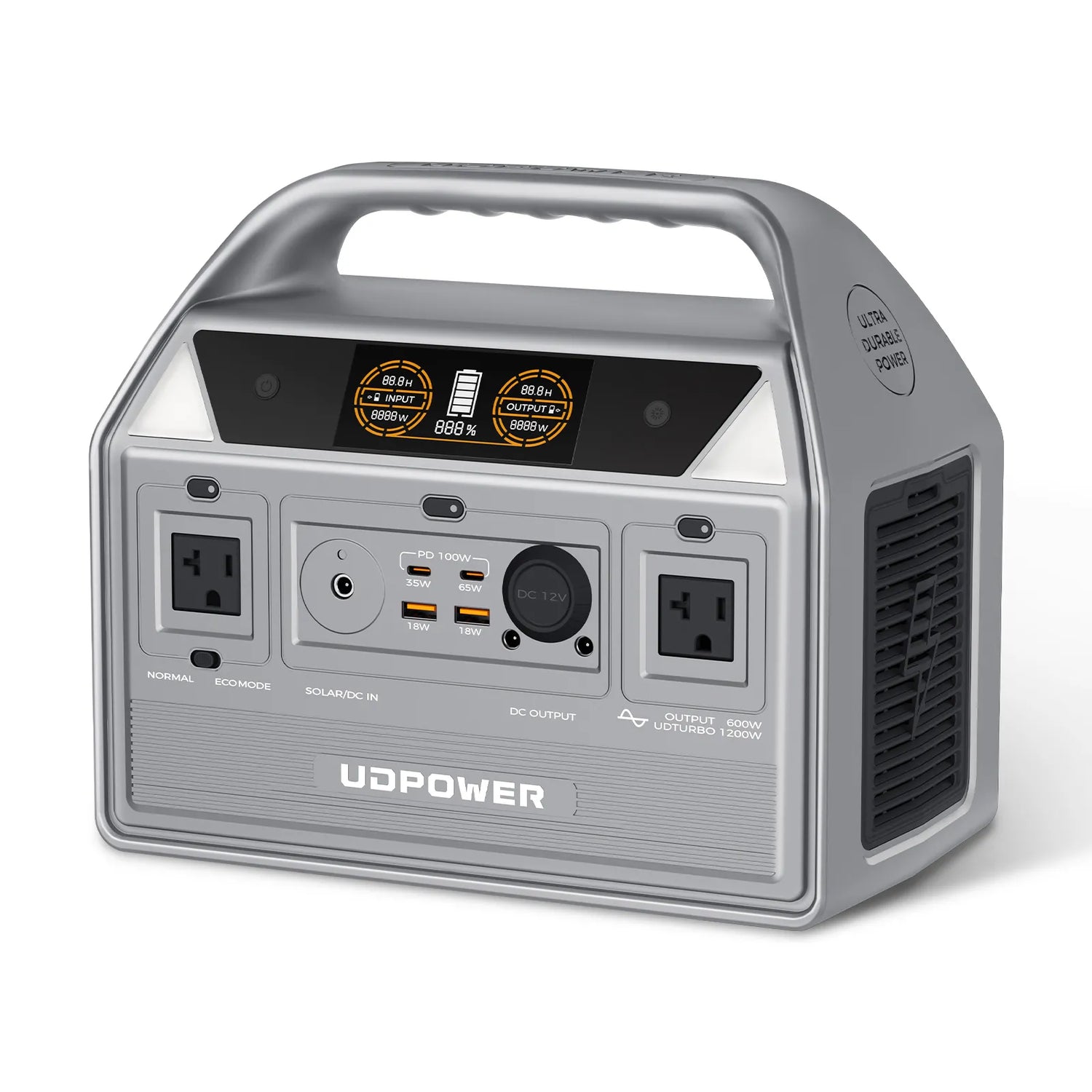
UDPOWER C600 Portable Power Station
Best for: car fridges, drones, laptops, cameras, routers, lights, and weekend off-grid use.
Key specs: 596Wh capacity, 600W pure sine wave AC output, 1200W max output, LiFePO4 battery, 12.3 lb weight, 240W max solar input.
Maintenance advantage: More runtime than compact units while still being easy to lift, store, and test regularly.
View C600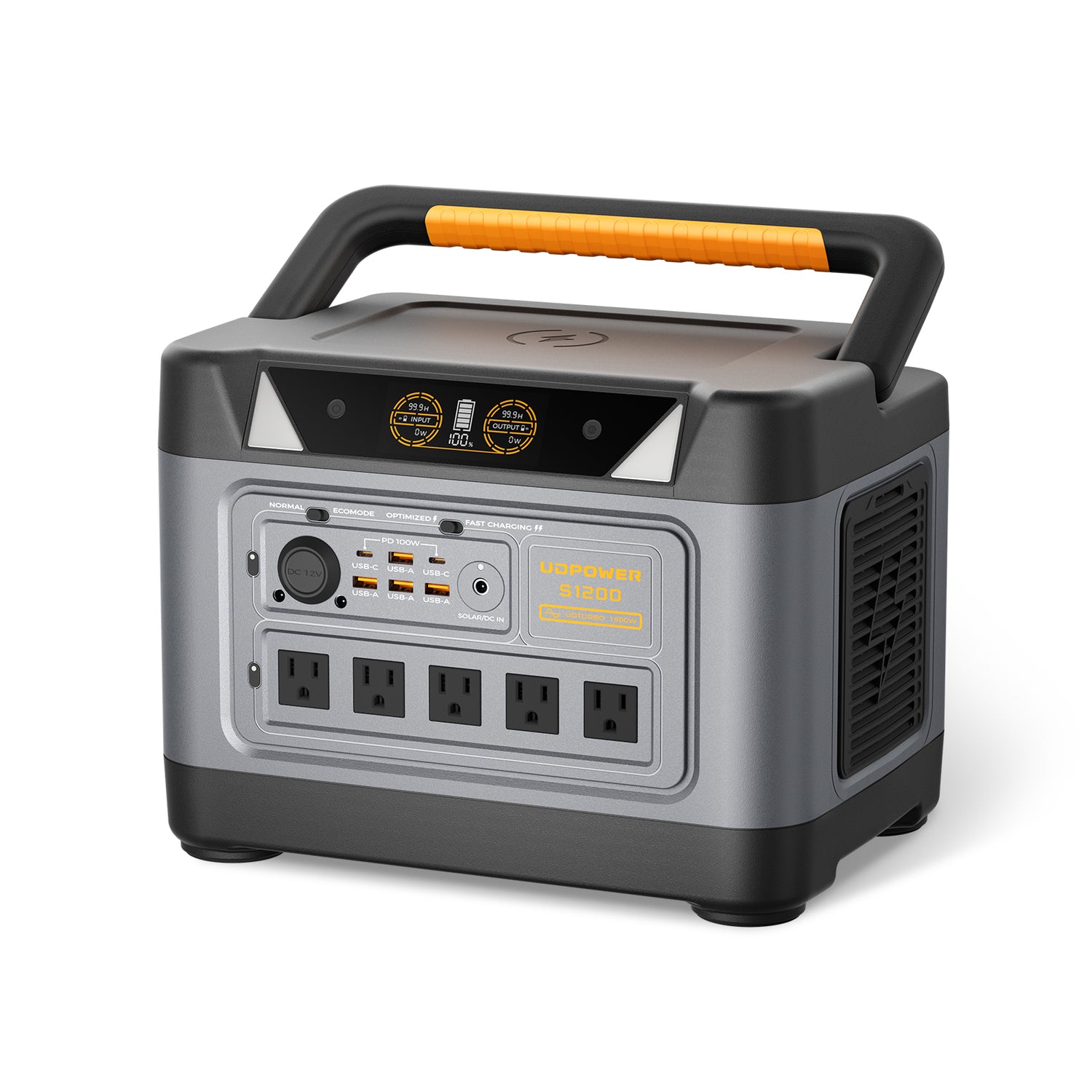
UDPOWER S1200 Portable Power Station
Best for: home backup, CPAP, refrigerators, RV power, camping, emergency kits, and multi-device use.
Key specs: 1,190Wh capacity, 1,200W rated pure sine wave AC output, 1,800W max output, 5 AC outlets, 9 DC outputs, DC7909 solar input up to 400W, UPS mode ≤10ms, approximately 26.0 lb.
Maintenance advantage: Enough capacity for real backup use without being too heavy to move, recharge, and test before outage season.
View S1200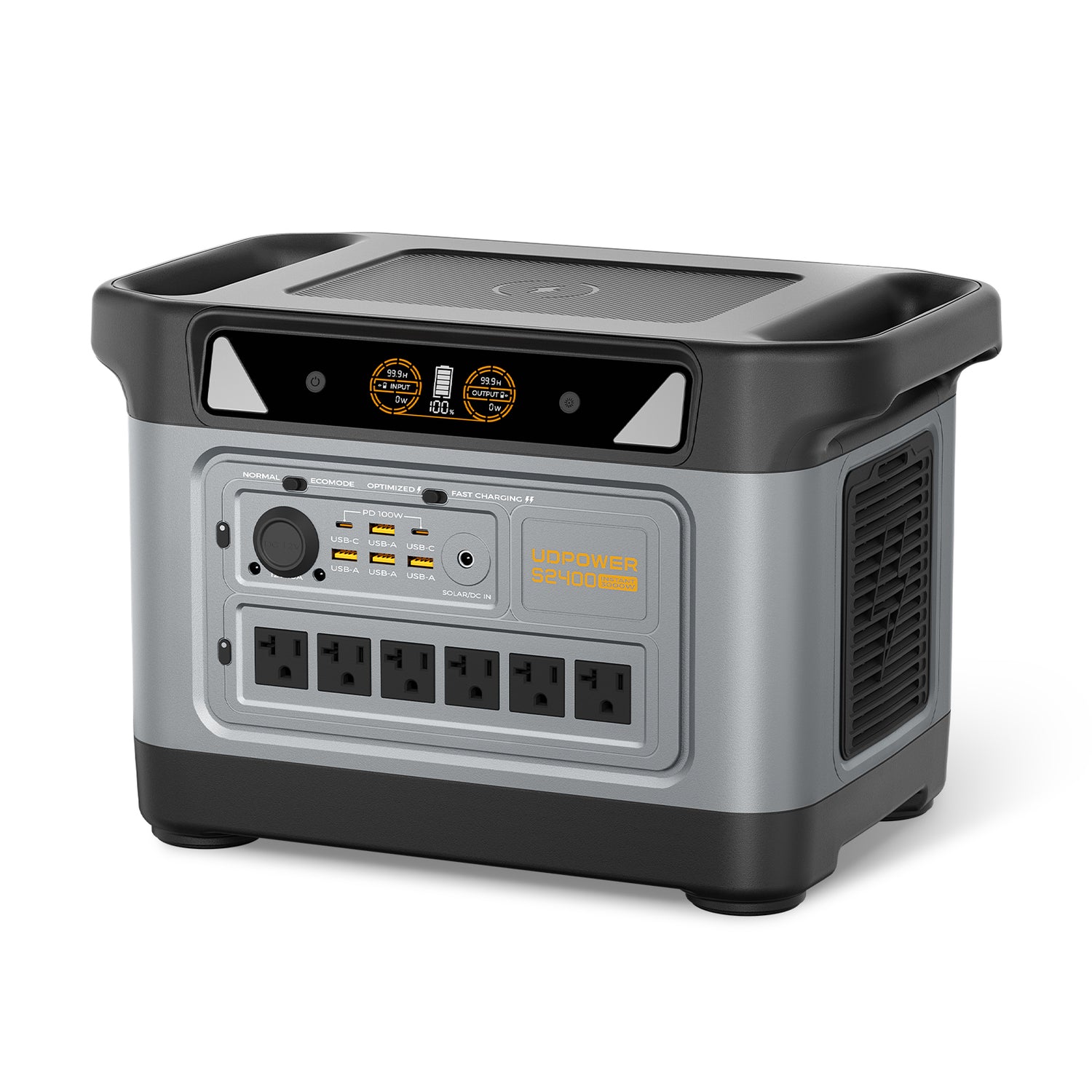
UDPOWER S2400 Portable Power Station
Best for: larger home backup, RV essentials, refrigerators, microwaves, coffee makers, tools, and higher-wattage appliances.
Key specs: 2,083Wh capacity, 2,400W pure sine wave AC output, 3,000W surge, 6 AC outlets, 9 DC outputs, LiFePO4 battery, UPS mode ≤10ms, approximately 40.8 lb.
Maintenance advantage: More capacity and output headroom, which helps reduce the need to push the unit near maximum output for ordinary backup loads.
View S2400Warning Signs: When to Stop Using Your Power Station
Most problems are minor: a loose cable, blocked vent, low battery, or overloaded outlet. But some symptoms should be treated seriously.
| Warning Sign | What It May Mean | What to Do | Safety Source |
|---|---|---|---|
| Swelling, deformation, cracking, or leaking | Possible battery or internal component damage. | Stop using it immediately and keep it away from flammable materials. | FDNY battery safety |
| Burning smell, smoke, popping noise, or unusual odor | Possible overheating or electrical fault. | Unplug loads if safe, move away, and seek emergency help if there is smoke or fire. | FDNY battery safety |
| Repeated overheating under normal loads | Blocked vents, high ambient heat, overload, fan issue, or internal fault. | Turn it off, move to a cool open area, reduce load, and contact support if it repeats. | CPSC battery hazards |
| Water exposure | Moisture may affect outlets, ports, and internal electronics. | Do not charge or use until inspected and fully safe. | FAA lithium battery risk factors |
| Damaged charging cable or hot plug | Cable resistance, poor connection, or electrical damage. | Stop using that cable and replace it with a compatible one. | FDNY charger guidance |
Quick Troubleshooting Checklist
If your portable power station is not working as expected, start with the basics before assuming the unit has failed.
| Problem | Likely Cause | Quick Check | Next Step |
|---|---|---|---|
| AC outlet has no power | AC output is off, battery is low, or load is too high. | Turn on the AC output button and try a small device such as a lamp. | If small devices work, the original appliance may exceed the output rating. |
| Unit shuts off with a small load | Low-power auto shutoff may be active. | Try a slightly higher load or check Normal/ECO mode behavior. | Use the mode that best matches your low-watt device. |
| Solar input is lower than expected | Panel angle, shade, heat, dirty panel, or wrong cable. | Reposition the panel and watch the input watts change on the display. | Use full sun, correct angle, and the correct cable. |
| Unit gets warm | Normal inverter heat, high load, poor airflow, or hot environment. | Check vents and move the unit into open air. | Reduce load if fan runs constantly or heat seems unusual. |
| Charging is slow | Battery care mode, lower input source, hot/cold environment, or solar conditions. | Check input watts on the display and confirm the charging method. | Use AC charging for fastest recovery, solar for off-grid recharging. |
What Not to Do
- Do not store the unit at 0% for months.
- Do not charge it with damaged cables.
- Do not cover the vents while powering appliances.
- Do not leave it in a hot vehicle for long periods.
- Do not charge it while it is wet or sitting in rain.
- Do not force a solar connector into the wrong port.
- Do not exceed the rated AC output, surge limit, or solar input range.
- Do not fly with large portable power stations without checking airline and FAA battery limits; many portable power stations exceed passenger limits.
For air travel, the FAA lists 100Wh as the usual lithium-ion battery limit per battery, with airline approval required for certain 101–160Wh batteries. Most full-size portable power stations are far above that range and are not treated like small phone power banks.
Ready to Choose a Power Station That Is Easy to Maintain?
Pick by real load first: battery capacity for runtime, rated watts for what it can run, surge rating for startup loads, and solar input for off-grid recovery. A well-sized unit is easier to maintain because you are not forcing it to operate at its limit every time.
View Portable Power Stations View Solar Generator Kits Get a Runtime & Lifespan GuideFAQ: Portable Power Station Maintenance
How often should I charge my portable power station?
For regular use, charge it whenever you need it. For long-term storage, check it monthly and recharge it every few months if the battery level has dropped too low. Do not store it completely empty for a long period.
Should I leave my portable power station plugged in all the time?
It is better to follow the manual for your specific model. For emergency backup, many owners keep the unit charged and then check it regularly instead of leaving it connected forever. If your model has a battery care mode, use it when long-term battery health is the priority.
What battery percentage is best for storage?
A moderate charge level is usually best for long-term storage. Avoid storing the unit fully drained. Charging to 100% before a trip, storm, or outage is fine, but constant full storage is not always necessary.
Can I store a portable power station in the garage?
Yes, but only if the garage stays dry and within the model’s storage temperature range. Avoid hot garages, freezing spaces, damp concrete floors, and direct sunlight.
Can a portable power station get wet?
The power station itself should be kept dry. Even if a solar panel is weather-resistant, the battery unit has outlets and ports that should not be exposed to rain, puddles, or water spray.
Do portable power stations need ventilation?
Yes. Keep vents clear, especially when using AC output, fast charging, or running higher-wattage appliances. Do not cover the unit with blankets, clothing, bags, or camping gear while it is operating.
Is it bad to fully drain a portable power station?
Occasional low-battery use is normal, but storing the unit empty for months is not a good habit. Recharge it after deep use before putting it away.
Can I use my power station while charging it?
Many modern power stations support pass-through use, including UDPOWER models. For best long-term care, avoid running heavy loads near the maximum output while also charging unless you truly need to.
How do I maintain the solar panels used with my power station?
Keep the panel surface clean, avoid hard impacts, protect connectors from dirt and moisture, use the correct cable, and adjust the angle toward direct sunlight while watching the input wattage on the display.
When should I stop using a portable power station?
Stop using it if you notice swelling, leaking, smoke, burning odor, unusual heat, cracked casing, melted outlets, damaged charging cables, water exposure, or repeated fault warnings under normal use.
Related Articles


