





How to Charge ResMed AirSense CPAP: Backup Power Guide
Last updated: June 24, 2026
Direct answer: A ResMed AirSense CPAP machine is powered rather than recharged. For the simplest backup setup, connect the original ResMed AC power supply to the AirSense 10 or AirSense 11, plug that power supply into a pure sine wave portable power station, turn on the power station’s AC output, and then start therapy normally.
For most users, a 500Wh to 600Wh power station is the most practical one-night backup because it leaves room for humidification, heated tubing, changing pressure and conversion losses. A smaller 256Wh unit can work for an overnight trip when heating features are disabled or kept low, but it should be tested for a full night before relying on it.

Image source: resmed.com
A power outage should not force you to skip CPAP therapy. The challenge is that battery runtime can change dramatically depending on your AirSense model, treatment pressure, mask leak, humidifier setting, heated hose and the type of power connection you use.
This guide explains how to power a ResMed AirSense 10 or AirSense 11 from a portable power station, how to use the original ResMed cord safely, how AC and DC connections differ, and how to estimate realistic overnight runtime.
Identify Your ResMed AirSense Model Before Buying a Battery
AirSense 10 and AirSense 11 machines both operate from 24V DC power internally, but they do not use the same original power supply or necessarily the same DC converter. Check the label on the back or bottom of the machine before buying a cable.
| Machine | Original AC Power Supply | DC Output to Machine | Correct DC Accessory | Do Not Substitute |
|---|---|---|---|---|
| ResMed AirSense 10 CPAP, Elite or AutoSet | 90W ResMed power supply | 24V, 3.75A | Air10 DC/DC converter designed for AirSense 10 and AirCurve 10 | Generic barrel cables, unregulated 12V-to-24V adapters or an AirSense 11 cable |
| ResMed AirSense 11 CPAP, Elite or AutoSet | 65W ResMed power supply | 24V, 2.71A | Air11 DC/DC converter designed for a suitable 12V or 24V source | Phone chargers, laptop USB-C chargers, Air10 converters or unknown third-party cables |
The device-side connector on some AirSense 11 power cords may resemble a familiar consumer connector. That does not mean the machine should be connected to an ordinary phone or laptop charger.
Three Practical AirSense Backup Power Options
Option 1: Original ResMed Adapter Plus a Portable Power Station
This is the easiest setup for most users. It requires no special CPAP cable:
- Connect the original ResMed power supply to the AirSense machine.
- Plug its wall plug into an AC outlet on the portable power station.
- Turn on the power station’s AC output.
- Start the AirSense machine normally.
The main disadvantage is conversion loss. The power station converts battery DC power into household AC, and the ResMed adapter then converts AC back to 24V DC. That is why runtime calculations should not assume every watt-hour printed on the battery is available at the CPAP plug.
Option 2: Model-Specific ResMed DC/DC Converter
A DC/DC connection avoids the power station’s AC inverter and can improve efficiency. The converter normally plugs into a regulated 12V vehicle-style socket and then supplies the correct regulated voltage to the CPAP.
This approach requires the correct converter for your exact AirSense generation. Do not assume that an Air10 converter works with AirSense 11 or that a generic 12V cable can be used in its place.
Option 3: Dedicated CPAP Battery Pack
A dedicated CPAP battery can be convenient for air travel and ultralight packing. However, small packs often have less capacity than a general-purpose power station and may require model-specific cables.
A portable power station is usually more flexible for home outages or camping because it can also charge phones, lights and communication devices. Keep those extra loads limited when the CPAP is the priority.
How to Power a ResMed AirSense With Its Original AC Adapter
The following method works with a compatible pure sine wave power station that has enough AC output for the ResMed power supply.
How to Power AirSense With a ResMed DC/DC Converter
ResMed recommends a suitable DC/DC converter when powering supported machines from a standalone battery because DC conversion is generally more efficient than using an inverter.
AirSense 10 DC Connection
- Use the ResMed Air10 DC/DC converter intended for AirSense 10 or AirCurve 10.
- Plug the converter’s vehicle-style connector into the power station’s regulated 12V car outlet.
- Turn on the power station’s DC output.
- Connect the converter’s device cable to the AirSense 10.
- Confirm normal startup before beginning therapy.
AirSense 11 DC Connection
- Use an Air11 DC/DC converter specified for the AirSense 11.
- Confirm that the converter accepts the power station’s 12V car-socket output.
- Connect the converter to the power station before attaching it to the CPAP.
- Turn on the DC output and confirm stable operation.
ResMed states that the Air11 DC/DC converter can operate an AirSense 11 from a suitable 12V or 24V source, such as a car, boat or recreational vehicle power system.
AC Versus DC for Ordinary Users
| Factor | Original AC Adapter | Model-Specific DC/DC Converter |
|---|---|---|
| Ease of setup | Easiest; uses the cable already supplied with the machine | Requires buying and carrying the correct converter |
| Efficiency | Lower because battery DC is converted to AC and then back to DC | Usually higher because it avoids the AC inverter |
| Compatibility risk | Low when using the original ResMed adapter and a pure sine wave outlet | Low only when the converter is correct for the exact AirSense model |
| Best use | Home outages, first-time users and simple camping setups | Users prioritizing maximum battery runtime and fewer conversion losses |
| Connection point on power station | Square household AC outlet | Regulated 12V vehicle-style outlet |
Can You Recharge an AirSense Backup With Solar Panels?
Yes, but the solar panel should charge the portable power station rather than connect directly to the AirSense machine.
A practical off-grid routine is:
- Run the AirSense from the charged power station overnight.
- Place a compatible solar panel in unobstructed direct sunlight during the day.
- Connect the panel to the power station’s designated solar input using the correct cable.
- Adjust the panel angle while watching the live input wattage.
- Recharge as much as possible before the next night.
Do not plan runtime from the panel’s advertised wattage alone. Actual solar input depends on sunlight intensity, shade, cloud cover, panel angle, temperature, cable loss and the power station’s solar input limit.
AirSense 10 and AirSense 11 Power Requirements
The wattage printed on a power adapter is its rated supply capacity. It is not proof that the CPAP draws that full wattage continuously. Actual overnight consumption changes as the blower responds to pressure, breathing and leak, while heating components cycle on and off.
| Specification | AirSense 10 | AirSense 11 | Why It Matters |
|---|---|---|---|
| Original power supply rating | 90W | 65W | The power station’s AC outlet must comfortably support the adapter. |
| Power supply DC output | 24V, 3.75A | 24V, 2.71A | Shows why an ordinary 5V, 9V or 12V phone charger is not a substitute. |
| Typical power consumption in official user guide | 53W | 56.1W | Useful as a conservative planning reference, especially when heating features are used. |
| Peak power consumption in official user guide | 104W | 73.2W | The backup source must handle brief higher demand, not only average draw. |
| AC input range of original adapter | 100–240V, 50–60Hz | 100–240V, 50–60Hz | A standard U.S. 120V pure sine wave outlet is within the listed input range. |
Official specification sources: ResMed AirSense 10 user guide and ResMed AirSense 11 user guide.
Why the Humidifier Changes Runtime So Much
ResMed’s AirSense 10 battery testing shows how dramatically heating settings can change current draw. The following examples use a treatment pressure of 10 cm H2O and a ResMed DC/DC converter connected to a 12V source.
| AirSense 10 Configuration at 10 cm H2O | Official Current Draw at 12V | Approximate Source-Side Power | Battery Impact |
|---|---|---|---|
| SlimLine tubing without humidifier | 0.93A | About 11.2W | Lowest of these examples and best for conserving battery capacity |
| SlimLine tubing with humidifier set to 4 | 2.30A | About 27.6W | More than double the source-side draw of the non-heated example |
| ClimateLineAir with humidifier set to Auto | 3.77A | About 45.2W | Heating can reduce battery runtime substantially |
| ClimateLineAir at 30°C with humidifier set to 8 | 4.92A | About 59.0W | High-comfort settings require a much larger energy reserve |
Approximate watts are calculated as 12V × listed current. These figures illustrate why personal settings matter; they are not guaranteed readings for every user or every night.
Source: ResMed Battery Guide.
Estimated AirSense Runtime by Power Station Capacity
The following estimates use this practical AC runtime formula:
Estimated runtime = battery capacity in Wh × 0.90 ÷ CPAP power draw in watts
The 90% factor allows for conversion loss and is more realistic than dividing the advertised battery capacity directly by the appliance wattage. Actual results may be lower because of standby consumption, temperature, battery age, fan operation and automatic shutoff behavior.
| Power Station | Capacity | At 15W Low-Heat Load | At 30W Moderate Load | At 56W Higher-Comfort Load | Practical Interpretation |
|---|---|---|---|---|---|
| UDPOWER C400 | 256Wh | About 15.4 hours | About 7.7 hours | About 4.1 hours | Potentially suitable for one low-power night, but not a safe assumption with full heating |
| UDPOWER C600 | 596Wh | About 35.8 hours | About 17.9 hours | About 9.6 hours | Strong one-night choice with significantly more room for heating and changing load |
| UDPOWER S1200 | 1,190Wh | About 71.4 hours | About 35.7 hours | About 19.1 hours | Designed for multi-night CPAP backup or a CPAP plus other outage essentials |
| UDPOWER S2400 | 2,083Wh | About 125 hours | About 62.5 hours | About 33.5 hours | Extended home backup for multiple devices and longer outages |
These are mathematical estimates, not medical-runtime guarantees. A full-night home test with your own settings is the most useful measurement.
Conservative Runtime at Official Peak Consumption
| Power Station | At 73.2W AirSense 11 Peak | At 104W AirSense 10 Peak | What This Shows |
|---|---|---|---|
| UDPOWER C400 | About 3.1 hours | About 2.2 hours | A 256Wh battery should not be chosen on capacity alone when maximum heat use is expected. |
| UDPOWER C600 | About 7.3 hours | About 5.2 hours | Provides more protection against unusually high consumption, but settings still matter. |
| UDPOWER S1200 | About 14.6 hours | About 10.3 hours | Provides a stronger one-night reserve even under conservative high-draw assumptions. |
| UDPOWER S2400 | About 25.6 hours | About 18.0 hours | Offers the largest margin for extended backup and additional household loads. |
Peak consumption usually does not remain constant for an entire night. This table is included to show why a battery selected only from a low blower-only wattage can be undersized.
Recommended UDPOWER Power Stations for ResMed AirSense Backup
Every model below has enough rated AC output for an AirSense 10 or AirSense 11 original power supply. Capacity, portability and expected runtime are more important differentiators than maximum output wattage for this specific use.

UDPOWER C400: Lightweight Backup for Low-Power Overnight Use
The C400 is the easiest model to carry and store. Its two pure sine wave AC outlets let you connect the original ResMed power adapter without purchasing a special AC cable.
- Battery capacity: 256Wh
- Rated AC output: 400W pure sine wave
- Surge output: Up to 800W
- Weight: Approximately 6.88 lb
- Battery chemistry: LiFePO4
- Best fit: Travel, camping and one low-power CPAP night
Choose it when: You plan to disable or minimize humidification and heated tubing, portability is a priority, and you have completed a successful full-night test.
Do not assume: A C400 will run every AirSense configuration all night. At a 56W load, the calculated AC runtime is only about 4.1 hours.
View UDPOWER C400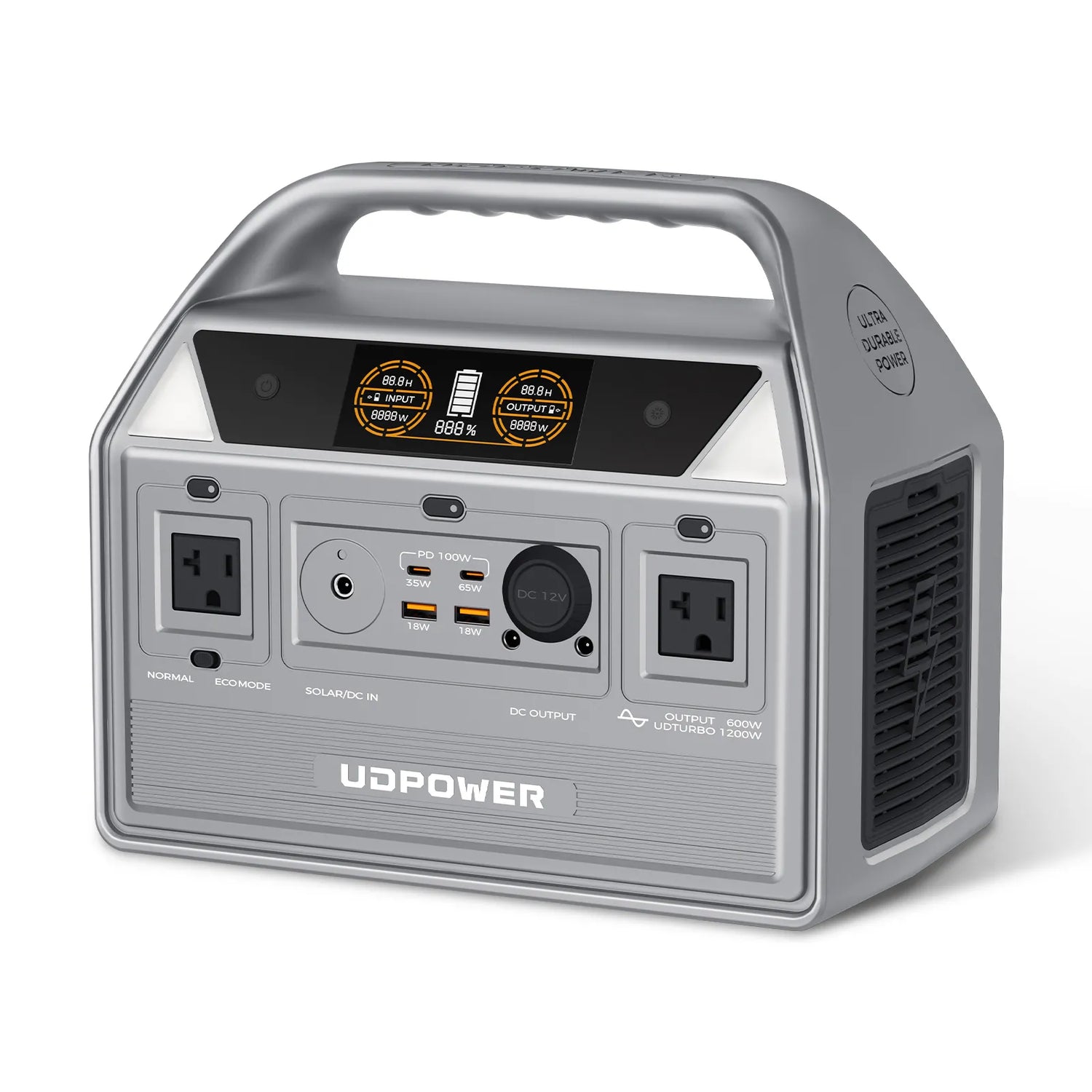
UDPOWER C600: Best Balance for Most Overnight CPAP Users
The C600 provides more than twice the battery capacity of the C400 while remaining compact enough for camping, road trips and bedside emergency storage.
- Battery capacity: 596Wh
- Rated AC output: 600W pure sine wave
- Peak output: Up to 1,200W
- Weight: Approximately 12.3 lb
- AC outlets: Two
- Best fit: One night with a larger reserve or multiple low-power nights
Choose it when: You need a practical one-night backup without stripping away every comfort setting, or you want more margin for colder and drier conditions.
At a 56W load, the calculated AC runtime is about 9.6 hours. At a 30W average load, it is about 17.9 hours.
View UDPOWER C600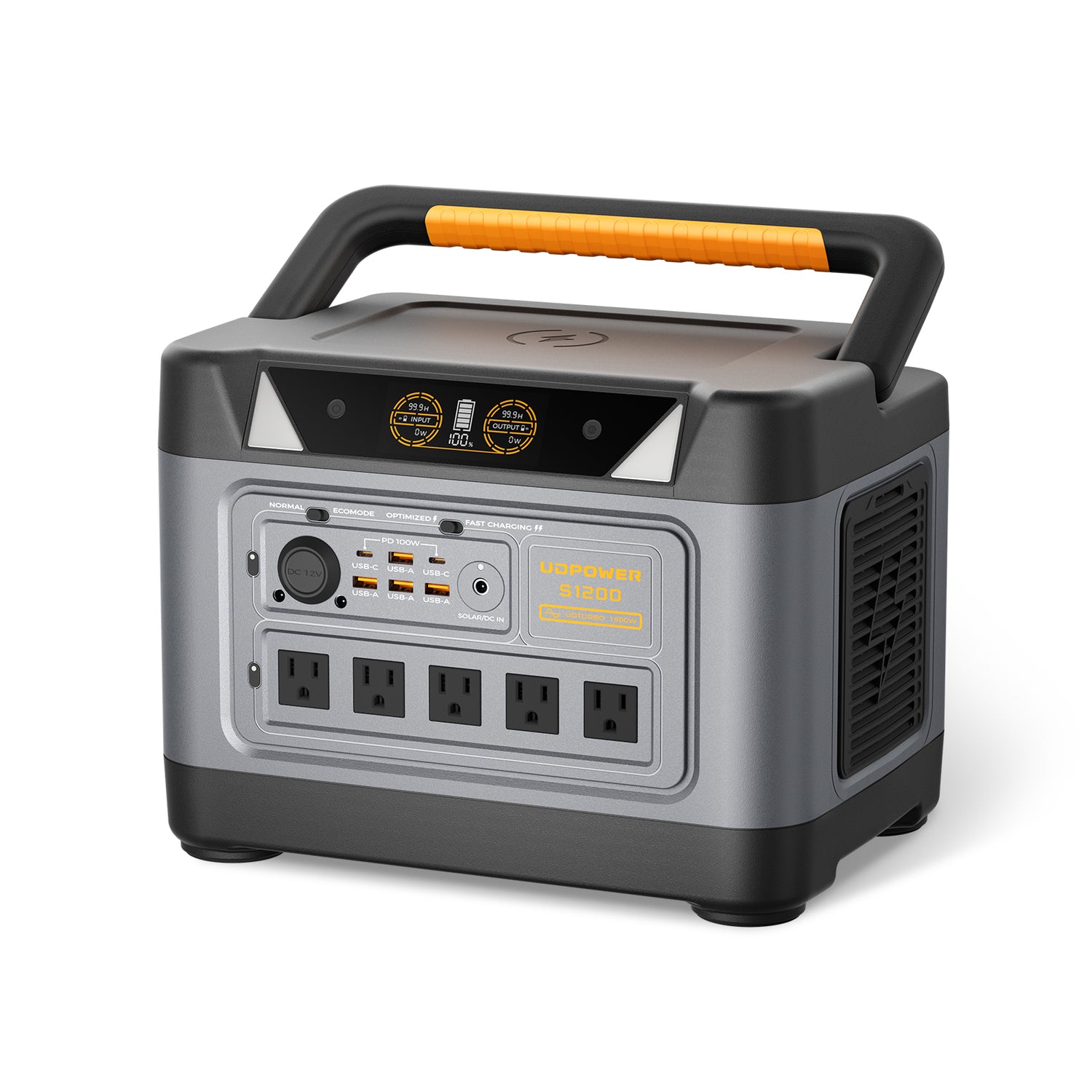
UDPOWER S1200: Multi-Night CPAP and Home Outage Backup
The S1200 is a better match for users who want to protect more than one night of therapy or keep additional essentials running during an outage.
- Battery capacity: 1,190Wh
- Rated AC output: 1,200W pure sine wave
- Surge support: Up to 1,800W
- Weight: Approximately 26 lb
- AC outlets: Five on the current gray version
- Solar input: Up to 400W
- Backup switchover: Less than 10 ms under the listed UPSPRIME specification
- Best fit: Multi-night therapy, storm preparation and shared emergency loads
At a 56W CPAP load, the calculated AC runtime is about 19.1 hours. At a 30W average load, it is about 35.7 hours.
Reserve the battery for the CPAP first. A refrigerator, television, fan or other appliance will reduce the remaining therapy runtime.
View UDPOWER S1200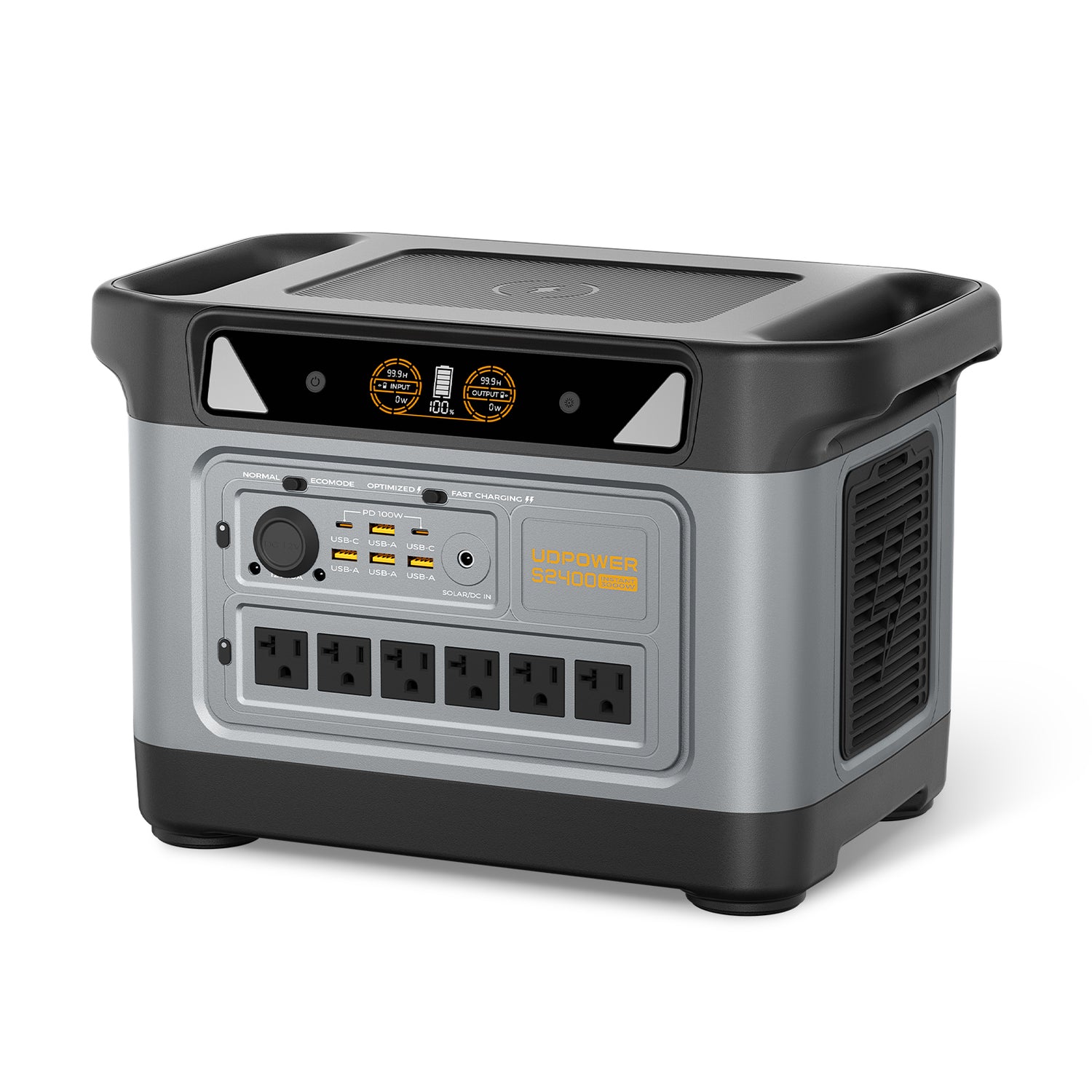
UDPOWER S2400: Extended Backup for CPAP and Household Essentials
The S2400 is intended for longer outages, multiple users or a combined backup plan that includes therapy equipment and larger household essentials.
- Battery capacity: 2,083Wh
- Rated AC output: 2,400W pure sine wave
- Surge support: Up to 3,000W
- Weight: Approximately 40.8 lb
- AC outlets: Six
- Solar input: Up to 400W
- Backup switchover: Less than 10 ms under the listed UPSPRIME specification
- Best fit: Extended home outages and several simultaneous emergency devices
At a 56W CPAP load, the calculated AC runtime is about 33.5 hours before accounting for other connected appliances.
View UDPOWER S2400How Much Battery Capacity Do You Need for an AirSense CPAP?
| Planned Use | Suggested Capacity Class | Suitable UDPOWER Model | Important Condition |
|---|---|---|---|
| One night with humidity and heated tube off or minimized | About 250Wh to 300Wh | C400 | Complete a full-night test and start at 100% charge |
| One night with more comfort-setting flexibility | About 500Wh to 600Wh | C600 | Still verify runtime at your prescribed pressure and preferred settings |
| Two or more nights or CPAP plus phones and lights | About 1,000Wh to 1,200Wh | S1200 | Track every additional connected load |
| Extended outage or multiple essential appliances | About 2,000Wh | S2400 | Create a power budget so high-watt appliances do not consume the CPAP reserve |
Use Your Measured Wattage Instead of Guessing
The most accurate planning method is to read the output wattage on the power station while the CPAP is operating with your normal setup.
- Start with the power station fully charged.
- Use the same mask, pressure, humidifier level and tube temperature you use at home.
- Observe the wattage at startup, after 15 minutes and later in the night.
- Record how much battery percentage remains in the morning.
- Repeat the test if you change comfort settings or add another device.
Do not lower your prescribed therapy pressure to save energy. Pressure settings are part of your treatment and should only be changed with guidance from your sleep-care provider.
How to Extend AirSense Battery Runtime
1. Reduce or Disable Heated Humidification When Appropriate
The heated humidifier is often one of the largest electrical loads in an AirSense setup. Turning humidity down or off can significantly extend runtime.
This may increase dryness or discomfort. Test the setting before a trip and discuss persistent dryness with your equipment provider or clinician.
2. Turn Off the Heated Tube
ClimateLineAir tubing uses power to maintain temperature. A non-heated tube or disabled tube heater can reduce energy use, although condensation and comfort may change.
3. Use a Compatible DC/DC Converter
A model-specific converter can avoid the power station inverter loss. This can make a meaningful difference when using a compact battery.
4. Avoid Charging Unnecessary Devices Overnight
A phone may use little energy compared with a CPAP, but several phones, tablets, fans or lights can consume the safety margin you expected to have in the morning.
5. Start Every Night With a Full Battery
Do not rely on a battery that is still at 40% or 50% because it lasted the previous night. Therapy pressure, ambient conditions and heating demand may differ.
6. Keep the Power Station Within Its Operating Temperature Range
Very cold conditions can reduce available battery performance. Store the unit in a dry, ventilated location within the temperature range in its manual.
7. Use Normal Mode Instead of ECO Mode for Continuous Low Loads
Some UDPOWER models include low-load auto shutoff to prevent standby drain. UDPOWER describes an approximate AC low-load threshold below 5W, with shorter shutoff timing in ECO Mode than Normal Mode.
An operating AirSense normally draws more than this threshold, but a full-night test is still important. Use Normal Mode for overnight therapy unless the model manual instructs otherwise.
Related guide: How UDPOWER Low-Power Auto Shutoff Works.
Build a Reliable CPAP Backup Plan for Outages or Camping
Before Storm Season
- Charge the power station to 100%.
- Complete at least one full-night test.
- Keep the ResMed adapter and any DC converter in one labeled bag.
- Inspect the CPAP cord and power station outlets.
- Write down the morning battery percentage from your test.
- Keep a flashlight available so you can reconnect equipment safely in the dark.
- Recharge the battery after every outage or test.
Before Camping
- Confirm that your campsite permits the equipment you plan to use.
- Keep the power station and CPAP protected from rain, dew, dirt and condensation.
- Do not block the power station’s cooling vents with blankets or tent fabric.
- Carry the original AC adapter even when planning to use a DC converter.
- Pack an extension cable only when its rating and condition are appropriate.
- Do not leave the power station in an overheated closed vehicle.
- Bring more capacity than the exact mathematical minimum.
During an Outage
- Reserve battery capacity for therapy before powering entertainment devices.
- Check the remaining runtime shown on the power station.
- Reduce nonessential loads if the estimate falls below the hours remaining before morning.
- Do not use a gas generator indoors, inside a tent, garage or near windows.
- Recharge the power station as soon as a safe source becomes available.
Common AirSense Backup Power Mistakes
Assuming a 90W Adapter Means 90W All Night
The adapter rating indicates how much power it is designed to supply. Actual draw changes throughout the night.
Buying a Battery Based Only on Blower-Only Consumption
A runtime estimate based on 10W or 15W can become inaccurate as soon as the humidifier or heated tube is activated.
Using a Generic Cable Because the Connector Fits
Physical fit does not confirm the correct voltage, polarity, current capacity or regulation.
Plugging the CPAP Adapter Into a USB Port
The original wall adapter belongs in a household-style AC outlet. USB ports are intended for compatible USB-powered electronics.
Trying to Power the CPAP Directly From a Solar Panel
Solar output changes continuously with light conditions. Charge a regulated battery system rather than connecting a CPAP directly to a panel.
Running the CPAP From a Parked Vehicle Battery Overnight
ResMed warns that powering therapy equipment from a non-operating vehicle may discharge the vehicle battery. Starting the vehicle while the CPAP is attached can also expose equipment to voltage spikes.
Skipping the Full-Night Test
A ten-minute test confirms that the machine turns on. It does not prove that the battery will last through changing pressure and heater cycles all night.
Using Every Outlet Because the Power Station Has Them
Output wattage may be sufficient, but every connected device consumes battery capacity and shortens runtime.
Troubleshooting an AirSense That Will Not Run From a Power Station
| Problem | Likely Cause | What to Check |
|---|---|---|
| The AirSense does not turn on | AC or DC output is not activated | Press the corresponding output button and confirm its indicator appears. |
| The original adapter has no light or output | Loose plug, damaged adapter or inactive outlet | Reconnect both ends and test the adapter from a known working wall outlet. |
| The machine starts and then loses power | Low battery, overload, low-load shutoff or loose connection | Check remaining charge, output wattage, operating mode and every connector. |
| Runtime is much shorter than expected | Humidifier, heated tube, other loads, cold temperature or AC conversion loss | Review comfort settings and disconnect nonessential devices. |
| A DC cable fits but the machine does not start | Wrong converter, voltage or connector standard | Stop using it and verify compatibility with the exact AirSense model. |
| The power station fan turns on | Normal cooling response during charging, inverter use or higher load | Keep vents clear and confirm temperature remains within the manual’s range. |
| The battery percentage falls faster during part of the night | Heater cycling or increasing therapy demand | Observe wattage over time rather than relying on one reading at startup. |
If the AirSense works from a wall outlet but repeatedly fails from a correctly configured power station, test with the original ResMed adapter, remove all other loads and contact the relevant equipment support team.
Frequently Asked Questions
Can I plug my original ResMed AirSense power cord into a UDPOWER C400?
Yes. Connect the original ResMed power supply to the AirSense machine, then plug its household wall plug into one of the C400’s square AC outlets. Turn on the C400 AC output before starting therapy.
Will a UDPOWER C400 run a ResMed AirSense 11 overnight?
It may run an AirSense 11 for a full night when the average load is low and humidification and tube heating are disabled or minimized. The calculated runtime is about 15.4 hours at 15W, 7.7 hours at 30W and 4.1 hours at 56W. Complete a full-night test before depending on it.
What UDPOWER model is best for one night of CPAP backup?
The C600 is the most balanced one-night option for many users because its 596Wh capacity provides more reserve for humidification, heated tubing and changing pressure than a 256Wh battery.
Does the AirSense 11 charge through USB-C?
Do not treat the AirSense 11 power input as an ordinary phone or laptop USB-C charging port. Use the original ResMed 65W power supply or a compatible Air11 DC/DC converter.
Can I use the same DC cable for AirSense 10 and AirSense 11?
No. Use the converter designed for the specific AirSense generation. The machines use different original power supplies and should not be connected with a cable simply because its plug appears similar.
How many watts does a ResMed AirSense 10 use?
The official AirSense 10 user guide lists 53W typical power consumption and 104W peak power consumption for the system. Actual overnight average draw can be lower or higher depending on pressure, humidification, heated tubing and other conditions.
How many watts does a ResMed AirSense 11 use?
The official AirSense 11 user guide lists 56.1W typical power consumption and 73.2W peak power consumption. These are planning references rather than a guaranteed constant overnight draw.
Should I turn off the AirSense humidifier when using battery power?
Turning off or reducing heated humidification can substantially extend runtime. However, it may cause dryness or discomfort. Test the setting in advance and do not change prescribed pressure settings to conserve battery.
Is a DC connection better than using the original AC adapter?
A model-specific DC/DC converter is generally more efficient because it avoids converting battery DC into AC and then back into DC. The original AC adapter is simpler and is often the best starting point for users who do not already own the correct converter.
Can I run my AirSense from a car battery?
A ResMed DC/DC converter can use a suitable vehicle power source, but running the CPAP from a non-operating vehicle may discharge the starting battery. ResMed also warns against starting the vehicle engine while the CPAP is being powered from that battery because voltage spikes may damage the device.
Can a solar panel power an AirSense directly?
No direct panel connection is recommended. Use the solar panel to recharge a compatible portable power station, then power the AirSense from the station’s regulated AC or DC output.
Can I use a power station as an automatic CPAP backup during an outage?
Some power stations provide fast backup switchover, but you should test the complete setup before depending on it. A consumer portable power station should not automatically be treated as a certified medical UPS.
Can I power other devices while running my CPAP?
Yes, if the total load remains within the power station’s output limit. However, phones, lights, fans, refrigerators and other equipment all reduce the energy reserved for overnight therapy.
How often should I test my CPAP backup battery?
Test it after purchase, after changing CPAP settings or cables, and periodically before storm season or a camping trip. Recharge it after every test and follow the storage instructions in the power station manual.
Related UDPOWER CPAP and Backup Power Guides
Sources and Further Reading
The power specifications and battery-planning information in this guide were checked against the following official resources:
- ResMed AirSense 11 product information
- ResMed AirSense 11 user guide
- ResMed AirSense 10 product information
- ResMed AirSense 10 user guide
- ResMed battery guide
- ResMed batteries and power converters
- ResMed Air11 DC/DC converter support
Product specifications should always be checked again on the product page before purchase because configurations and availability may change.
Choose a ResMed AirSense Backup Before the Next Outage
Start by deciding whether you need a lightweight one-night battery, a larger one-night safety margin or multi-night home backup. Then run your AirSense for a complete night with the exact settings you normally use.
View UDPOWER Portable Power Stations Get Help Choosing a Power StationRelated Articles


