Basics of LFP Home Battery Backups: What Homeowners Should Know Before an Outage
ZacharyWilliamHome Backup Battery Guide
Quick answer
An LFP home battery backup is a battery system that stores electricity so you can run selected devices when grid power goes out. “LFP” means lithium iron phosphate, also called LiFePO4. For everyday backup use, LFP is popular because it is stable, long-lasting, low-maintenance, and well-suited for repeated charging and discharging.
The most important thing to understand: a battery backup is not sized by the word “home.” It is sized by the loads you choose. A compact unit can keep phones, Wi-Fi, lights, and a laptop alive. A 1,000Wh to 2,000Wh+ LFP power station can support refrigerator planning, CPAP, fans, routers, and short kitchen use. Whole-home backup with central air, electric heat, well pumps, dryers, or 240V circuits usually needs a larger installed system and a qualified electrician.

Table of contents
- What is an LFP home battery backup?
- Why LFP is used for home backup batteries
- The three numbers that decide everything
- Backup levels: desk, essential loads, or whole-home
- Realistic runtime table for common home devices
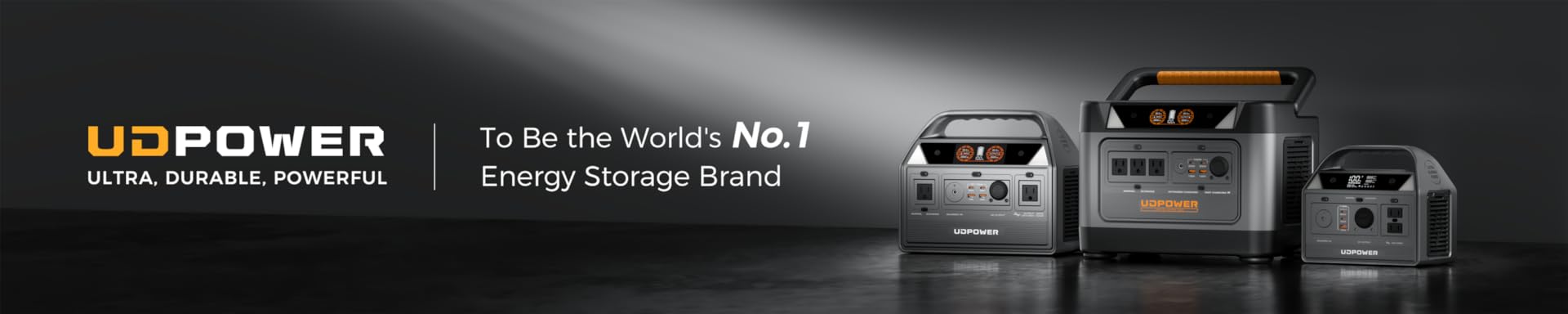
- Recommended UDPOWER LFP backup options
- Solar recharge basics
- How to set up a battery backup safely
- Simple maintenance schedule
- Buying checklist
- Related UDPOWER guides
- FAQ
What is an LFP home battery backup?
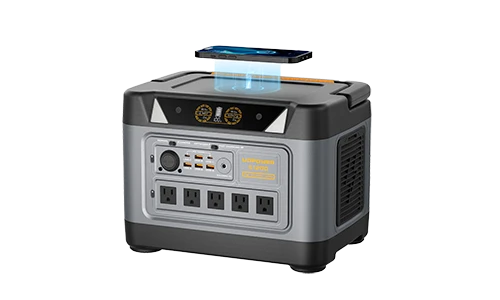
An LFP home battery backup is a rechargeable battery system built around lithium iron phosphate chemistry. In plain English, it is a safer-feeling, longer-life battery platform for stored power. You charge it from a wall outlet, solar panels, a vehicle outlet, or a compatible charging source. When the power goes out, you use the stored energy through AC outlets, USB ports, DC outputs, or a professionally installed transfer setup.
For most households, the simplest version is a portable power station. It sits indoors, charges from the wall, and runs appliances directly from its outlets. That works well for renters, apartments, RVs, bedrooms, home offices, and families who want backup power without fuel storage or engine noise.
A larger installed home battery system is different. It can be tied to selected circuits or a home electrical panel, but that setup needs compatible hardware, permits where required, and professional installation.
| Backup type | How it connects | Best for | What to watch |
|---|---|---|---|
| Portable LFP power station | Plug devices directly into the unit | Wi-Fi, phones, lights, laptops, CPAP, fans, fridge planning, short appliance use | Limited by battery Wh, inverter watts, surge rating, and port count |
| Solar generator kit | Portable power station plus solar panels | Longer outages where daytime recovery matters | Solar output depends on sun angle, weather, shade, and input limits |
| Installed home battery | Connected to home circuits through approved equipment | Selected circuits, larger outage plans, solar homes | Higher cost, electrical work, permits, and load management |
| Gas generator | Outdoor generator with cords or transfer equipment | High continuous output when fuel is available | Outdoor-only operation, carbon monoxide risk, fuel storage, noise, maintenance |

Why LFP is used for home backup batteries
Battery chemistry matters because home backup is not just a one-time camping trip. A useful backup battery may sit for months, then get charged and discharged heavily during an outage. LFP has become a favorite for this job because it handles repeated cycles well and is known for strong thermal stability compared with many older lithium battery chemistries.
| Feature | Why it matters at home | Practical takeaway | Helpful source |
|---|---|---|---|
| Long cycle life | Backup batteries age through charge/discharge cycles and storage conditions. | Look beyond the sticker price. A battery with thousands of cycles can be a better long-term value. | NREL battery degradation research |
| Thermal stability | Home backup batteries may be used indoors, in garages, or during hot weather outages. | Choose battery products with BMS protection, clear temperature limits, and real safety documentation. | EPA battery storage safety considerations |
| Low maintenance | People forget emergency gear until a storm is already coming. | An LFP power station is usually easier to keep ready than a fuel generator or older lead-acid setup. | Ready.gov power outage planning |
| Stationary storage trend | LFP is now widely used in stationary battery storage because it fits durability and safety goals. | For home backup, LFP is a sensible chemistry to prioritize when comparing modern battery systems. | NREL Annual Technology Baseline |
The plain-English advantage
LFP is not magic. It still needs proper charging, ventilation, temperature control, and safe electrical connections. Its real advantage is that it gives homeowners a durable battery chemistry that is easier to live with: fewer maintenance chores, good cycle life, quiet operation, and no exhaust fumes during use.
The three numbers that decide everything
Most buying mistakes happen because people focus on one number. A battery backup has three core limits: stored energy, power output, and recharge speed.
| Number | What it means | Home example | Mistake to avoid |
|---|---|---|---|
| Capacity: Wh or kWh | How much energy the battery stores. | A 2,083Wh battery stores about 2.083kWh before real-world conversion loss. | Buying a high-watt unit with too little capacity for the runtime you need. |
| Output: W | How much power the inverter can deliver at one time. | A 2,400W output can run many household appliances, but not every 240V or hardwired load. | Trying to start a motor load without enough surge headroom. |
| Solar/input watts | How fast the battery can be refilled. | A strong solar setup can turn a one-night backup into a multi-day plan when sun is available. | Pairing a large battery with a tiny panel and expecting fast recovery. |
Simple runtime formula
Estimated runtime = battery capacity Wh × 0.9 ÷ device watts.
For UDPOWER runtime planning, this article uses 90% conversion efficiency. Real results can be lower or higher depending on AC vs DC output, compressor cycling, temperature, cable loss, battery age, and how close the load is to the unit’s maximum output. Energy.gov uses the same basic relationship for appliance energy math: watts multiplied by hours equals watt-hours, then divided by 1,000 for kWh.
For appliance energy basics, see Energy.gov’s appliance energy-use guide.
Backup levels: desk, essential loads, or whole-home
Before you shop, decide what “backup” means in your home. A renter protecting Wi-Fi and a laptop has a very different need than a homeowner trying to keep a fridge, CPAP, sump pump, and several lights alive overnight.
| Backup goal | Typical devices | Useful battery range | Recommended approach |
|---|---|---|---|
| Desk and communication backup | Wi-Fi router, modem, phone, laptop, LED lamp | 250Wh to 600Wh | Use a compact LFP power station directly from its ports. |
| Apartment outage kit | Router, phones, lights, fan, laptop, small medical device | 500Wh to 1,200Wh | Prioritize quiet operation, indoor-safe use, and enough USB/AC outlets. |
| Food and family essentials | Refrigerator, Wi-Fi, phones, LED lights, fan, CPAP, short TV use | 1,000Wh to 3,000Wh | Choose enough inverter output for startup surge and enough capacity for overnight runtime. |
| Longer outage with solar recovery | Critical loads plus daytime recharge | 2,000Wh+ with meaningful solar input | Pair the battery with solar panels sized to recover what you use each day. |
| Selected home circuits | Fridge circuit, internet, lights, sump pump, one room | Often 5,000Wh+ | Use approved transfer equipment and hire a qualified electrician. |
| Whole-home comfort | HVAC, kitchen, laundry, water heating, 240V loads | Often 15,000Wh to 30,000Wh+ | Plan an installed battery system, load management, and professional design. |
Realistic runtime table for common home devices
The table below gives planning estimates using 90% conversion efficiency. For refrigerators and freezers, the average watt draw may be much lower than the short startup surge. For heating appliances, runtime looks short because they pull a lot of power continuously.
| Device | Planning watts | Runtime from 596Wh | Runtime from 1,190Wh | Runtime from 2,083Wh | Home-backup note |
|---|---|---|---|---|---|
| Wi-Fi router + modem | 15W | 35.8 hours | 71.4 hours | 125 hours | One of the highest-value loads during an outage. |
| Phone charging | 10W | 53.6 hours | 107.1 hours | 187.5 hours | Use USB ports when possible to reduce unnecessary AC conversion. |
| Laptop | 60W | 8.9 hours | 17.9 hours | 31.2 hours | Gaming laptops and heavy workloads can pull much more. |
| LED lights, several bulbs | 40W | 13.4 hours | 26.8 hours | 46.9 hours | Use fewer bulbs to stretch runtime overnight. |
| CPAP without heated humidifier | 40W | 13.4 hours | 26.8 hours | 46.9 hours | Heated humidifier and heated hose settings can change the number fast. |
| Box fan | 60W | 8.9 hours | 17.9 hours | 31.2 hours | Much more battery-friendly than trying to run central AC. |
| Modern refrigerator, average cycling load | 80W | 6.7 hours | 13.4 hours | 23.4 hours | Check startup surge and keep the door closed. Actual cycling varies widely. |
| Chest freezer, average cycling load | 100W | 5.4 hours | 10.7 hours | 18.7 hours | Cold ambient temperature and fewer openings can stretch runtime. |
| 55-inch LED TV | 100W | 5.4 hours | 10.7 hours | 18.7 hours | Use sparingly during long outages. |
| Microwave | 1,000W | Output may be too high for 600W units | 1.1 hours continuous | 1.9 hours continuous | Best used in short bursts, not as a continuous load. |
| Coffee maker | 900W | Output may be too high for 600W units | 1.2 hours continuous | 2.1 hours continuous | High draw, but usually only used for minutes. |
| Space heater | 1,500W | Output too high for smaller units | Output may be too high for 1,200W units | 1.2 hours continuous | Usually a poor battery load. Consider blankets and targeted heat first. |
Important refrigerator note
Refrigerators do not draw the same watts every minute. The compressor cycles on and off, and startup surge can be several times higher than the average running load. For real planning, use a plug-in watt meter over several hours, or check the appliance label and leave surge headroom.
Recommended UDPOWER LFP backup options
For home backup, choose the smallest reliable setup that covers your priority list with headroom. The options below use official UDPOWER product specifications and official product images.

Best for stronger home essentials: UDPOWER S2400 + 420W Solar Panel Kit
2,083Wh · 2,400W · 3,000W surge
This is the strongest fit in this guide for refrigerator planning, Wi-Fi, CPAP, lights, fans, laptops, TV, and short use of higher-watt kitchen appliances. The S2400 uses a LiFePO4 battery, has 6 AC outlets plus 10 DC outputs, supports UPS backup mode with ≤10ms response time, and supports solar charging through DC7909 input within its official input limits.
- Best fit: critical-load home backup and longer outages with daytime solar recovery.
- Official solar estimate: 2×210W panels can recharge in about 5 hours under best-condition testing.
- Reality check: still not a full whole-house replacement for central AC, dryers, electric ranges, or 240V hardwired loads.

Best balance for many homes: UDPOWER S1200 + solar panel option
1,190Wh · 1,200W · 1,800W surge
The S1200 is a practical LFP backup size when you want meaningful runtime without moving into a heavier 2kWh-class unit. It is well matched to routers, lights, phones, laptops, CPAP, fans, TV, and many refrigerator backup plans when the refrigerator’s surge and running watts stay within limits.
- Best fit: fridge planning, CPAP, work-from-home outage backup, RV backup, and family essentials.
- Official highlights: LiFePO4 battery, 1,200W pure sine wave output, UDTURBO up to 1,800W surge, 5 AC outlets plus DC outputs on the 5-AC version, and <10ms UPSPrime backup behavior.
- Reality check: avoid running multiple high-watt heating appliances at the same time.

Best for small backup and portability: UDPOWER C600
596Wh · 600W · 1,200W peak
The C600 is a better fit for smaller backup jobs: router, phones, laptop, lights, camera gear, portable fan, mini fridge planning, and camping use. It uses a LiFePO4 battery, has 4,000+ cycle life listed by UDPOWER, and includes multiple useful ports such as AC outlets, USB-C, USB-A, and a 12V car outlet.
- Best fit: apartments, compact outage kits, road trips, camping, and small electronics.
- Why this size works: it is easier to carry and store than larger home-backup models.
- Reality check: 600W output is not for microwaves, coffee makers, space heaters, or larger kitchen appliances.

Best for short essentials and car kits: UDPOWER C400
256Wh · 400W · 4,000+ cycles
The C400 is not a full home-backup unit, but it can be useful for personal essentials: phones, small lights, a laptop, camera batteries, and short fan use. Its compact size also makes it useful as a car emergency kit, especially for users who value the jump starter function.
Solar recharge basics
Solar panels do not replace battery capacity. They refill it. That means solar matters most when the outage lasts more than one day or when you expect to use the battery heavily during daylight hours.
| Solar planning question | Why it matters | Practical answer |
|---|---|---|
| How much did you use overnight? | This tells you how much energy you must recover the next day. | If your essential loads used 1,000Wh overnight, a small panel will only stretch runtime; a larger panel setup can actually recover the battery. |
| What is the power station’s solar input limit? | The battery can only accept so many watts, even if the panels are larger. | Check voltage range, current limit, connector, and max input before mixing panels. |
| Will the panels get real sun? | Shade and poor angle can cut output sharply. | Unfold the full panel, keep it out of shade, and adjust angle while watching the live input watts on the screen. |
| Are you charging and using power at the same time? | Pass-through use is convenient, but heavy loads can slow recovery. | During multi-day outages, run the fridge and essentials, but avoid unnecessary high-watt loads while trying to recharge. |
For solar-ready kits, browse the UDPOWER Solar Generators collection. For standalone panels, see UDPOWER Solar Panels.
How to set up a battery backup safely
A battery backup is easier to use than a gas generator, but it is still electrical equipment. Treat it like part of your emergency plan, not just another gadget.
| Do | Why | Avoid |
|---|---|---|
| Place the battery on a stable, dry, ventilated surface. | Electronics and inverters produce heat under load. | Do not cover vents or place the unit on wet ground. |
| Check running watts and startup surge before plugging in appliances. | Motors and compressors can surge above their normal draw. | Do not assume a device is safe just because it has a normal household plug. |
| Use properly rated extension cords only when needed. | Undersized cords can heat up and waste power. | Do not daisy-chain cheap power strips under heavy loads. |
| Keep battery backups away from heat sources. | High temperature can reduce battery life and performance. | Do not store in direct hot sun, near heaters, or in very hot vehicles for long periods. |
| Use a transfer switch or approved inlet for home circuits. | Panel connection needs code-compliant equipment. | Never backfeed a house through a wall outlet. |
| Use fuel generators outdoors and far from openings. | Gas generators produce carbon monoxide. | Ready.gov advises generators and fuel should be used outdoors and at least 20 feet away from windows, doors, and attached garages. |
For general outage safety, see Ready.gov Power Outages. For battery storage safety context, see the EPA battery energy storage safety guide.
Simple maintenance schedule
LFP battery backups are low-maintenance, not no-maintenance. A few habits make the difference between a battery that is ready and a battery that surprises you during a storm.
| When | What to do | Why it matters |
|---|---|---|
| When you first buy it | Fully charge it, test your actual devices, and write down the watts shown on the display. | Your real devices matter more than generic charts. |
| Every 2–3 months | Check charge level, recharge if needed, and inspect cables. | Emergency gear should not be discovered empty. |
| Before storm season | Run a mini drill: router, lamp, phone, CPAP, fan, and refrigerator test if needed. | You will know what works before the outage starts. |
| After heavy use | Let the unit cool, recharge it, wipe off dust, and store it in a dry indoor location. | Heat, moisture, and neglect shorten useful life. |
| When adding solar panels | Confirm voltage range, current limit, connector type, and total panel wattage. | Wrong solar wiring can damage equipment or prevent charging. |
LFP home battery buying checklist
Use this checklist before you buy. It keeps the conversation grounded in your actual home instead of marketing numbers.
- List priority loads. Start with Wi-Fi, phones, lights, CPAP, fridge, fan, laptop, and any medical or pet-care devices.
- Measure watts. Use labels, manuals, or a plug-in watt meter. For fridges and freezers, measure over time because they cycle.
- Check startup surge. Refrigerators, freezers, pumps, and power tools may need more power for a few seconds at startup.
- Calculate runtime. Use battery Wh × 0.9 ÷ watts as a planning estimate.
- Leave headroom. Avoid running a battery backup at its absolute limit for long periods.
- Match solar input. If you expect multi-day outages, solar input becomes as important as battery capacity.
- Check warranty and support. A backup battery is emergency equipment. Clear warranty coverage and support access matter.
- Plan safe placement. Dry, stable, ventilated, and easy to reach during an outage.
- Do a real test. Plug in the devices you plan to use before you need them.
FAQ: Basics of LFP home battery backups
What does LFP mean in a home battery backup?
LFP means lithium iron phosphate. You may also see it written as LiFePO4. It is a lithium battery chemistry widely used for backup batteries because it offers long cycle life, strong stability, and low maintenance.
Is an LFP battery backup the same as a UPS?
Not exactly. A UPS is usually designed to prevent electronics from rebooting during short power interruptions. A power station or home battery backup is usually designed to run selected devices for a longer time. Some portable power stations include UPS-style backup behavior, but you should always check transfer time and device compatibility.
Can an LFP battery backup run a refrigerator?
Yes, if the battery has enough inverter output for startup surge and enough Wh capacity for the runtime you need. A refrigerator’s average running watts can be modest, but compressor startup surge matters. Test your actual fridge if food protection is your main goal.
How big of a battery backup do I need for home essentials?
For phones, Wi-Fi, lights, and a laptop, a few hundred Wh can work. For refrigerator planning, CPAP, fans, and overnight essentials, many households should look at 1,000Wh to 2,000Wh+ options. For selected circuits or whole-home comfort, you are usually in larger installed-system territory.
Can I connect a portable LFP power station to my house panel?
Only with compatible equipment and a safe, code-compliant setup. Use an approved transfer switch, inlet, interlock, or smart panel installed by a qualified electrician. Do not plug a power station into a wall outlet to backfeed your home.
Is solar required for a home battery backup?
No. You can charge many power stations from a wall outlet before an outage. Solar becomes valuable when the outage lasts longer than the battery’s first charge or when you want to recover energy during the day.
Why not just buy the largest battery?
Bigger batteries cost more, weigh more, and may take longer to recharge. The smarter approach is to list your priority loads, calculate runtime, then buy enough capacity and output headroom for those loads.
Can an LFP battery backup run central air conditioning?
A typical portable power station is usually not the right tool for central AC. Central AC often needs high startup surge, high continuous watts, and sometimes 240V or hardwired connection. For central AC backup, look into a professionally designed installed battery system, generator-grade solution, or load-managed setup.
How should I store an LFP backup battery?
Store it indoors in a dry, moderate-temperature location, away from direct heat, moisture, and blocked vents. Check charge level every few months and recharge as needed so it is ready before storm season.
What is the best first test after buying a backup battery?
Charge it fully, then run your actual emergency setup: router, phone charger, lamp, fan, CPAP if used, and refrigerator if that is part of your plan. Watch the display for watts and estimated runtime. Write the numbers down.
Build your backup plan before the next outage
Start with your must-run devices, pick the right battery size, and add solar if you want daytime recovery. For most homes, the goal is not to power everything—it is to keep the essentials running safely and quietly.