

What Is a WiFi Gateway? How It Works vs. a Router
Your internet provider may have installed a single box that connects to a coaxial cable, broadcasts Wi-Fi, and provides Ethernet ports for your computer or TV. That device may be a WiFi gateway.
But can it replace a router? Does it contain a modem? Can it keep your internet running during a blackout? The answers depend on the device's connection type, built-in networking functions, and power requirements.
This guide explains those differences with specific network configurations, published gateway power consumption figures, and steps for choosing and testing a backup power supply.

Quick Answer: What Is a WiFi Gateway?
A WiFi gateway is a networking device that connects a home network to an internet service and provides wireless connectivity. A residential cable gateway combines a cable modem, router, Wi-Fi access point, Ethernet switch, and network security functions in one enclosure.
For example, an Xfinity Wireless Gateway combines a modem and router. It connects to the provider's cable network and shares internet access with phones, laptops, and other devices over Wi-Fi or Ethernet.
A standalone Wi-Fi router handles local networking and needs an upstream internet connection, such as a separate cable modem or fiber ONT. A cable gateway handles both functions within one device.
Power reference: Xfinity lists 17W ready-mode consumption for the Vantiva CGM4331COM gateway and 23.6W for the CommScope TG4482A. Battery backup must supply the gateway and any separate equipment required to maintain the internet connection.
Xfinity's gateway and bridge-mode explanation and published equipment energy data document these functions and power figures.
1. What Is a WiFi Gateway?

A WiFi gateway performs two connected jobs: it communicates with the internet service provider and manages traffic between that connection and your home devices.
Consider a home with an Xfinity cable gateway, two laptops, one smart TV, and three phones. The gateway connects to the cable service through its coaxial input, supplies local IP addresses to the six devices, and transfers their internet traffic through the provider connection.
What Functions Are Inside a Gateway?
| Component | Specific Function | Example |
|---|---|---|
| Modem or WAN interface | Connects to the ISP's access network | DOCSIS modem connecting to a coaxial cable |
| Router | Transfers packets between the home LAN and the internet connection | Routes a laptop's web request to the ISP |
| DHCP server | Assigns local network configuration to connected devices | Provides a laptop with an address such as 192.168.1.20 |
| NAT function | Translates local private addresses for internet communication | Allows multiple local devices to share one public IPv4 connection |
| Wi-Fi access point | Connects wireless devices to the local network | Broadcasts the home SSID over 2.4 GHz and 5 GHz radios |
| Ethernet switch | Connects supported wired LAN devices | Connects a desktop computer through a LAN port |
| Firewall | Applies traffic filtering and connection rules | Blocks unsolicited inbound connections under the configured security policy |
These functions describe a residential all-in-one cable gateway. Fiber and cellular gateways use different internet-facing hardware.
What Does "Default Gateway" Mean on Your Computer?
The default gateway is the network address your device uses when sending traffic outside its local network.
For example, if a laptop has IP address 192.168.1.20, subnet mask 255.255.255.0, and default gateway 192.168.1.1, traffic to an internet server is sent through 192.168.1.1.
You can inspect this value in Windows:
- Connect the computer to your home Wi-Fi.
- Press Windows + R, enter
cmd, and press Enter. - Enter
ipconfig. - Locate the active Wi-Fi adapter.
- Read the IPv4 Address and Default Gateway fields.
The default gateway address identifies the routing device or interface, not necessarily the modem hardware.
Is a WiFi Gateway the Same as a Smart Home Gateway?
No. A Zigbee smart home hub can connect compatible bulbs and sensors without containing a cable modem or providing an internet connection on its own.
A residential WiFi internet gateway instead provides the network connection used by household devices. Some models contain additional smart home radios, but those features do not make a standalone smart home hub a replacement for internet equipment.
2. How Does a WiFi Gateway Work?
When you open a website on a phone, data follows a path from the phone through the home network, into the ISP network, and then toward the destination server.

The following example uses an all-in-one cable gateway.
What Happens When a Phone Joins the Network?
- The phone detects the gateway's Wi-Fi network name, called the SSID.
- The phone connects using the configured Wi-Fi security credentials.
- The DHCP service supplies an IP configuration, unless the phone has been configured manually.
- The phone sends internet-bound packets to its default gateway.
- The router forwards those packets through the ISP connection.
- Returning data reaches the phone through the home network.
Does a WiFi Gateway Determine Your Internet Speed?
A gateway can impose a speed limit when one of its interfaces is slower than the internet plan.
Consider an internet subscription rated at 1.2 Gbps. If the gateway connects to your computer through a 1 Gbps Ethernet port, that individual Ethernet link cannot deliver the full 1.2 Gbps.
A 2.5 Gbps Ethernet interface removes that particular 1 Gbps port limitation, provided the computer, cable, gateway, and internet connection also support the higher speed.
Wi-Fi speed has additional variables. The 2.4 GHz, 5 GHz, and 6 GHz frequency bands do not provide identical coverage or require identical client hardware.
| Band | Specific Characteristics | Device Requirement | Practical Application |
|---|---|---|---|
| 2.4 GHz | Lower frequency than 5 GHz; often reaches farther through the same obstruction | Device must support 2.4 GHz Wi-Fi | Connecting devices in distant rooms |
| 5 GHz | Provides wider channel options but loses more signal through some walls | Device must support 5 GHz Wi-Fi | Connecting laptops and streaming devices closer to the gateway |
| 6 GHz | Offers additional spectrum for compatible Wi-Fi 6E and Wi-Fi 7 equipment | Both gateway and client must support the band | High-throughput connections between compatible devices within adequate signal range |
A device advertised as Wi-Fi 6 does not automatically support 6 GHz. Verify Wi-Fi 6E or Wi-Fi 7 support if you need that band.
3. WiFi Gateway vs. Router vs. Modem

The difference becomes clear when you examine what each device connects to and which networking functions it supplies.
| Feature | Cable WiFi Gateway | Standalone Wi-Fi Router | Standalone Cable Modem | Fiber ONT |
|---|---|---|---|---|
| Connects to cable ISP coax | Yes | No | Yes | No |
| Terminates fiber-optic line | No | No | No | Yes |
| Routes local traffic to WAN | Yes | Yes | No | Not its primary function |
| Broadcasts Wi-Fi | Yes | Yes | No | No in a separate ONT configuration |
| Offers home DHCP service | Yes | Yes | No | Depends on integrated functionality |
| Needs another powered device for home Wi-Fi | No | Needs an upstream internet connection device for ISP access | Yes, a router or Wi-Fi access point | Yes, in a separate ONT and router setup |
Comparison applies to the hardware categories named in the table. See AT&T's modem and router guide and TP-Link's router and gateway comparison.
Gateway vs. Router: Two Home Network Examples
Configuration A: One cable gateway

Configuration A has one networking enclosure and one gateway power adapter. A battery backup can power that enclosure, although availability of the ISP network remains a separate condition.
Configuration B: Separate cable modem and router

Configuration B has two powered networking devices. During an outage, supplying electricity to the router but not the cable modem leaves the router without its cable internet connection.
Gateway vs. Fiber ONT
A fiber ONT terminates an optical connection and presents a connection to compatible networking equipment. A separate Wi-Fi router can connect through Ethernet to that ONT.
For a fiber installation with a separate ONT, the backup power plan must include both the ONT and the router if both require independent electrical power.
Can You Connect Another Router to a Gateway?
Yes, but the network configuration determines which device controls routing and DHCP.
In Xfinity's documented bridge-mode configuration, enabling bridge mode disables the gateway's routing function while retaining its modem function. The user's separate router then handles routing.
Xfinity's bridge-mode instructions identify the administrative interface and the effects of enabling that feature.
Bridge Mode vs. Access Point Mode
| Configuration | Device Handling Routing | Wi-Fi Provider | Use Case |
|---|---|---|---|
| Gateway only | Gateway | Gateway | One-box home network |
| Gateway in bridge mode + separate router | Separate router | Separate router or attached access points | Using your own router to manage the home network |
| Gateway + second router in access point mode | Gateway | Gateway and/or access point | Adding wireless coverage without another routing layer |
| Gateway + second router in router mode | Both devices | One or both devices | Can create double NAT when both perform IPv4 NAT |
Double NAT means traffic passes through two address-translation layers. That arrangement can interfere with inbound port forwarding, some gaming connections, or remote access configurations.
Before enabling bridge mode, record your gateway login credentials, check your provider's supported configuration, and confirm that the separate router is connected to the correct Ethernet port.
4. Types of WiFi Gateways
WiFi gateways can be classified by the technology used to connect to the internet provider.
| Type | Incoming Connection | Hardware to Identify | Compatibility Check |
|---|---|---|---|
| Cable gateway | Coaxial cable | DOCSIS modem and Wi-Fi router | Provider-approved DOCSIS model |
| Fiber gateway | Fiber connection or Ethernet from ONT | Integrated optical interface or separate ONT | ISP optical equipment and router requirements |
| DSL gateway | Telephone-line-based DSL connection | DSL modem and router | Supported DSL technology and provider settings |
| 4G LTE gateway | 4G cellular network | Cellular modem, antennas, and router | Carrier bands, coverage, SIM, and service plan |
| 5G gateway | 5G cellular network | 5G modem, antennas, and router | Carrier approval, service coverage, and device compatibility |
How to Identify the Gateway You Already Own
- Locate the brand and model number on the device label.
- Identify the incoming connection: coaxial cable, telephone line, Ethernet, fiber, or cellular service.
- Count the separate powered boxes between the incoming internet service and your Wi-Fi network.
- Locate the device supplying the Wi-Fi network name and password.
- Check the exact model against your ISP's equipment support information.
A coaxial connection entering an all-in-one gateway indicates a different equipment arrangement from a separate fiber ONT connected to a router by Ethernet.
When planning battery backup, write down the power adapter rating for each powered box in the connection path.
5. Advantages and Disadvantages of a WiFi Gateway
The trade-offs between an all-in-one gateway and separate networking equipment can be compared through the number of devices, configuration options, and power connections.
| Factor | All-in-One Gateway | Separate Modem + Router |
|---|---|---|
| Networking enclosures | 1 | 2 |
| Power adapters | 1 for the gateway | 2 for modem and router |
| Ethernet between modem and router | Internal connection | 1 external Ethernet connection |
| Router upgrade | May require bridge mode or adding access points | Replace the router while retaining a compatible modem |
| Wi-Fi placement | Constrained by gateway installation location unless additional hardware is used | Router may be placed away from the modem using suitable Ethernet cabling |
| ISP management | Provider may manage firmware and settings on supplied equipment | Modem and router can have separate management systems |
| Backup power | One adapter if no additional ISP hardware is required | Both modem and router need power |
When Does One Gateway Make More Sense?
Consider a cable subscriber with a gateway installed in a central room. If the device supplies sufficient Ethernet ports, covers the occupied rooms with Wi-Fi, and supports the subscribed internet speed, replacing it with two separate devices adds another enclosure, power adapter, and inter-device cable.
When Are Separate Devices Worth Considering?
Consider a cable subscriber whose modem sits in a utility closet. If Wi-Fi must reach a second-floor office, a separate router connected through Ethernet can be positioned outside that closet, or a wired access point can be placed closer to the office.
This solves a placement constraint without assuming that a higher advertised Wi-Fi speed will overcome walls and distance.
What About Equipment Rental Fees?
Compare the actual provider fee with the cost of approved equipment. At a hypothetical $15 monthly rental fee, 24 months of rental costs $360.
A $250 compatible replacement would have a simple purchase-price break-even point after approximately 16.7 months, excluding taxes, repairs, replacement costs, and any services included in the rental.
Before purchasing, verify that your ISP supports the replacement model and whether its equipment fee includes functions you would lose.
6. Do You Need a Gateway or a Separate Router?
Start with the connection and coverage problem you are trying to solve.
| Your Current Setup | Action | Reason |
|---|---|---|
| Gateway supports the internet plan and covers all occupied rooms | Keep the gateway | No additional routing hardware is needed for the stated requirements |
| Gateway has a weak signal in one distant room | Test placement or add a compatible access point | Changes the wireless access location |
| You need custom firewall rules or advanced routing features unavailable on the gateway | Evaluate a separate router | Moves routing control to hardware with the required features |
| You use a separate fiber ONT | Confirm the router supported by the fiber provider | Fiber termination is already handled by the ONT |
| Internet stops whenever electricity flickers | Check backup power before replacing networking hardware | A faster router still loses power when its adapter has no electricity |
Test Before Buying a New Router
- Run a speed test over Ethernet using a compatible computer.
- Run a Wi-Fi speed test within a few feet of the gateway.
- Repeat the Wi-Fi test in the room with the connection problem.
- Record the download speed and connection stability at both locations.
- If Ethernet performance is satisfactory but distant-room Wi-Fi is poor, investigate coverage and placement.
- If wired and wireless speeds are both below the service plan, check gateway port limits and the ISP connection before replacing the router.
For example, a 500 Mbps wired result, a 450 Mbps Wi-Fi result near the gateway, and a 35 Mbps result in a distant room point toward a wireless coverage difference rather than a 35 Mbps internet service limit.
7. How Much Power Does a WiFi Gateway Use?
Xfinity publishes ready-mode power data for its internet equipment. The figures below identify specific devices rather than applying one power rating to every gateway.
Published Gateway Power Consumption by Model
| Manufacturer | Model | Equipment Type | Reported Power |
|---|---|---|---|
| Vantiva | CGM4331COM | DOCSIS 3.1 integrated gateway | 17.0W |
| Vantiva | CGM4981COM | DOCSIS 3.1 integrated gateway | 18.0W |
| CommScope | TG4482A | DOCSIS 3.1 integrated gateway | 23.6W |
| Vantiva | CGM601TCOM | DOCSIS 3.1 integrated gateway with 6 GHz radio | 29.0W |
Source: Xfinity — Energy Usage of Your Internet Equipment. Values are reported ready-mode figures, not measurements of the reader's own unit.
The CGM601TCOM's reported 29W is 12W higher than the CGM4331COM's 17W. That is a difference of about 71% in reported power consumption between these two models.
The figures do not establish that every gateway with a 6 GHz radio consumes 29W. For battery sizing, identify the model on your equipment label and measure its actual wall power.
How Much Electricity Does a Gateway Use in 30 Days?
Daily energy (kWh)
Power in watts × 24 ÷ 1,000
30-day energy (kWh)
Power in watts × 720 ÷ 1,000
Electricity cost
Energy in kWh × electricity rate per kWh
| Gateway Power | 24-Hour Energy | 30-Day Energy | 30-Day Cost at $0.20/kWh |
|---|---|---|---|
| 10W | 0.240 kWh | 7.20 kWh | $1.44 |
| 17W | 0.408 kWh | 12.24 kWh | $2.45 |
| 20W | 0.480 kWh | 14.40 kWh | $2.88 |
| 23.6W | 0.5664 kWh | 16.992 kWh | $3.40 |
| 29W | 0.696 kWh | 20.88 kWh | $4.18 |
Calculations assume constant power consumption, 24 hours of operation per day, a 30-day month, and an illustrative electricity rate of $0.20/kWh.
Why Is the Adapter Wattage Different From Actual Consumption?
Suppose a gateway adapter is labeled 12V DC, 2A. Its rated DC output capacity is:
12 volts × 2 amperes = 24 watts
That 24W is the adapter's rated output capacity. It does not establish that the gateway continuously consumes 24W.
The gateway may draw less power during steady operation. Its AC wall consumption also includes losses in the external adapter.
Measure Your Own Gateway in Five Steps
- Connect a compatible plug-in watt meter to a wall outlet.
- Plug the gateway's original AC adapter into the meter.
- Allow the gateway to finish booting and establish internet connectivity.
- Record the power draw after the network has stabilized.
- Repeat the measurement while streaming or downloading data, and record the observed range.
If your network includes an ONT and separate router, measure both devices and add their readings.
For a detailed explanation of modem, router, and gateway power measurements, read How Many Watts Does a Modem Use?.
8. Does a WiFi Gateway Work During a Power Outage?
A gateway can continue providing Wi-Fi if it receives electricity from a compatible backup source. Access to websites also requires an operational connection through the ISP.
These are two different conditions: local network power and upstream internet availability.
| Situation | Local Wi-Fi | Internet | Action |
|---|---|---|---|
| Gateway loses electricity | Off | Unavailable through gateway | Supply compatible backup power |
| Gateway powered; ISP network offline | May remain active | Unavailable | Check ISP outage status |
| Gateway powered; separate ONT off | May remain active | Unavailable | Supply power to the ONT |
| Gateway and required ISP equipment powered; provider connection active | Available | Available subject to network operation | Monitor battery capacity |
| Cellular gateway powered; carrier service unavailable | Local network may remain active | Unavailable through cellular connection | Check carrier status or use another available connection |
Why Does My Phone Show "Connected, No Internet"?
This message means your phone has connected to the local Wi-Fi network but cannot reach the internet through that connection.
You can isolate the cause with the following checks:
- Confirm that the gateway's power indicator is on.
- Check the gateway's internet or WAN status indicator.
- If your connection uses a separate ONT, check its power and optical status indicators.
- Attempt to open a website on a second device connected to the same Wi-Fi.
- Check the ISP's service outage page using cellular data if available.
- If the ISP connection is active, follow its device-specific restart or troubleshooting instructions.
Does a Powered Gateway Guarantee Internet During a Blackout?
No. A powered cable gateway cannot restore internet access if the neighborhood cable network or upstream ISP equipment has lost service.
For example, a battery may keep your gateway powered for eight hours while a provider outage prevents internet access during those same eight hours.
A battery backup solves the household equipment power problem. It does not substitute for the provider's network infrastructure.
9. How to Keep a WiFi Gateway Running With Battery Backup
Start by identifying the exact devices required for internet service, then calculate their total power draw and choose a backup device capable of maintaining that load.
Step 1: List Every Powered Network Device
| Network Configuration | Equipment Requiring Backup Power | Number of Powered Devices |
|---|---|---|
| All-in-one cable gateway | Gateway | 1 |
| Standalone modem and router | Modem + router | 2 |
| Separate fiber ONT and router | ONT + router | 2 |
| Gateway with required mesh node | Gateway + mesh node | 2 |
| ONT, router, and required network switch | ONT + router + switch | 3 |
For example, if a gateway draws 18W and a required mesh node draws 8W, the battery must support a combined 26W load.
Step 2: Calculate the Required Battery Capacity
Battery energy is measured in watt-hours (Wh). Device power is measured in watts (W).
A first-pass calculation for UDPOWER power stations uses a 90% conversion efficiency assumption.
Idealized battery runtime
Battery capacity (Wh) × 0.90 ÷ Device power (W)
Battery capacity needed
Device power (W) × Target runtime (hours) ÷ 0.90
For a 20W gateway running for eight hours, the load consumes:
20W × 8 hours = 160Wh
160Wh ÷ 0.90 = 177.8Wh
The result is a simplified battery-capacity starting point. It does not include the power station's separately consumed standby energy, low-load shutdown behavior, or a reserve for battery aging.
| Gateway Load | 4 Hours | 8 Hours | 12 Hours | 24 Hours |
|---|---|---|---|---|
| 15W | 67Wh | 133Wh | 200Wh | 400Wh |
| 20W | 89Wh | 178Wh | 267Wh | 533Wh |
| 25W | 111Wh | 222Wh | 333Wh | 667Wh |
| 30W | 133Wh | 267Wh | 400Wh | 800Wh |
Calculated minimum capacities rounded to the nearest Wh, assuming a constant load and 90% conversion efficiency. These figures exclude additional inverter self-consumption and are not guaranteed product runtimes.
Step 3: Account for the Power Station's Own Consumption
A gateway drawing 20W is a light AC load. When an AC power station inverter is active, it also consumes electricity.
The UDPOWER S1200 product FAQ states that its inverter self-consumption is approximately 20–25W.
For a 20W gateway, that means the combined battery-side power demand can be substantially higher than the gateway's 20W wall load alone.
A simplified sensitivity calculation using 20–25W inverter overhead gives:
Gateway power: 20W
Published inverter self-consumption: 20–25W
Combined planning load: 40–45W
This is why dividing 1,190Wh by 20W cannot establish the actual S1200 runtime for a gateway.
Conversion-efficiency losses and inverter self-consumption can overlap in simplified accounting. The most reliable comparison is obtained by observing actual battery depletion with the exact gateway connected.
Step 4: Check Automatic Low-Load Shutdown
The S1200 product FAQ describes automatic output shutdown under ultra-low loads.
| Mode | Published AC Shutoff Time Under Ultra-Low Load | Published DC Shutoff Time Under Ultra-Low Load |
|---|---|---|
| ECO Mode | Approximately 2 hours | Approximately 4 hours |
| Normal Mode | Approximately 4 hours | Approximately 20 hours |
Source: UDPOWER S1200 product FAQ — Low-Power Auto Shutoff. These conditions apply to loads classified as ultra-low by the unit. The cited FAQ does not establish an exact universal wattage threshold.
If you connect only one low-power gateway, confirm that the output remains enabled through a test longer than the relevant automatic shutoff period. Normal Mode alone should not be treated as proof of unlimited continuous operation.
Step 5: Connect the Gateway
- Charge the backup battery before the planned test.
- Position it according to the manufacturer's ventilation and operating-temperature instructions.
- Connect the gateway's original power adapter to a compatible AC output.
- Connect the modem or ONT adapter if the installation includes a separate device.
- Turn on the power station's AC output.
- Confirm that the gateway starts and reaches a connected internet state.
- Check the battery level and the gateway connection at intervals during the test.
Using the original gateway power adapter avoids guessing the required DC voltage, connector polarity, or plug size.
If you plan to use a direct DC connection instead, match the gateway's specified voltage, current requirement, polarity, and connector before connecting it. A plug that fits physically does not establish electrical compatibility.
Step 6: Test Automatic Switching
A UPS is designed to supply backup power when its incoming AC source fails. A portable power station with a UPS-style feature must also be checked for compatibility with the connected device.
The UDPOWER S1200 specifies a UPS switching response of 10ms or less. That figure does not establish that every modem, router, or ONT will remain online through the transfer.
- Set up the supported UPS connection according to the power station manual.
- Confirm that the gateway has an active internet connection.
- Start a continuous connection test or observe an active video call.
- Use the manufacturer's recommended method to simulate loss of wall input power.
- Check whether the gateway reboots or the internet session disconnects.
- Restore wall power and verify recovery.
Do not rely on an untested power station to maintain a medical, security, or other critical communication connection.
Step 7: Run a Complete Backup Test
For a planned eight-hour network backup, perform an eight-hour test with the actual gateway, ONT, router, and required accessories connected.
Record four results: the starting battery percentage, ending battery percentage, whether the AC output remained enabled, and whether internet access stayed available.
If the output shuts off before the target time, investigate low-load behavior before purchasing a larger battery. Additional capacity does not by itself prevent automatic output shutdown.
See also How to Keep Wi-Fi Running During a Power Outage for internet connection recovery and backup planning.
10. UDPOWER Battery Backup Options for WiFi Gateways
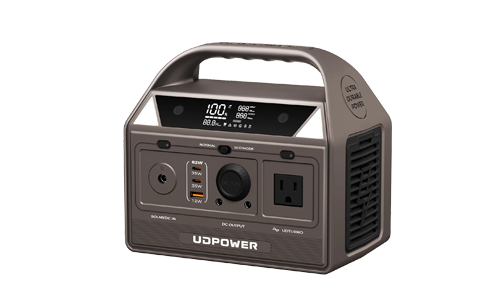
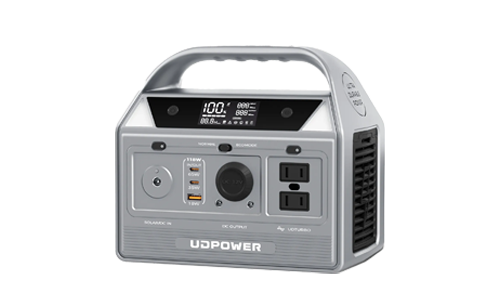
Two UDPOWER models offer different battery capacities for networking equipment: the 256Wh C400 and the 1,190Wh S1200.
The C400 provides 400W rated AC output and two AC outlets. The S1200 provides 1,200W rated AC output and has a 5-AC-outlet configuration.
A gateway drawing 20W requires only 5% of the C400's 400W rated AC output. For a gateway-only installation, output wattage is not the limiting specification. Battery capacity, AC standby losses, and low-load shutdown behavior determine whether the setup can meet the target runtime.
Battery Capacity Comparison
| Specification | UDPOWER C400 | UDPOWER S1200 |
|---|---|---|
| Battery capacity | 256Wh | 1,190Wh advertised |
| Rated AC output | 400W | 1,200W |
| AC outlets | 2 | 5 on the illustrated variant |
| Battery chemistry | LiFePO4 | LiFePO4 |
| Published inverter self-consumption | Not established in the cited C400 specifications | Approximately 20–25W |
| UPS transfer specification | No specific UPS transfer time used in this comparison | 10ms or less |
| Low-load operation | Test the selected mode with the gateway | Documented automatic shutdown under ultra-low loads |
Specifications: UDPOWER C400 and UDPOWER S1200.

UDPOWER C400 Portable Power Station
The C400 contains a 256Wh LiFePO4 battery, two 120V AC outlets, and 400W rated AC output. Its published weight is approximately 6.88 lbs.
With a 20W gateway, the basic capacity calculation gives:
256Wh × 0.90 ÷ 20W = 11.52 hours
This 11.52-hour figure is an idealized energy calculation, not verified C400 runtime at 20W. It does not deduct separately measured inverter standby consumption or establish whether the selected power mode will remain active.
A practical C400 evaluation for an eight-hour target would involve connecting the exact gateway, selecting the intended output mode, and running a complete eight-hour test.
- Capacity: 256Wh
- AC output: 400W rated, 120V / 60Hz
- AC outlets: 2
- Battery: LiFePO4
- Published weight: 6.88 lbs
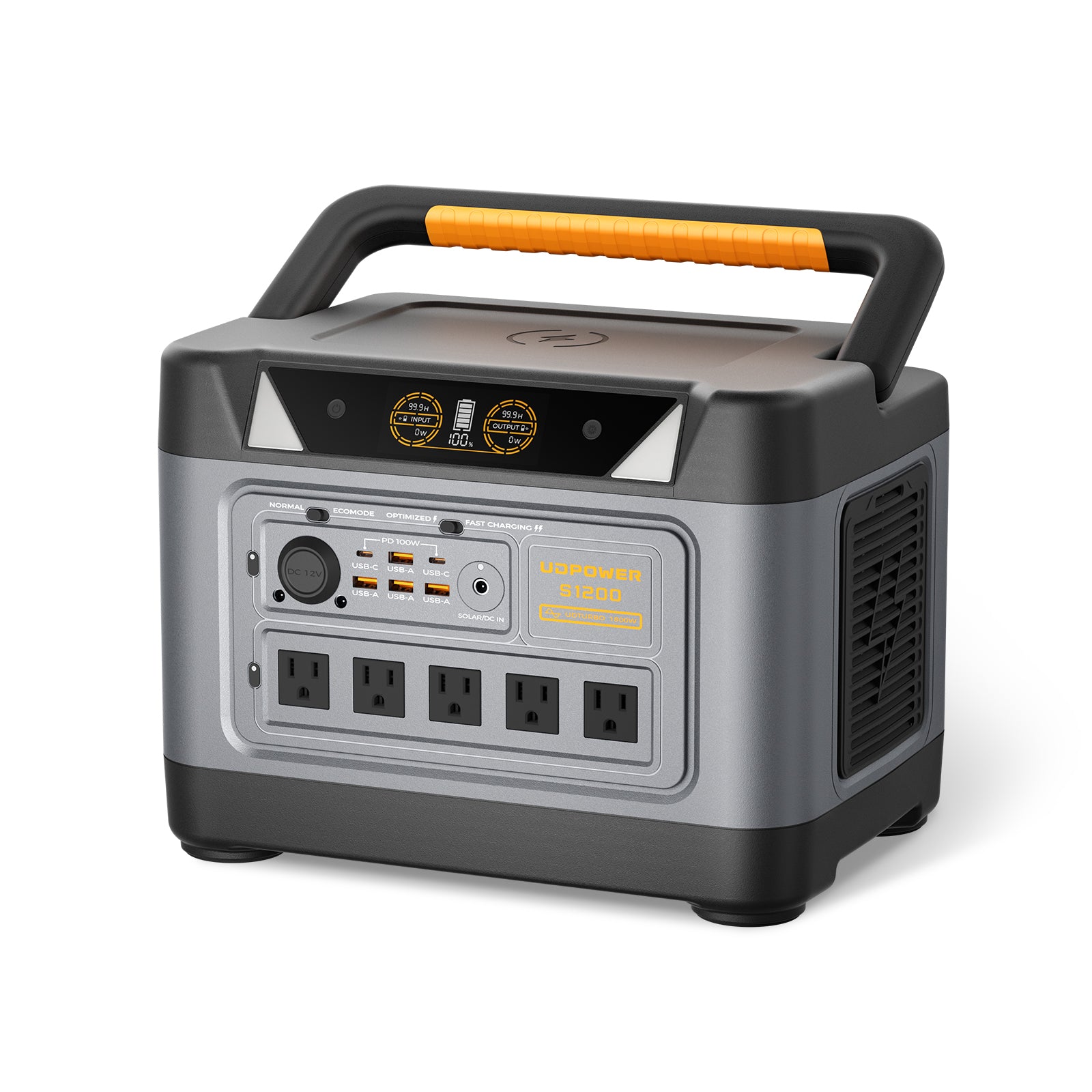
UDPOWER S1200 Portable Power Station
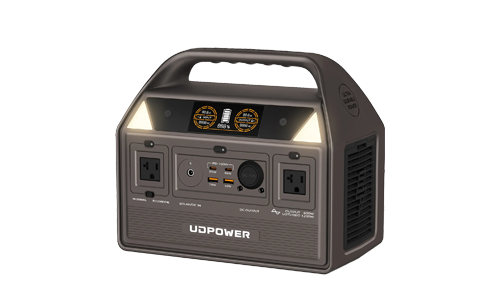
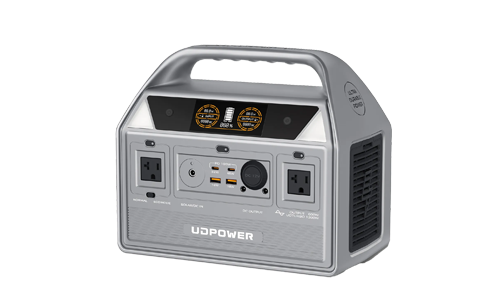
The S1200 provides a larger 1,190Wh battery, 1,200W rated AC output, and UPS switching specified at 10ms or less.
Its greater battery capacity allows it to support a network setup alongside other selected electronics, provided the total load stays within the output limits.
For a 20W gateway, a battery-only calculation produces:
1,190Wh × 0.90 ÷ 20W = 53.55 hours
That result excludes the S1200's published 20–25W inverter self-consumption. It must not be used as an expected gateway runtime.
Adding the published inverter overhead to a 20W gateway creates a simplified 40–45W planning load. Under a separate 90% energy-availability assumption, that gives a sensitivity estimate of approximately 23.8–26.8 hours, before considering automatic shutdown.
The two assumptions can count some conversion losses twice, so that range is a planning illustration rather than a measured performance specification.
The S1200's documented ultra-low-load automatic shutoff is a separate limitation. Test the actual gateway for uninterrupted operation over the full target period.
- Capacity: 1,190Wh advertised
- AC output: 1,200W rated, 120V / 60Hz
- AC outlets: 5 on the illustrated configuration
- UPS switching: 10ms or less
- Inverter self-consumption: Approximately 20–25W
- Battery: LiFePO4
Which UDPOWER Model Fits Your Network?
| Network Requirement | Product to Evaluate | Required Verification |
|---|---|---|
| One 15–20W gateway for a short outage | C400 | Test low-load output and actual battery depletion |
| 20–30W modem/router setup with an overnight target | C400 or S1200 | Measure combined wall power and run the full overnight test |
| Gateway plus laptop charging | S1200 | Add laptop charging energy to gateway energy before calculating runtime |
| Network service with no permitted reboot during transfer | UPS-rated equipment; evaluate S1200 transfer compatibility | Test whether the gateway stays online through switching |
| Low-power gateway operating continuously for 24+ hours | Evaluate a suitable low-load UPS or direct-DC backup alongside power stations | Confirm self-consumption and automatic output shutdown behavior |
If you are comparing battery sizes for longer household outages, the 4-Hour vs. 12-Hour vs. 24-Hour vs. 48-Hour Battery Backup Guide provides additional runtime scenarios.
11. Gateway Troubleshooting Checklist
Use the symptom to determine which part of the network to inspect.
| Symptom | Device or Function to Check | Specific Test |
|---|---|---|
| No gateway lights | AC adapter and electrical supply | Confirm outlet power and adapter connection |
| Wi-Fi SSID missing | Gateway wireless function | Check Wi-Fi status and whether wireless networking is enabled |
| Wi-Fi connected but no internet | WAN, modem, ONT, or ISP service | Check gateway WAN status and provider outage information |
| Internet works over Ethernet but not in one room | Wireless signal coverage | Compare a test near the gateway with a test in that room |
| Gaming or port forwarding stops after adding a router | Router and NAT configuration | Check bridge mode, access point mode, and NAT layers |
| Gateway turns off after hours on battery | Battery output mode and remaining capacity | Check battery level and low-load shutdown settings |
| Gateway reboots when mains power fails | Backup transfer behavior | Test transfer with the actual gateway connected |
One Test to Separate Wi-Fi Problems From ISP Problems
If a Windows laptop is connected to your gateway:
- Open Command Prompt.
- Enter
ipconfigand find your Default Gateway address. - Enter
ping 192.168.1.1, replacing the address with your actual default gateway. - Check whether the gateway responds.
- Test access to an external website separately.
A responding local gateway with failed website access indicates that the laptop can reach the local routing address, but the internet path or another service such as DNS may still be unavailable.
Some network devices block ping responses, so a failed ping alone does not prove the gateway is defective.
When Should You Contact the Internet Provider?
Contact the provider when the gateway has power but its internet connection indicator remains in an error state, the ONT shows a service fault, or multiple devices lose internet access while the local Wi-Fi remains available.
Provide the device model, indicator status, approximate outage time, and any troubleshooting steps already completed.
12. Frequently Asked Questions
What is a WiFi gateway?
A WiFi gateway connects a local network to an internet service and provides wireless networking. An Xfinity cable gateway combines a DOCSIS modem, router, and Wi-Fi access point within one enclosure.
What is the difference between a WiFi gateway and a router?
A cable WiFi gateway connects directly to the provider's coaxial service and manages home networking. A standalone Wi-Fi router needs an upstream internet device such as a cable modem or fiber ONT.
Do I need a router with a WiFi gateway?
A gateway that already provides routing, DHCP, Wi-Fi, and Ethernet connections does not need another router to perform those same functions. Add a separate router only when it provides a feature or configuration your current gateway does not supply.
Is a gateway the same as a modem?
No. A standalone cable modem establishes the cable ISP connection. A cable WiFi gateway combines that modem function with a router, Wi-Fi access point, and other networking functions.
Can I use my own router with an ISP gateway?
Yes, when the provider and equipment support the configuration. Xfinity documents bridge mode as a way to disable routing on its gateway while leaving modem functionality active for a separate router.
Does a WiFi gateway need a modem?
A cable gateway contains a cable modem. A fiber setup may use a separate ONT connected through Ethernet. Identify the gateway model and incoming connection before buying additional equipment.
How much power does a WiFi gateway use?
Xfinity reports 17W for the Vantiva CGM4331COM, 23.6W for the CommScope TG4482A, and 29W for the Vantiva CGM601TCOM in ready mode. Measure your own model for battery sizing.
How much does it cost to run a 20W gateway?
A constant 20W load consumes 14.4 kWh over 30 days. At an illustrative electricity rate of $0.20/kWh, the cost is $2.88 for that period.
Can a WiFi gateway work during a power outage?
Yes, if compatible backup power keeps the gateway running and the ISP connection remains active. A fiber setup with a separate ONT must also supply electricity to the ONT.
Will Wi-Fi work if the internet provider is down?
A powered gateway can continue offering a local Wi-Fi network while its internet service is unavailable. Local device communication may continue, but websites requiring an internet connection will remain inaccessible.
Can a portable power station run a WiFi gateway?
Yes, if its output supports the gateway's power adapter and its battery can supply the required energy. For low-wattage gateways, verify inverter self-consumption and automatic low-load shutdown before relying on a calculated runtime.
How long will a 256Wh battery run a 20W gateway?
At a 90% conversion assumption, 256Wh × 0.90 ÷ 20W gives 11.52 hours. This is a theoretical calculation that excludes additional power station standby consumption and automatic output shutdown.
Can the UDPOWER S1200 run a gateway overnight?
Its 1,190Wh battery contains substantially more energy than a 20W gateway consumes in eight hours. However, its inverter self-consumption is approximately 20–25W, and automatic shutdown can occur under ultra-low loads. Complete an eight-hour test with the exact gateway before relying on overnight operation.
Is a UPS better than a portable power station for a gateway?
A UPS designed to maintain equipment power during brief interruptions can serve a gateway that must not reboot. A portable power station offers a separate battery-capacity option. Compare transfer behavior, low-load operation, and measured runtime for the exact equipment.
What is bridge mode on a gateway?
In Xfinity's documented configuration, bridge mode disables the gateway's router functions while retaining modem operation. A separate router then manages the home network.
Can a WiFi gateway replace a fiber ONT?
A cable gateway cannot replace a fiber ONT because its coaxial DOCSIS interface does not terminate a fiber-optic connection. Fiber providers may supply an integrated fiber gateway or a separate ONT and router.
Does a WiFi gateway have a monthly fee?
Equipment charges depend on the ISP plan. To compare ownership with rental, multiply the monthly rental fee by the expected number of months, then compare the result with the price of compatible purchased equipment.
Can a WiFi gateway provide a 6 GHz network?
A gateway requires a compatible 6 GHz radio to provide that band. Client devices also need 6 GHz support, such as compatible Wi-Fi 6E or Wi-Fi 7 hardware.
Final Answer: Gateway or Router?
If your ISP supplies an all-in-one cable WiFi gateway, the same enclosure handles the cable modem connection, router functions, and Wi-Fi. A second router is not required for those functions.
If your installation has a separate cable modem or fiber ONT, the router connects to that equipment to provide the home network.
If your network fails during a power outage, identify each device in the connection path and measure its power consumption. A gateway drawing 20W consumes 160Wh over eight hours, before additional backup-system losses.
When selecting a backup battery, check three specifications against your intended setup: usable battery capacity, output compatibility, and low-load operating behavior. Then verify the actual runtime and transfer performance with the connected network equipment.
Find the Right Battery Backup for Your Home Network
Start with the combined wattage of your gateway, modem, router, and ONT. Then compare battery capacity and output specifications against the number of hours you want the network to remain powered.
UDPOWER offers the 256Wh C400, 1,190Wh S1200, and additional portable power station models for different backup loads.
Compare UDPOWER Power StationsFor product specifications, manuals, and setup questions, visit the UDPOWER Help Center.
Related Articles


