





Milliamps to Amps (mA to A): Calculator & Conversion Chart
Last updated: September 11, 2026
How Many mA Are in an Amp?
There are 1,000 milliamps (mA) in 1 amp (A). If you are converting milliamps to amps, divide the milliamp value by 1,000.
1,000 mA = 1 A
That means:
- 100 mA = 0.1 A
- 500 mA = 0.5 A
- 1,000 mA = 1 A
- 2,000 mA = 2 A
- 5,000 mA = 5 A
You can also move the decimal point three places to the left. For example, 2,500 mA becomes 2.500 A, or 2.5 A.
The conversion itself never changes. What does change is what that current means in a real device. A 2A load at 5V is only 10W, while 2A at 20V is 40W. That is why voltage matters whenever you use amps to work out power.

Milliamps to Amps Calculator
Enter any milliamp value below. The calculator divides it by 1,000 and returns the equivalent current in amps.
Convert Amps Back to Milliamps
What Do Milliamps and Amps Actually Measure?
Milliamps and amps are two ways of expressing electric current. The ampere, written as A, is the SI base unit of electric current. A milliampere, written as mA, is one-thousandth of an ampere.
1 A = 1,000 mA
The prefix milli means 10−3, or one-thousandth. This relationship is defined by the International System of Units. You can verify it using the BIPM SI prefix definitions and the NIST metric prefix reference.
Manufacturers often use milliamps when a current is small enough that writing it in amps would produce an awkward decimal. A USB accessory might be rated at 500 mA instead of 0.5 A. Larger appliances, vehicle circuits, inverters, and household electrical equipment are more often labeled in amps.
How to Convert Milliamps to Amps
- Find the current value in milliamps.
- Divide that number by 1,000.
- Change the unit from mA to A.
Example: 850 mA to amps
850 ÷ 1,000 = 0.85
850 mA = 0.85 A
Example: 75 mA to amps
75 ÷ 1,000 = 0.075
75 mA = 0.075 A
Example: 2,500 mA to amps
2,500 ÷ 1,000 = 2.5
2,500 mA = 2.5 A
Example: 12,500 mA to amps
12,500 ÷ 1,000 = 12.5
12,500 mA = 12.5 A
How to Convert Amps to Milliamps
For the reverse conversion, multiply the amp value by 1,000.
For example, 1.5 A × 1,000 = 1,500 mA.
Milliamps to Amps Conversion Chart
Use this chart when you need a quick answer without opening the calculator.
| Milliamps | Amps | Calculation |
|---|---|---|
| 0.1 mA | 0.0001 A | 0.1 ÷ 1,000 |
| 1 mA | 0.001 A | 1 ÷ 1,000 |
| 5 mA | 0.005 A | 5 ÷ 1,000 |
| 10 mA | 0.01 A | 10 ÷ 1,000 |
| 25 mA | 0.025 A | 25 ÷ 1,000 |
| 50 mA | 0.05 A | 50 ÷ 1,000 |
| 75 mA | 0.075 A | 75 ÷ 1,000 |
| 100 mA | 0.1 A | 100 ÷ 1,000 |
| 250 mA | 0.25 A | 250 ÷ 1,000 |
| 500 mA | 0.5 A | 500 ÷ 1,000 |
| 750 mA | 0.75 A | 750 ÷ 1,000 |
| 1,000 mA | 1 A | 1,000 ÷ 1,000 |
| 1,200 mA | 1.2 A | 1,200 ÷ 1,000 |
| 1,500 mA | 1.5 A | 1,500 ÷ 1,000 |
| 2,000 mA | 2 A | 2,000 ÷ 1,000 |
| 2,400 mA | 2.4 A | 2,400 ÷ 1,000 |
| 2,500 mA | 2.5 A | 2,500 ÷ 1,000 |
| 3,000 mA | 3 A | 3,000 ÷ 1,000 |
| 4,000 mA | 4 A | 4,000 ÷ 1,000 |
| 5,000 mA | 5 A | 5,000 ÷ 1,000 |
| 7,500 mA | 7.5 A | 7,500 ÷ 1,000 |
| 10,000 mA | 10 A | 10,000 ÷ 1,000 |
| 15,000 mA | 15 A | 15,000 ÷ 1,000 |
| 20,000 mA | 20 A | 20,000 ÷ 1,000 |
How to Convert Milliamps to Watts
Milliamps tell you current, not power. To determine power, you also need the voltage.
Because amps equal milliamps divided by 1,000, you can combine both steps:
Example: 2,000 mA at 5V
2,000 mA = 2 A
5V × 2A = 10W
Example: 2,000 mA at 20V
The current is still 2A, but:
20V × 2A = 40W
| Current | Amps | At 5V | At 9V | At 12V | At 15V | At 20V |
|---|---|---|---|---|---|---|
| 500 mA | 0.5 A | 2.5W | 4.5W | 6W | 7.5W | 10W |
| 1,000 mA | 1 A | 5W | 9W | 12W | 15W | 20W |
| 1,500 mA | 1.5 A | 7.5W | 13.5W | 18W | 22.5W | 30W |
| 2,000 mA | 2 A | 10W | 18W | 24W | 30W | 40W |
| 2,400 mA | 2.4 A | 12W | 21.6W | 28.8W | 36W | 48W |
| 3,000 mA | 3 A | 15W | 27W | 36W | 45W | 60W |
| 5,000 mA | 5 A | 25W | 45W | 60W | 75W | 100W |
| 10,000 mA | 10 A | 50W | 90W | 120W | 150W | 200W |
For simple DC and USB calculations, volts multiplied by amps gives power in watts. For some AC loads, power factor and operating conditions can make the actual wattage different from a simple V × A estimate. If an AC appliance already lists watts, use that watt rating when sizing a power source.
How to Read Milliamps on a Charger or Device Label
A charger often lists an input specification and one or more output specifications. They describe different sides of the charger, so do not compare them as though they were the same thing.
Input: 100–240V AC, 50/60Hz, 0.8A
Output: 5V DC, 2,000mA
The output current is 2,000mA, which converts to 2A. At 5V, the maximum listed output is:
The 0.8A input rating is not something you should compare directly with the 2A output rating. The adapter is converting voltage and power between the wall outlet and the connected device.
Does a 3A Charger Push 3A Into Every Device?
Normally, no. With a compatible regulated charger, the current rating tells you how much current the charger is capable of supplying. The connected device draws the amount it needs within the supported voltage, protocol, cable, and charger limits.
That does not mean any higher-current charger is automatically compatible. Voltage, connector type, polarity where applicable, charging protocol, and manufacturer requirements still matter.
A Real USB-C Example: Why You Should Read Voltage and Amps Together
The UDPOWER C200 official specifications list USB-C output profiles including 5V/3A, 9V/3A, and 12V/2.5A.
| USB-C Profile | Current in mA | Calculated Power | What It Shows |
|---|---|---|---|
| 5V / 3A | 3,000 mA | 15W | 3,000mA does not always mean high wattage when voltage is low. |
| 9V / 3A | 3,000 mA | 27W | The current is unchanged, but higher voltage increases power. |
| 12V / 2.5A | 2,500 mA | 30W | Lower current can still deliver more power when voltage is higher. |
These are alternative supported output profiles, not values that should be added together. The connected equipment and power source use a compatible profile rather than supplying every listed voltage/current combination at once.
mA vs. mAh, A, Ah, W, and Wh
The letters look similar, but these units answer different questions.
| Unit | Full Name | What It Measures | Useful For |
|---|---|---|---|
| mA | Milliampere | Electric current | USB devices, small electronics, sensors and chargers |
| A | Ampere | Electric current | Adapters, appliances, automotive and electrical circuits |
| mAh | Milliamp-hour | Electric charge capacity | Phones, small batteries and power banks |
| Ah | Amp-hour | Electric charge capacity | 12V batteries, RV batteries and battery packs |
| W | Watt | Power | How much power a device needs right now |
| Wh | Watt-hour | Energy | Battery capacity and runtime planning |
mA Is Not the Same as mAh
A device rated at 2,000mA is describing current. A battery rated at 20,000mAh is describing charge capacity over time. You cannot replace one unit with the other.
If you are working with a battery capacity in mAh, use the UDPOWER mAh-to-Wh guide or the Battery & Power Unit Conversion Tools.
How to Match a Power Adapter Safely
Converting milliamps to amps is useful when a device and replacement adapter use different units, but the current conversion is only one part of compatibility.
- Check the output voltage first. The replacement supply should match the device requirement unless the device and charger use a compatible negotiated charging standard.
- Convert the current into the same unit. A device that requires 2,000mA requires 2A.
- Make sure enough current is available. A regulated supply should generally be capable of meeting or exceeding the device's required current.
- Check AC versus DC. Do not treat AC and DC outputs as interchangeable.
- Check the connector and polarity. Matching volts and amps does not help if the connector or polarity is wrong.
- Check the charging protocol. USB-C PD, PPS, proprietary fast-charging systems, and basic fixed-voltage adapters are not all equivalent.
What Can mA Tell You—and What Can It Not Tell You?
| Question | Can mA Answer It Alone? | What Else You Need |
|---|---|---|
| How much current does this device use? | Yes | Nothing, if the current rating is clearly stated. |
| How many amps is this? | Yes | Divide mA by 1,000. |
| How many watts does it use? | No | You also need voltage. |
| How long will a battery run it? | No | You need voltage, power draw, battery Wh and conversion losses. |
| Will a charger work with it? | No | Check voltage, available current, connector, polarity and protocol. |
| Is a 3A charger more powerful than a 2A charger? | Not necessarily | Compare voltage and watts as well. |
| How much energy is stored in a battery? | No | Use Wh, or convert mAh to Wh using voltage. |
How to Use a Milliamp Rating to Choose Backup Power
A portable power station should not be selected by milliamps alone. Use the current rating as the starting point, then turn it into information that actually matters for backup power.
- Convert mA to A: mA ÷ 1,000.
- Find watts: volts × amps.
- Add every device that will run at the same time.
- Check the power station's rated output.
- Use watt-hours to estimate runtime.
- Check startup demand for compressors, motors and pumps.
A useful planning estimate for UDPOWER AC runtime is:
The 90% factor is a planning allowance for conversion losses. Actual runtime varies with load, temperature, battery condition, output method and the power station's own operating consumption.
For a complete compatibility check, see How to Know If a Portable Power Station Can Power Your Device.
Recommended UDPOWER Models After You Calculate Your Load
If your original mA value comes from a phone, camera, router, laptop charger, USB accessory, CPAP device or other small electronic, start by converting the current into watts. Then choose capacity according to how long you want the equipment to run.
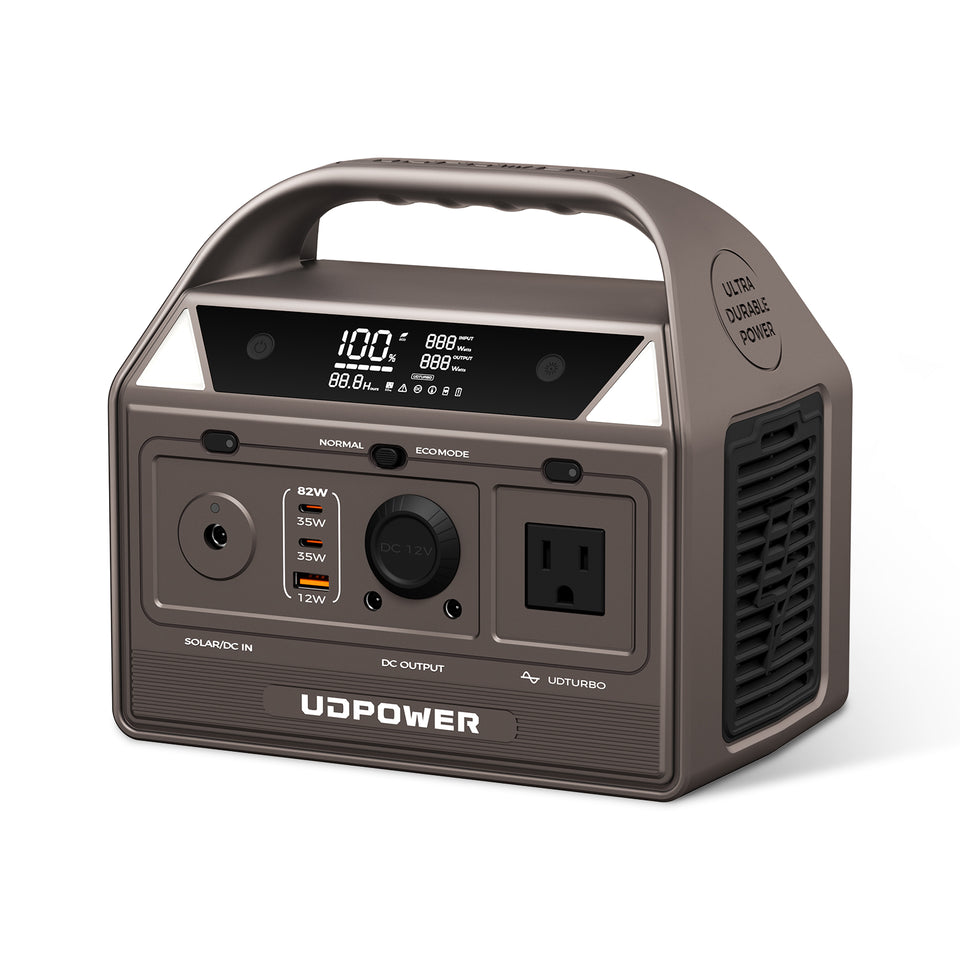
UDPOWER C200: Best for Light Electronics
The C200 is the most natural match for this topic because many devices labeled in milliamps are relatively low-power electronics. It provides AC, USB-A, USB-C and DC outputs without requiring the capacity of a large home-backup station.
Its official USB-C specifications also provide a useful real-world example of why voltage and current must be read together.
View UDPOWER C200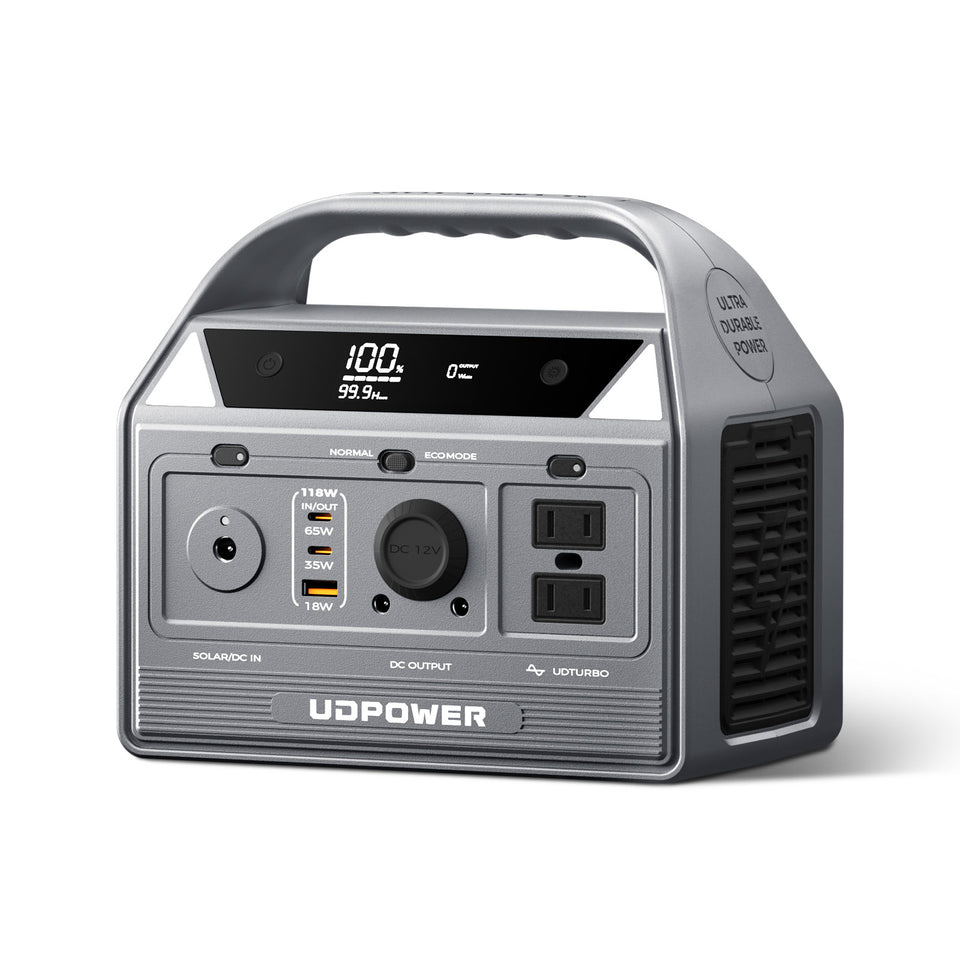
UDPOWER C400: More Output Headroom in a Compact Size
The C400 makes sense when you need to run laptops, networking gear, cameras, lighting, small camping electronics or several low-power devices from the same station. Its larger 400W rated AC output gives more headroom than the C200 while remaining compact.
View UDPOWER C400Need Longer Backup or Higher-Power Appliances?
| Model | Capacity | Rated AC Output | 20W Load | 50W Load | 100W Load | Official Specs |
|---|---|---|---|---|---|---|
| C200 | 192Wh | 200W | About 8.6 hr | About 3.5 hr | About 1.7 hr | C200 specs |
| C400 | 256Wh | 400W | About 11.5 hr | About 4.6 hr | About 2.3 hr | C400 specs |
| S1200 | 1,190Wh | 1,200W | About 53.6 hr | About 21.4 hr | About 10.7 hr | S1200 specs |
| S2400 | 2,083Wh | 2,400W | About 93.7 hr | About 37.5 hr | About 18.7 hr | S2400 specs |
Low-load runtime in particular can differ from the simple estimate because the station itself uses energy while an output is active. For real purchasing decisions, check your actual device wattage rather than relying only on its maximum current rating.
If you are shopping by use case, see portable power stations for short trips, camping and RV power stations, or portable power stations for home backup.
Common Milliamps-to-Amps Mistakes
1. Multiplying Instead of Dividing
To convert mA to A, divide by 1,000. Multiplication is used when converting amps back to milliamps.
2. Moving the Decimal in the Wrong Direction
Move it three places to the left when converting mA to A. For example, 2,500mA becomes 2.5A.
3. Confusing mA With mAh
mA measures current. mAh measures charge capacity over time.
4. Ignoring Voltage
2A at 5V is 10W. The same 2A at 20V is 40W. Current by itself does not tell you power.
5. Comparing Adapter Input and Output Current
The AC input side and DC output side of a power adapter operate at different voltages and should not be compared directly.
6. Assuming More Amps Always Means Faster Charging
Charging speed also depends on voltage, the device, cable, charger protocol, battery temperature and charging controls.
7. Adding USB-C Profiles Together
A charger showing several voltage/current profiles does not necessarily supply all of those profiles simultaneously through one connection.
8. Choosing a Power Station From Amps Alone
Use watts to check whether a station can power a device and watt-hours to estimate runtime.
9. Treating a Maximum Current Rating as Constant Consumption
A nameplate may show the maximum current the equipment can draw. Actual consumption can vary with operating mode and workload.
10. Assuming Low-Watt Devices Always Match the Simple Runtime Formula
At very low loads, the power station's own operating consumption can become a meaningful part of total energy use.
Milliamps to Amps FAQ
How many mA are in an amp?
There are 1,000 milliamps in one amp. Therefore, 1A = 1,000mA.
How do I convert mA to amps?
Divide the milliamp value by 1,000. For example, 2,500mA ÷ 1,000 = 2.5A.
How do I convert amps to milliamps?
Multiply amps by 1,000. For example, 1.5A × 1,000 = 1,500mA.
What is 100 mA in amps?
100mA equals 0.1A.
What is 500 mA in amps?
500mA equals 0.5A.
What is 1,200 mA in amps?
1,200mA equals 1.2A.
What is 2,000 mA in amps?
2,000mA equals 2A.
What is 2.5 mA in amps?
2.5mA equals 0.0025A.
What is 10,000 mA in amps?
10,000mA equals 10A.
Is mA the same as mAh?
No. mA measures electric current. mAh measures electric charge capacity over time.
How many watts is 1,000 mA?
You need the voltage to answer that. 1,000mA equals 1A. At 5V, that is 5W. At 12V, it is 12W. At 20V, it is 20W.
Can I convert mA to watts without voltage?
No. Milliamps tell you current. Power requires both voltage and current. Use watts = volts × milliamps ÷ 1,000.
Can a 3A charger damage a device that requires 2A?
A compatible regulated charger can generally have a higher available current rating because the device draws what it requires. The voltage, connector, polarity and charging protocol must still be compatible.
Can I use a 1A charger for a device rated at 2,000mA?
A 1A charger can supply less current than a 2,000mA, or 2A, device rating. It may charge slowly, fail to operate correctly, or overload the charger. Use the device manufacturer's recommended power source.
What does 5V 2,000mA mean?
It means the output is rated at 5 volts and up to 2 amps. The corresponding maximum listed power is 10W.
Is the mA-to-A conversion different for AC and DC?
No. 1,000mA always equals 1A. The conversion is the same. Power calculations for some AC equipment can require additional information such as power factor, so use the listed wattage when available.
How many microamps are in one milliamp?
One milliamp equals 1,000 microamps. Therefore, 1,000µA = 1mA = 0.001A.
Can I choose a portable power station using mA alone?
No. Convert current into watts using the correct voltage, then compare your total wattage with the station's rated output. Use watt-hours to estimate runtime.
Sources and Reference Standards
Conversion values in this guide were checked against current SI definitions. UDPOWER product values were checked against the official product pages on September 11, 2026.
Turn the Current Rating Into a Real Power Plan
Start with mA, convert it to amps, use the device voltage to calculate watts, then choose a power station with enough output and watt-hour capacity for the runtime you need.
Open All Battery Conversion Tools Compare UDPOWER Portable Power Stations Read the Device Compatibility GuideRelated Articles


