How to Charge DJI Osmo Pocket 4 Without Charger
ZacharyWilliamDJI Osmo Pocket 4 Charging Guide
Latest updated: April 29, 2026
If you lost the original DJI charger, forgot it on a trip, or want a cleaner field setup, the good news is simple: the DJI Osmo Pocket 4 charges through USB-C. You do not need the original wall charger to top it up, but you do need a safe, regulated USB power source.
Quick Answer: Can You Charge DJI Osmo Pocket 4 Without Its Original Charger?
Yes. You can charge the DJI Osmo Pocket 4 without the original charger by using a USB-C power source such as a USB-C PD wall adapter, laptop USB-C port, USB-C power bank, car USB-C adapter, or a portable power station with USB-C output. For the fastest result, use a USB-C PD source close to DJI’s tested 65W setup and a quality USB-C to USB-C cable.
The most important rule: do not connect the camera directly to an unregulated solar panel or random DC output. Use USB-C PD, a proper car adapter, or a portable power station that provides regulated USB-C output.

What You Need to Charge Osmo Pocket 4 Without Charger
The Osmo Pocket 4 is a small camera, but it still benefits from a proper charging setup. DJI lists the built-in battery at 1545mAh and 11.95Wh, with a charging temperature range of 41°F to 113°F. That means the camera does not need a large amount of energy, but it does need clean, stable power.
| Item | What to Use | Why It Matters | Source |
|---|---|---|---|
| Charging port | USB-C | The camera is designed around USB-C charging and data transfer. | DJI FAQ |
| Best cable | USB-C to USB-C cable | A USB-C PD-capable cable is the safest choice for faster, more stable charging. | DJI FAQ |
| Fast charging reference | 65W USB-C PD power source | DJI’s fast-charge test used its 65W portable charger, reaching 80% in 18 minutes and 100% in 32 minutes. | DJI FAQ |
| Battery energy | 11.95Wh | This helps estimate how many recharges you can get from a power bank or portable power station. | DJI specs |
| Safe temperature | Charge between 41°F and 113°F | Charging outside the recommended range can slow charging or stop it for battery protection. | DJI specs |
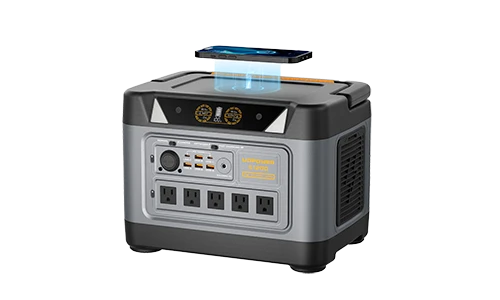
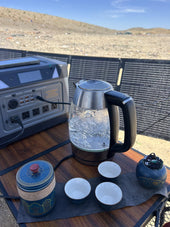
For normal creators, the simplest setup is a USB-C PD cable plus a reliable power source. For travel, camping, RV filming, event coverage, or all-day outdoor shooting, a portable power station is more practical than a small phone power bank because it can also recharge your phone, lights, microphones, laptop, drone batteries, and router.
Safe Ways to Charge DJI Osmo Pocket 4 Without the Original Charger
Not every USB port behaves the same. Some are slow, some are unstable, and some are not built for outdoor work. Use this table to choose the right method for your situation.
| Charging Method | Best For | Expected Experience | What to Watch | Source / Related Link |
|---|---|---|---|---|
| USB-C PD wall adapter | Fastest home or hotel charging | Closest to DJI’s official fast-charge test when using a capable 65W PD adapter. | A weak USB-A phone brick may still charge, but it can be much slower. | DJI FAQ |
| Laptop USB-C port | Desk work, travel editing, airport charging | Convenient when you already carry a laptop. | Some laptops provide limited output when running on battery. | DJI FAQ |
| USB-C power bank | Light day trips and casual vlogging | Good for one camera, phone, and small accessories. | Use a power bank with USB-C PD output, not only USB-A output. | DJI specs |
| Car USB-C PD adapter | Road trips and location scouting | Easy top-up between shooting locations. | Use a known adapter; cheap car ports can drop power when the vehicle starts. | DJI specs |
| Portable power station USB-C port | Camping, RV, wedding shoots, creator kits, emergency backup | Best all-around off-grid option because it can power multiple devices, not just the camera. | Use the USB-C output for the camera; reserve AC outlets for laptops, lights, or chargers that require AC. | UDPOWER portable power stations |
| Solar panel through a power station | Multi-day outdoor filming | Solar replenishes the power station during the day; the station then provides stable USB-C power. | Do not plug the camera directly into an unregulated solar panel. | UDPOWER solar generators |
How to Charge DJI Osmo Pocket 4 Without Charger: Step-by-Step
- Check the USB-C port. Make sure the camera port and cable ends are dry, clean, and free of dust or pocket lint.
- Use a USB-C to USB-C cable. A proper USB-C cable is better than a random USB-A cable when you want faster and more stable charging.
- Choose a regulated power source. Good options include a USB-C PD wall adapter, laptop USB-C port, USB-C power bank, car USB-C PD adapter, or a portable power station with USB-C output.
- Connect the cable to the power source first, then connect the Osmo Pocket 4. This helps you confirm the power source is active before connecting the camera.
- Check the battery icon on the Osmo Pocket 4 screen. If it does not show charging, try another cable first, then another power source.
- Charge within the safe temperature range. DJI lists the charging temperature as 41°F to 113°F, so avoid charging inside a hot car, on hot pavement, or in freezing conditions.
- For fast top-ups, stop recording while charging. DJI notes that when recording during charging, the camera consumes power from the input and charges the battery after recording stops.
Practical Creator Tip
If you are filming a full day, do not wait until the Osmo Pocket 4 reaches 5%. Top it up whenever you move locations, eat lunch, transfer files, or reset the shot. Small cameras charge quickly, so short charging windows are useful.
Best Field Power Setup for DJI Osmo Pocket 4 Creators
The Osmo Pocket 4 itself does not need a huge power station. The real reason to carry a larger power source is everything around the camera: phone, wireless microphones, LED fill light, laptop, drone batteries, portable router, hard drive, or a small monitor.
| Creator Scenario | What You May Need to Charge | Recommended Power Level | Why |
|---|---|---|---|
| Short city vlog | Osmo Pocket 4, phone, wireless mic | Small USB-C power bank or compact power station | You mostly need top-ups, not appliance-level output. |
| One-day outdoor shoot | Camera, phone, mic, small LED light, tablet | 200Wh–300Wh class | Enough capacity for multiple recharges without carrying a heavy unit. |
| Weekend camping shoot | Camera, phone, lights, drone batteries, laptop, small fan | 500Wh–600Wh class | More capacity for overnight use and multiple devices. |
| RV / van creator setup | Camera kit, laptop, router, portable fridge, lights | 1000Wh+ class | Useful when video gear is only one part of your power needs. |
| Multi-day off-grid filming | Camera kit plus solar replenishment | Portable power station + solar panel | Solar keeps the station topped up while the station provides stable USB-C and AC power. |
Recommended UDPOWER Products for Charging DJI Osmo Pocket 4
For the Osmo Pocket 4 alone, wattage is not the main issue. Capacity, USB-C output, portability, and the ability to charge several creator devices at once matter more. Here are practical UDPOWER choices based on different shooting situations.

Best Compact Choice: UDPOWER C400 Portable Power Station
The C400 is the best fit for most Osmo Pocket 4 users who want a compact, travel-friendly field power option. It offers 256Wh capacity, 400W AC output, USB-C output up to 65W plus 35W, and weighs about 6.9 lb.
- Best for: day trips, car filming, short camping shoots, camera + phone + mic charging.
- Why it makes sense: the Osmo Pocket 4 battery is only 11.95Wh, so a 256Wh station gives far more reserve than a normal phone power bank.
- Use the USB-C port for the camera and keep the AC outlets free for laptops or other gear.
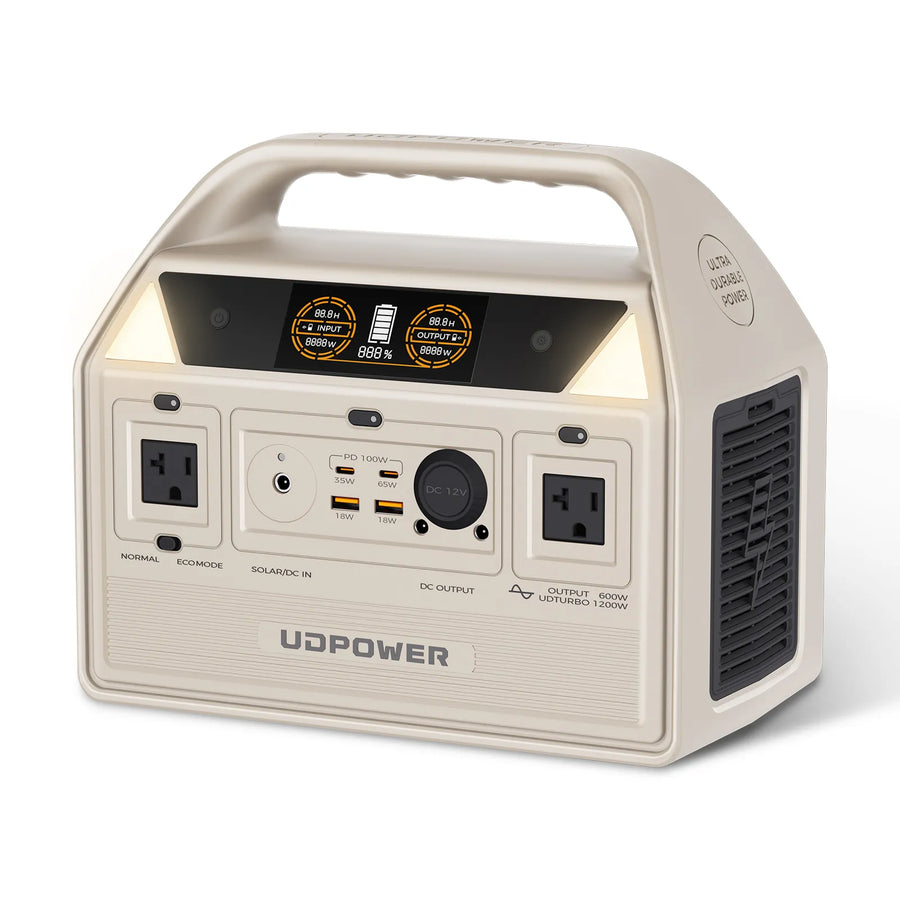
Best Weekend Creator Setup: UDPOWER C600 Portable Power Station
The C600 is better if your Osmo Pocket 4 is part of a larger kit. It provides 596Wh capacity, 600W AC output, a 65W PD port, a 35W Type-C port, USB-A ports, AC outlets, and 12V output.
- Best for: weekend camping, road trips, drone filming, small lights, phone, laptop, and camera gear.
- Why it makes sense: you can keep the camera charged while also powering work tools and campsite devices.
- Pair it with solar when you want longer off-grid shooting days.
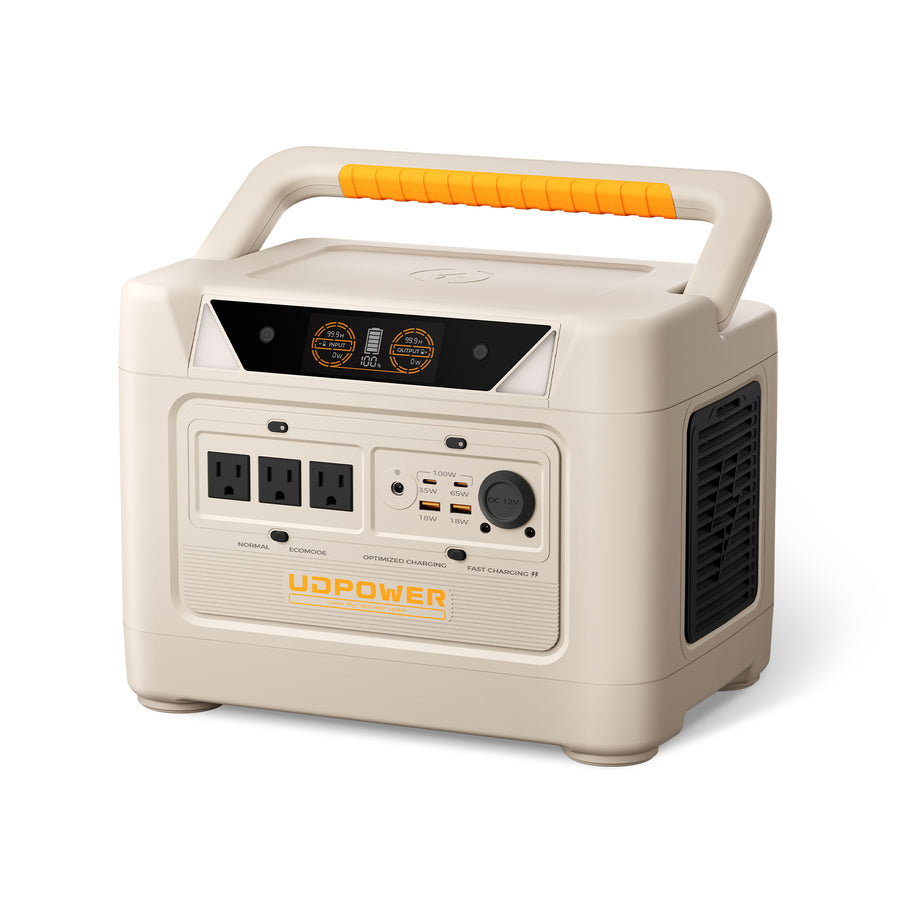
Best for RV and Bigger Setups: UDPOWER S1200 Portable Power Station
The S1200 is more than the Osmo Pocket 4 needs by itself, but it makes sense for RV creators, small production teams, or home backup. It offers 1190Wh capacity, 1200W output, USB-C PD 100W, multiple AC and DC ports, wireless charging, and UPS support.
- Best for: RV travel, longer off-grid shoots, laptop-heavy editing, routers, lights, fridge backup, and camera kits.
- Why it makes sense: it becomes a full power hub, not just a camera charger.
- Use it when you need one station for both creator gear and real-world backup power.
Related options: browse all UDPOWER portable power stations, compare solar generator bundles, or explore portable power stations for camping.
How Many Times Can a Power Station Recharge Osmo Pocket 4?
DJI lists the Osmo Pocket 4 battery energy at 11.95Wh. In real life, no charging setup is 100% efficient, so the table below uses an estimated 85% usable energy after USB conversion and charging losses. Actual results vary with temperature, cable quality, whether the camera is powered on, and whether other devices are being charged at the same time.
| Power Source | Rated Capacity | Estimated Usable Energy | Estimated Osmo Pocket 4 Full Recharges | Best Use Case | Source |
|---|---|---|---|---|---|
| UDPOWER C400 | 256Wh | About 218Wh | About 18 full recharges | Compact creator kit, car travel, daily filming | C400 specs |
| UDPOWER C600 | 596Wh | About 507Wh | About 42 full recharges | Weekend camping, drone + camera + laptop kit | C600 specs |
| UDPOWER S1200 | 1190Wh | About 1012Wh | About 84 full recharges | RV creators, mobile studio, home backup | S1200 specs |
Simple Formula
Estimated recharges = power station capacity × 0.85 ÷ 11.95Wh.
This is a planning number, not a promise. If the camera is recording while plugged in, using Wi-Fi, exporting files, or sitting in hot weather, the result can be lower.
Can You Use DJI Osmo Pocket 4 While Charging?
Yes, but there is an important detail. DJI says the Osmo Pocket 4 consumes power directly from the input during recording and only charges the battery when recording stops. In plain English: plugging it in can help you keep filming longer, but the battery percentage may not rise while you are actively recording.
| Situation | What Happens | Best Practice |
|---|---|---|
| Camera is off | Battery charges normally. | Best method when you need the fastest recharge. |
| Camera is on but not recording | Battery can charge, but screen and wireless functions may use some power. | Turn off Wi-Fi and lower screen use when possible. |
| Camera is recording while plugged in | Input power helps run the camera; battery may charge only after recording stops. | Use this for long takes, livestreams, or fixed-angle filming, but do not expect fast battery percentage gain. |
| Hot outdoor filming | Charging may slow down or pause for protection. | Keep the camera shaded and avoid charging inside a hot car. |
Charging Mistakes to Avoid
Do Not Plug Osmo Pocket 4 Directly Into a Raw Solar Panel
A solar panel can fluctuate heavily as clouds pass, the angle changes, or shadows hit the panel. Charge a portable power station from the solar panel first, then charge the Osmo Pocket 4 from the station’s regulated USB-C port.
Do Not Use Wet or Dirty Ports
If the USB-C port has moisture, dust, sand, or lint, clean and dry it before charging. Outdoor creators often carry the camera in a pocket or backpack, so this is one of the most common real-world problems.
Do Not Assume Every USB-C Port Is Fast
Some USB-C ports are data-first or low-output ports. If the camera charges slowly, test with a known USB-C PD adapter, a different cable, or a power station USB-C port.
Do Not Charge in Extreme Heat
The official charging temperature range is 41°F to 113°F. In summer, a camera sitting in a car, on a dashboard, or on blacktop can exceed that range quickly.
Troubleshooting: DJI Osmo Pocket 4 Not Charging
If your Osmo Pocket 4 does not charge without the original charger, start with the simplest checks before assuming the camera has a fault.
| Problem | Most Likely Cause | What to Try |
|---|---|---|
| No charging icon | Bad cable, inactive power source, or dirty USB-C port | Try a different USB-C cable, confirm the power source is on, and check the port. |
| Charges very slowly | Low-output USB-A charger or weak laptop port | Switch to USB-C PD or a portable power station USB-C output. |
| Charges, then stops | Heat, unstable power, or cable movement | Move to shade, use a shorter cable, and avoid loose connections. |
| Battery percentage does not rise while filming | The camera is using input power during recording | Stop recording and let the camera charge during a break. |
| Power bank shuts off | The power bank may not detect enough load or may not support stable PD output | Use a better USB-C PD power bank or a portable power station. |
| Car charging is inconsistent | Low-quality car adapter or vehicle voltage fluctuation | Use a reliable USB-C PD car adapter or charge from a power station in the vehicle. |
Best Charging Kit to Keep in Your Camera Bag
For most Osmo Pocket 4 users, the ideal no-original-charger kit is small and simple:
- One USB-C to USB-C PD cable
- One compact USB-C PD wall adapter
- One USB-C PD car adapter for road trips
- One compact power bank for city shoots
- One UDPOWER C400 or UDPOWER C600 for outdoor filming, camping, or multi-device charging
This setup covers home, hotel, car, café, campsite, and emergency charging without depending on the original DJI charger.
Related Reading and Product Links
- Portable Power Stations — compare compact and high-capacity options.
- UDPOWER C400 — compact 256Wh option for camera kits and day trips.
- UDPOWER C600 — 596Wh option for weekend creators and camping gear.
- UDPOWER S1200 — 1190Wh option for RV, home backup, and larger creator setups.
- Solar Generators — portable power station bundles for off-grid charging.
- Portable Power Station for Camping — field power planning for outdoor trips.
FAQ: Charging DJI Osmo Pocket 4 Without Charger
Can I charge DJI Osmo Pocket 4 with any USB-C charger?
You can use many USB-C power sources, but a USB-C PD charger or regulated USB-C output is the better choice. Very weak USB-A chargers may charge slowly.
What watt charger do I need for Osmo Pocket 4?
DJI’s fast-charge test used its 65W portable charger. A 65W USB-C PD source is a strong choice if you want fast charging, although lower-output USB-C sources may still work more slowly.
Can I charge Osmo Pocket 4 from a power bank?
Yes. Use a USB-C PD power bank and a good USB-C to USB-C cable. For longer trips, a portable power station gives more capacity and can also charge your phone, laptop, lights, and microphones.
Can I charge Osmo Pocket 4 from a laptop?
Yes, if the laptop USB-C port provides power output. Charging speed depends on the laptop and whether it is plugged in or running on battery.
Can I charge Osmo Pocket 4 in a car?
Yes. Use a reliable USB-C PD car adapter. Avoid loose, low-quality adapters because vehicle power can fluctuate when the engine starts or when other accessories are running.
Can I charge Osmo Pocket 4 directly from a solar panel?
Do not connect it directly to an unregulated solar panel. Charge a portable power station from the solar panel first, then charge the camera from the station’s USB-C port.
Can I record while charging Osmo Pocket 4?
Yes, but DJI notes that during recording the camera uses power directly from the input and charges the battery after recording stops. For the fastest recharge, stop recording and let it charge.
Why is my Osmo Pocket 4 charging slowly?
The most common causes are a low-output charger, USB-A cable, weak laptop port, heat, or a poor-quality cable. Try a USB-C PD source and a different USB-C to USB-C cable.
How many times can UDPOWER C400 charge Osmo Pocket 4?
Using the Osmo Pocket 4 battery energy of 11.95Wh and an estimated 85% usable energy, the UDPOWER C400 can provide about 18 full recharges. Real results vary with temperature, cable quality, and camera use.
Which UDPOWER model is best for Osmo Pocket 4?
For most users, the UDPOWER C400 is the most practical compact option. Choose the C600 for weekend creator kits and the S1200 for RV, home backup, or larger production setups.
Keep Your Osmo Pocket 4 Powered Anywhere
If you only need one emergency top-up, a USB-C PD power bank is enough. If you shoot outdoors, travel by car, camp, or carry multiple creator devices, a portable power station is the cleaner and more flexible choice.
View UDPOWER Portable Power Stations | Choose C400 | View C600 | Get a Solar Charging Setup
Data note: Charging estimates are based on DJI’s listed 11.95Wh Osmo Pocket 4 battery energy and an 85% practical conversion assumption for planning. Actual results vary by temperature, cable, battery age, camera settings, and whether other devices are charging at the same time.