How Many Amps Does a Computer Use? Laptop, Desktop, Gaming PC, and Home Office Chart
ZacharyWilliamComputer Power Guide
Latest update: May 11, 2026 · Reviewed by UDPOWER Editorial Team
Quick answer
Most computers use far fewer amps than large kitchen or heating appliances. On a normal U.S. 120V outlet, a typical laptop usually uses about 0.25 to 0.8 amps while charging or working. A normal office desktop with a monitor often lands around 1 to 2 amps. A gaming PC or workstation can range from about 2.5 amps to 8+ amps, depending on the CPU, GPU, monitor setup, and workload.
The easiest estimate is:
Amps ≈ Watts ÷ Volts
For most U.S. home outlets, use 120V. So a 65W laptop charger is roughly 0.54A, a 200W desktop setup is roughly 1.67A, and a 600W gaming setup is roughly 5A.
- Best number to check first: the wattage on your laptop charger, desktop power meter, or equipment label.
- Most common mistake: assuming a 750W desktop power supply means the PC always uses 750W. It does not.
- Best UDPOWER fit for laptops: C400 or C600.
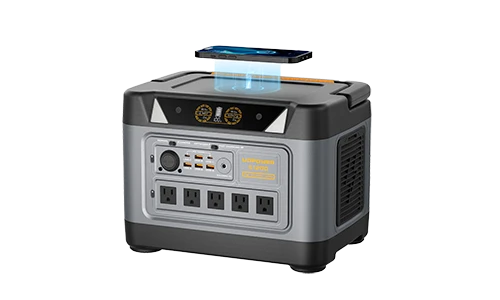
- Best UDPOWER fit for desktops, gaming PCs, and longer outage backup: S1200 or S2400.

Computer amps chart by device type
Computer amp draw changes more than many people expect. A laptop browsing the web, a gaming laptop rendering video, and a desktop tower with a graphics card are not the same load.
The table below uses 120V for a U.S. outlet estimate. Your exact number may be different because computers constantly change power draw based on workload.
| Computer or setup | Typical watts | Estimated amps at 120V | Real-life example | Backup power note | Helpful source |
|---|---|---|---|---|---|
| Small Chromebook / basic ultrabook | 20W–45W | 0.17A–0.38A | Web browsing, email, documents, online classes | Very battery-friendly. Often better to charge from USB-C when supported. | NREL plug load guide |
| Typical laptop | 30W–70W | 0.25A–0.58A | Work laptop, school laptop, everyday home use | A compact power station can usually handle this load easily. | EnergySage computer wattage guide |
| Performance or gaming laptop | 100W–240W charger class | 0.83A–2.0A | Gaming, video editing, CAD, 3D rendering | Check the charger label. Some laptops throttle if the power source is too small. | Dell USB-C power discussion |
| Mini PC | 15W–80W | 0.13A–0.67A | Small office computer, media server, light workstation | Low draw, but include monitor and router if you need a full work setup. | ENERGY STAR computer specification |
| Basic desktop tower | 80W–150W | 0.67A–1.25A | Office PC, browser tabs, spreadsheets, video calls | Add the monitor separately. A desktop plus monitor is often 120W–250W total. | NREL desktop reference |
| Desktop + one monitor | 120W–250W | 1.0A–2.08A | Home office, remote work, school workstation | Good fit for C600, S1200, and S2400 depending on desired runtime. | EnergySage usage ranges |
| Gaming desktop + monitor | 300W–700W | 2.5A–5.83A | Modern GPU gaming, livestreaming, high-refresh monitor | Use a higher-output power station and leave headroom for power spikes. | Newegg PSU calculator |
| High-end workstation | 500W–1,000W+ | 4.17A–8.33A+ | Multiple GPUs, AI workloads, 3D rendering, production editing | Do not size from averages alone. Measure actual draw or calculate by components. | Intel power supply guide |
How to calculate computer amps
Use this formula when your charger, power supply, or power meter gives watts:
For a U.S. household outlet, use 120V for a simple estimate.
| Computer power draw | Estimated amps at 120V | Common example | What it means |
|---|---|---|---|
| 30W | 0.25A | Light laptop use | Very small load for a wall outlet or portable power station. |
| 45W | 0.38A | Ultrabook charger | Easy to support for long work sessions. |
| 65W | 0.54A | Common USB-C laptop charger | Good baseline for laptop runtime estimates. |
| 100W | 0.83A | High-output USB-C charger or small desktop | Still modest, but monitor and router can add more. |
| 200W | 1.67A | Desktop PC plus monitor | Good estimate for many home office stations. |
| 400W | 3.33A | Gaming PC under load | Needs a power station with more inverter headroom. |
| 600W | 5.0A | Higher-performance gaming PC | Run as a dedicated load; avoid adding heaters or kitchen appliances. |
| 1,000W | 8.33A | Heavy workstation or multi-device desk | Use a large backup source and confirm real measured draw. |
Where to find the right number
- Laptop: check the charger brick. Look for output wattage such as 45W, 65W, 100W, 140W, 180W, or 240W.
- Desktop: do not rely only on the PSU size. A 750W PSU means it can supply up to that class of power; the PC may use much less during normal work.
- Most accurate method: use a plug-in watt meter and measure your actual setup while doing the work you care about.
How many amps does a laptop use?
Most everyday laptops are light loads. NREL’s plug load guidance lists a typical active laptop at 20W to 40W, while consumer energy estimates often place modern laptops around 30W to 70W depending on model and workload.
In real life, the laptop charger rating is usually more useful than the average draw because it tells you the maximum charging class the laptop may request.
| Laptop charger rating | Estimated amps at 120V | Common laptop type | What to expect |
|---|---|---|---|
| 30W | 0.25A | Small Chromebook, tablet-style laptop | Very easy to power; long backup runtime. |
| 45W | 0.38A | Thin-and-light laptop | Good match for compact power stations and USB-C output. |
| 65W | 0.54A | Common business laptop | One of the most common laptop backup planning numbers. |
| 100W | 0.83A | High-performance USB-C laptop | Still easy for most power stations, but use the right USB-C cable and output. |
| 140W | 1.17A | Larger creator laptop | Use AC output or a compatible high-wattage USB-C port if supported. |
| 180W–240W | 1.5A–2.0A | Gaming laptop, workstation laptop | Use a larger power station for longer runtime, especially while gaming or rendering. |
One important detail: a laptop does not always draw the full charger rating. A 65W charger means the charger can supply up to that class of power. The actual draw may be lower once the battery is full or the laptop is idle.
How many amps does a desktop computer use?
A basic desktop PC usually uses more power than a laptop because it does not rely on a battery-optimized design. NREL lists a typical active desktop at 80W to 100W, while larger desktops can use far more depending on the parts inside.
| Desktop setup | Estimated watts | Estimated amps at 120V | What changes the number | Best planning method |
|---|---|---|---|---|
| Small office desktop only | 80W–120W | 0.67A–1.0A | CPU, storage, age of components, power settings | Use a plug-in watt meter while working normally. |
| Desktop + basic monitor | 120W–200W | 1.0A–1.67A | Monitor size, brightness, number of monitors | Add monitor wattage to the PC wattage. |
| Desktop + two monitors | 150W–300W | 1.25A–2.5A | Monitor count and GPU activity | Measure the full power strip, not the tower alone. |
| Creator desktop | 250W–600W | 2.08A–5.0A | Video editing, rendering, GPU acceleration | Plan around the heavy-workload draw, not idle draw. |
How many amps does a gaming PC use?
A gaming PC is one of the few computer setups where amp draw can jump quickly. The GPU may be quiet while you browse the web, then draw much more during a game, livestream, or render.
| Gaming setup | Estimated watts while gaming | Estimated amps at 120V | What it usually means | Portable power station advice |
|---|---|---|---|---|
| Entry gaming PC + monitor | 200W–350W | 1.67A–2.92A | Esports titles, efficient GPU, one monitor | C600 may work for shorter sessions; S1200 gives better headroom. |
| Mid-range gaming PC + monitor | 300W–500W | 2.5A–4.17A | Modern AAA games, stronger GPU, higher refresh rate | S1200 is the safer starting point; S2400 is better for longer runtime. |
| High-end gaming PC + monitor | 500W–800W | 4.17A–6.67A | High-end GPU, 4K gaming, streaming, multiple monitors | S2400 is the better match because it gives more output and battery headroom. |
| Heavy workstation / multi-GPU | 800W–1,200W+ | 6.67A–10A+ | Rendering, AI workloads, professional compute | Measure real draw and avoid running other high-power appliances from the same backup source. |
For custom desktops, a PSU calculator can help estimate component needs. For backup power, a wall power meter is even better because it measures the full AC draw, including PSU efficiency losses.
Do monitors, routers, and printers count?
Yes. If you are asking because of outage backup, count the full setup, not only the computer.
| Extra device | Typical watts | Estimated amps at 120V | Why it matters during backup |
|---|---|---|---|
| LED monitor | 20W–60W | 0.17A–0.5A | A second monitor can reduce backup runtime more than expected. |
| Large/high-refresh monitor | 50W–120W | 0.42A–1.0A | Gaming monitors and high brightness settings add noticeable load. |
| Wi-Fi router / modem | 10W–30W | 0.08A–0.25A | Often essential for remote work during an outage. |
| Inkjet printer | Low while idle; higher while printing | Varies | Usually not a priority during backup power unless you must print. |
| Laser printer | High spikes during warm-up | Can spike sharply | Do not run it from the same backup source as a computer unless confirmed safe. |
| Speakers, dock, webcam, lights | 5W–80W combined | 0.04A–0.67A | Small individually, but they add up on a power strip. |
Best practical test
Plug your computer, monitor, router, and essential desk devices into one power strip. Then measure that power strip with a plug-in watt meter during normal work and during the heaviest task you expect to do. That gives you the cleanest number for outage planning.
Can a portable power station run a computer?
Yes. Computers are usually a good match for portable power stations because they do not have the same heavy startup surge as refrigerators, pumps, or power tools. The bigger questions are runtime, inverter size, and whether you need to keep Wi-Fi and monitors running too.
The 4-check rule before plugging in
- Check the total load: computer + monitor + router + dock + speakers.
- Check continuous output: the power station’s AC output should exceed your real load with room to spare.
- Check USB-C options: laptops may run more efficiently from a compatible USB-C output than through AC.
- Check outage priority: for remote work, router and modem may matter as much as the computer.
Runtime estimates below use a simple AC estimate: battery capacity × 85% ÷ load watts. Real runtime varies by device draw, inverter efficiency, battery temperature, battery age, and whether you use AC or DC/USB-C output.
| Load example | C400 estimated runtime | C600 estimated runtime | S1200 estimated runtime | S2400 estimated runtime | Best fit |
|---|---|---|---|---|---|
| 45W ultrabook | About 4.8 hours | About 11.3 hours | About 22.5 hours | About 39.3 hours | C400 for light travel; C600 for a full workday; S-series for longer outages. |
| 65W laptop | About 3.3 hours | About 7.8 hours | About 15.6 hours | About 27.2 hours | C600 is a practical laptop backup sweet spot. |
| 120W laptop + router + small monitor | About 1.8 hours | About 4.2 hours | About 8.4 hours | About 14.8 hours | S1200 or S2400 if you need a full workday. |
| 200W desktop + monitor | About 1.1 hours | About 2.5 hours | About 5.1 hours | About 8.9 hours | S1200 for a normal home office, S2400 for longer backup. |
| 400W gaming PC setup | Not recommended as a primary fit | About 1.3 hours | About 2.5 hours | About 4.4 hours | S1200 minimum; S2400 is better. |
| 700W high-end gaming/workstation setup | Not recommended | Not recommended | About 1.4 hours | About 2.5 hours | S2400 for output and runtime headroom. |
Best UDPOWER picks for computer backup
Match the power station to the type of computer you need to keep running. For laptops, battery capacity matters most. For desktops and gaming PCs, inverter output and headroom matter more.

Best compact pick for laptops: UDPOWER C400
The UDPOWER C400 Portable Power Station is a compact option for laptops, phones, cameras, small office devices, and short travel work sessions.
- Capacity: 256Wh
- AC output: 400W pure sine wave, 120V, 60Hz
- Surge: 800W
- Battery: LiFePO4 / LFP, 80%+ capacity after 3,000 cycles
- Best for: 45W–100W laptops, phones, cameras, travel work, short outages

Best laptop and light desktop balance: UDPOWER C600
The UDPOWER C600 Portable Power Station gives more runtime than a small backup battery while staying portable enough for home office, camping, RV, and road-trip work.
- Capacity: 596Wh
- AC output: 600W rated output
- Peak output: 1,200W
- Battery: LiFePO4, 4,000+ cycles
- Ports: 2 AC outlets, 65W PD port, 35W Type-C, 2 × 18W USB-A, 12V car outlet
- Best for: full-day laptop work, mini PCs, modest desktop setups, routers, cameras, phones
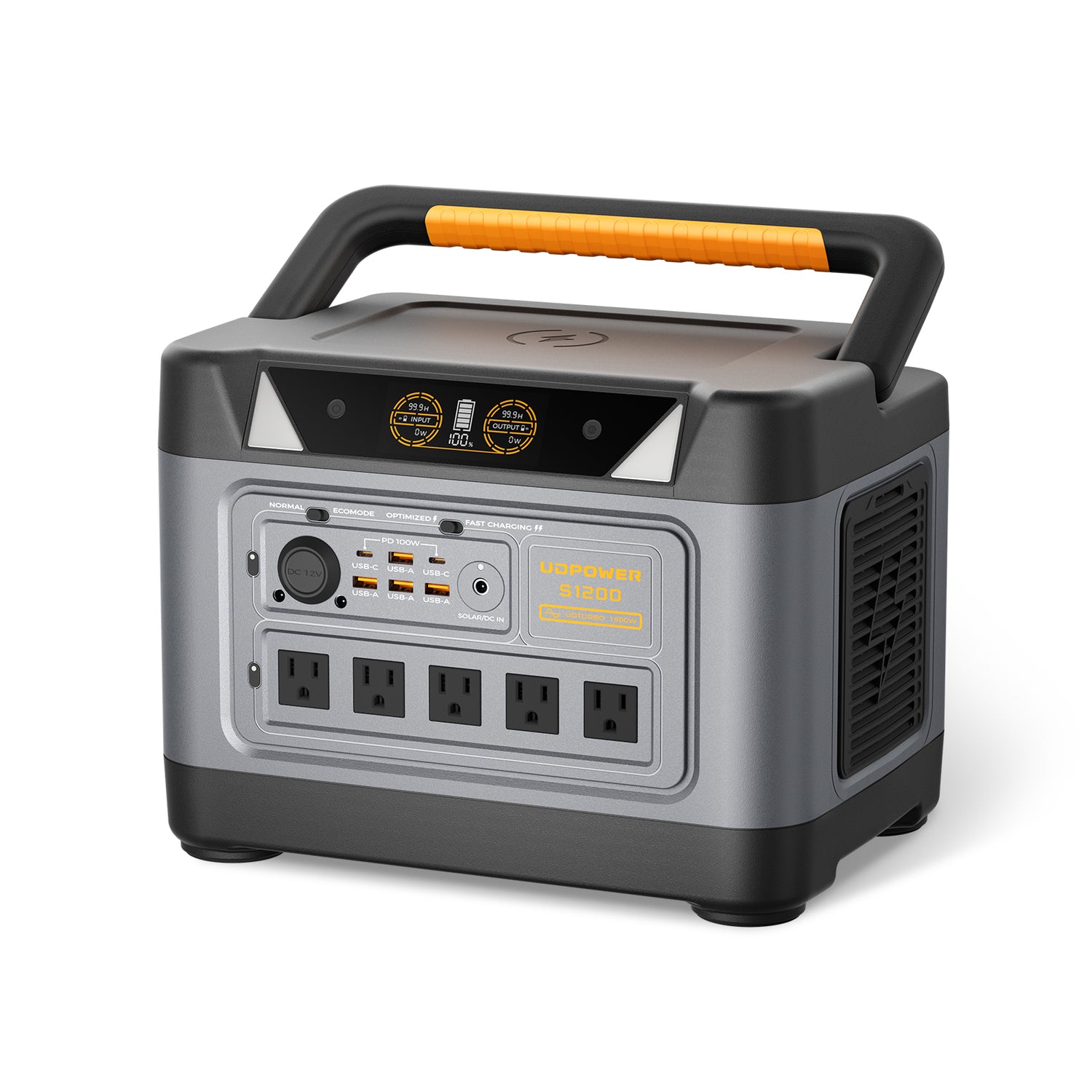
Best for desktop PCs and remote work backup: UDPOWER S1200
The UDPOWER S1200 Portable Power Station is a better fit when your computer setup includes a desktop tower, monitor, modem/router, and other work essentials.
- Capacity: 1,190Wh
- AC output: 1,200W rated pure sine wave output
- Surge: UDTURBO up to 1,800W
- UPS Prime: switchover time <10ms
- Ports: 5 AC outlets + 10 DC outputs on the 5-AC version
- Best for: desktop + monitor backup, home office outages, router/modem, laptops, CPAP, fridge, lights
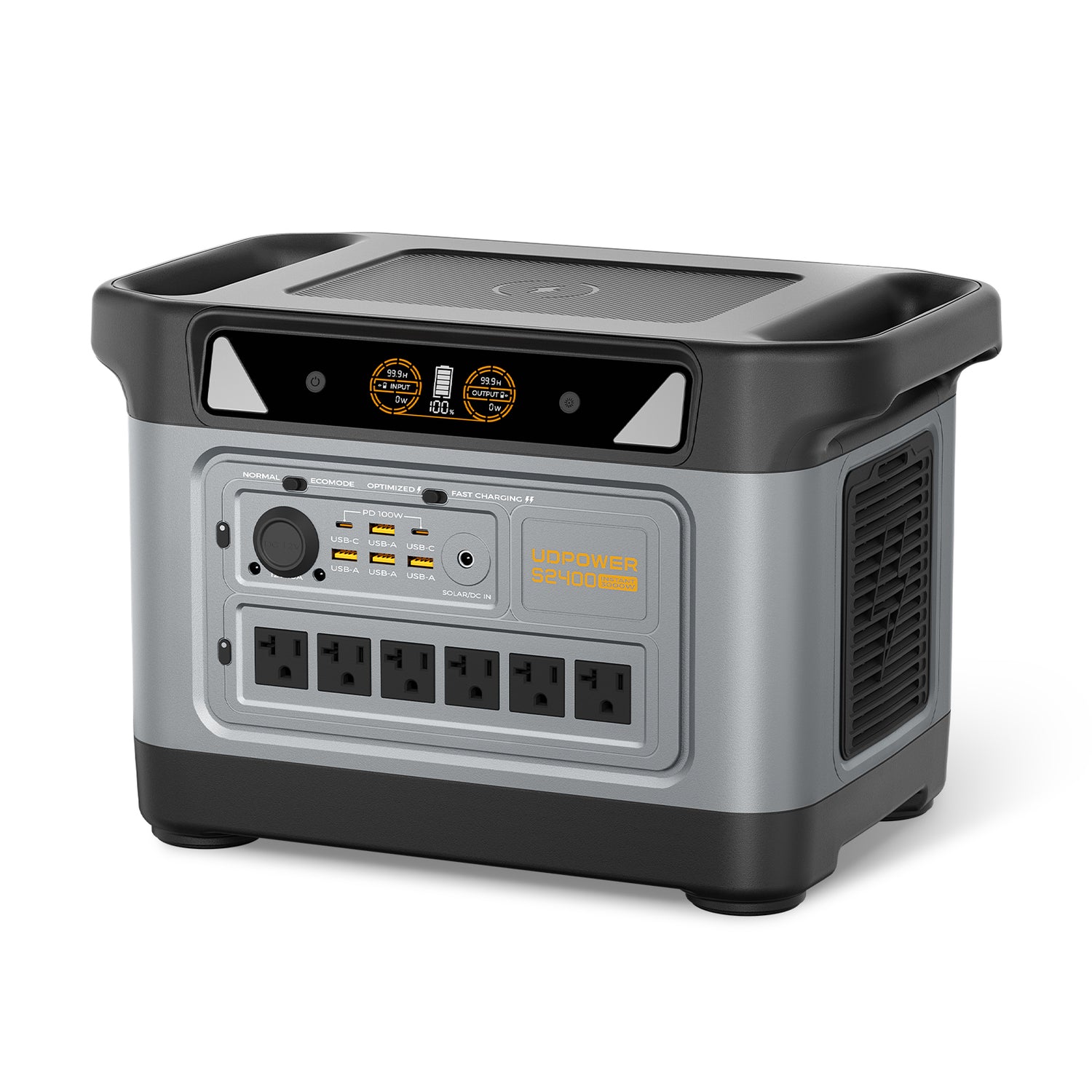
Best for gaming PCs, workstations, and longer outages: UDPOWER S2400
The UDPOWER S2400 Portable Power Station gives the strongest headroom for high-draw computer setups, multiple monitors, gaming PCs, and home backup where the computer is only one of several essentials.
- Capacity: 2,083Wh
- AC output: 2,400W pure sine wave output
- Surge: UDTURBO surge support up to 3,000W
- Battery: LiFePO4, 80%+ capacity after 3,000 cycles
- Ports: 6 AC outlets + 10 DC outputs, including USB-C up to 100W with PPS
- Best for: gaming desktop, workstation, multi-device desk, longer home backup, computer + router + lights + refrigerator planning
Computer power backup checklist
Use this checklist before choosing a power station for your computer.
| Question | Best answer | Why it matters |
|---|---|---|
| Do you need laptop-only backup? | C400 or C600 | Laptops are small loads, so capacity and portability matter most. |
| Do you need a full remote-work setup? | C600 for shorter use; S1200 for a full desk and longer runtime | Monitor, router, dock, and lighting add to the computer load. |
| Do you use a desktop tower? | Start with S1200 | Desktop setups need more output and runtime headroom. |
| Do you use a gaming PC or workstation? | Start with S2400 | GPU-heavy workloads can draw several hundred watts and change quickly. |
| Do you need internet during an outage? | Include modem and router in the wattage estimate | A charged laptop is not enough if the network goes down. |
| Do you need automatic switchover? | Use an S-series model with UPS-style backup support | Helpful for brief outages and remote-work continuity, though sensitive systems may still need dedicated UPS planning. |
| Are you not sure about your watts? | Measure the full power strip | This avoids guessing from charger labels or PSU ratings. |
Common mistakes to avoid
- Mistake 1: Confusing watts and amps. Amps depend on voltage. At 120V, 120W is about 1 amp.
- Mistake 2: Using the desktop PSU label as actual draw. A 750W PSU does not mean the computer always pulls 750W.
- Mistake 3: Forgetting the monitor and router. For outage backup, the full desk matters.
- Mistake 4: Sizing from idle power. Measure while gaming, editing, rendering, or doing your heaviest normal task.
- Mistake 5: Running nonessential high-draw devices at the same time. Space heaters, coffee makers, printers, and microwaves can overload a backup setup quickly.
FAQ
How many amps does a laptop use?
Most laptops use about 0.25 to 0.8 amps at a 120V outlet during typical charging or work. Small ultrabooks may use less, while gaming or workstation laptops with 180W to 240W chargers can use around 1.5 to 2 amps when drawing near charger capacity.
How many amps does a desktop computer use?
A basic desktop computer often uses about 0.7 to 1.25 amps by itself at 120V. A desktop plus monitor commonly lands around 1 to 2 amps, while creator desktops and gaming systems can draw several amps under load.
How many amps does a gaming PC use?
A gaming PC setup can use about 2.5 to 6+ amps at 120V while gaming, depending on the graphics card, CPU, monitor, and settings. High-end or multi-GPU systems can draw more, so measuring real wall power is the safest method.
Does a computer use the full wattage of its power supply?
No. A desktop PSU rating, such as 650W or 750W, is the maximum class it is designed to supply. The computer only draws what its components need at that moment, plus efficiency losses.
How do I convert computer watts to amps?
Use amps = watts ÷ volts. For a U.S. 120V outlet, divide watts by 120. For example, 240W is about 2 amps, and 600W is about 5 amps.
Can a portable power station run a computer?
Yes. Most laptops and many desktop computers can run from a portable power station. The right size depends on the total wattage of the computer, monitor, router, and accessories, plus how long you need them to run.
What size portable power station do I need for a laptop?
For a typical 45W to 100W laptop, a compact model like UDPOWER C400 can work for short sessions, while UDPOWER C600 is a stronger choice for longer laptop backup and full-day remote work needs.
What size portable power station do I need for a desktop PC?
For a normal desktop plus monitor, UDPOWER S1200 is a better starting point because it provides 1,200W rated AC output and 1,190Wh capacity. For gaming PCs, workstations, or longer outages, UDPOWER S2400 gives more output and runtime headroom.
Should I power a laptop through AC or USB-C?
If your laptop and power station support the correct USB-C Power Delivery wattage, USB-C can be a cleaner and often more efficient option. For high-wattage laptops or proprietary chargers, AC output may still be required.
How long can a power station run a computer?
Runtime depends on battery capacity and the computer’s real wattage. A 65W laptop can run much longer than a 400W gaming PC. A simple estimate is battery capacity × 85% ÷ load watts for AC use.
Sources used in this guide
External source links are included for reader verification. For the most accurate backup sizing, measure your exact computer setup at the wall.
Keep your computer, monitor, and Wi-Fi online when the power goes out
For a laptop-only setup, choose a compact backup battery. For a desktop, gaming PC, or full remote-work station, choose enough AC output and battery capacity for the computer, monitor, router, and essentials you actually need.
Compare UDPOWER portable power stations View S1200 for home office backup View S2400 for gaming PCs