What Is the 4-Hour Rule for CPAP?
ZacharyWilliamCPAP Compliance Guide
Latest updated: May 13, 2026
If you recently started CPAP therapy, the “4-hour rule” can sound confusing and stressful. The good news: it is not asking you to be perfect from night one. It is a compliance benchmark used by Medicare and many insurance/DME suppliers to confirm that your PAP therapy is being used often enough to continue coverage.
Quick Answer: What Is the CPAP 4-Hour Rule?
The CPAP 4-hour rule usually means using your CPAP or PAP device for at least 4 hours per night on at least 70% of nights during a consecutive 30-day period within the first 90 days of therapy. In plain English, that usually means at least 21 nights out of a 30-night window.
This rule is mainly an insurance compliance standard, not the ideal amount of treatment for every patient. For better sleep and more complete therapy, the practical goal is to use CPAP every time you sleep, including the full night whenever possible.

What the 4-Hour Rule Actually Means
The most common version of the CPAP 4-hour rule comes from Medicare’s PAP adherence language. CMS defines adherence as PAP use for at least 4 hours per night on 70% of nights during a consecutive 30-day period anytime during the first three months of initial use. You can read the official language on the CMS Local Coverage Determination for PAP devices.
| Part of the Rule | Plain-English Meaning | Practical Example | Why It Matters |
|---|---|---|---|
| At least 4 hours per night | Your PAP machine should record 4 or more hours of use for that night to count toward compliance. | 3 hours 55 minutes may be treated differently than 4 hours 5 minutes. | Many insurers use device data, not memory or self-report, to confirm usage. |
| 70% of nights | You need to meet the 4-hour mark on most nights in the measured window. | 70% of 30 nights equals 21 nights. | One bad night is not usually the problem. Repeated short nights are. |
| Consecutive 30-day period | The window is 30 nights in a row, not 21 random good nights picked from the whole year. | A strong 30-day stretch inside the first 90 days can satisfy the usage threshold. | Starting early gives you time to fix mask, leak, dryness, or pressure comfort issues. |
| Within the first 90 days | The initial trial period is when compliance is usually checked for continued coverage. | If the first two weeks are rough, you still have time to build a qualifying 30-day window. | Do not wait until the last week to troubleshoot problems. |
| Clinical follow-up | Your provider may need to document that therapy is helping and review objective data. | A doctor or supplier may ask for a compliance report from your CPAP app or device. | Usage hours alone may not be the only requirement for your exact coverage plan. |
Medicare.gov also explains that Medicare may cover a 12-week CPAP trial and may continue coverage after that period if your doctor documents that the therapy is helping and other requirements are met. See Medicare’s public coverage page for Continuous Positive Airway Pressure therapy.
Why Does the CPAP 4-Hour Rule Exist?
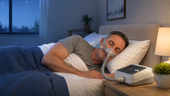
CPAP is prescribed because it only works while you are using it. If the mask is off for most of the night, the airway is no longer being supported for that part of sleep. The 4-hour rule gives insurance companies and suppliers a measurable way to decide whether the equipment is being used enough to justify continued rental or coverage.
For a new user, the rule also creates a clear early target. Instead of trying to solve everything at once, your first practical goal is simple: build a 30-day stretch where the machine records at least 4 hours on at least 21 nights. Once you can do that, the next goal is full-night comfort.
The rule is a floor, not the finish line
Four hours can help you meet a compliance benchmark, but it does not mean the rest of your sleep no longer matters. If you sleep 7 or 8 hours, removing CPAP after 4 hours can still leave a large part of the night untreated.
What Counts as CPAP Use?
In most modern setups, compliance is based on objective data recorded by the PAP device. That data may be transmitted through a connected app, cellular modem, SD card, or supplier report. Your exact device and supplier may present the data differently, so always follow the instructions from your doctor, DME supplier, or insurance plan.
| Situation | Does It Usually Help Compliance? | What to Watch |
|---|---|---|
| Sleeping with the mask on and machine running | Yes, this is the normal intended use. | Try to keep leaks controlled so the therapy is comfortable and effective. |
| Using CPAP for 2 hours, removing it, then using it again later | It may add to total nightly use, depending on the device report. | The safest habit is to put the mask back on whenever you return to sleep. |
| Using CPAP during a nap | It may be recorded as machine use, but coverage rules can vary. | Ask your supplier how your device reports nap use inside a compliance day. |
| Turning the machine on without wearing the mask | No. Do not try to fake compliance. | Modern devices can record leaks, pressure behavior, and usage patterns. |
| A power outage turns the CPAP off overnight | No, the machine cannot record therapy time while it is off. | A reliable backup battery can protect your sleep and your usage streak. |
Is 4 Hours Enough CPAP Therapy?
For insurance compliance, 4 hours can be enough to meet the common benchmark. For treatment, the better target is to use CPAP for your entire sleep period. SleepApnea.org notes that 4 hours on 70% of nights may meet the Medicare-style definition, but it can still leave a large portion of sleep untreated for someone who sleeps 8 hours. You can read the patient-facing explanation on SleepApnea.org’s CPAP compliance guide.
| Nightly Sleep Time | CPAP Use | Untreated Sleep Left | Better Goal |
|---|---|---|---|
| 6 hours | 4 hours | 2 hours | Work toward using CPAP for all 6 hours. |
| 7 hours | 4 hours | 3 hours | Improve comfort so you do not remove the mask halfway through the night. |
| 8 hours | 4 hours | 4 hours | Use CPAP from bedtime until final wake-up whenever possible. |
The easiest way to think about it: 4 hours is the minimum compliance target; full-night use is the real therapy target.
CPAP Compliance Timeline: What to Do in the First 90 Days
The first 90 days matter because this is when many coverage decisions are made. If your first few nights are uncomfortable, do not give up or wait. Most problems are fixable, but they are easiest to fix early.
| Time Period | Main Goal | What to Do | Warning Sign |
|---|---|---|---|
| Days 1–7 | Build the habit. | Use CPAP every time you sleep, even if you only tolerate a few hours at first. | You remove the mask every night and do not know why. |
| Days 8–21 | Fix comfort issues. | Adjust mask fit, humidity, ramp settings, hose position, and sleeping position with your provider’s guidance. | Large leaks, dry mouth, skin pressure, or panic feeling continue. |
| Days 22–45 | Create a clean 30-day compliance window. | Aim for 4+ hours every night so missed nights do not put the 70% target at risk. | Your app shows several nights under 4 hours. |
| Days 46–90 | Confirm data and follow-up. | Check that your usage report is being received and schedule any required clinical follow-up. | You assume compliance is fine but have not checked the report. |
How to Avoid Failing CPAP Compliance
Most people do not fail because they “cannot use CPAP.” They fail because a small comfort problem turns into repeated short nights. Use the table below as a practical troubleshooting map.
| Problem | Common Cause | Practical Fix | When to Ask for Help |
|---|---|---|---|
| Mask comes off after 1–3 hours | Mask discomfort, leak noise, pressure feeling too strong, or habit from waking up. | Try wearing the mask while awake for short sessions. Ask about mask style, ramp, or pressure comfort settings. | If it happens most nights for more than a week. |
| Dry mouth or dry nose | Mouth leak, low humidity, heated hose setting, or mask mismatch. | Review humidifier setting, mask seal, chin strap options, or full-face mask options with your provider. | If dryness makes you remove the mask. |
| Skin marks or sore bridge of nose | Overtightened mask or wrong cushion size. | Loosen gradually, refit while lying down, or try another cushion style. | If there is pain, broken skin, or persistent redness. |
| Air leak wakes you or your partner | Cushion shifted, facial hair, old cushion, or wrong mask size. | Clean the cushion, refit with pressure on, route the hose above the pillow, and replace worn parts. | If your report shows high leak or therapy feels ineffective. |
| You fall asleep before putting CPAP on | The machine is not part of the bedtime routine yet. | Place the mask on the pillow, fill humidifier earlier, and make CPAP the last step before lights out. | If missed nights are becoming common. |
| Power outage interrupts therapy | No backup power or no automatic switchover. | Use a properly sized pure sine wave backup battery. For sudden outages, choose a unit with UPS-style switchover. | If outages are common in your area or you rely on CPAP every night. |
For common CPAP comfort problems, Mayo Clinic also offers a helpful patient guide: CPAP machines: tips for avoiding common problems.
Why Backup Power Matters for CPAP Compliance
A single outage does not automatically ruin your therapy journey, but power loss can cut a CPAP night short. If you are trying to build a 30-day compliance window, an outage at midnight can turn a full-night plan into a 2-hour recorded night.
Backup power matters for two reasons. First, CPAP therapy is most useful when you can use it consistently. Second, compliance data depends on machine runtime. If the CPAP shuts off, the machine cannot keep recording therapy time.
Best backup setup for sudden outages
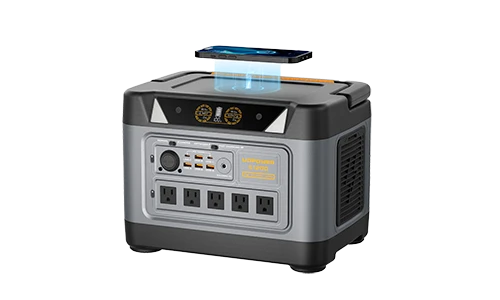
For home CPAP use during unpredictable outages, choose a pure sine wave power station with enough battery capacity and UPS-style switchover. UDPOWER S-Series models are the better fit for this use case because they include UPS backup. Smaller non-UPS stations can still work for planned camping or manual backup, but they are not the same as an automatic outage bridge.
CPAP Runtime Tables for Power Outages
CPAP machines do not all use the same amount of power. A simple setup without heated humidification may use much less energy than a setup with heated tubing and a warm humidifier. UDPOWER’s CPAP power guide explains that many CPAP machines use about 20–40W without heated humidification, while humidifier or heated-tube setups often move into the 60–90W range. For a deeper power-use breakdown, see CPAP Power Consumption: How Much Power Does Your CPAP Use?
Typical CPAP Power Use by Setup
| CPAP Setup | Typical Planning Range | 8-Hour Energy Before Battery Losses | Best Runtime Tip |
|---|---|---|---|
| CPAP without heated humidifier | 20–40W | 160–320Wh | Best option when you need to stretch battery runtime. |
| CPAP with low/medium humidifier | 60–90W | 480–720Wh | Use a larger battery or lower humidity if medically acceptable. |
| High heat, heated hose, cold room, or older setup | 100–120W+ | 800–960Wh+ | Measure your real wattage before relying on a small battery. |
Runtime Estimate by UDPOWER Model
The table below uses a conservative AC-output planning estimate: battery capacity × 0.85 ÷ CPAP watts. Real runtime varies by CPAP model, pressure, humidifier setting, tube heat, room temperature, battery condition, and whether you use AC or DC output.
| Average CPAP Load | What It Often Represents | UDPOWER C600 596Wh | UDPOWER S1200 1,190Wh | UDPOWER S2400 2,083Wh |
|---|---|---|---|---|
| 30W | Efficient CPAP, no heated humidifier | About 16.9 hours | About 33.7 hours | About 59.0 hours |
| 40W | Common no-humidifier planning number | About 12.7 hours | About 25.3 hours | About 44.3 hours |
| 60W | CPAP with some comfort features | About 8.4 hours | About 16.9 hours | About 29.5 hours |
| 90W | Humidifier or heated tubing in use | About 5.6 hours | About 11.2 hours | About 19.7 hours |
| 120W | High heat, older unit, cold room, or heavy humidifier use | About 4.2 hours | About 8.4 hours | About 14.8 hours |
Minimum Battery Needed Just to Protect a 4-Hour Window
This table is not the ideal way to size a CPAP backup. It simply shows how much usable battery margin you may need if your immediate goal is to prevent a power outage from cutting your night below the 4-hour mark.
| CPAP Load | Energy for 4 Hours | Battery Size After AC Loss + 20% Reserve | Better Real-World Choice |
|---|---|---|---|
| 30W | 120Wh | About 170Wh+ | Small station can cover the compliance window, but full-night reserve is better. |
| 40W | 160Wh | About 226Wh+ | Plan 500Wh+ if you want a comfortable full night. |
| 60W | 240Wh | About 339Wh+ | Plan 600Wh+ for one night; larger if you use heat or need reserve. |
| 90W | 360Wh | About 509Wh+ | A 1,000Wh-class station is safer for full-night humidifier use. |
| 120W | 480Wh | About 678Wh+ | Use a larger station and measure your actual draw. |
Recommended UDPOWER CPAP Backup Options
For CPAP users, battery capacity matters more than headline wattage. Most CPAP machines do not need a huge AC output, but they do need enough watt-hours to last through the night. If the goal is power-outage protection, UPS-style switchover also matters.
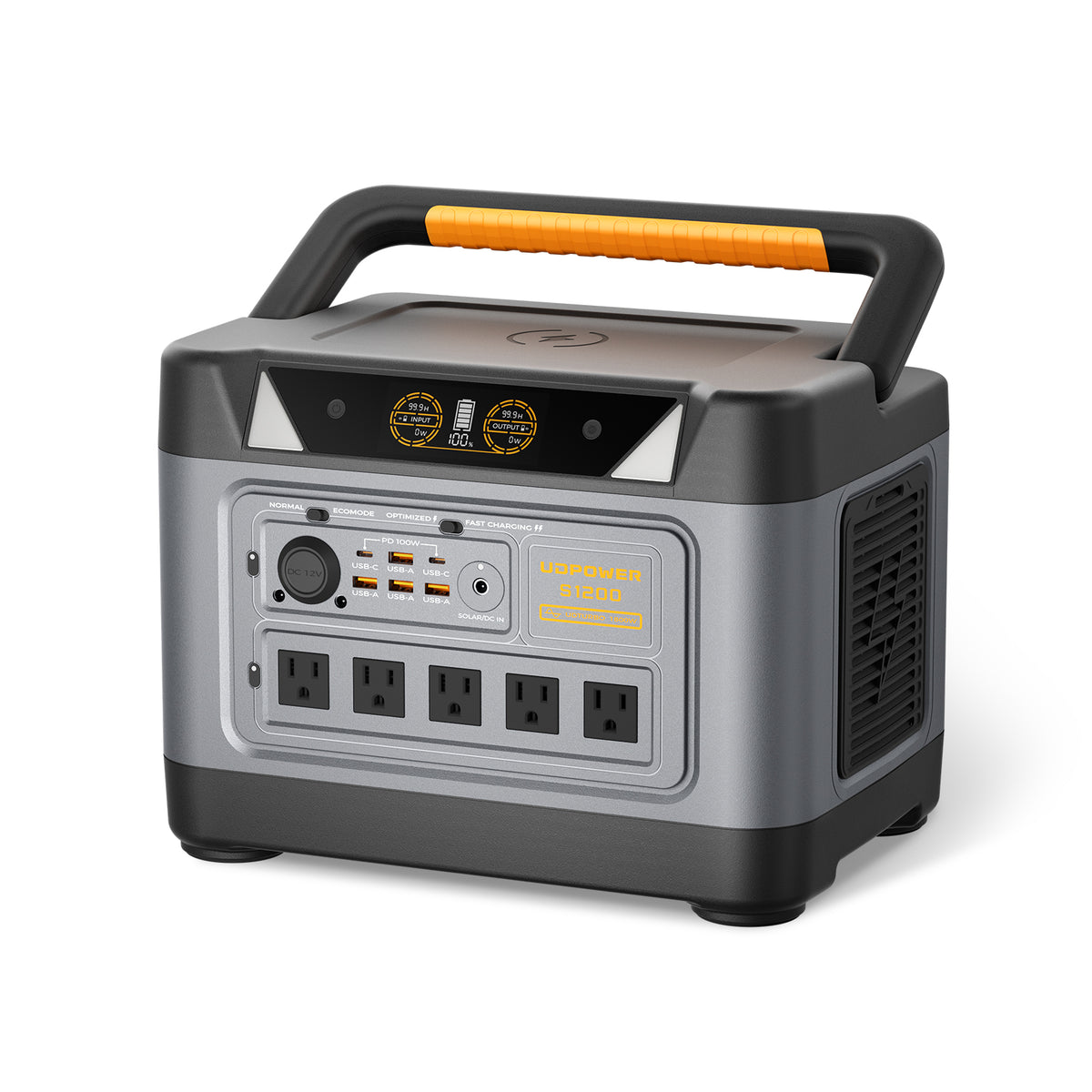
Best Balanced Choice: UDPOWER S1200
The S1200 is the strongest fit for most CPAP users who want dependable home backup without moving into the largest size class. It has enough capacity for many full-night CPAP setups, and it includes UPS backup for sudden outages.
- Capacity: 1,190Wh
- Output: 1,200W pure sine wave AC output
- Surge support: UDTURBO up to 1,800W
- UPS backup: less than 10 ms
- Noise: less than 25 dB listed on the product page
- Battery: LiFePO4, 4,000+ cycles listed on the product page
- Best for: CPAP backup, overnight outages, routers, lights, fans, and weekend camping

Best for Longer Outages: UDPOWER S2400
The S2400 is the better choice if you want to run a CPAP and still have reserve for a refrigerator, router, lights, fan, phone charging, or multi-night outage planning. It is more than a CPAP battery; it is a larger home backup station.
- Capacity: 2,083Wh
- Output: 2,400W pure sine wave AC output
- Surge support: UDTURBO up to 3,000W
- Ports: 6 AC outlets + 10 DC outputs listed on the product page
- Battery: LiFePO4 with 80%+ capacity after 3,000 cycles listed on the product page
- Best for: multi-night CPAP backup, fridge + CPAP planning, home essentials, and RV use

Best for Planned Camping or Manual Backup: UDPOWER C600
The C600 can run many CPAP setups for a night when the humidifier is off or low, but it is better for planned use than automatic outage protection. If you need the CPAP to continue smoothly the moment grid power fails, choose an S-Series model with UPS backup instead.
- Capacity: 596Wh
- Output: 600W rated, 1,200W peak
- Battery: LiFePO4, 4,000+ cycles listed on the product page
- Weight: 12.3 lb listed on the product page
- Best for: camping, manual overnight backup, phones, lights, laptops, and low-power CPAP setups
Simple product recommendation
Choose S1200 if CPAP backup is your main priority. Choose S2400 if you want CPAP plus refrigerator or multi-day home essentials. Choose C600 only if you understand it is a planned/manual backup option rather than a UPS-style outage bridge.
How to Stretch CPAP Runtime Without Hurting Your Routine
Do not change prescribed therapy pressure without your clinician. But you can often improve battery runtime by changing power-hungry comfort settings, improving setup efficiency, and avoiding preventable energy waste.
- Turn off or lower heated humidification when you need maximum battery life, if you can tolerate it.
- Lower heated tube settings in mild weather, if medically acceptable and comfortable.
- Use a compatible DC cable when recommended by the CPAP manufacturer because DC output can reduce inverter loss.
- Start the night with the power station fully charged.
- Keep the power station indoors, dry, and ventilated.
- Test your exact CPAP setup before storm season or a camping trip.
- Check the CPAP app the next morning to confirm real usage hours.
Sources and Useful References
The sources below were used to keep the compliance explanation and product recommendations accurate. External references are included as nofollow links.
| Topic | Source | Why It Was Used |
|---|---|---|
| Official PAP adherence definition | CMS LCD: PAP Devices for OSA | Defines PAP adherence as at least 4 hours per night on 70% of nights in a consecutive 30-day period within the first 3 months. |
| Medicare CPAP coverage overview | Medicare.gov CPAP therapy coverage | Explains the 12-week trial and continued coverage context for CPAP therapy. |
| Why 4 hours is not the ideal end goal | SleepApnea.org CPAP compliance guide | Explains that 4 hours may satisfy compliance while still leaving untreated sleep time. |
| CPAP comfort troubleshooting | Mayo Clinic CPAP common problems guide | Supports practical advice around mask fit, dryness, and common CPAP comfort issues. |
| UDPOWER S1200 specs | UDPOWER S1200 product page | Used for capacity, output, UPS, noise, battery cycle, and port information. |
| UDPOWER S2400 specs | UDPOWER S2400 product page | Used for capacity, output, surge, battery, and port information. |
| UDPOWER C600 specs | UDPOWER C600 product page | Used for capacity, output, weight, battery, and planned CPAP backup positioning. |
| CPAP power use and runtime planning | UDPOWER CPAP power consumption guide | Used for typical CPAP wattage ranges and battery sizing context. |
FAQ: CPAP 4-Hour Rule
What is the 4-hour rule for CPAP?
The 4-hour rule usually means using your CPAP or PAP device for at least 4 hours per night on at least 70% of nights during a consecutive 30-day period within the first 90 days of therapy. It is mainly an insurance compliance benchmark.
Does Medicare require CPAP use every single night?
The common Medicare-style adherence benchmark is not every single night. It is at least 4 hours per night on 70% of nights in a qualifying 30-day window. However, your doctor may still recommend using CPAP every time you sleep.
How many nights out of 30 do I need to use CPAP?
Seventy percent of 30 nights equals 21 nights. To create a safety margin, it is smart to aim for more than 21 nights instead of stopping at the minimum.
Is 4 hours of CPAP enough?
Four hours may be enough to meet a compliance rule, but it is not the ideal target for many users. The better goal is to use CPAP for your entire sleep period whenever possible.
What happens if I miss one night of CPAP?
One missed night usually does not ruin compliance by itself because the benchmark is based on a percentage of nights. The risk comes from repeated missed nights or repeated nights under 4 hours.
Does CPAP use during naps count?
Your CPAP may record nap use, but how that data is counted can depend on your device, supplier, and insurance plan. Ask your DME supplier how your machine reports usage inside a compliance day.
Can a power outage affect CPAP compliance?
Yes. If the power goes out and your CPAP turns off, the machine cannot keep recording therapy time. A backup power station can help protect both your sleep and your usage streak.
What size battery do I need for 4 hours of CPAP?
It depends on your CPAP wattage. A 40W CPAP needs about 160Wh for 4 hours before battery losses. With AC inverter losses and reserve, planning around 226Wh or more is safer. For full-night use, a larger battery is usually better.
Can UDPOWER S1200 run a CPAP overnight?
Yes, the S1200 can run many CPAP setups overnight. At a 40W average CPAP load, a conservative AC-output estimate is about 25 hours. Humidifiers, heated tubing, cold rooms, and high pressure can reduce runtime.
Is the UDPOWER C600 enough for CPAP?
The C600 can be enough for many one-night CPAP setups when the humidifier is off or low. For sudden home outages where you want automatic switchover, choose an S-Series model such as the S1200 instead.
Should I turn off my CPAP humidifier when using battery power?
Turning off or lowering heated humidification can greatly extend runtime. Only make comfort-setting changes that you can tolerate, and do not change prescribed therapy pressure without your clinician.
How can I check whether I am CPAP compliant?
Check your CPAP app, device screen, SD card report, or DME supplier report. Look for nightly usage hours and whether you are meeting the 4-hour mark often enough inside the required window.
Choose a CPAP Backup Before the Next Outage
If you depend on CPAP every night, do not size your backup battery around the bare 4-hour minimum. Size it around your full sleep window, your humidifier use, and the number of nights you want to protect.
View S1200 for CPAP Backup | View S2400 for Longer Outages | Compare Portable Power Stations