Uninterruptible Power Supply Hours: How Long Will a UPS Really Run?
ZacharyWilliamLatest updated: May 29, 2026
A UPS can keep your devices running anywhere from a few minutes to several hours. The real number depends on three things: the battery energy inside the UPS, the total watts your devices draw, and how much power is lost during conversion.
The mistake most people make is shopping by VA alone. VA tells you how much load a UPS can support. It does not tell you how many hours it will last.

Quick answer: UPS hours formula
UPS runtime in hours ≈ usable battery watt-hours ÷ total load watts.
If the backup source has 500Wh of usable energy and your devices use 50W, the simple estimate is about 10 hours. If the same battery is powering a 300W desktop setup, the estimate drops to about 1.7 hours before real-world losses and battery condition are considered.
For a normal home setup, use a UPS for no-reboot protection on your modem, router, desktop, NAS, or security recorder. Use a larger battery backup or portable power station when your goal is hours of runtime during a real outage.
What decides UPS hours?
A UPS is not a magic “hours” box. It is a battery, inverter, charger, transfer system, and protection circuit built into one unit. Runtime changes fast when the load changes.
| Factor | Why it matters | What to check before buying |
|---|---|---|
| Load in watts | The higher the watt draw, the faster the battery drains. | Add up the real running watts of the devices you plan to plug in. |
| Battery energy | Runtime comes from stored energy, usually best understood as watt-hours. | Look for battery Wh, battery Ah and voltage, or a manufacturer runtime chart. |
| UPS watt rating | The UPS must be able to support the load without overloading. | Check the watt rating, not just the VA number. |
| Battery age | Older lead-acid UPS batteries often lose runtime long before the UPS itself fails. | If runtime has dropped sharply, the battery may need replacement. |
| Conversion losses | AC output, inverter heat, and internal electronics consume some energy. | Use a realistic efficiency factor instead of assuming 100% battery use. |
| Temperature | Extreme heat or cold can reduce battery performance and service life. | Keep the UPS in a dry, ventilated indoor space. |
A small UPS may be perfect for a 10-second outage because it prevents a router or computer from rebooting. The same UPS may be disappointing during a five-hour outage if you expect it to power a desktop, monitor, printer, speakers, and router at the same time.
VA vs watts: why runtime estimates go wrong
UPS listings often highlight VA because it is a useful sizing number. But your devices consume watts. If you only compare the VA rating to the device list, you can oversize or undersize the wrong part of the system.
| Term | Plain-English meaning | How it affects your choice |
|---|---|---|
| VA | Volt-amps. A measure of apparent power. | Useful for UPS sizing, but not enough to estimate runtime. |
| Watts | The real power your devices consume. | Use watts to add up your protected load. |
| Watt-hours | Stored energy available over time. | Use Wh to estimate how many hours a battery can run a load. |
| Power factor | The relationship between watts and VA. | For simple home planning, check the UPS watt rating directly instead of guessing. |
Simple rule: VA tells you whether the UPS can handle the connected equipment. Watt-hours tell you how long the battery can keep that equipment running.
How to calculate UPS runtime
Start with watts. Do not start with outlet count, VA, or the size of the UPS case.
Step 1: Add up the devices you actually need
A focused backup list might be modem, router, ONT, one laptop charger, and one LED lamp. A bloated list might include a desktop, large monitor, TV, speakers, printer, and extra chargers. The second list can drain a small UPS many times faster.
Step 2: Find the total watts
The best method is to measure your devices with a plug-in power meter. If you do not have one, use the device label or a trusted manufacturer wattage guide as a starting point.
Step 3: Estimate usable battery energy
If the UPS provides battery specs, use this formula:
Battery Wh = battery voltage × amp-hours × number of batteries
Estimated runtime = battery Wh × efficiency factor ÷ load watts
Step 4: Compare your result with a runtime chart
A manufacturer runtime chart is usually more reliable than a generic formula because it reflects that specific UPS design, battery pack, inverter behavior, and cutoff settings.
| Example calculation | Result | What it means |
|---|---|---|
| 300Wh usable battery ÷ 30W modem/router setup | About 10 hours | Low-watt network gear is where “UPS hours” are most realistic. |
| 300Wh usable battery ÷ 150W desktop + router setup | About 2 hours | Still useful, but not an all-day work plan. |
| 300Wh usable battery ÷ 500W gaming PC setup | About 36 minutes | Enough for safe shutdown, not extended gaming or work. |
| 300Wh usable battery ÷ 1,000W appliance | About 18 minutes | High-watt appliances are usually a poor match for a standard home UPS. |
Realistic UPS runtime chart
The chart below uses selected examples from an APC Smart-UPS runtime chart to show why load matters. The same UPS that lasts hours at 50W may last minutes at 500W.
| UPS model example | At 50W | At 100W | At 200W | At 500W | Source |
|---|---|---|---|---|---|
| APC SMT750 | 1 hr 43 min | 50 min | 22 min | 5 min | APC runtime chart |
| APC SMT1000 | 3 hr 3 min | 1 hr 40 min | 45 min | 10 min | APC runtime chart |
| APC SMT1500 | 5 hr 1 min | 2 hr 52 min | 1 hr 24 min | 23 min | APC runtime chart |
| APC SMT2200 | 8 hr 51 min | 5 hr 36 min | 3 hr 5 min | 1 hr 6 min | APC runtime chart |
The takeaway is not that one model is right for everyone. The takeaway is that a 50W network setup and a 500W computer setup are completely different backup problems.
Common home loads in watts
These are planning ranges. Your exact device may be lower or higher, so measure when uptime matters.
| Device | Typical watts to plan around | UPS fit | Runtime note | Source |
|---|---|---|---|---|
| Router / switch | 10–30W | Excellent | One of the best uses for a UPS if you want Wi-Fi to survive short outages. | Schneider Electric UPS selector |
| Laptop | 30–70W | Good | A laptop already has its own battery, so prioritize router and modem first. | Schneider Electric UPS selector |
| Desktop PC | 200–500W | Good for safe shutdown | Runtime can drop quickly; do not expect all-day backup from a small UPS. | Schneider Electric UPS selector |
| Gaming system | 300–500W | Short runtime | Useful for power blips and shutdown, not long sessions during an outage. | Schneider Electric UPS selector |
| TV | 50–200W | Depends on UPS size | A small TV can be reasonable; a large entertainment setup may drain the battery fast. | Schneider Electric UPS selector |
| Server / NAS | 200W+ | Good with shutdown settings | Use a UPS that supports your shutdown software and runtime target. | Schneider Electric UPS selector |
How to make a UPS last longer
Runtime is mostly about reducing load. Before buying a larger UPS, remove anything that does not need no-reboot protection.
- Put only critical devices on the UPS. Router, modem, ONT, NAS, desktop, and security recorder make sense. Speakers, extra monitors, printers, and decorative lights usually do not.
- Use the laptop battery first. During an outage, let the UPS protect the network gear while your laptop runs from its internal battery.
- Turn off the big monitor. A single monitor can use enough power to cut runtime significantly.
- Avoid laser printers and heaters. High-watt heat loads and printer surges are poor matches for small UPS units.
- Replace old UPS batteries. If a unit used to last 40 minutes and now lasts 8 minutes, the battery is often the problem.
- Use runtime charts. A UPS selector or manufacturer chart is better than guessing from VA.
For short outages, a UPS is about continuity. For long outages, your plan should shift from “keep everything on” to “power only what matters.”
When you need hours: recommended UDPOWER options
A standard UPS is still the right tool when your main goal is preventing a desktop, router, NAS, or security recorder from rebooting. But if you are trying to run Wi-Fi, lights, CPAP, fans, laptops, or refrigerator cycling for hours, you need more usable watt-hours.
The options below are not meant to replace every dedicated UPS in every setup. They are practical battery-backup choices when runtime matters more than simply riding through a short power blink.
Light backup
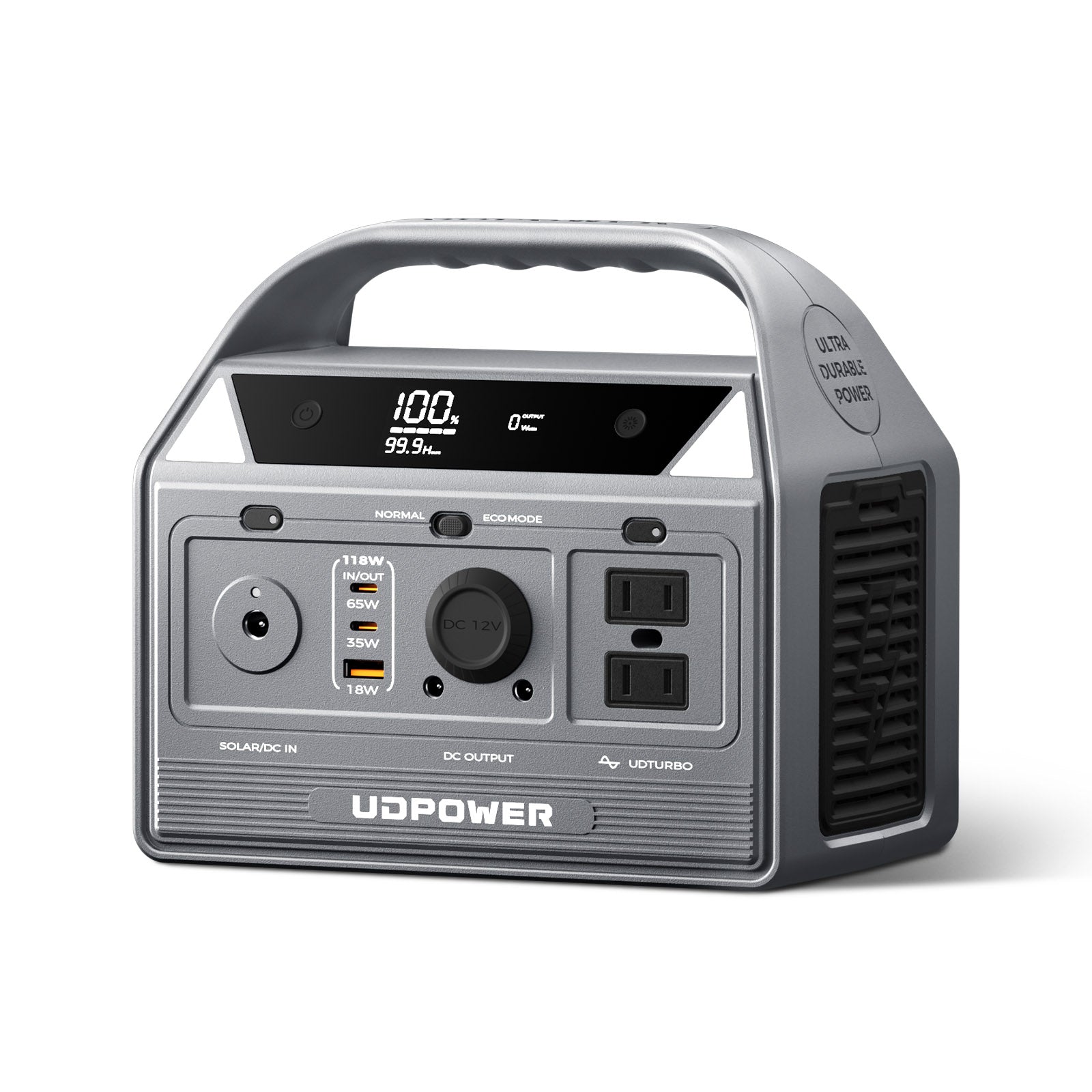
UDPOWER C400 Portable Power Station
Best for phones, small lights, camera gear, laptop top-offs, and short Wi-Fi backup when you want a compact unit.
- 256Wh LiFePO4 battery
- 400W AC output, 800W surge
- Compact backup for light loads and travel
Balanced small backup

UDPOWER C600 Portable Power Station
Best for Wi-Fi gear, laptops, lights, small fans, cameras, mini-fridge use cases, and CPAP backup when the load is moderate.
- 596Wh LiFePO4 battery
- 600W rated output, 1200W peak
- Multiple ports including AC, USB-C, USB-A, and 12V car outlet
Home essentials
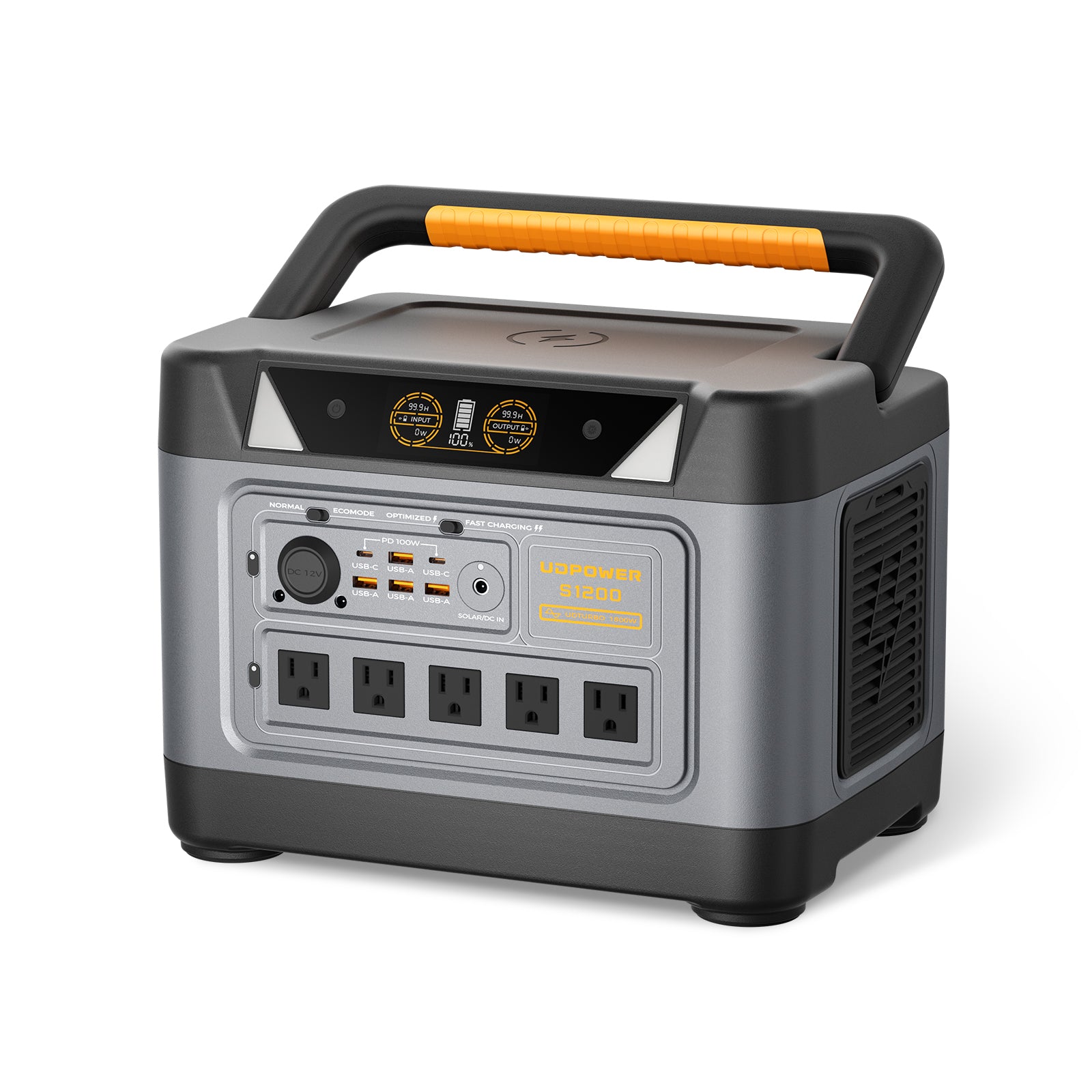
UDPOWER S1200 Portable Power Station
Best for longer Wi-Fi runtime, overnight CPAP planning, fans, work-from-home essentials, small appliances within rating, and emergency home backup.
- 1,190Wh class LiFePO4 battery
- 1,200W pure sine wave AC output, 1,800W surge
- UPSPRIME backup with response time ≤10ms
- Solar charging input up to 400W
Extended home backup
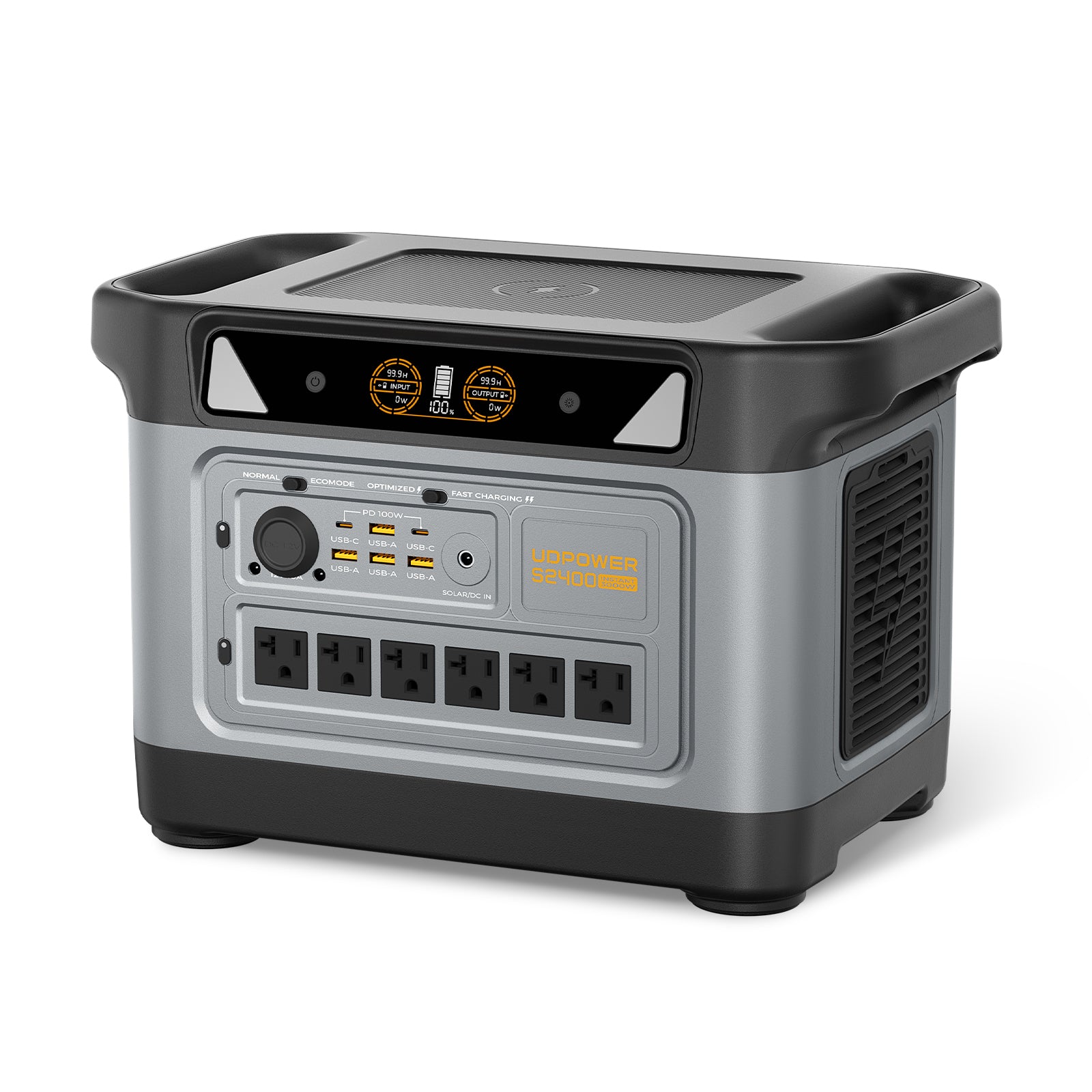
UDPOWER S2400 Portable Power Station
Best for larger essential-load plans, refrigerator cycling, higher-output appliances within rating, longer outage planning, and households that want more headroom.
- 2,083Wh LiFePO4 battery
- 2,400W pure sine wave AC output, 3,000W surge
- UPSPRIME backup with switchover time ≤10ms
- 6 AC outlets plus USB-C, USB-A, DC5521, car outlet, and wireless charging
UDPOWER runtime estimates by load
The estimates below use this planning formula:
Estimated runtime = capacity Wh × 90% ÷ device watts
Real runtime can vary because of AC/DC conversion, device cycling, battery condition, temperature, standby draw, and whether you are using direct DC/USB power or AC adapters.
| Load example | Typical watts | C400 256Wh | C600 596Wh | S1200 1,190Wh | S2400 2,083Wh |
|---|---|---|---|---|---|
| Modem + router / ONT | 25W | About 9.2 hrs | About 21.5 hrs | About 42.8 hrs | About 75.0 hrs |
| Router + laptop light work | 50W | About 4.6 hrs | About 10.7 hrs | About 21.4 hrs | About 37.5 hrs |
| CPAP without heated humidifier or small fan setup | 40W | About 5.8 hrs | About 13.4 hrs | About 26.8 hrs | About 46.9 hrs |
| Small TV, laptop, router, or mixed light load | 100W | About 2.3 hrs | About 5.4 hrs | About 10.7 hrs | About 18.7 hrs |
| Workstation, larger TV setup, or appliance cycling average | 150W | About 1.5 hrs | About 3.6 hrs | About 7.1 hrs | About 12.5 hrs |
| Higher mixed load | 300W | About 0.8 hrs | About 1.8 hrs | About 3.6 hrs | About 6.2 hrs |
This is why “how many UPS hours do I need?” is really a load-priority question. A 25W network setup can run a very long time on the right battery. A 300W mixed load needs a much larger battery to reach the same runtime.
Backup plans for Wi-Fi, work, CPAP, and refrigerator cycling
Plan 1: Keep Wi-Fi online during short blips
Use a small UPS for your modem, router, ONT, and small switch. Keep laptops, phones, monitors, and lamps off the UPS unless they are truly needed.
If the outage continues, move charging and longer runtime to a portable power station so the UPS can do its main job: preventing network gear from rebooting.
Plan 2: Work from home for several hours
Put your router and modem on a UPS. Run the laptop from its internal battery first. Use a power station for the laptop charger, phone, one LED light, and later network top-up if needed.
Good match: UDPOWER C600 for lighter work setups, or UDPOWER S1200 if you want more reserve.
Plan 3: CPAP overnight backup
Check the CPAP label and settings. Heated humidifiers and heated hoses can raise power draw significantly, so runtime should be based on your actual settings.
For overnight planning, the UDPOWER S1200 gives more room than a small UPS, especially when the CPAP is not the only device you need.
Plan 4: Refrigerator cycling during a longer outage
A refrigerator does not usually need to run nonstop. The smarter plan is to keep doors closed, use a thermometer, and cycle power only when needed. For food safety, FoodSafety.gov states that a refrigerator can keep food safe for up to 4 hours during a power outage when the door stays closed.
Good match: UDPOWER S2400 for more capacity and output headroom. Check refrigerator running watts and startup surge before plugging it in.
Food safety source: FoodSafety.gov power outage guidance
Mistakes that shorten UPS runtime
| Mistake | Why it hurts runtime | Better move |
|---|---|---|
| Plugging in everything on the desk | Extra monitors, speakers, chargers, and accessories drain the battery quickly. | Only protect devices that must not reboot. |
| Using VA as a runtime estimate | VA is not stored energy. | Use watts, Wh, and a runtime chart. |
| Putting a laser printer on the UPS | Laser printers can spike high and overload smaller UPS units. | Leave printers off the UPS unless the UPS is specifically sized for them. |
| Expecting a small UPS to run a refrigerator | Compressor startup and long runtime needs are not a good match for many small UPS units. | Use a properly sized power station and confirm startup surge. |
| Ignoring battery age | An old UPS battery may pass a quick self-test but fail under longer load. | Test runtime before storm season and replace weak batteries. |
| Skipping a real outage drill | Label wattage and real wattage can differ. | Run a 30–60 minute test with the exact devices you plan to use. |
Do not use any backup power setup beyond the device manufacturer’s instructions. For medical equipment, follow your medical device provider’s backup guidance and keep a separate emergency plan.
A practical buying rule
If your problem is a reboot, buy a UPS sized for the device and runtime you need. If your problem is a multi-hour outage, buy watt-hours.
| Your goal | Best first choice | Why | Good next step |
|---|---|---|---|
| Router does not reboot during a short blink | UPS | Fast transfer and simple network protection | Add a power station if outages last hours. |
| Desktop has time to shut down safely | UPS | Protects data and gives shutdown time | Choose a UPS with enough watt rating and software support. |
| Run Wi-Fi, laptop, and lights for half a day | Portable power station | Runtime comes from larger watt-hour capacity | Use C600 or S1200 depending on load. |
| Run CPAP overnight | Portable power station | More usable energy than many small UPS units | Measure CPAP watts with your actual settings. |
| Protect food during a long outage | Power station plus food safety plan | Fridge cycling needs capacity and surge headroom | Use S2400 and a refrigerator thermometer. |
Need help choosing backup power by runtime?
Start with your actual load in watts, then choose the battery size that gives you enough hours with a safety margin. For short no-reboot protection, keep a UPS on critical electronics. For longer outages, choose a LiFePO4 portable power station with enough watt-hours for your real devices.
View portable power stations · View solar generator kits · Read UPS vs portable power station guide
FAQ
How many hours will a UPS last?
A UPS may last a few minutes under a heavy desktop load or several hours under a very small network load. Runtime depends on battery energy, total load watts, efficiency, and battery condition.
Does a 1500VA UPS mean 1500 watts?
No. VA and watts are related, but they are not always the same. Always check the UPS watt rating and runtime chart, not just the VA number.
Can a UPS run for 8 hours?
Yes, but usually only with a low-watt load or a larger UPS system with enough battery capacity. A small UPS may run a modem and router for hours, but it will not run a desktop workstation for 8 hours unless it is sized for that job.
What is the easiest way to calculate UPS runtime?
Add up your device watts, find usable battery watt-hours, then divide usable watt-hours by watts. If the manufacturer provides a runtime chart for your exact model, use that chart as the final reference.
Can I use a portable power station instead of a UPS?
Sometimes, but not always. A dedicated UPS is still the safer choice for devices that must not reboot, such as desktop PCs, NAS systems, and security recorders. A portable power station is better when your goal is longer runtime for essentials.
Can I plug a UPS into a portable power station?
Only after testing your exact setup. It may work for some small loads, but it can waste energy because power is converted more than once. For many homes, the cleaner setup is a UPS for no-reboot devices and a separate power station for longer runtime.
Can a UPS run a refrigerator?
A small home UPS is usually not the right choice for a refrigerator. Refrigerators can have startup surge and long runtime needs. A properly sized portable power station with enough output and capacity is usually more practical.
What should I plug into a UPS during an outage?
Prioritize the devices that must not reboot: modem, router, ONT, NAS, desktop, security recorder, or small network switch. Keep high-watt comfort loads off the UPS unless it is specifically sized for them.
Sources and related reading
UDPOWER product and planning links
- UDPOWER C400 Portable Power Station
- UDPOWER C600 Portable Power Station
- UDPOWER S1200 Portable Power Station
- UDPOWER S2400 Portable Power Station
- Portable Power Stations
- Solar Generator Kits
- Portable Power Station vs UPS for Home Backup
- Which Is Better: UPS or Portable Power Station?
- Can a Portable Power Station Run Your Refrigerator?
- How Long Will a CPAP Run on a Battery Backup?