
MPPT Explained: How Maximum Power Point Tracking Improves Solar Charging
Last updated:
If you have compared portable power stations, solar generators, or solar charge controllers, you have probably seen the term MPPT. It is often presented as a feature that makes solar charging faster, but that shorthand leaves out the part that matters most: what MPPT actually does, what it cannot do, and how panel voltage, current, wiring, sunlight, battery state, and the power station's input limits all affect the watts you ultimately see on the display.
MPPT stands for Maximum Power Point Tracking. It is an electronic control method used in solar charging systems to continuously find the combination of panel voltage and current that produces the most usable power under the conditions at that moment.
Solar panels do not produce their rated wattage at one fixed voltage all day. Sunlight, panel temperature, shading, angle, and electrical load change their operating point. An MPPT controller adjusts how the panel is loaded so it can operate closer to its maximum-power point instead of simply pulling the panel toward battery voltage.
However, MPPT does not create extra energy. Solar charging is still limited by available sunlight, the solar array, cable losses, the charge controller's voltage/current limits, the power station's maximum solar input, battery temperature, and battery state of charge.

What Is MPPT?
A solar panel has an electrical operating point where the product of its voltage and current is highest. That is its maximum power point.
Suppose a panel is operating at 24 volts and 8 amps:
Changing the electrical load on the panel changes both voltage and current. Pull too much current and panel voltage can fall. Pull too little and available solar energy is left unused. The job of an MPPT system is to continually search for the operating point where the multiplication of voltage and current produces the most power.
That operating point is not fixed. A panel that behaves one way at noon on a cool, clear day may behave differently later in the afternoon, when a cloud passes, when the panel heats up, or when part of it becomes shaded.
This is why describing MPPT simply as a "solar efficiency feature" is incomplete. It is better understood as an active electrical matching system between the solar array and the charging electronics.
How Does MPPT Work?

You do not need to understand control algorithms to use a solar generator, but understanding the basic process helps explain why solar input changes throughout the day.
- The controller measures the panel's electrical behavior.
- It changes the electrical operating point slightly.
- It checks whether the change produced more or less power.
- It continues adjusting as sunlight, temperature, and load conditions change.
- The resulting solar power is converted into the voltage and current needed to charge the battery.
One common MPPT approach is called Perturb and Observe. In simplified terms, the controller makes a small change and observes whether power rises or falls. More advanced designs may use other tracking methods, but the purpose is the same: stay close to the array's highest-power operating region as conditions change.
Texas Instruments describes common maximum-power-point tracking approaches including Perturb and Observe and other control methods in its MPPT application guidance.
Why does the maximum power point move?
| Condition | What Changes | What You May Notice |
|---|---|---|
| Stronger sunlight | Available panel current generally rises | Higher solar input |
| Cloud cover | Irradiance drops quickly | Input watts can fluctuate within seconds |
| Panel heats up | Panel operating voltage generally falls | Power may be lower than on a cool, equally sunny day |
| Partial shade | The array's electrical behavior changes significantly | A surprisingly large drop can occur even if most of the panel is still sunny |
| Sun angle changes | Less direct solar energy reaches the cells | Input gradually falls unless the panel is repositioned |
MPPT vs PWM: What's the Difference?
MPPT and PWM are two common approaches used in solar charging. PWM stands for Pulse Width Modulation.
A simplified way to understand the difference is that a PWM controller tends to operate the solar array closer to battery charging voltage, while an MPPT controller can allow the solar array to operate closer to its own maximum-power voltage and then convert that power for the battery.
| Feature | PWM | MPPT | What It Means in Practice |
|---|---|---|---|
| Basic operating method | Panel is more closely tied to battery charging voltage | Controller actively tracks the panel's higher-power operating point | MPPT can make better use of available panel voltage |
| Voltage conversion | Limited | Converts higher PV voltage into suitable battery charging voltage | Allows more flexibility between array voltage and battery voltage |
| Changing weather | Less active optimization | Continuously adjusts the operating point | Useful when irradiance and panel temperature vary |
| Cold conditions | Can leave more panel voltage unused | Can make productive use of higher available PV voltage | The performance advantage can become more noticeable in cool conditions |
| System complexity | Usually simpler | More sophisticated power electronics | MPPT is common where maximizing solar harvest matters |
| Small voltage-matched systems | Can still be practical | May offer less dramatic improvement if panel and battery voltages are already closely matched | The better choice depends on the system, not the acronym alone |
| Technical source | See Morningstar's explanation of solar charge controller types and Victron Energy's PWM vs MPPT technical note. | ||
Does MPPT always produce dramatically more energy?
No. There is no honest universal percentage that applies to every solar setup.
The advantage depends on panel voltage, battery voltage, panel temperature, sunlight, controller design, wiring, and the relationship between the array and the charge controller. Victron's technical comparison, for example, notes that the difference between PWM and MPPT can vary with climate and operating conditions.
That is why claims such as "MPPT always gives 30% more solar power" should be treated cautiously unless the claim is tied to a specific test setup.
How MPPT Relates to Portable Power Stations
In a traditional off-grid solar system, the battery, inverter, solar panels, and solar charge controller may all be separate components. In a portable power station, much of that power electronics is integrated into one enclosure.
This creates an important buying distinction:
A sophisticated controller cannot accept solar energy outside its hardware limits. For example, if a power station is limited to 400W of solar input, connecting panels capable of producing more than 400W does not automatically make the station charge at 500W or 600W.
Likewise, a 400W solar array is not automatically compatible with every power station that advertises "400W solar input." One 400W array might operate at 35V while another could have an open-circuit voltage far above the power station's permitted input voltage.
Wattage is only one part of the compatibility check.
The Three Solar Input Limits You Must Check
If there is one practical lesson to remember from this MPPT guide, it is this: check voltage, current, and wattage separately.
| Specification | What It Means | Why It Matters | What to Check |
|---|---|---|---|
| Input voltage range | The voltage range the charging circuit is designed to accept | Too little voltage may prevent charging; excessive voltage can exceed hardware limits | Compare power station input range with panel Voc and operating voltage |
| Maximum input current | The maximum solar current the station can accept | Parallel panels can increase current quickly | Compare station current limit with expected array current |
| Maximum solar watts | The maximum charging power the station can process | Available solar above this level may be clipped | Compare station maximum with array output under real conditions |
| Connector and polarity | The physical and electrical connection standard | Matching wattage does not guarantee plug compatibility | Use the approved connector/cable and confirm polarity |
Voc is especially important
Solar panel specifications usually include Voc, or open-circuit voltage. This is the panel voltage measured when no load is connected.
For third-party panel configurations, Voc is one of the most important safety numbers to compare with a power station's maximum allowable input voltage. Do not size an array using the panel's wattage alone.
Why more panel wattage does not always mean more charging watts
Imagine a station that can accept up to 400W. If its connected array can provide 450W under ideal conditions, the station still cannot necessarily process all 450W. Its charging electronics may cap or "clip" the input near the station's limit.
More panel capacity can sometimes be useful for improving production in weaker sunlight, but only when the manufacturer approves that panel configuration and all voltage and current limits remain within specification. Never assume that over-paneling is safe simply because the station will "only take what it needs."
Series vs Parallel Solar Panels: Why Wiring Changes MPPT Input
When more than one solar panel is connected, the wiring configuration changes the electrical characteristics seen by the power station.
| Connection | Voltage | Current | Main Compatibility Concern |
|---|---|---|---|
| One panel | Panel voltage | Panel current | Check both against the station's input limits |
| Two matching panels in series | Voltage roughly adds | Current stays roughly the same | Maximum voltage can be reached quickly |
| Two matching panels in parallel | Voltage stays roughly the same | Current roughly adds | Maximum input current can be reached quickly |
Example: two 40V, 5A panels
Using simplified operating figures:
Parallel: about 40 V × 10 A
Both configurations might appear similar if you look only at theoretical watts, but they are completely different from the charge controller's perspective.
If a power station accepts only 50V, the 80V series arrangement would not be an acceptable choice. A properly manufacturer-approved parallel arrangement may stay within the voltage window while increasing current instead.
This is one reason official panel bundles often include a specific wiring configuration rather than asking the owner to connect multiple panels however they choose.
How to Optimize Solar Input on a Portable Power Station
MPPT solar charging works best when the controller is given good solar conditions to work with. Before buying larger panels, try improving the physical setup first.
1. Put the entire panel in direct sunlight
Partial shade matters more than many first-time users expect. A tree branch, roof edge, campsite awning, vehicle mirror, or even a narrow shadow crossing part of the panel can reduce output.
Do not judge shade by whether "most" of the panel looks sunny. Move the panel until the entire active surface has a clear view of the sun.
2. Adjust the panel while watching live input watts
Instead of guessing the perfect solar angle, use your power station as a measuring tool.
- Set the panel in direct sunlight.
- Connect it normally.
- Wait for the displayed solar input to stabilize.
- Tilt the panel slightly toward the sun.
- Wait again and compare the wattage.
- Continue until further adjustment stops improving input.
This simple method automatically accounts for the sun's current position and your actual campsite or backyard conditions.
For a more detailed setup procedure, see How to Set Up a Foldable Portable Solar Panel for Maximum Efficiency .
3. Reposition portable panels during long charging sessions
A good panel angle at 10 a.m. may not be a good angle at 2 p.m. If you need the highest possible daily energy harvest, reposition a portable panel periodically instead of leaving it fixed all day.
4. Keep the panel ventilated
Bright sun is good for solar production, but a very hot solar panel generally operates at a lower voltage than the same panel under cooler conditions. A foldable panel should be set up as intended rather than placed flat against a heat-trapping surface whenever practical.
5. Use the correct cable and connector
Cable resistance causes voltage loss. Extra adapters also introduce additional connection points where poor contact can occur.
Use manufacturer-approved cables and keep connections fully seated. If a system previously charged normally and suddenly drops to zero input, inspect connectors before assuming the MPPT circuitry has failed.
6. Test with the battery below a very high state of charge
A solar panel may be capable of providing high power while the battery is no longer willing to accept it.
Lithium battery charging is managed by the battery-management and charging systems. As the battery approaches full charge, charging power may decrease. That means a lower solar-input number near 100% is not automatically evidence of weak panels or poor MPPT performance.
7. Keep battery temperature within the charging range
Battery temperature protection can reduce or prevent charging even when strong solar energy is available. If the unit has been sitting in a very hot vehicle or freezing environment, allow it to return to its approved charging-temperature range before diagnosing the solar system.
8. Create a repeatable noon test
If you are trying to determine whether a panel is performing normally, compare it under repeatable conditions:
- Clear day
- Near midday
- No shade
- Panel aimed directly at the sun
- Same cable
- Battery not nearly full
- Normal charging temperature
This gives you a useful baseline. Comparing a 9 a.m. cloudy-day reading with a noon clear-sky rating is not a meaningful performance test.
Why Is My Solar Input Lower Than Expected?
Seeing 240W from a panel array labeled 400W does not automatically mean something is broken. Solar panel nameplate ratings are measured under standardized test conditions, while your backyard or campsite is constantly changing.
| Symptom | Likely Explanation | What to Check | Best Next Step |
|---|---|---|---|
| Input is lower all day | Poor angle, haze, heat, shade, or array mismatch | Sun exposure, panel angle, voltage/current compatibility | Run a clear-sky midday test |
| Input jumps up and down quickly | Moving clouds or intermittent shade | Clouds, branches, moving shadows | Move the array to unobstructed sun |
| Input is strong at first, then falls near full charge | Battery charging system is reducing charge rate | Battery state of charge | Retest at a lower state of charge |
| No solar input at all | Connection, polarity, voltage, or protection issue | Cable, adapter, connector, input range | Disconnect and verify the complete connection path |
| Adding another panel barely raises wattage | Station may have reached current or wattage limit | Maximum solar watts and amps | Compare array electrical specs with station limits |
| Two panels work separately but not together | Series/parallel configuration may exceed an input parameter | Total Voc and total current | Use the manufacturer's supported multi-panel configuration |
| Charging stops in extreme weather | Battery or charging temperature protection | Power station operating/charging temperature limits | Move the station to an approved temperature range |
A five-minute solar input check
- Move the panel into completely unobstructed direct sunlight.
- Aim it more directly at the sun.
- Confirm every connector is fully inserted.
- Check that the battery is not already nearly full.
- Confirm the battery is within its approved charging-temperature range.
- Check the panel's Voc, operating voltage, and current against the station's solar input limits.
- Test again around midday under clear conditions.
This sequence resolves many "my MPPT isn't working" complaints without requiring any electrical disassembly.
Choosing a Solar-Ready Power Station: What the MPPT Label Doesn't Tell You
When shopping for a power station for solar charging, start with the published solar input specifications. These determine what the station can actually accept from an array.
Below are two UDPOWER examples. The specifications are taken from the current official product pages. Because product specifications can be updated, always check the current product page before connecting a third-party solar array.
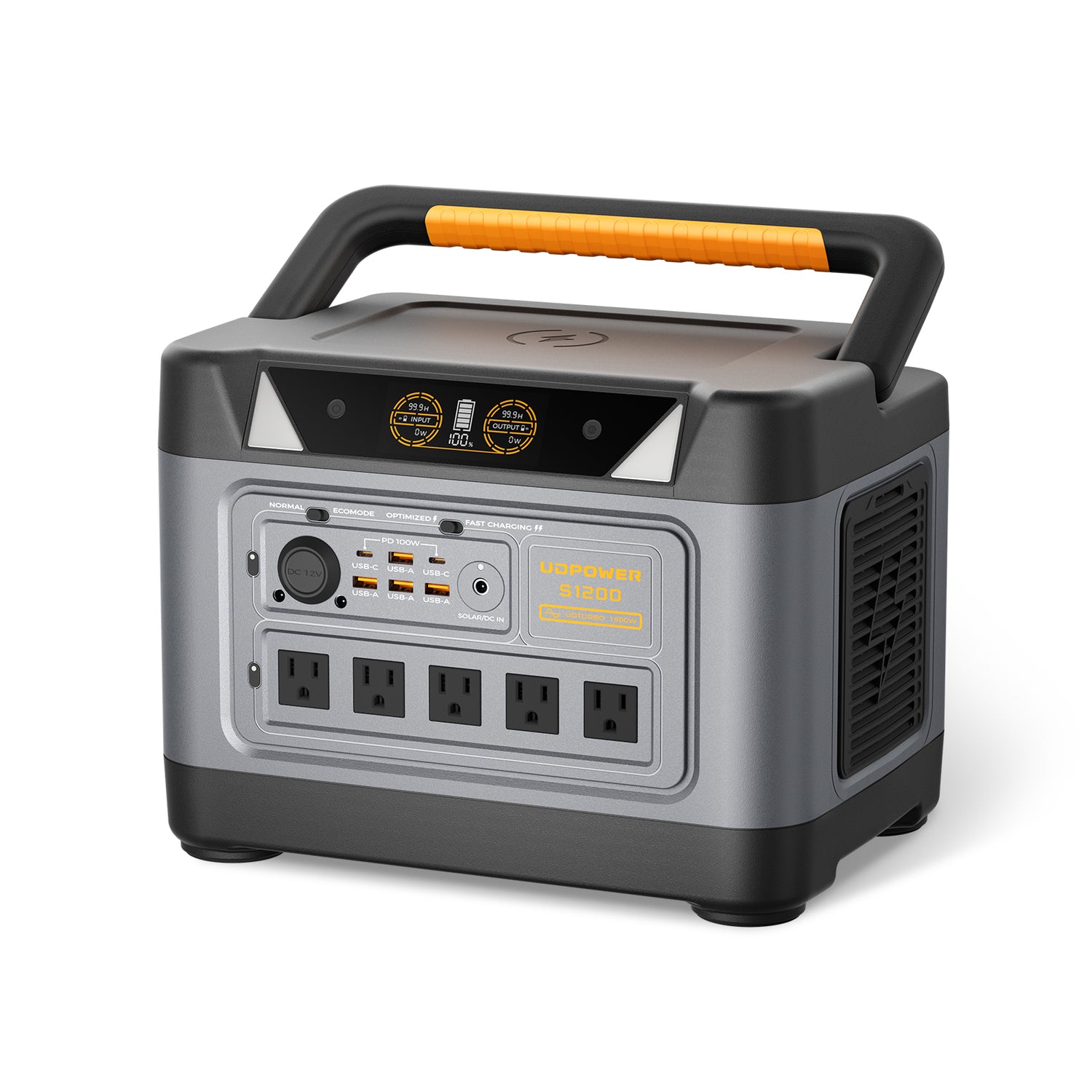
UDPOWER S1200
The S1200 is a 1190Wh-class portable power station with 1200W rated AC output and 1800W peak output. For solar pairing, the most useful numbers are its published DC7909 solar input specifications:
| S1200 Specification | Published Value |
|---|---|
| Battery capacity | 1190Wh |
| Rated AC output | 1200W |
| Peak output | 1800W |
| Solar input voltage | 12V–75V |
| Maximum solar input current | 12A |
| Maximum solar input | 400W Max |
| Source | UDPOWER S1200 official product page |
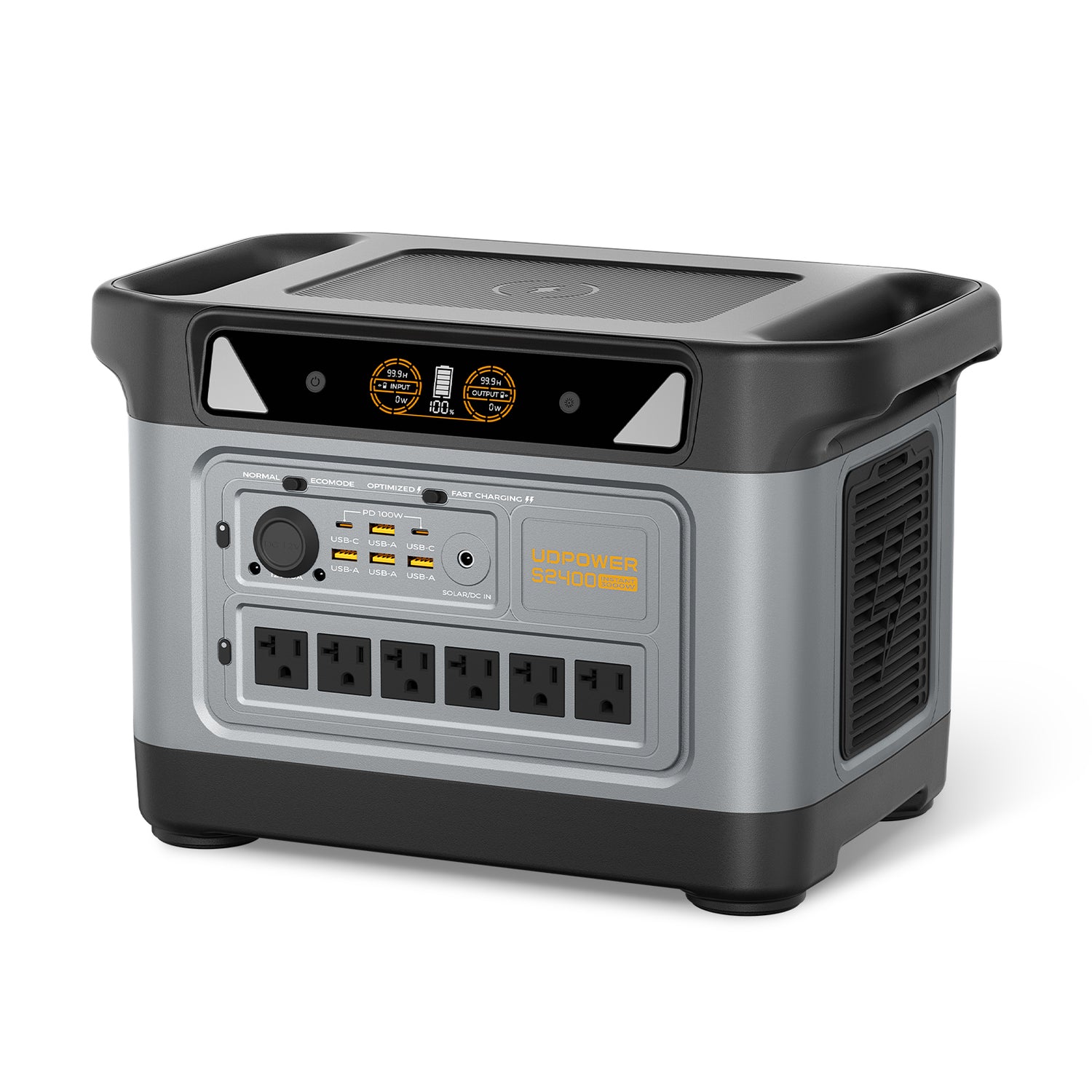
UDPOWER S2400
For larger loads and longer backup needs, the S2400 provides 2083Wh of battery capacity and 2400W rated AC output. Its current official product page lists the following solar input limits:
| S2400 Specification | Published Value |
|---|---|
| Battery capacity | 2083Wh |
| Rated AC output | 2400W |
| Peak output | 3000W |
| Solar input voltage | 12V–50V |
| Maximum solar input current | 10A Max |
| Maximum solar input | Up to 400W |
| Source | UDPOWER S2400 official product page |
If you are deciding between these capacities rather than focusing only on solar input, see the UDPOWER S1200 vs S2400 comparison .
Real Solar Pairing Examples: Why Electrical Specs Matter More Than Panel Wattage
UDPOWER's current solar-panel lineup provides a useful real-world example of how panel specifications relate to a power station's solar input window.
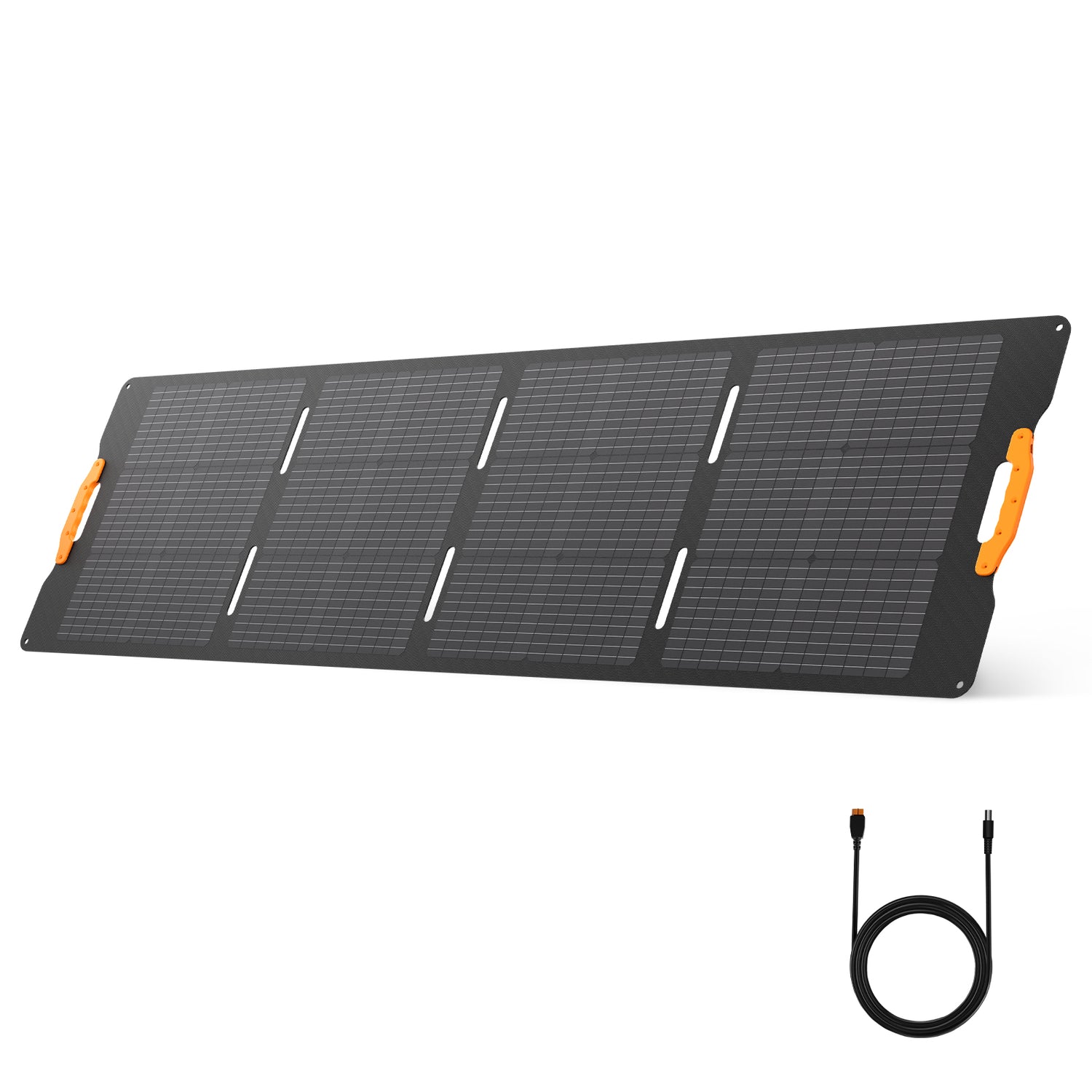
UDPOWER 210W Portable Solar Panel
The current official 210W panel page publishes a 48.0V open-circuit voltage, 40.0V maximum-voltage figure, 5.40A short-circuit current, and 5.00A running-current figure. Those numbers tell us much more about pairing than the "210W" name alone.
View UDPOWER 210W Solar Panel| Configuration | Relevant Published Electrical Data | What It Demonstrates | Official Source |
|---|---|---|---|
| 1 × UDPOWER 120W panel | Voc: 21.5V Published maximum-voltage figure: 17.92V Running current: 5.582A |
A relatively low-voltage portable panel can sit comfortably inside the input windows of compatible UDPOWER stations. | 120W panel specifications |
| 1 × UDPOWER 210W panel | Voc: 48.0V Published maximum-voltage figure: 40.0V Running current: 5.00A |
Higher panel voltage makes the station's voltage window especially important. | 210W panel specifications |
| 2 × matching 210W panels using the supported parallel configuration | Parallel wiring keeps voltage roughly similar while available current roughly adds. Using the published operating figures as an illustration, that is approximately 40V and 10A at the array operating point before real-world losses and controller behavior. | This shows why parallel wiring can suit a station whose current ceiling is reached before its voltage ceiling. | S2400 official configurations |
Why a 420W array may still show less than 420W
Two nominal 210W panels have a combined nameplate rating of 420W, but the current S2400 specification lists solar charging at up to 400W. In excellent conditions, the station's own input ceiling therefore becomes one of the limits on how much panel power can actually be processed.
In less-than-perfect sunlight, meanwhile, the panels may simply be producing less than their combined nameplate rating. That is normal and illustrates why solar charging should be viewed as a system rather than a single wattage number.
For more help choosing between UDPOWER panel sizes, see the UDPOWER Solar Panel Pairing Guide: 120W vs 210W vs 2×120W .
MPPT Does Not Eliminate the Need for Good System Design
A common misconception is that an MPPT controller can somehow correct any panel mismatch. It cannot.
Think of MPPT as an optimizer working inside an approved electrical operating range. It can search for a better operating point, but it cannot safely turn an excessive array voltage into an acceptable one if that voltage exceeds the controller's hardware rating.
| Problem | Can MPPT Fix It? | Why? |
|---|---|---|
| Sun angle is not ideal | Partially | It can optimize the electrical operating point, but cannot restore sunlight that never reaches the panel. |
| Partial shade | Partially | Tracking can respond to changed panel behavior, but shade still removes available solar energy. |
| Panel voltage above controller maximum | No | Maximum voltage is a hardware safety limit. |
| Array can supply more current than the station accepts | No extra charging beyond the station limit | The controller cannot process unlimited current. |
| Power station has reached its maximum solar wattage | No extra charging beyond the limit | Available power above the charging ceiling cannot simply be added. |
| Battery is nearly full | No | The battery charging system determines how much charging power is appropriate. |
| Loose or incompatible connector | No | MPPT cannot compensate for a failed electrical connection. |
MPPT and Partial Shade: What Actually Happens?
Partial shade deserves special attention because it is one of the most common reasons a portable solar setup disappoints its owner.
Solar cells inside a panel are electrically connected. Depending on the panel design and the location of the shadow, shading part of a panel can affect more than the shaded percentage alone would suggest.
Under complex shading, the power-versus-voltage curve of an array can also become more complicated. MPPT circuitry attempts to locate a productive operating point, but the first and best solution remains physical: remove the shade whenever possible.
For portable systems, that is a major advantage over fixed rooftop solar. You can often pick up the panel and move it several feet away from a tree, RV awning, tent, fence, or vehicle. In many cases, relocating the panel produces a larger improvement than changing any charging setting.
Why Solar Input Can Drop as the Battery Reaches 100%
MPPT optimizes the solar side of the charging equation, but the battery still controls how much energy it can safely accept.
During the earlier part of a charge, a battery may accept high charging power. As it approaches full charge, the charging system can reduce power to manage cell voltage and complete charging safely.
This creates an easy diagnostic mistake:
When testing panel performance, a partially discharged battery generally provides a more useful test condition than a battery already approaching full.
Can You Add a Separate MPPT Controller to a Portable Power Station?
Usually, you should not add an external solar charge controller between a solar panel and a portable power station unless the power station manufacturer specifically documents that configuration.
A portable power station's solar input is designed around its own charging electronics and expected input voltage. Sending the output of an unrelated external charge controller into that port may produce the wrong electrical conditions.
For ordinary portable-power-station use, connect panels according to the manufacturer's approved solar charging instructions rather than trying to redesign the charging chain.
When Can PWM Still Make Sense?
MPPT is not automatically necessary for every solar system.
A simple PWM controller may still make sense in a small, cost-sensitive solar setup where panel voltage is closely matched to the battery system and maximizing every available watt is less important.
The economics can also change with climate and system size. Victron's PWM-versus-MPPT technical discussion notes that MPPT's advantage is not identical in every operating condition.
For someone buying a modern all-in-one portable power station, however, this decision is usually different from selecting a standalone charge controller. You are buying an integrated charging system, so focus on:
- Maximum solar input wattage
- Solar input voltage window
- Maximum input current
- Supported solar-panel configurations
- Connector compatibility
- Battery capacity
- AC output needed for your appliances
- Realistic solar recharge time for your use case
MPPT Solar Charging: The Practical Rules to Remember
| Rule | Why It Matters |
|---|---|
| MPPT finds available power; it does not create power. | Your solar harvest still starts with sunlight reaching the panels. |
| Never judge compatibility by watts alone. | Voltage and current limits matter independently. |
| Check Voc before connecting third-party panels. | Open-circuit voltage can be higher than normal operating voltage. |
| Remember that cold conditions can raise solar-panel voltage. | A third-party array should have appropriate voltage headroom. |
| Series adds voltage; parallel adds current. | The same panels can create very different electrical inputs depending on wiring. |
| Remove all practical shade before troubleshooting electronics. | Partial shade can cause a large output reduction. |
| Do not test panel performance with a nearly full battery. | The battery may be limiting charge power. |
| The power station's input ceiling still applies. | MPPT cannot make a 400W charging circuit process unlimited solar power. |
| Use approved multi-panel wiring. | Adding panels changes the voltage/current presented to the station. |
Frequently Asked Questions About MPPT
What does MPPT stand for?
MPPT stands for Maximum Power Point Tracking. It is a solar charging control method that adjusts the operating point of a solar array to obtain as much available power as practical under changing sunlight and temperature conditions.
Does MPPT make a solar panel more efficient?
MPPT does not change the physical efficiency of the solar cells. It helps the charging system use available panel power more effectively by operating the array closer to its maximum-power point.
Is MPPT always better than PWM?
MPPT generally offers greater flexibility and can capture more usable solar energy when panel voltage is significantly different from battery voltage or conditions vary. However, a simple PWM controller can still be practical in small, voltage-matched, cost-sensitive solar systems. The performance difference is not a fixed percentage in every climate or setup.
Do I need a separate MPPT controller for a portable power station?
Normally, no separate controller should be added unless the power station manufacturer specifically instructs you to use one. Portable power stations have their own solar charging electronics and should be connected according to the manufacturer's approved input method.
Can I connect 500W of solar panels to a power station with a 400W solar input?
Do not decide this from wattage alone. Some systems may permit an array with a larger nameplate rating while limiting accepted power, but that configuration should only be used when the manufacturer permits it and the array remains within all voltage and current limits. Never exceed the specified maximum input voltage.
Why am I getting only 250W from a 400W solar array?
Possible causes include sun angle, cloud cover, haze, panel temperature, partial shade, cable losses, battery state of charge, battery temperature, or the station's voltage/current limits. Panel nameplate wattage is not a promise of continuous real-world output.
Does shade affect MPPT solar charging?
Yes. MPPT can adjust to changing panel conditions, but it cannot replace solar energy lost to shade. Partial shading can sometimes reduce output disproportionately, so moving a portable panel into completely unobstructed sunlight should be one of the first troubleshooting steps.
Should I connect solar panels in series or parallel?
It depends on the power station's allowed voltage and current. Series connections add panel voltage while current stays roughly similar. Parallel connections keep voltage roughly similar while current adds. Use only the configuration supported by the manufacturer and verify the resulting electrical values before connecting an array.
Why does cold weather matter when choosing solar panels?
Solar panel open-circuit voltage can increase as cell temperature falls. When designing a third-party solar array, you should account for this instead of assuming the listed warm-weather Voc is the highest voltage the system could ever produce.
Why does my solar charging wattage drop when the battery is almost full?
Battery charging power can be reduced as the battery approaches full charge. The station may therefore accept less solar power even though the panels are still capable of producing more. This is why a nearly full battery is not the best condition for testing maximum solar input.
Can I use third-party solar panels with a portable power station?
Many power stations can work with compatible third-party panels, but compatibility must be confirmed using the station's current input voltage range, maximum input current, maximum wattage, connector type, and polarity. Check the manufacturer's current specifications before connecting a third-party array.
What is the most important factor for faster solar charging?
There is no single factor. Fast solar charging requires adequate panel capacity, strong direct sunlight, good panel orientation, an electrically compatible array, appropriate wiring, and a power station capable of accepting the available solar power. MPPT helps optimize that system, but it cannot overcome a weak solar source or a restrictive input limit.
Technical Sources
For readers who want to go beyond the practical explanation above, these technical resources provide additional background on MPPT and PWM operation:
Bottom Line: MPPT Is Only One Part of Good Solar Charging
MPPT matters because solar panels do not operate at one fixed voltage and current throughout the day. A well-designed controller can continually adjust the panel operating point and make better use of the solar energy that is actually available.
But the best real-world solar charging results come from understanding the whole system. Start with direct sunlight. Eliminate shade. Aim the panels well. Check Voc and operating voltage. Check current. Check the station's maximum solar wattage. Use the approved wiring configuration. And remember that the battery itself may reduce charging power as it becomes full.
In other words, MPPT optimizes a compatible solar system; it does not make an incompatible or poorly positioned solar system compatible.
Build the Right Solar Power Setup
Match your power station, battery capacity, and solar-panel configuration to the way you actually plan to use backup power, camping power, or off-grid charging.
Compare S1200 vs S2400 View Portable Power Stations View Portable Solar Panels Explore Solar Generator Kits Get the Solar Panel Pairing GuideRelated Articles





