

How Long to Charge a Power Station for the First Time
Last updated: November 26, 2026
Direct answer: Charge a brand-new portable power station only until its screen reaches 100% and input wattage drops to 0W—typically 0.7 to 1.6 hours on a built-in fast AC charger (300W–1,600W input) or 1.8 to 5.3 hours on an external AC power brick (90W–200W input), starting from the standard 30% to 60% shipping charge. Do not leave a modern LiFePO4 or lithium-ion station plugged in for an outdated 8- to 12-hour "activation" charge; lithium cells have no memory effect, and the built-in Battery Management System (BMS) cuts charging automatically at full voltage.
Cold-delivery exception: If your power station arrived in freezing weather, let it warm indoors for 2 to 4 hours before plugging it in. Most LiFePO4 stations block charging below 32°F (0°C)—though cold-charge-rated units such as the UDPOWER C600 and S2400 accept charge down to 23°F (-5°C).
The biggest myth around unboxing a new portable power station comes from nickel-cadmium and lead-acid batteries sold decades ago, which needed long overnight conditioning charges. Modern portable power stations run on lithium iron phosphate (LiFePO4) or lithium-ion cells managed by an electronic BMS. Leaving the cable connected for an extra six hours after input watts hit zero adds zero extra capacity.
What does matter on day one is giving the unit one uninterrupted AC wall charge to 100% before a trip or outage, plugging high-wattage fast chargers directly into a dedicated 120V wall receptacle, and understanding why the final 20% slows down while cell voltages balance.

First-Time AC Charging Times by Capacity and Charger Wattage
A new portable power station almost never ships at 0%. Under 49 CFR § 173.185 federal transport rules, standalone lithium-ion cells and batteries shipped by air are capped at 30% state of charge (SoC), and manufacturers routinely ship ground- and ocean-freight power stations between 30% and 60% SoC to limit shelf aging and thermal risk. Your first charge therefore replaces only the remaining 40% to 70% of capacity, not a dead pack.
Charger architecture creates the widest time gap. Units with a built-in bidirectional AC inverter pull 300W to 1,600W straight from a wall outlet and finish a first charge in under 90 minutes, while compact or mid-size stations with an external 90W to 200W AC brick take 2 to 5 hours.
| Power station class & AC charger | From 50% SoC (h) | From 30% SoC (h) | Full 0%–100% (h) |
|---|---|---|---|
| 300Wh + 100W external AC brick | 2.5 | 3.2 | 4.2 |
| 300Wh + 300W built-in fast AC | 0.8 | 1.1 | 1.4 |
| 500Wh + 120W external AC brick | 3.4 | 4.4 | 5.9 |
| 500Wh + 500W built-in fast AC | 0.8 | 1.1 | 1.4 |
| 1,000Wh + 200W external AC brick | 4.1 | 5.3 | 7.1 |
| 1,000Wh + 800W built-in fast AC | 1.0 | 1.3 | 1.8 |
| 1,000Wh + 1,200W built-in fast AC | 0.7 | 0.9 | 1.2 |
| 2,000Wh + 1,600W built-in fast AC | 1.0 | 1.3 | 1.8 |
Calculated at 85% AC-to-battery charging efficiency, running at full rated input up to 80% SoC and tapering to an average of 50% rated input from 80% to 100% SoC during constant-voltage saturation and cell balancing.
Use the two-stage formula below to check your exact unit before plugging it in. Dividing total watt-hours by charger watts alone undercounts real wall time because it ignores AC-to-DC conversion heat and the slowdown above 80%.
First-Time AC Charge Formula (85% Efficiency + 80%–100% Taper)
Bulk Stage (Start SoC to 80%) = Capacity (Wh) × (0.80 − Start SoC) ÷ (Input W × 0.85)
Taper Stage (80% to 100%) = Capacity (Wh) × 0.20 ÷ (Input W × 0.50 × 0.85)
For a 1,000Wh power station arriving at 40% SoC on an 800W AC charger: Bulk = 400 ÷ 680 = 0.59 hours (35 min); Taper = 200 ÷ 340 = 0.59 hours (35 min); Total first-charge time = about 1.2 hours.
To run numbers for custom capacities or solar inputs after setup, use the UDPOWER battery charge time calculator and guide.
Why the Final 20% Slows Down—and Why 100% Calibration Matters
First-time owners often panic when a fast-charging power station rockets from 35% to 80% in 30 minutes and then crawls through the last 20% at a fraction of its rated wattage. That behavior is normal lithium-battery physics, not a faulty charger.
As documented in Battery University BU-409, lithium-ion and LiFePO4 chargers operate in two distinct stages:
- Stage 1 — Constant Current (Bulk Phase): From empty to roughly 70%–80% SoC, the charger pushes maximum safe current (for example, 800W or 1,600W) while pack voltage climbs steadily.
- Stage 2 — Constant Voltage (Saturation & Balancing Phase): Once cells reach their upper voltage limit, the BMS holds voltage fixed and steadily tapers charging current down until input drops near zero. Higher Stage 1 charging speeds make the bulk phase shorter, which makes the Stage 2 taper feel longer by comparison.
- Zero trickle or float charge: Unlike lead-acid batteries, lithium-ion and LiFePO4 packs must not receive continuous trickle charging once full—holding cells at continuous float voltage accelerates aging, so the BMS terminates charge current completely at 100%.
Even though LiFePO4 batteries have zero memory effect and need no 12-hour conditioning, completing one uninterrupted charge to 100% out of the box still serves a concrete technical job. LiFePO4 cells maintain a very flat voltage curve across 20% to 85% SoC, making voltage alone an imprecise fuel gauge after weeks in a warehouse. Hitting the 100% top-voltage knee lets the BMS equalize individual cell groups and anchor its state-of-charge counter so your displayed runtime and remaining percentage stay accurate on your first trip.
AC Wall Outlet vs. Solar, Car, and USB-C for Your First Charge
Use a standard 120V AC wall outlet for your first charge whenever grid power is available. Solar panels fluctuate with passing clouds and shifting sun angles, interrupting Stage 2 balancing, while a vehicle's 12V accessory socket delivers only 100W to 120W and forces hours of idling or driving.
| Charging method | Effective input (W) | Time to 100% (h) | Recommended for first charge? |
|---|---|---|---|
| Built-in fast AC wall outlet | 800 | 1.2 | Yes — fastest, steady power for BMS balancing |
| External AC wall adapter | 200 | 4.7 | Yes — steady wall power; allow one afternoon |
| 210W portable solar panel (clear sun) | 158 | 6.0 | Secondary — clouds interrupt late-stage taper |
| 12V vehicle car socket | 100 | 9.4 | No — impractical idling time for initial top-off |
| 65W USB-C PD wall brick | 65 | 14.5 | No — reserve for small 200Wh–300Wh units or top-ups |
Calculated for 600Wh remaining (40% to 100% SoC) at 85% charging efficiency with 50% average input taper from 80% to 100% SoC. Solar figure reflects 75% of 210W nameplate wattage in uninterrupted full sun.
Step-by-Step First-Time Setup and Electrical Safety Checklist
Follow these six steps once the shipping box arrives to protect the battery cells, verify hardware health within your return window, and calibrate the display cleanly.
- Inspect the unit and box contents: Check the casing, vents, LCD screen, and AC/DC ports for shipping damage before plugging in. Confirm all standard cables arrived—every UDPOWER power station ships with a user manual, warranty card, charging cable, and 12V car charging cable, and the C400 additionally includes car jump-start cables.
- Acclimate cold deliveries to room temperature: Charge indoors in a dry, ventilated room between 60°F and 80°F when possible. Never plug in a frosty box straight off a winter porch; condensation inside vents or cell temperatures below the unit's charging cutoff (32°F on most LiFePO4 packs; 23°F on C600 and S2400) can trigger BMS lockouts or cell plating damage.
- Plug directly into a grounded 120V wall receptacle: Avoid cheap household extension cords and crowded power strips, which the U.S. Consumer Product Safety Commission (CPSC) warns can overheat and ignite under high-wattage loads. Keep at least 4 to 6 inches of clearance around cooling fan vents.
- Charge uninterrupted to 100% with all outputs turned off: Skip pass-through loads during this first charge so the BMS reads net charging current cleanly and completes cell balancing without extra heat. Watch the input wattage readout drop to 0W at 100% rather than unplugging the second "100%" appears.
- Run a 5-minute output verification test: Unplug the wall cable and plug one modest AC device (such as a 60W lamp or 300W appliance within rated limits), one USB-C phone or laptop, and a 12V accessory into their respective ports to verify every rail before you ever depend on the station during an outage or camping trip.
- Store smartly if you are not using it right away: Unplug the station once full. If you plan to store it for several months before its next trip, check the charge every 3 to 6 months and review long-term care thresholds in the UDPOWER power station maintenance guide and our guide on leaving a power station plugged in continuously.
Check your 15A wall circuit before fast charging a 1,500W–1,600W station: A standard U.S. 15A / 120V branch circuit caps out at 1,800W total (1,440W under the 80% continuous-load guideline). A 1,600W fast charger draws 13.3A by itself—enough to trip the breaker instantly if a space heater, coffee maker, or microwave shares the same circuit. Plug high-wattage units straight into a dedicated wall outlet.
UDPOWER First-Time Charging Times Across All Five Models
Across the UDPOWER LiFePO4 lineup—each rated for 80% capacity remaining after 3,000 cycles and 70% after 4,000 cycles, with bonded neutral ground—first-time wall charge duration depends on whether your model uses an external AC adapter (C-series) or a built-in fast AC inverter (S-series).
| UDPOWER model | Capacity (Wh) | AC charging input | 120V wall draw (A) | From 50% SoC (h) | From 30% SoC (h) | Charging temp. |
|---|---|---|---|---|---|---|
| C200 | 192 | 90W external AC adapter | 0.8 | 1.8 | 2.3 | 32°F–104°F |
| C400 (adapter only) | 256 | 96W external DC adapter | 0.8 | 2.2 | 2.8 | 32°F–104°F |
| C400 (dual input) | 256 | 165W (96W adapter + 65W USB-C) | 1.4 | 1.3 | 1.6 | 32°F–104°F |
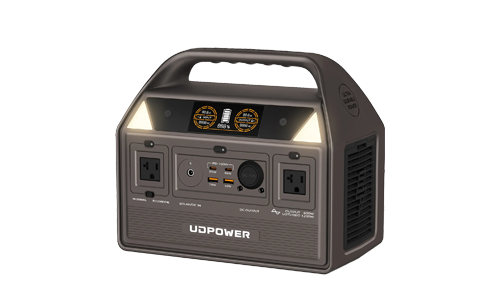
| C600 | 596 | 120W external AC adapter | 1.0 | 4.1 | 5.3 | 23°F–104°F |
| S1200 | 1,190 | 800W built-in fast AC | 6.7 | 1.2 | 1.6 | 32°F–104°F |
| S2400 | 2,083 | 1,600W built-in fast AC | 13.3 | 1.1 | 1.4 | 23°F–104°F |
Wall current calculated at 120V AC. Official published recharge milestones list roughly 1.5 hours for 0%–80% on C400 (165W dual input) and S1200 (800W AC), and roughly 1.5 hours on S2400 AC fast charging. S1200 and S2400 do not support wireless charging; on S2400 solar charging, the DC7909 and rear XT60 ports do not combine power (420W max recommended solar input).
Notice the sharp contrast between the C600 and S1200. Because the C600 relies on a compact 120W external AC adapter, its first wall top-off from a 30% to 50% shipping charge takes about 4.1 to 5.3 hours—completely normal for that adapter class. Meanwhile, the S1200 holds double the energy (1,190Wh) yet finishes a first wall charge from 30% to 50% SoC in 1.2 to 1.6 hours because its 800W charger is built directly into the chassis. If rapid turnaround between storm windows or last-minute trips is a priority, compare these three fast-charging UDPOWER options:
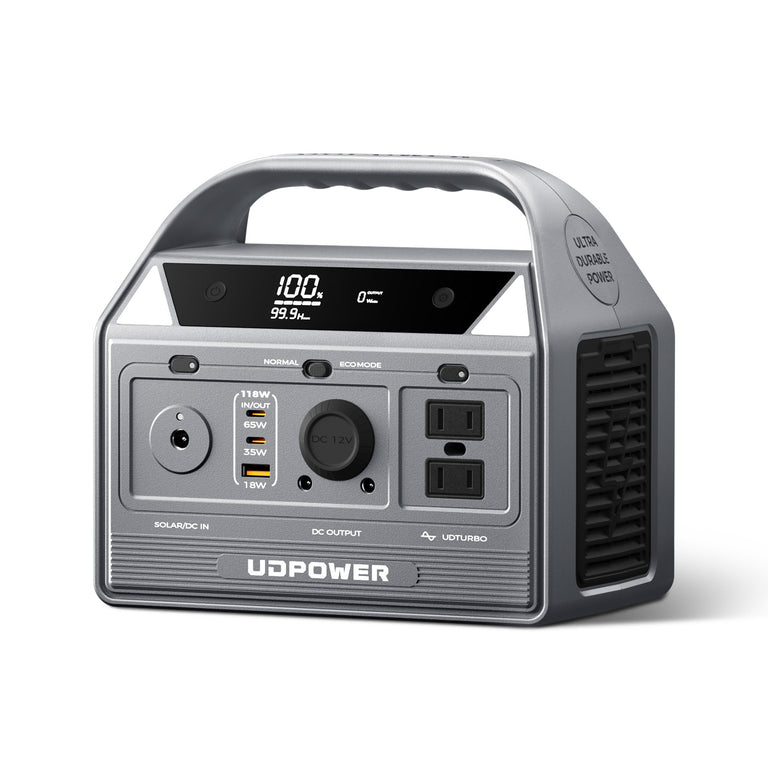
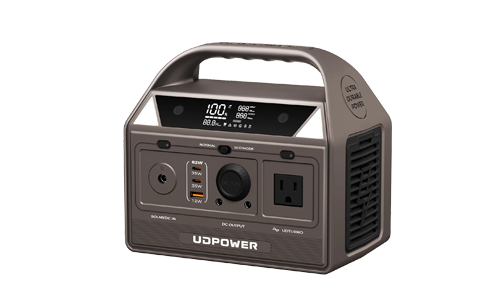
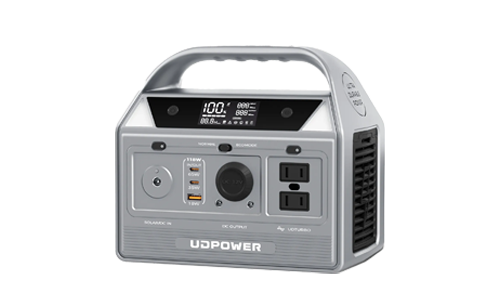
UDPOWER C400 Portable Power Station
Combining the included 96W DC wall adapter with a 65W USB-C PD charger delivers up to 165W dual-input charging, cutting a first-time top-off from 30% to 100% down to about 1.6 hours (and 0%–80% in about 1.5 hours). At 6.88 lbs, it fits solo overnights, laptop backup, and emergency vehicle kits with included car jump-start cables.
Choose another option if: You want a single AC power cord with no external brick or need to run a 12V camping fridge all weekend—step up to the S1200.
View UDPOWER C400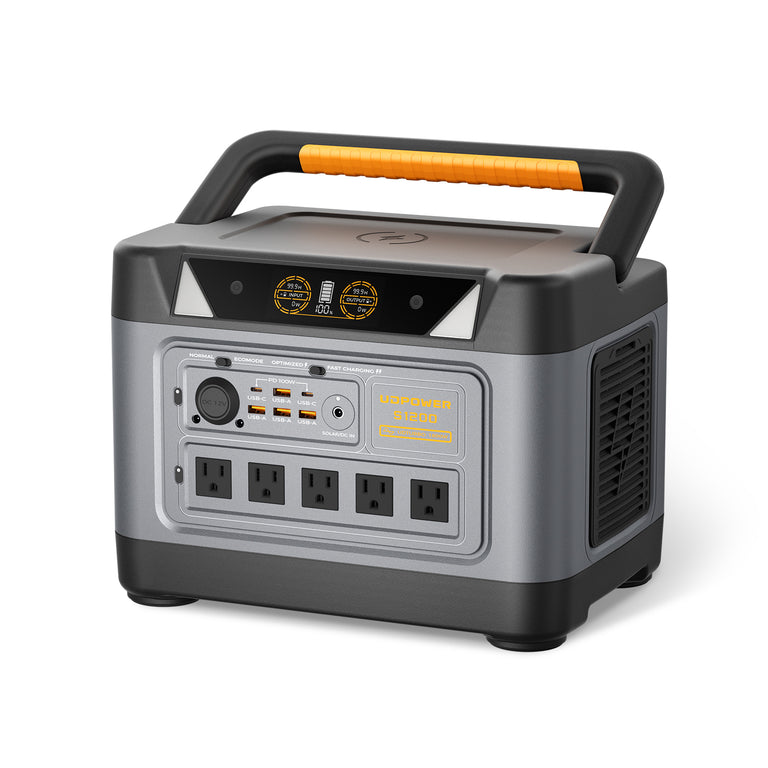
UDPOWER S1200 Portable Power Station (5-AC)
Its built-in 800W AC charger draws only 6.7A on a 120V wall outlet—safe on shared household circuits—yet completes a first-time charge from a 30% to 50% shipping charge in roughly 1.2 to 1.6 hours (0%–80% in about 1.5 hours). At 26.0 lbs with dual 100W USB-C PD ports and up to 400W solar input (12V–75V, 12A), it handles weekend camping and essential home backup. Note that the S1200 does not include wireless charging, and a white 3-AC variant is also available on the same product page.
Choose another option if: You need continuous rated output above 1,200W for a 1,500W kettle or 1,800W induction burner, or need cold-weather charging down to 23°F—step up to the S2400.
View UDPOWER S1200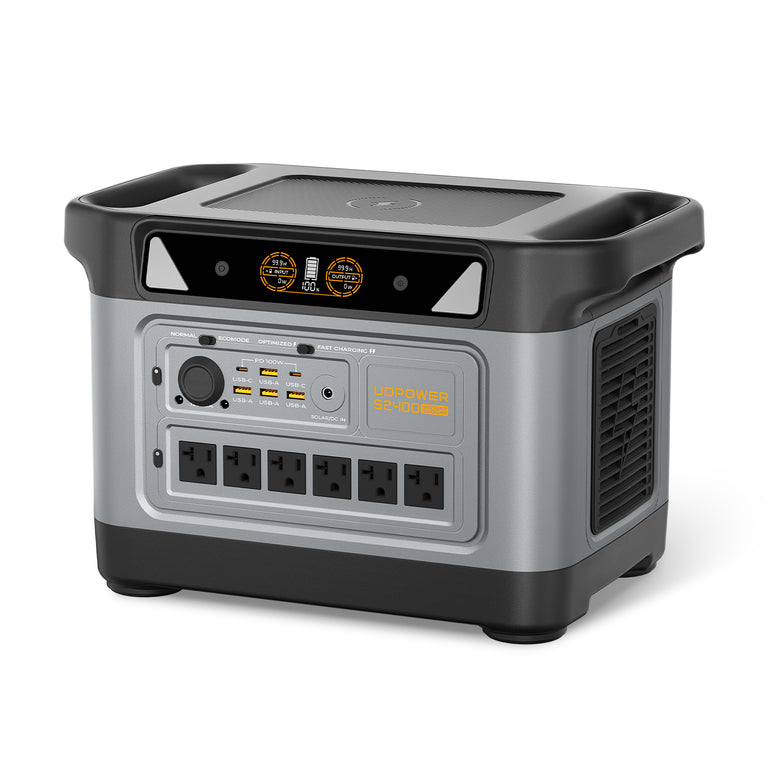
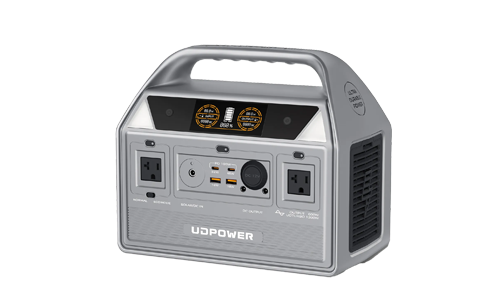
UDPOWER S2400 Portable Power Station
With up to 1,600W built-in AC charging (~13.3A on a dedicated 120V wall outlet), the 2,083Wh S2400 finishes a first charge from a 30% to 50% shipping charge in roughly 1.1 to 1.4 hours and adds low-temperature charging down to 23°F (-5°C) for unheated garages and winter trips. Rated continuous 2,400W output powers full-size refrigerators, microwaves, and camp cooking appliances without relying on reduced-efficiency peak mode; it does not include wireless charging.
Choose another option if: You carry gear solo to walk-in campsites or plug into lightly wired shared bedroom circuits—at 40.8 lbs and 13.3A peak charging draw, the lighter S1200 is easier to live with.
View UDPOWER S2400Note that on applicable UDPOWER models, manufacturer-defined peak power can be sustained above rated output at reduced conversion efficiency rather than acting only as a momentary surge, so always match continuous appliances to the rated AC column when running day-one load tests.
Troubleshooting Day-One Charging Issues
If your brand-new power station behaves unexpectedly during its initial charge, check these four symptoms in order before assuming a hardware defect:
| Symptom on first charge | Most likely cause | Action to confirm and resolve |
|---|---|---|
| Stuck at 99% for 15–30 minutes | Normal Stage 2 constant-voltage taper and cell balancing | Leave plugged in while input watts steadily decline; unplug once input hits 0W and display shows 100%. |
| Shows 0W input right out of the box | Cold-temp BMS lockout (<32°F / <23°F), loose AC plug, or tripped input breaker | Warm indoors 2–4 hours, press the AC cable firmly home, check the resettable overload switch, and test another wall outlet. |
| Percentage jumps (e.g., 55% straight to 100%) | BMS state-of-charge drift after warehouse storage | Run a normal load down to about 10%–15%, then recharge uninterrupted to 100% once to resync the counter. |
| House breaker trips during fast AC charge | Shared 15A circuit overloaded above 1,800W (e.g., 1,600W station + appliance) | Move the power station directly to a dedicated wall outlet or switch to a lower-wattage charging mode if supported. |
If input remains at 0W at room temperature across two confirmed live wall outlets, work through our 10-point guide for a portable power station that will not charge or contact UDPOWER technical support at support@udpwr.com with your model and serial number.
Frequently Asked Questions
Should I drain my new portable power station to 0% before charging it for the first time?
No. Plug it into an AC wall outlet and charge it straight to 100% first. Lithium-ion and LiFePO4 batteries have no memory effect, so forcing a full 0% discharge out of the box adds unnecessary cycle wear without increasing capacity. Only run a controlled discharge down to about 10%–15% followed by a full recharge if the battery percentage jumps erratically.
Can I use a portable power station straight out of the box without charging it first?
Yes for quick functionality tests or short urgent loads—the 30% to 60% shipping charge is safe to draw from immediately. Before packing for a camping trip or relying on the unit for storm backup, however, charge it uninterrupted to 100% so you have full stored energy and a calibrated percentage readout.
Will leaving my power station plugged in overnight on the first charge hurt the battery?
No for a single overnight session. A functioning BMS automatically cuts charge current when cells reach 100%, preventing overcharge. Still, unplug the cord once charging finishes rather than leaving a non-UPS backup station sitting on a wall charger indefinitely at 100%.
Why did my brand-new power station arrive at 30% to 50% instead of 100%?
Federal air-cargo rules under 49 CFR § 173.185 limit standalone lithium-ion cells and batteries to 30% state of charge in air transport, and shipping all units at 30% to 60% SoC reduces chemical aging and fire risk during ocean freight and warehouse storage. Receiving a partially charged unit is normal and expected.
Can I plug devices into my power station while it charges for the first time?
Avoid running pass-through loads during your very first calibration charge. Keeping AC and DC outputs switched off lets the BMS measure net pack current cleanly, balance cells faster, and stay cooler during Stage 2 saturation. Once the initial 100% charge finishes, follow your manual's pass-through limits for daily use.
How often do I need to charge or calibrate a power station after its first charge?
During storage, check the display every 3 to 6 months and top the battery back up so self-discharge never pulls cells below the BMS protection floor. You do not need routine monthly 0%–100% drains; perform a recalibration cycle only if the displayed percentage suddenly skips or drops faster than your actual wattage load explains.
Ready to Power Your Setup Faster?
Skip the 12-hour conditioning myth: warm your unit to room temperature, plug directly into a grounded 120V wall outlet, and unplug once the screen hits 100% and 0W input. If you are shopping for a LiFePO4 station that tops up in under 90 minutes without a bulky external brick, compare the full UDPOWER lineup.
Compare UDPOWER Portable Power StationsRelated Articles


