Is Starlink Faster Than 5G?
ZacharyWilliamUsually, no—at least not in a strong 5G area. In many U.S. cities and suburbs, a good 5G home internet connection can beat Starlink on raw download speed. But that is not the whole story. In rural areas, weak-signal suburbs, cabins, and RV setups, Starlink can absolutely feel faster because it is often more consistent than the 5G you can actually get at your address.
That is the real answer ordinary buyers need: the winner depends less on marketing claims and more on your location, signal quality, congestion, and whether you need internet that still works when you leave town or the power goes out.

Related reading on UDPOWER
If readers land here because they are comparing internet options for outages, RV travel, or remote work, these guides are the strongest next clicks inside the UDPOWER site:
The short answer most people actually need
- Pick 5G first if you live in a strong-service area and want the easiest indoor setup.
- Pick Starlink first if you live in a rural area, spend time off-grid, or keep getting burned by weak cellular coverage. Readers planning that setup should naturally continue to How Much Power Does Starlink Use? and How to Power Starlink Off-Grid.
- Do not compare only peak speed claims. Compare your address, your daily workload, and what happens during congestion or power outages.
- If you work remotely, consistency matters just as much as maximum Mbps.

Starlink vs 5G at a glance
Here is the cleaner way to compare them. Instead of using one marketing number, look at download speed, upload speed, setup reality, and where each service tends to win.

| Category | Starlink | 5G Home Internet | Source |
|---|---|---|---|
| Typical speed picture | Starlink says U.S. median download during peak demand was nearly 200 Mbps in its 2025 network update. | 5G can range from roughly 25 Mbps to 1 Gbps depending on carrier, plan, spectrum, and your exact address. |
Starlink Network Update T-Mobile Home Internet FAQ Verizon Plan Info |
| Upload speed | Starlink’s Standard specifications list about 10–30 Mbps typical upload. | 5G home upload can vary a lot, with official ranges from about 5 Mbps up to 75 Mbps depending on tier and network. |
Starlink Specifications T-Mobile Home Internet FAQ Verizon Plan Info |
| Latency | Starlink reported 25.7 ms U.S. median peak-hour latency in June 2025, with land latency often in the 25–60 ms range. | Strong 5G can be excellent for everyday use and may beat Starlink locally, but latency depends heavily on signal quality and congestion. |
Starlink Network Update Starlink Specifications |
| Where it works best | Rural homes, cabins, remote job sites, vans, RV travel, backup internet in dead zones. | Urban and suburban homes with strong carrier coverage and low indoor signal loss. |
Starlink Residential T-Mobile Home Internet Verizon 5G Home |
| Setup | Needs a dish, router, power, and a clear view of the sky. | Usually just an indoor gateway placed near the best signal window. |
Starlink Specifications How 5G Home Internet Works |
What this table really says: 5G usually wins on easy setup and, in the right market, can absolutely win on speed. Starlink wins on reach. That is why the same buyer can get opposite results in downtown Dallas versus a cabin in Montana. If the question in your head is already shifting from “which is faster?” to “how do I keep internet alive when the power dies?”, the most relevant next read is How to Keep Wi-Fi and Internet Running During a Power Outage.
When 5G is faster
5G usually comes out ahead when you live in a place with strong mid-band or high-band coverage, low indoor signal loss, and a carrier that has not overloaded the local tower. That is especially true in suburbs and cities where carriers actively market home internet.
On paper, the difference can be huge. T-Mobile publishes typical download ranges from 133–415 Mbps on one plan and 170–498 Mbps on higher tiers. Verizon publishes tiers that range from 25–85 Mbps at the low end all the way up to 300–1000 Mbps in its higher-band 5G Home Ultimate tier.
So if your address qualifies for strong 5G home service, the raw answer to “Is Starlink faster than 5G?” is often no. At that point, 5G is usually the stronger speed buy.
When Starlink feels faster, even if the headline number is lower
This is where many comparison articles get lazy. Speed is not only about the biggest number you see in a test. It is also about whether the connection stays usable at dinner time, in bad weather, in a rental cabin, on an RV trip, or when you move two miles outside town.

Starlink often feels faster in the real world when:
- Your 5G signal is weak indoors or drops room to room.
- Your local tower slows down badly at peak hours.
- You live in a rural or wooded area where one carrier bar can ruin video calls.
- You need one internet setup that follows you between home, cabin, and road travel.
- You care more about predictable work and streaming than about winning one perfect speed test.
That is why Starlink remains so attractive for rural households and mobile users. It gives people access to genuinely modern speeds in places where 5G either does not exist, barely reaches indoors, or becomes unreliable as soon as conditions change.
Why speed alone does not decide it
If you are shopping like a normal household and not a network engineer, these are the details that actually change the outcome.

| What matters | Why it changes the result | Who usually benefits |
|---|---|---|
| Signal path | 5G hates bad indoor placement, heavy walls, and weak tower angles. Starlink hates roof obstructions, trees, and blocked sky. | Whichever service has the cleaner physical path at your property. |
| Peak-hour congestion | A fast test at 10 a.m. means little if your connection drags from 6–10 p.m. | Starlink in weak-cell areas; 5G in well-provisioned markets. |
| Upload speed | Video calls, cloud backup, large work files, and security cameras care about upload more than people expect. | Often 5G, but not always. Address and plan matter. |
| Mobility | If you move between locations, the best home-only speed test may stop mattering. | Starlink. |
| Power draw | Starlink is not just internet service. It is internet service plus a dish and router that need real backup power. | 5G for low-power simplicity, Starlink if paired with the right battery setup. |
One practical mistake buyers make: they compare their neighbor’s 5G result with Starlink averages online. That is the wrong comparison. The right comparison is your address, your signal, your roofline, your trees, and your daily usage. If you work from home, that decision gets even more practical: Remote Work Setup and UPS Runtime Calculator & Real Examples help readers map internet needs to actual backup hours.
Best choice by use case

| Situation | Better choice | Why |
|---|---|---|
| Urban apartment with strong carrier coverage | 5G | Faster setup, strong odds of better raw speed, no dish installation. |
| Suburban house where cable is unreliable but 5G is strong | 5G | Usually the simpler backup or replacement option. |
| Rural home with weak cell signal | Starlink | It is often the first service that feels truly broadband-fast. |
| Cabin, off-grid property, work trailer, or barn office | Starlink | Coverage reach matters more than theoretical peak speed. |
| RV and frequent travel | Starlink | A portable satellite setup is easier to count on across changing locations. |
| Competitive online gaming in a strong wired market | Neither first | Fiber or cable usually still makes more sense if you can get it. |
| Remote work in a place with weak cellular but open sky | Starlink | Better chance of stable calls and modern download speed. |
Powering Starlink during outages or off-grid trips

Here is the part many internet comparison articles skip: Starlink needs meaningful power. Starlink’s Standard Kit spec sheet lists average power consumption around 75–100W. That is not outrageous, but it is high enough that a flimsy backup battery plan falls apart fast.
If you want Starlink to keep working during a blackout, storm, RV overnight, or remote work day, you need a power station sized for both the dish and the rest of your gear. In the real world, that usually means Starlink plus a Wi-Fi router, phone charging, and at least one laptop.
For readers planning that setup, the best internal path is not one article but a small cluster. Start with How Much Power Does Starlink Use? for realistic wattage, then move to How to Power Starlink Off-Grid for setup options. If your real concern is blackouts at home, follow with How to Keep Wi-Fi and Internet Running During a Power Outage and Portable Power Station Runtime Planning for Outages. And if you are comparing a battery-based internet plan with a fuel-based backup plan, Portable Power Station vs Generator for Power Outages is the most natural next read.
| Power setup | Battery / output | Approx. runtime with Starlink only at 75W | Approx. runtime with Starlink only at 100W | Approx. runtime with Starlink + laptop at 135W–160W | Source |
|---|---|---|---|---|---|
| UDPOWER S1200 | 1,190Wh / 1,200W | About 13.5 hours | About 10.1 hours | About 6.3–7.5 hours |
S1200 Product Page Starlink Standard Kit PDF |
| UDPOWER S2400 | 2,083Wh / 2,400W | About 23.6 hours | About 17.7 hours | About 11.1–13.1 hours |
S2400 Product Page Starlink Standard Kit PDF |
Planning note: these runtime estimates use a simple 85% usable-energy assumption for AC use. Real-world results change with Starlink model, dish heating, ambient temperature, battery mode, and whether you are running extra devices.
That is also why a small battery that looks fine for a phone or hotspot can disappoint badly with Starlink. If your goal is “internet all night” or “full workday backup,” capacity matters more than people expect.
Recommended UDPOWER products for Starlink users
If your internet decision includes outages, RV travel, or off-grid work, pairing Starlink with the right power station matters almost as much as choosing the service itself.
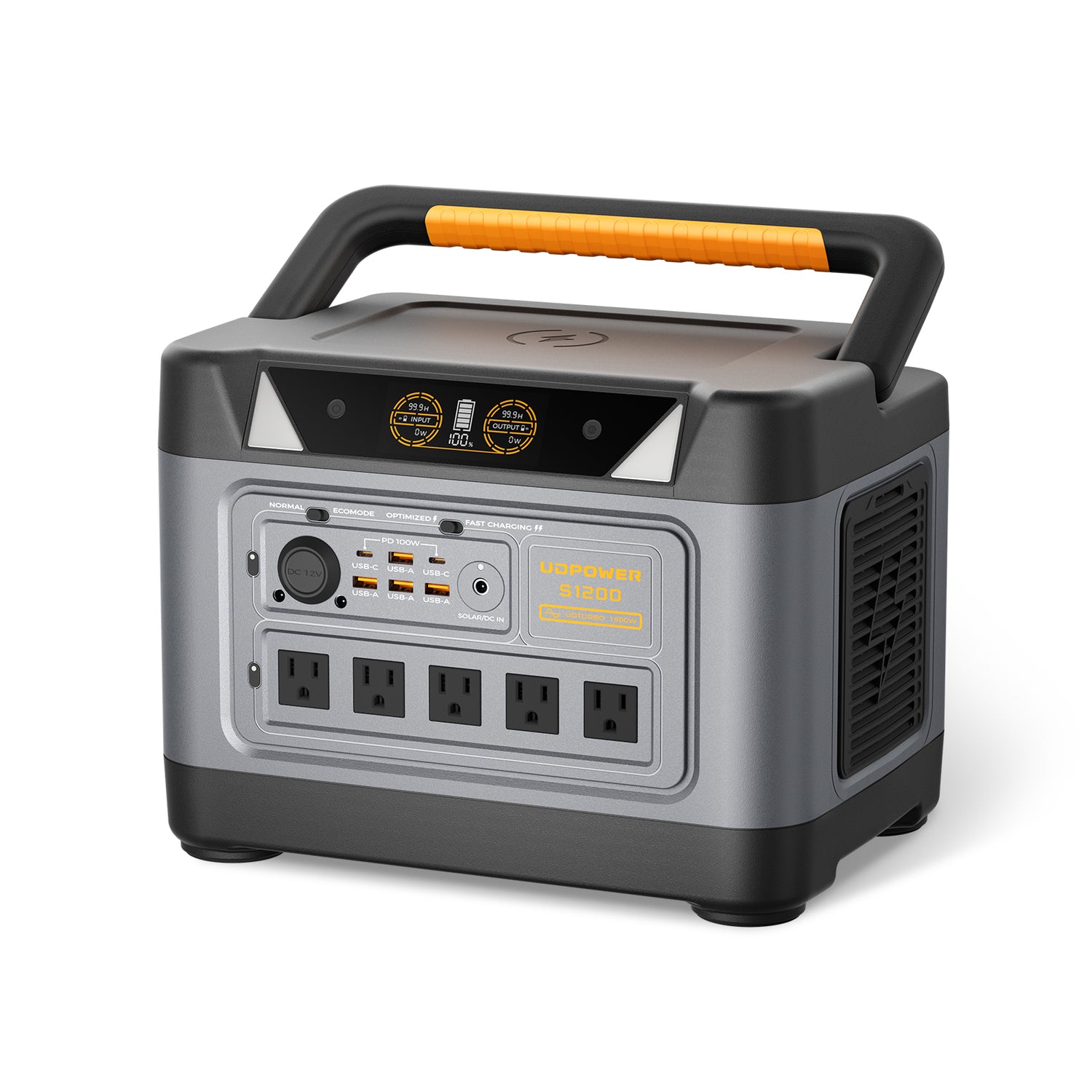
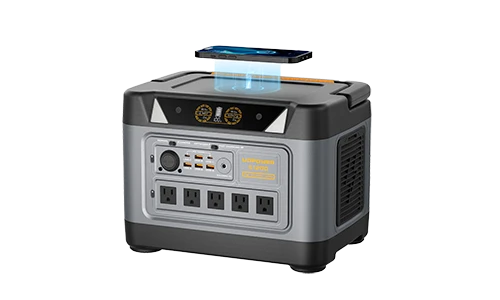
UDPOWER S1200
The S1200 is the sweet spot for readers who want Starlink backup without jumping straight to a much heavier unit. It is a strong fit for storm outages, RV work sessions, cabin internet, and remote-work backup where you need to keep Starlink, a router, and a laptop running for hours.
- 1,190Wh capacity and 1,200W pure sine wave output
- UDPOWER lists solar input at 12V–75V, 12A, up to 400W
- UPS switchover under 10 ms for essentials like routers and computers
- LiFePO₄ battery with 4,000+ cycles
- Approx. weight: 25.8 lb
For many households, this is the practical choice if your question is not just “Is Starlink faster than 5G?” but also “How do I keep internet alive when the grid drops?”
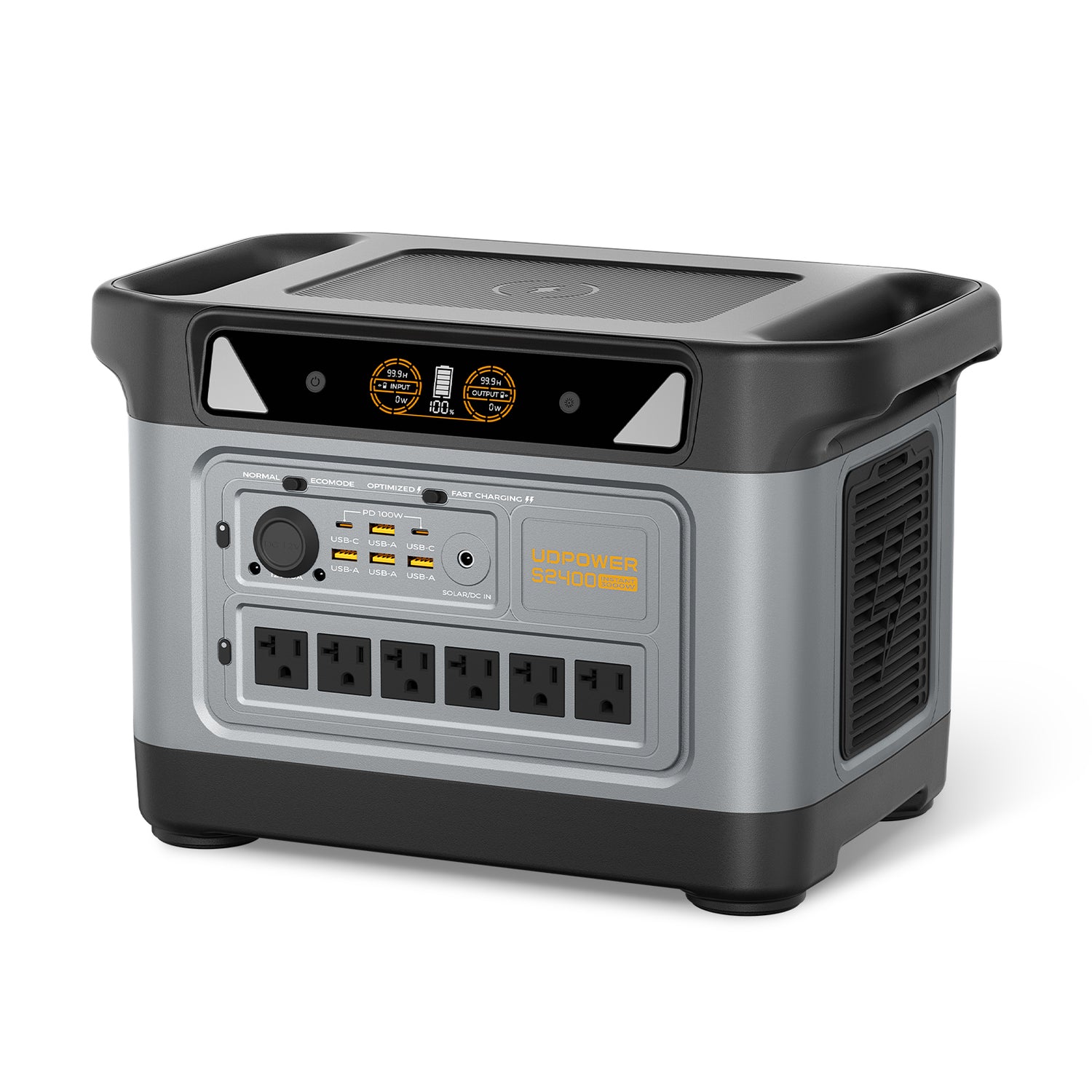
UDPOWER S2400
If your internet setup is only one part of a bigger backup plan, the S2400 gives you much more breathing room. This is the better fit for full-day remote work, longer outages, larger home essentials, or a Starlink setup that also needs to support more chargers, lights, and office gear.
- 2,083Wh capacity and 2,400W output
- 3,000W surge support for bigger startup loads
- Solar input 12–50V, 10A max, up to 400W
- UPSPRIME switchover ≤10 ms
- Approx. weight: 40.8 lb
If Starlink is part of your main emergency communications plan, the S2400 is the more comfortable choice because it gives you longer internet runtime without needing to baby every extra device.

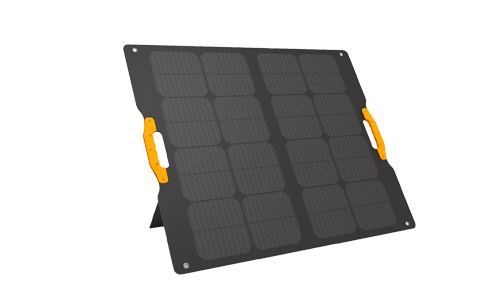
UDPOWER 210W Portable Foldable Solar Panel
For Starlink users who camp, travel, or want daytime recovery during outages, this foldable panel is the logical add-on. It is much more useful than buying a battery and then realizing you have no realistic way to top it back up away from the wall.
- 210W rated output
- ≥22% conversion efficiency
- IP65 water-resistant
- Adjustable stand for better sun angle
- Folded size: 23.66 × 23.15 × 0.79 in
- Weight: 15.32 lb
For a mobile internet setup, a foldable panel makes the whole system more complete. It is especially helpful for RV users who need Starlink during the day and want to reduce how much battery they burn down before sunset.
FAQ
Is Starlink faster than 5G in rural America?
Often, yes in practice. Not always on paper, but often in actual use. Rural 5G can be limited by weak signal, tower congestion, and indoor penetration issues. If you have open sky and poor cell service, Starlink can easily feel faster and more dependable.
Is 5G faster than Starlink in cities?
Usually yes. In strong-service urban and suburban areas, 5G home internet often wins on raw download speed and easier setup. That is why Starlink is usually not the first choice if you already have excellent 5G or fiber options.
Is Starlink good enough for Zoom, Netflix, and normal work?
Yes. For most households, Starlink is plenty for streaming, video calls, web work, and normal cloud tasks. The bigger question is whether your site has a clear sky view and whether you have enough backup power to keep it running when you need it most.
Is Starlink better than 5G for RV travel?
Usually yes. The biggest reason is portability across changing locations. 5G may be faster in one campground and nearly useless in the next. Starlink is often the more dependable travel choice if you need broadband away from towns.
Does weather make Starlink slower?
Weather can affect Starlink, especially in heavy rain or snow, but the bigger day-to-day issue for many users is obstruction from trees or roofline. A badly placed dish causes more disappointment than weather for a lot of buyers.
Which is better for gaming, Starlink or 5G?
In a strong market, good 5G usually has the edge. But if your 5G signal is weak or inconsistent, Starlink can still be the better choice. If gaming is your top priority and fiber or cable is available, those are usually better first options than either Starlink or 5G.
Can a portable power station run Starlink during an outage?
Yes, and for many households that is one of the smartest reasons to own one. Because Starlink Standard typically draws around 75–100W, a properly sized portable power station can keep your internet alive for many hours. The real trick is choosing enough battery capacity, not just any battery.
Should I switch from 5G to Starlink just for speed?
Not if your 5G is already strong and reliable. Switch because of location, consistency, mobility, or backup needs—not because a single headline says satellite is the future. For many buyers, the smartest answer is simple: keep strong 5G, and choose Starlink only when 5G stops being dependable.
Final verdict
Is Starlink faster than 5G? In the average strong-coverage U.S. market, no—5G is usually faster. But in real homes, real RVs, real cabins, and real dead zones, Starlink can still be the better internet because usable speed beats theoretical speed every time.
If you are buying for a city apartment, start with 5G. If you are buying for rural life, travel, or backup internet that has to work when the grid is shaky, Starlink becomes much more compelling. And if Starlink is part of your emergency plan, pairing it with a serious battery option like the UDPOWER S1200 or UDPOWER S2400 makes the whole setup far more useful than internet alone.
For readers building that plan step by step, the strongest internal sequence is simple: measure your expected Starlink load in How Much Power Does Starlink Use?, estimate your real backup window in Portable Power Station Runtime Planning for Outages, and then compare quiet battery backup with fuel-based backup in Portable Power Station vs Generator for Power Outages.