





How to Clean a CPAP Machine: A Practical Home Routine That Actually Fits Real Life
To clean a CPAP machine, unplug the device, remove the mask, tubing, and humidifier chamber, then wash the removable parts with warm water and mild soap. Rinse everything thoroughly, let all parts air-dry completely, and never submerge the CPAP motor unit. Empty the humidifier chamber every morning, use distilled water when your device calls for it, and follow your manufacturer’s manual for filters and replacement parts.
For most home users, the safest routine is simple: daily mask cushion and water chamber care, weekly deep cleaning of the mask, hose, headgear, and humidifier tub, and regular filter checks. The FDA says most CPAP accessories can be cleaned with mild soap and water, and CPAP cleaning machines that use ozone or UV light are not necessary for routine cleaning. Source: FDA CPAP cleaner guidance

What You Need Before Cleaning
CPAP cleaning does not need to feel like a lab procedure. The goal is to remove skin oil, moisture, dust, mineral buildup, and residue before they turn into odor, mask leaks, or visible grime.
Basic CPAP cleaning kit
- A clean basin or sink used only after it has been washed
- Warm drinking-quality water
- Mild, fragrance-free dish soap or gentle liquid detergent
- A clean towel for air-drying parts
- A soft cloth for the outside of the machine
- A hose brush, only if your tubing manufacturer allows it
- White vinegar for humidifier mineral buildup, only when the manual allows it
Different CPAP brands use different mask materials, humidifier tubs, filters, heated hoses, and dishwasher-safe parts. Use this guide as a practical routine, but let your CPAP machine and mask manuals make the final call.

Daily CPAP Cleaning Routine
The daily routine is mostly about the parts that touch your face and hold water. It should take only a few minutes in the morning.
-
Unplug the machine and remove the parts.
Disconnect the mask, tubing, and humidifier chamber. Do not wash anything while it is attached to the CPAP motor unit.
-
Wash the mask cushion or nasal pillows.
Gently clean the cushion area with warm water and mild soap. This removes skin oil, sweat, moisturizer, and residue that can cause leaks at night.
-
Empty the humidifier chamber.
Pour out leftover water every morning. Letting water sit in the chamber all day can encourage mineral buildup and odor.
-
Rinse thoroughly.
Soap left behind can irritate skin, create odor, or break down silicone over time. Rinse until the parts no longer feel slippery.
-
Air-dry fully before bedtime.
Place parts on a clean towel away from direct sunlight. If your mask or chamber is still wet at night, dry the outside with a clean towel and let the inside finish drying as much as possible before use.
That small daily habit solves many of the complaints CPAP users blame on the machine: mask leaks, stale smells, sticky cushions, and humidifier odors.
Weekly Deep Cleaning Steps
Once a week, clean the parts that collect moisture and airflow residue over time: tubing, headgear, mask frame, connectors, and the humidifier tub.
-
Take the mask apart.
Separate the cushion, frame, headgear, and any removable elbow or connector pieces. This lets water reach the areas where oil and dust collect.
-
Soak removable parts in warm soapy water.
Use mild soap. Avoid harsh cleaners, scented soaps, bleach, alcohol, and strong disinfectants unless your medical equipment provider specifically tells you otherwise.
-
Wash the hose carefully.
Run warm soapy water through the tubing. Lift and lower the hose so water moves through the full length. Rinse until the water runs clear and no soap remains.
-
Clean the humidifier chamber.
Wash with mild soap and warm water. If mineral scale is building up and your manual allows vinegar, ResMed’s U.S. cleaning guidance gives a weekly humidifier tub option of mild dishwashing liquid or a solution of 1 part vinegar to 9 parts water. Always rinse thoroughly afterward. Source: ResMed cleaning guidance
-
Check filters before reinstalling anything.
Reusable foam filters may be washable depending on the model. Disposable fine filters are usually replaced, not washed. Never put a wet filter back into the machine.
-
Dry everything completely.
Hang the tubing over a shower rod, towel bar, or clean chair back so water can drain out. Keep parts away from direct heat and direct sunlight, which can damage plastic and elastic. The Sleep Health Foundation also recommends mild soapy water, good rinsing, and full air-drying for masks, straps, and tubing. Source: Sleep Health Foundation
CPAP Cleaning Schedule Table
Use this as a practical baseline. Your manual may be stricter, especially for heated tubing, specialty masks, or devices used with supplemental oxygen.
| Part | Simple Schedule | How to Clean | Why It Matters | Useful Source |
|---|---|---|---|---|
| Mask cushion or nasal pillows | Daily | Wash or wipe with warm water and mild soap, then rinse well. | Removes face oil and helps reduce leaks. | FDA |
| Humidifier water chamber | Empty daily; wash regularly | Pour out leftover water each morning. Wash with mild soap and warm water. Descale only if your manual allows it. | Reduces odor, mineral buildup, and standing-water residue. | ResMed |
| CPAP tubing | Weekly | Run warm soapy water through the hose, rinse thoroughly, and hang to air-dry. | Moist tubing can trap odor and residue if never cleaned. | Sleep Health Foundation |
| Mask frame and headgear | Weekly, or more often if oily or sweaty | Hand-wash gently with mild soap. Rinse and air-dry away from heat. | Helps keep the fit stable and reduces skin irritation from buildup. | SleepApnea.org |
| Reusable filter | Check weekly | Clean only if your device manual says it is washable. Let it dry completely before reinstalling. | A wet or clogged filter can affect airflow and device performance. | American Thoracic Society |
| Disposable filter | Check regularly; replace when dirty or per manual | Do not wash disposable filters. Replace them. | Disposable filters lose effectiveness when washed or reused too long. | American Thoracic Society |
| CPAP machine exterior | Weekly or as needed | Unplug first. Wipe the outside with a slightly damp cloth. Never submerge the motor unit. | Keeps dust away from vents and controls without damaging electronics. | FDA |
What Not to Use on CPAP Equipment
Many CPAP parts are made from silicone, plastic, elastic, foam, or electronic components. Harsh cleaning shortcuts can damage those materials or leave residue you end up breathing through.
| Do Not Use | Why to Avoid It | Better Option |
|---|---|---|
| Bleach or strong disinfectants | Can damage parts and leave harsh residue. | Mild soap and warm water. |
| Alcohol wipes on silicone cushions | Can dry out or degrade soft mask materials over time. | Warm water, mild soap, or CPAP-safe wipes approved by your supplier. |
| Scented soap, lotion soap, or essential oils | Can leave fragrance or oily residue in the airflow path. | Fragrance-free mild dish soap. |
| Boiling water | Can warp plastic and silicone parts. | Warm water, unless your manual says otherwise. |
| Dishwasher cleaning without checking the manual | Some humidifier tubs or parts may be dishwasher-safe, but many pieces are not. | Hand-wash unless the exact part is labeled dishwasher-safe. |
| Ozone or UV cleaner as a replacement for washing | The FDA says these machines are not necessary for routine CPAP cleaning and has raised safety and effectiveness concerns for ozone and UV claims. | Wash removable parts with mild soap and water, then air-dry fully. FDA guidance |
What to Do About Smell, Film, or Mold
If your CPAP smells musty, feels slimy, or shows visible buildup, do not just add more soap and hope it goes away. Use the problem to find the cause.
If the mask cushion feels greasy
Wash the cushion daily and rinse longer. Face oil, sunscreen, night cream, and beard products can make a mask lose its seal. Let skincare products absorb before putting on the mask.
If the hose smells stale
Wash the tubing weekly and hang it so both ends can drain. If odor keeps returning after cleaning and drying, replace the hose. Old tubing can hold odor in the material even when it looks clean.
If the humidifier chamber has white scale
Mineral scale often comes from tap water. Use distilled water if your CPAP manual recommends it. For descaling, follow your brand’s instructions. Do not scrape the chamber with anything sharp.
If you see black, green, or fuzzy growth
Stop using that part until it is cleaned or replaced. If growth is inside the hose, chamber seams, mask elbow, or a part you cannot fully clean, replacement is usually safer than trying to rescue it.
Clean the mask, tubing, and humidifier chamber more carefully before your next normal night of use. Replace disposable filters if they look dirty or if your equipment provider recommends it.
Cleaning CPAP Gear During Travel or Power Outages
CPAP cleaning gets harder when you are camping, staying in a hotel, traveling by RV, or dealing with an outage at home. The cleaning method stays the same, but your setup needs to be simpler.
| Situation | Minimum Safe Routine | Extra Tip |
|---|---|---|
| Hotel travel | Bring mild soap, a clean towel, and a sealable bag for dry parts only. | Do not pack wet tubing in a closed bag in the morning. |
| RV or camping | Use a clean basin, bottled or drinking-quality water, and let parts dry during the day. | Keep CPAP parts away from dust, campfire smoke, and pet hair. |
| Storm outage | Prioritize clean water for the mask and humidifier chamber. Run the CPAP without humidification if needed to save power and reduce water use. | Use a tested CPAP backup power setup before storm season. |
| Multi-night outage | Clean the mask cushion daily and keep tubing as dry as possible. | Solar recharging during the day can help keep the CPAP available at night. |
For power planning, see UDPOWER’s existing guides on CPAP power consumption and how long a CPAP can run on battery backup.
Recommended UDPOWER Backup Power Options for CPAP Users
Cleaning keeps your CPAP hygienic. Backup power keeps it usable when the wall outlet is not available. If you depend on CPAP at night, a quiet indoor-safe portable power station is often more practical than a gas generator because it has no fuel fumes, runs quietly, and can sit near your bedside when used according to the product manual.
The estimates below use a practical 90% usable efficiency assumption. Actual runtime depends on your CPAP model, pressure setting, heated humidifier, heated hose, room temperature, AC vs. DC connection, and battery age. For exact planning, measure your CPAP’s real wattage and try the UDPOWER Runtime Calculator.

UDPOWER C600 — Good for One-Night CPAP Backup Without Heavy Humidifier Use
- 596Wh
- 600W output
- LiFePO4
- 4,000+ cycles
- 12.3 lbs
The C600 is the compact choice for users who want a manageable power station for overnight CPAP support, camping, or short emergency backup. It is best when the heated humidifier is off or set low.
View UDPOWER C600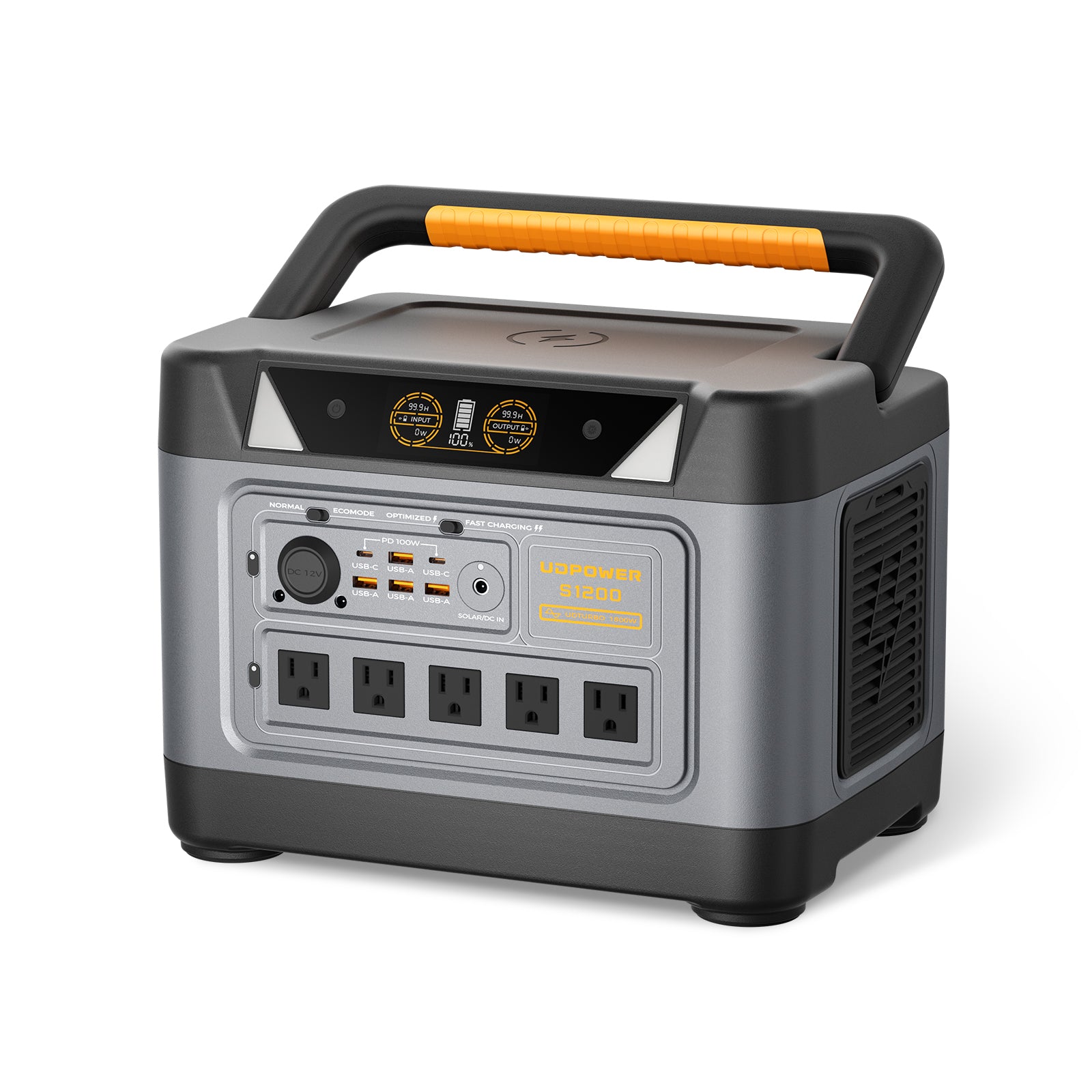
UDPOWER S1200 — Best Fit for Most CPAP Backup Plans
- 1,190Wh
- 1,200W output
- UDTURBO 1,800W surge
- <10 ms UPSPRIME
- <25dB
The S1200 is the practical middle ground for CPAP users who want more reserve for a full night, router, phone, light, or multi-night planning with careful humidifier use. Its quiet operation and UPSPRIME switchover support make it a strong bedside backup option.
View UDPOWER S1200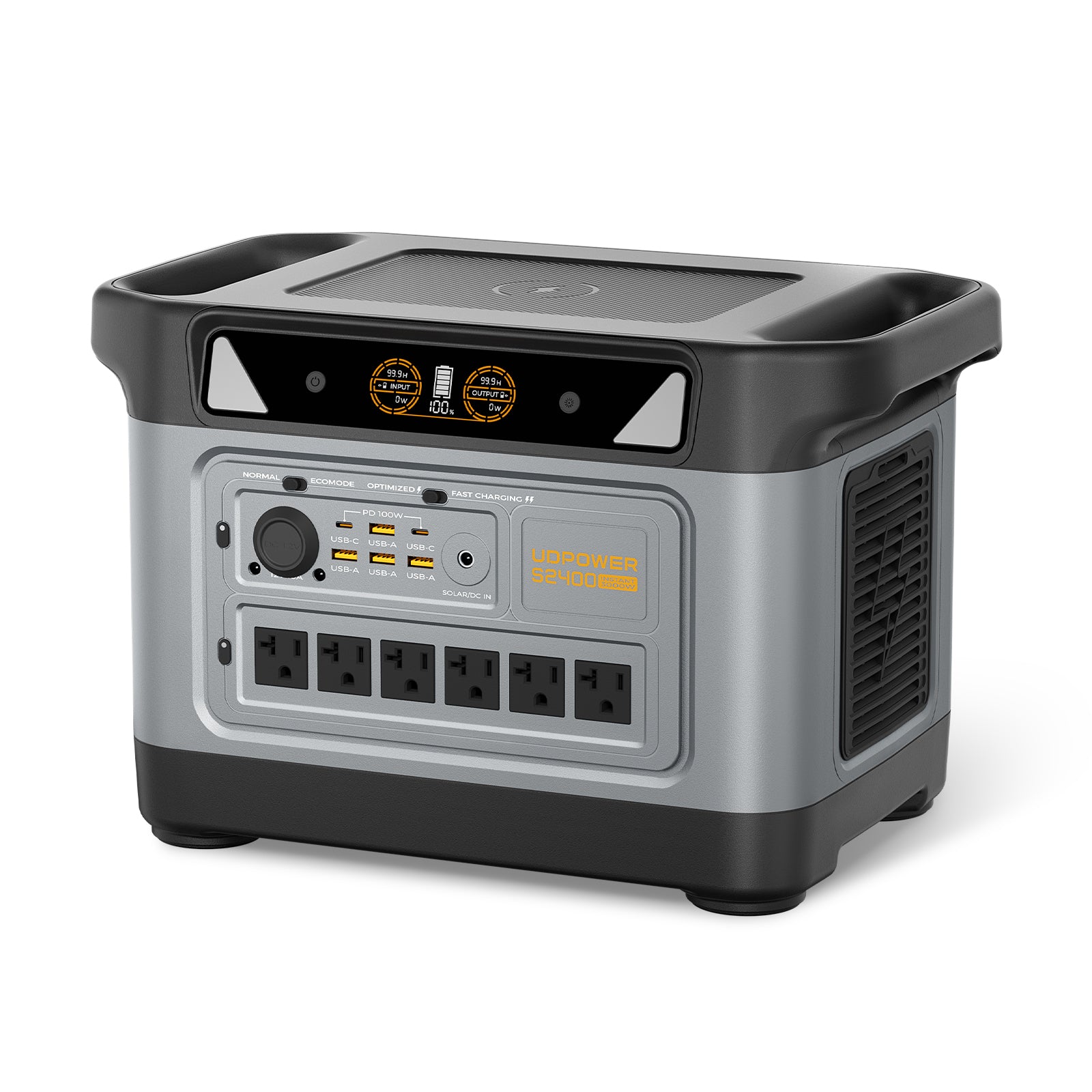
UDPOWER S2400 — Best for Multi-Night CPAP Backup and Extra Home Essentials
- 2,083Wh
- 2,400W output
- 3,000W surge
- 6 AC outlets
- 15 total outputs
The S2400 is the higher-capacity choice for multi-night CPAP backup, RV use, or households that also want to support a router, lights, phone charging, or other essentials during an outage.
View UDPOWER S2400Estimated CPAP Runtime by UDPOWER Model
| UDPOWER Model | Official Capacity | 40W CPAP, Humidifier Off or Low | 70W CPAP, Humidifier On Low/Medium | 90W CPAP, Heated Humidifier/Tube Use | Best Use Case |
|---|---|---|---|---|---|
| C600 | 596Wh | About 13.4 hours | About 7.7 hours | About 6.0 hours | One-night backup with efficient settings |
| S1200 | 1,190Wh | About 26.8 hours | About 15.3 hours | About 11.9 hours | Most CPAP outage plans and camping trips |
| S2400 | 2,083Wh | About 46.9 hours | About 26.8 hours | About 20.8 hours | Multi-night CPAP backup plus extra essentials |
When to Replace CPAP Parts Instead of Cleaning Them Again
Cleaning has limits. If a part is stretched, cracked, cloudy, torn, or permanently smelly, replacement usually works better than scrubbing harder.
| Part | Replace When You Notice | Why Cleaning May Not Fix It |
|---|---|---|
| Mask cushion or nasal pillows | Leaks, yellowing, stiffness, cracks, sticky feel, or poor seal after washing | Silicone can lose shape and softness over time. |
| Headgear | Stretched straps, weak Velcro, or needing to overtighten the mask | Elastic fatigue changes the fit and can cause leaks. |
| Tubing | Persistent odor, pinholes, tears, water that will not drain, or cloudy buildup | Old tubing can hold residue and leak air. |
| Humidifier chamber | Cracks, cloudy mineral buildup, worn seals, or visible growth in seams | Deep seams and scratched plastic are hard to fully clean. |
| Filters | Gray, brown, dusty, wet, clogged, or past the manual’s schedule | Filters protect airflow and should not be stretched beyond their intended use. |
A Realistic Weekly Routine You Can Actually Keep
If you keep forgetting CPAP cleaning, do not build a complicated system. Make it automatic.
Morning, 3 minutes
Empty the humidifier chamber, rinse it, wash the mask cushion, and set both on a clean towel.
Weekend, 20 minutes
Wash the mask frame, headgear, tubing, and humidifier chamber. Hang the hose early in the day so it is dry by bedtime.
First day of each month
Check filters, inspect tubing for damage, look for worn mask parts, and confirm your backup power setup still works before storm season.
Sources Used for This Guide
This article prioritizes FDA guidance, manufacturer instructions, and sleep-health organizations. External source links are included below for readers who want to verify the cleaning guidance directly.
| Source | Why It Was Used | Link |
|---|---|---|
| U.S. Food & Drug Administration | General CPAP cleaning guidance and warning that ozone/UV cleaners are not necessary for routine cleaning. | FDA CPAP cleaner guidance |
| ResMed | Manufacturer cleaning guidance for humidifier tubs and general CPAP equipment care. | ResMed cleaning CPAP equipment |
| Sleep Health Foundation | Practical care advice for masks, straps, tubing, mild soapy water, and air-drying. | Caring for CPAP equipment |
| SleepApnea.org | Step-by-step CPAP cleaning process and cleaning frequency details. | How to clean CPAP equipment |
| American Thoracic Society | PAP device care, mask, tubing, humidifier, and filter maintenance guidance. | PAP care and cleaning PDF |
| UDPOWER Official Product Pages | Product capacity, wattage, LiFePO4 battery, runtime planning, and CPAP backup recommendations. | UDPOWER CPAP Battery Backup |
FAQ: Cleaning a CPAP Machine
How often should I clean my CPAP machine?
Clean the mask cushion or nasal pillows daily, empty the humidifier chamber every morning, and do a deeper wash of the mask parts, tubing, headgear, and humidifier chamber about once a week. Always follow your device manual if it gives a different schedule.
Can I clean my CPAP with vinegar?
Vinegar is mainly used for humidifier mineral buildup when the manufacturer allows it. Do not use vinegar on every part by default. For example, ResMed gives a humidifier tub option using 1 part vinegar to 9 parts water, followed by thorough rinsing.
Can I use Dawn or dish soap to clean CPAP parts?
A mild, fragrance-free dish soap is usually acceptable for many removable CPAP parts. Avoid scented, moisturizing, antibacterial, or harsh soaps unless your CPAP or mask manual specifically approves them.
Can I put CPAP parts in the dishwasher?
Only if the exact part is labeled dishwasher-safe in your manual. Many mask pieces, headgear, tubing, and seals should be hand-washed instead.
Do I need an ozone or UV CPAP cleaner?
For routine home cleaning, no. The FDA says most CPAP accessories can be cleaned with mild soap and water and warns that ozone or UV CPAP cleaning devices are not necessary for routine cleaning.
Why does my CPAP still smell after cleaning?
The most common causes are tubing that did not fully dry, old mask cushions, leftover soap, humidifier mineral buildup, or a dirty filter. If a part still smells after a proper wash and full drying, replace that part.
Can I use tap water in my CPAP humidifier?
Use the water type recommended by your CPAP manufacturer. Many users choose distilled water because it helps reduce mineral scale in the humidifier chamber.
How do I keep using CPAP during a power outage?
Use a tested backup power setup before the outage happens. For many users, turning off or lowering heated humidification extends runtime. UDPOWER C600, S1200, and S2400 can support different CPAP backup needs depending on your CPAP wattage and how many nights of reserve you want.
Related UDPOWER Guides
Need CPAP Backup Power for Outages, RV Trips, or Camping?
Start with your CPAP’s real wattage, decide whether you will use heated humidification, then choose a backup battery with enough reserve for a full night. UDPOWER portable power stations offer quiet LiFePO4 backup power for CPAP users who want a cleaner, indoor-friendly option than a gas generator.
View CPAP Backup Options Compare Portable Power Stations Get a Runtime Estimate
Related Articles


1 comment
What is the review on papmd to clean Cpap?