How Many Watts Does a CCTV Camera Use?
ZacharyWilliamSecurity Camera Power Guide
A practical wattage, energy-cost, and backup-runtime guide for CCTV cameras, PoE cameras, NVRs, DVRs, routers, and small security systems.
Last updated: May 28, 2026
Most CCTV or IP security cameras use about 4 to 12 watts each during normal use. A basic indoor camera may use only 2 to 5 watts, a typical PoE outdoor camera with night vision often lands around 6 to 12 watts, and a PTZ camera can use 15 to 30 watts or more when motors, infrared LEDs, heaters, or wipers are active.
For a real security setup, do not size power from the camera alone. Add the NVR or DVR, hard drive, PoE switch or injector, modem/router, and any monitor you plan to keep on. A simple 4-camera PoE system often runs around 45 to 70 watts total. An 8-camera system often falls around 80 to 130 watts, depending on camera model, night vision, recording settings, and network gear.

Typical CCTV Camera Wattage by Camera Type
The safest rule is to check your camera label or datasheet first. If you do not have it, use the table below for planning. These ranges reflect common security-camera categories, but exact wattage changes with resolution, infrared night vision, AI processing, pan-tilt motors, outdoor heating, and whether the camera is powered by 12V DC or PoE.
| Camera type | Typical running watts | When it may draw more | Best planning number | Source / reference |
|---|---|---|---|---|
| Basic indoor Wi-Fi or wired camera | 2–5W | Two-way audio, motion spotlight, poor Wi-Fi signal, continuous upload | 5W per camera | Security camera wattage overview |
| Standard 1080p / 2MP PoE camera | 4–8W | IR LEDs on at night, high frame rate, onboard analytics | 8W per camera | Reolink PoE power table |
| 4MP / 4K outdoor dome or bullet camera with IR | 6–12W | Long-range night vision, spotlight mode, AI detection, colder weather | 10–12W per camera | Hikvision 4MP dome datasheet |
| Dual-lens, color-night-vision, or AI camera | 10–15W | Dual sensors, onboard AI, spotlights, siren, active deterrence | 15W per camera | Reolink model power ranges |
| PTZ camera | 15–30W | Pan/tilt movement, zoom, long IR, heater, wiper, de-icing features | 25–30W for common PTZ; more for heated PTZ | Hanwha PTZ power specs |
| Doorbell camera | 5–10W | Chime, recording, two-way talk, poor Wi-Fi, cold weather | 10W per camera | Doorbell camera range |
The real answer changes at night
A camera that looks like a 5W device in the daytime can draw closer to 8–12W after sunset because infrared LEDs, spotlights, or color night vision turn on. For backup planning, size the system for the night load, not the sunny daytime number.
Camera-Only Watts vs Complete Security-System Watts
Many articles answer only the camera wattage question. That is useful, but it is not enough if you want to keep your security system running during a power outage. The NVR, DVR, router, modem, PoE switch, and hard drive can use more power than one or two cameras.
| Setup | Camera load | Recorder / network load | Estimated total watts | Practical note |
|---|---|---|---|---|
| 1 standalone indoor camera | 3–5W | Router may add 8–15W if cloud access is needed | 5–20W | Good fit for small DC backup, but keep the Wi-Fi router powered too. |
| 1 outdoor PoE camera + injector | 6–12W | Injector or switch loss adds overhead | 10–18W | Measure at the wall if the injector has its own AC adapter. |
| 4-camera PoE home system | 24–48W | NVR + HDD + router often add 20–30W | 45–70W | Common whole-home security size for outages. |
| 8-camera PoE system | 48–96W | NVR + HDD + router often add 25–35W | 80–130W | Use a larger battery if you need overnight runtime. |
| 16-camera small-business system | 96–192W | NVR + multiple HDDs + network gear can add 35–60W | 140–250W | Camera model mix matters more than channel count alone. |
| PTZ-heavy perimeter system | Varies widely | PoE+ or PoE++ power budget may be required | Plan from datasheets | Do not estimate; PTZ motors, heaters, and IR can change the design. |
For recorder power, an 8-channel NVR can be under 10–15W without hard drives and PoE output, while larger NVRs can be 30–50W or more without counting the cameras. If the NVR includes built-in PoE, the camera power may be counted through the NVR power adapter instead of separately at a switch.
How to Calculate CCTV Camera Power Use
You only need three simple formulas. Use watts for instant load, watt-hours for battery runtime, and kilowatt-hours for electricity cost.
Watts = Volts × AmpsDaily kWh = Total watts × 24 ÷ 1000Backup runtime hours = Battery Wh × 0.90 ÷ Total watts
Example 1: a 12V CCTV camera label says 0.5A
12 volts × 0.5 amps = 6 watts. If it runs 24 hours a day, it uses 6W × 24 ÷ 1000 = 0.144 kWh per day.
Example 2: four 8W PoE cameras plus an NVR
Four cameras at 8W each = 32W. Add a 15W NVR, a 5W hard drive estimate, and a 10W router. Total estimated load is about 62W. This is the number you use for backup runtime, not just the camera total.
Why this article uses 90% battery efficiency
When a portable power station powers AC adapters, NVRs, PoE injectors, or routers, some energy is lost in conversion. For UDPOWER runtime examples in this article, usable energy is calculated at 90% of rated capacity for practical planning.
How Much Does It Cost to Run CCTV Cameras 24/7?
Security cameras are low-watt devices, but they run all day. The monthly cost is still usually modest for small systems. The table below uses an example electricity rate of $0.18 per kWh, close to recent U.S. residential average pricing. Your actual bill may be higher or lower depending on your state and utility plan.
| Setup | Total watts | Daily energy | 30-day energy | Estimated monthly cost at $0.18/kWh |
|---|---|---|---|---|
| Single 6W camera | 6W | 0.14 kWh | 4.32 kWh | $0.78 |
| Single camera + Wi-Fi router | 18W | 0.43 kWh | 12.96 kWh | $2.33 |
| 4-camera system + NVR | 50W | 1.20 kWh | 36.00 kWh | $6.48 |
| 8-camera system + NVR + router | 100W | 2.40 kWh | 72.00 kWh | $12.96 |
| 16-camera system + larger recorder | 175W | 4.20 kWh | 126.00 kWh | $22.68 |
To make the number more accurate, replace $0.18 with the price listed on your electric bill. The U.S. Energy Information Administration publishes state-level and sector-level electricity price data, but local utility rates can vary sharply.
How Long Can a Portable Power Station Run CCTV Cameras?
For outage planning, start with the total system load. Include the cameras, NVR or DVR, router, modem, PoE switch, and any required AC power adapters. Then divide usable battery energy by total watts.
Runtime = Power station capacity × 0.90 ÷ total system watts| Security load | Estimated total watts | UDPOWER C600 596Wh | UDPOWER S1200 1,190Wh | UDPOWER S2400 2,083Wh |
|---|---|---|---|---|
| One 6W camera only | 6W | About 89 hours | About 179 hours | About 312 hours |
| Camera + router | 18W | About 30 hours | About 60 hours | About 104 hours |
| 4-camera system + NVR | 50W | About 11 hours | About 21 hours | About 37 hours |
| 4-camera PoE system + router | 65W | About 8 hours | About 16 hours | About 29 hours |
| 8-camera system + NVR + router | 100W | About 5 hours | About 11 hours | About 19 hours |
| 16-camera system + larger recorder | 175W | About 3 hours | About 6 hours | About 11 hours |
Before you size backup power, check these five things
- Night load: IR, spotlights, and color night vision can raise watts after sunset.
- PoE source: A PoE NVR, PoE switch, or injector may add conversion loss.
- Network gear: Remote viewing needs a modem/router, not just the cameras.
- Monitor: A monitor can add 20–40W if left on continuously.
- Low-load behavior: Very small loads may trigger energy-saving shutoff on some battery systems; use the correct output mode for continuous security devices.
Recommended UDPOWER Products for CCTV Backup
CCTV cameras do not need a giant generator, but they do need reliable 24/7 power. UDPOWER portable power stations are quiet, indoor-safe, LiFePO4-based backup options for targeted loads such as cameras, NVRs, routers, modems, lights, and small smart-home devices.

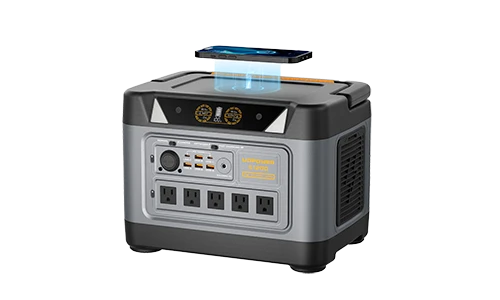
UDPOWER C600 — best for a single camera, router, or short outage backup
Official specs: 596Wh capacity, 600W rated output, 1200W peak, LiFePO4 battery, 4,000+ cycles, multiple AC/DC/USB outputs, below 30dB operation.
- Good fit for: one camera plus router, a small Wi-Fi camera setup, or a short backup window for a 4-camera NVR system.
- Estimated runtime: about 30 hours for an 18W camera-and-router load; about 11 hours for a 50W small NVR system.
- Why it makes sense: compact enough for home closets, network shelves, RVs, workshops, and small cabins.
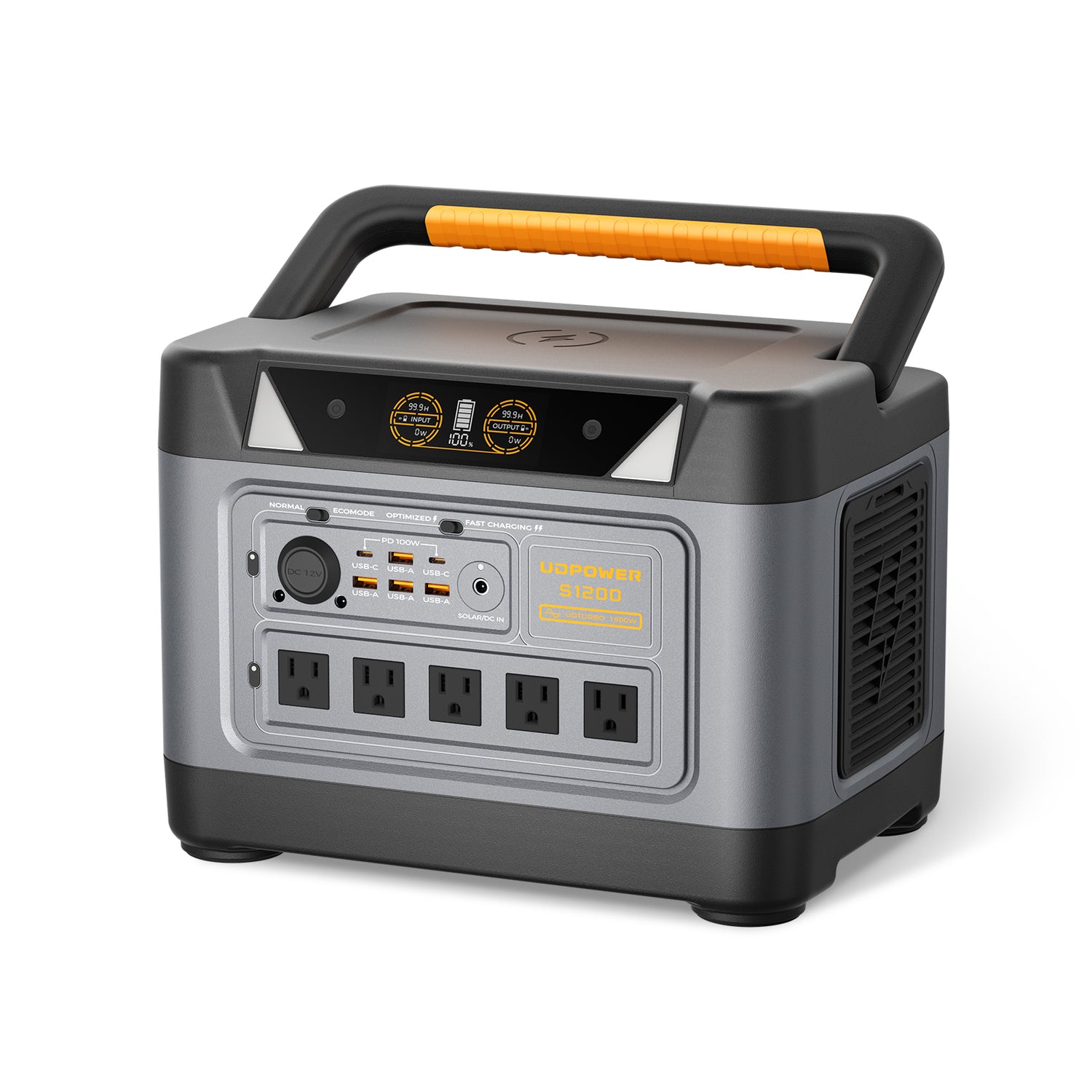
UDPOWER S1200 — best all-around choice for 4-camera home systems
Official specs: 1,190Wh capacity, 1,200W rated pure sine wave output, UDTURBO surge support up to 1,800W, 5 AC outlets, 10 DC outputs, LiFePO4 battery, 4,000+ cycles, less than 10ms UPSPrime switching, less than 25dB operation.
- Good fit for: 4-camera PoE systems, NVR + router backup, home security during outages, and small smart-home essentials.
- Estimated runtime: about 21 hours for a 50W system; about 16 hours for a 65W PoE camera + NVR + router setup.
- Why it makes sense: strong enough for extra loads like Wi-Fi, LED lighting, laptop charging, and small emergency electronics.
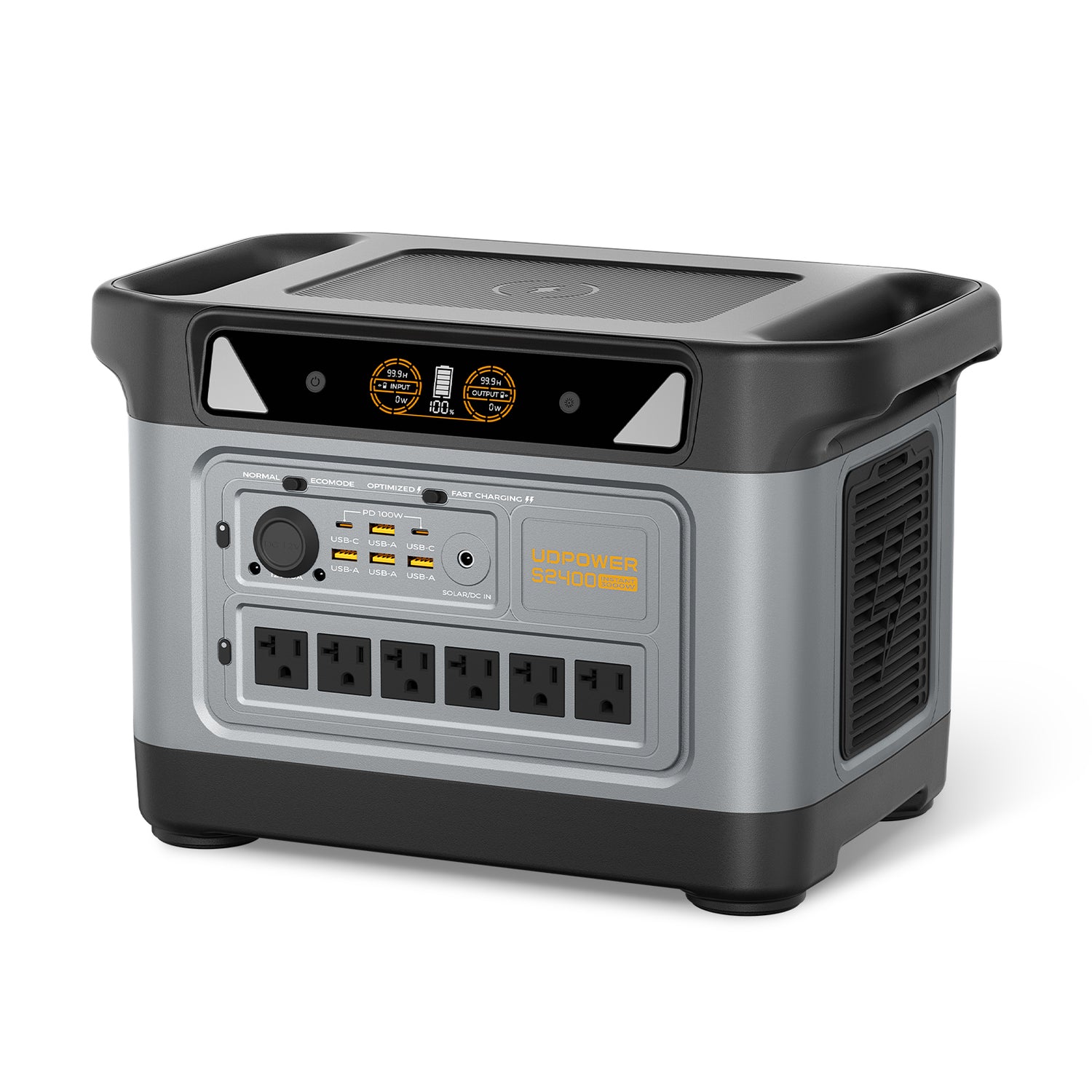
UDPOWER S2400 — best for 8-camera systems, cabins, and longer backup windows
Official specs: 2,083Wh capacity, 2,400W pure sine wave AC output, UDTURBO surge support up to 3,000W, 6 AC outlets, 10 DC outputs, LiFePO4 battery, fast charging, and UPS-ready backup.
- Good fit for: 8-camera PoE systems, longer overnight backup, cabin security, small business monitoring, and camera systems paired with Starlink or network equipment.
- Estimated runtime: about 37 hours for a 50W small NVR system; about 19 hours for a 100W 8-camera setup.
- Why it makes sense: more capacity for systems that must stay online overnight or through extended utility interruptions.
Solar note for security backup
If your cameras are used in an off-grid cabin, barn, jobsite, RV, or remote gate location, pair the power station with solar panels based on the daily watt-hour load. For example, a 50W security setup uses about 1.2 kWh per day. Solar can help extend runtime, but actual recharge depends on panel size, sun hours, shade, weather, and panel angle.
View solar generator optionsPoE Power Budget: What People Often Get Wrong
PoE can be confusing because the wattage printed on a switch port is not always the camera’s actual power draw. A camera may draw 6 to 10 watts in normal use, while the PoE port reserves a higher power class to guarantee stable operation.
| PoE type | Common standard | Power available at port | Typical CCTV use | Planning advice |
|---|---|---|---|---|
| PoE | IEEE 802.3af | Up to 15.4W per port | Most fixed dome, turret, and bullet cameras | Check that total switch PoE budget covers all cameras. |
| PoE+ | IEEE 802.3at | Up to 30W per port | PTZ cameras, stronger IR, some AI or multi-sensor cameras | Use PoE+ when the datasheet asks for it, even if average watts look lower. |
| PoE++ | IEEE 802.3bt | Higher-power Type 3 / Type 4 classes | High-power PTZ, heaters, long-range IR, specialty cameras | Do not guess. Match the camera datasheet and injector/switch class. |
A common mistake is buying an 8-port PoE switch because each port looks strong enough, then missing the total PoE budget. For example, eight cameras drawing 10W each need at least 80W of camera power before switch losses. If the switch has only a 60W PoE budget, some cameras may reboot at night when IR turns on.
How to Reduce CCTV Power Use Without Weakening Security
The goal is not to starve the camera of power. The goal is to cut waste while keeping the areas that matter covered.
- Use the right night-vision mode. Infrared is usually more efficient than keeping bright white spotlights on all night.
- Lower frame rate where it makes sense. A driveway or hallway may not need the same frame rate as a cash register or loading dock.
- Use motion alerts without disabling recording that matters. Event-based recording can reduce storage and sometimes processing load, but critical areas may still need continuous recording.
- Turn off the monitor when not in use. The display can use more power than several cameras.
- Use efficient network gear. A small router and a right-sized PoE switch are usually better for backup than a large always-on networking stack.
- Keep cables and connectors in good condition. Poor cable runs can cause voltage drop, unstable PoE negotiation, and camera reboots.
- Separate essential and nonessential loads. During an outage, keep cameras, recorder, and router online first; leave screens and extra lights off unless needed.
UDPOWER low-load tip
Very low-power devices can sometimes fall below a portable power station’s auto-shutoff threshold. For continuous camera, router, or sensor loads, use the output mode recommended for long-running low-power devices. UDPOWER’s low-power auto-shutoff guide explains why Normal Mode is often better for continuous small loads than ECO Mode.
Read the UDPOWER low-power auto-shutoff guideWhat Size Backup Do You Need? Quick Scenarios
Use these scenarios as starting points, then adjust based on your exact camera labels and recorder specs.
| Use case | Likely load | Recommended direction | Why |
|---|---|---|---|
| Single Wi-Fi camera watching a porch | 5–20W including router | C600 or larger | Small load, long runtime, easy indoor placement. |
| Home 4-camera PoE system | 45–70W | S1200 | Better all-night backup margin for NVR, cameras, and router. |
| 8-camera system with NVR and remote viewing | 80–130W | S2400 | More capacity for overnight runtime and network gear. |
| Off-grid cabin with cameras, router, and Starlink Mini | Often 70–150W depending on network load | S2400 + solar | Security cameras rarely work alone in remote setups; internet gear changes the power budget. |
| Small business with many cameras | 140W+ | Measure actual load, then size above it | Recorder, HDD count, PoE switch, PTZ cameras, and monitor habits vary too much to guess. |
FAQ: CCTV Camera Watts and Backup Power
How many watts does one CCTV camera use?
Most CCTV or IP security cameras use about 4 to 12 watts. Basic indoor cameras may use 2 to 5 watts, while outdoor PoE cameras with infrared night vision often use 6 to 12 watts. PTZ cameras can use much more.
Does a CCTV camera use a lot of electricity?
No. One 6W camera running 24/7 uses about 4.32 kWh per month. At $0.18 per kWh, that is about $0.78 per month. A complete multi-camera system costs more because the NVR, router, and PoE equipment also run 24/7.
How many watts does a 4-camera CCTV system use?
A typical 4-camera PoE system often uses about 45 to 70 watts total after adding the NVR, hard drive, router, and PoE overhead. If the cameras have strong night vision or spotlights, plan closer to the high end.
How many watts does an 8-camera CCTV system use?
An 8-camera system commonly falls around 80 to 130 watts with an NVR and router included. PTZ cameras, multiple hard drives, and always-on monitors can raise the total.
Do PoE cameras use more power than 12V cameras?
Not automatically. PoE is a power delivery method, not a guarantee of higher consumption. A PoE camera may draw only 6 to 10 watts, but the switch or injector must still have enough per-port and total PoE budget to support it, especially when infrared turns on.
Why does my camera system use more power at night?
Night vision is the main reason. Infrared LEDs, spotlights, color night vision, heaters, and PTZ movement can increase load after dark. For backup planning, use the nighttime wattage or the datasheet’s maximum power value.
Can a portable power station run CCTV cameras?
Yes. A portable power station can run cameras, NVRs, routers, and PoE injectors as long as total wattage is within the output rating and the battery capacity matches your desired runtime. For example, a 50W small NVR system can run about 21 hours on a UDPOWER S1200 using a 90% efficiency estimate.
Should I power the NVR or each camera during an outage?
For PoE systems, the simplest approach is usually to power the NVR or PoE switch that feeds the cameras, plus the router if remote viewing is needed. For separate 12V cameras, you may need to power each camera adapter and the recorder.
Should I include the monitor in my backup power calculation?
Only if the monitor must stay on. Many homes and small businesses can turn the screen off during an outage and keep only the cameras, recorder, and network gear powered. This can save 20 to 40 watts or more.
What is the easiest way to know my exact CCTV wattage?
Use a plug-in watt meter at the wall for the whole system. Let the system run during the day and at night, then record the higher number. That measurement is usually more useful than estimating each camera separately.
Data Sources Used
The wattage ranges and planning examples in this guide are based on camera manufacturer datasheets, PoE standards references, NVR datasheets, U.S. electricity price data, and official UDPOWER product pages. External source links are marked with nofollow in the HTML.
| Topic | Source | How it was used |
|---|---|---|
| PoE camera wattage examples | Reolink PoE camera power consumption | Model-level camera consumption ranges for common PoE cameras. |
| 4MP dome camera maximum power | Hikvision DS-2CD2143G2-IU datasheet | Example of a fixed IP camera with 12V and PoE power specs. |
| Typical vs maximum camera power | Axis camera power consumption white paper | Explains why typical and maximum values differ in camera datasheets. |
| PTZ camera power | Hanwha QNP-6250R PTZ specs | Example of a PTZ camera requiring higher PoE+ power. |
| NVR baseline power | Hikvision DS-7608NI-Q1 NVR specs | Example of an NVR consumption figure without HDD. |
| PoE NVR and PoE budget example | Dahua 8-channel PoE NVR datasheet | Shows NVR power without HDD and PoE power budget. |
| PoE standards | Ubiquiti PoE availability and modes | Used for PoE, PoE+, and PoE++ power planning ranges. |
| Electricity price context | U.S. EIA electricity price table | Used to explain why local rates should replace the example $0.18/kWh. |
| UDPOWER C600 specs | UDPOWER C600 product page | Used for capacity, output, battery chemistry, and product image. |
| UDPOWER S1200 specs | UDPOWER S1200 product page | Used for capacity, output, UPS, ports, cycle life, and product image. |
| UDPOWER S2400 specs | UDPOWER S2400 product page | Used for capacity, output, ports, battery details, and product image. |
| Low-power auto shutoff | UDPOWER low-power auto-shutoff guide | Used for continuous low-load security-device guidance. |
Need Backup Power for Cameras, NVR, Router, or a Cabin Security Setup?
Start by adding up the watts for your cameras, recorder, and network gear. Then choose a backup system that gives you enough hours for the outages you actually expect. UDPOWER portable power stations are designed for quiet, indoor-safe, solar-ready backup for targeted essentials rather than noisy gas-generator use.
View portable power stations View solar generator kits Get the runtime planning guide