

Portable Power Station Buying Guide: How to Choose the Right One
Last updated: November 9, 2026
Quick Answer: What Should You Look for When Buying a Portable Power Station?
Choose a portable power station by matching battery capacity (Wh), rated output (W), appliance startup requirements, charging capability, and physical portability to the equipment you actually need to power.
For most buyers, these are the starting capacity ranges:
- Under 300Wh: Phones, laptops, lighting, cameras, small fans and light-duty portable use.
- 300–1,000Wh: Weekend camping, moderate electronics loads and short-duration backup.
- 1,000–1,500Wh: Family camping, compatible CPAP equipment, refrigerator backup and several household essentials.
- 2,000Wh and above: Longer outages, RVs, larger combined loads and high-output appliance applications.
But capacity alone cannot tell you whether a station is right for your appliances.
Before buying, confirm five things:
- The station can supply your maximum simultaneous running load.
- It can handle the starting behavior of any motors or compressors.
- Its battery can provide the runtime you need after conversion losses.
- It supports the charging method and ports you plan to use.
- Its weight, safety requirements, warranty and total cost fit your situation.
My main buying rule: Watts determine what a station can operate. Watt-hours determine how long it can operate. Charging capability determines how quickly you can restore the energy you used.
If a model fails any essential requirement, a lower price or a larger advertised power number will not fix the mismatch.

Buying a portable power station used to be a relatively simple decision. You chose a battery size, checked the price, and made sure it had a few household outlets.
Today, product listings are full of numbers: rated watts, peak watts, turbo modes, battery cycles, solar inputs, fast-charging times, USB-C output ratings, and UPS transfer speeds.
The problem isn't a lack of information. It's knowing which numbers actually determine whether the station will work for you.
A 2,000Wh battery can be a poor purchase if it cannot start your refrigerator. A 400W power station can be an excellent purchase if all you need is laptop charging and emergency communication. And a battery that looks inexpensive at checkout may be less practical once you add the solar panels, adapters or capacity required for your intended use.
When I evaluate portable power equipment, I prefer to work backward from the appliances and the actual use case.
That process exposes incompatibility before you spend money.
This guide walks through how to make that decision, including the calculations, product specifications, safety checks and questions worth asking before checkout.
Table of Contents
- The Seven-Step Portable Power Station Buying Process
- Choose by Use Case Before Choosing Capacity
- Understand Rated Watts, Startup Power and High-Power Modes
- How to Calculate the Battery Capacity You Need
- Real-World Power Budgets for Home and Camping
- How to Estimate Actual Battery Runtime
- Why You Need an Essential-Load Priority List
- AC, USB-C, DC and Outlet Compatibility
- LiFePO4 vs. Other Lithium Battery Chemistries
- What Battery Cycle Life Really Means
- How to Evaluate Recharge Speed
- How to Check Solar Panel Compatibility
- UPS, Pass-Through Charging and Automatic Shutdown
- Weight, Storage and Travel Restrictions
- Safety, Certifications and Operating Conditions
- How to Compare Real Purchase Value
- Warranty, Returns and Long-Term Support
- Four Buying Scenarios: Which Size Makes Sense?
- Recommended UDPOWER Portable Power Stations
- UDPOWER Model Runtime Comparison
- Portable Power Station Buying Decision Table
- What to Test After Your Power Station Arrives
- Common Portable Power Station Buying Mistakes
- Printable Pre-Purchase Checklist
- Frequently Asked Questions
The Seven-Step Portable Power Station Buying Process
Instead of comparing product listings immediately, I would start with a short sequence of checks.
Each step eliminates stations that cannot meet your needs.
| Step | Question | What to Check | When to Reject a Model |
|---|---|---|---|
| 1. Identify devices | What must I power? | Exact appliance models, plugs and electrical ratings | Required device is incompatible. |
| 2. Check running output | Can the station run everything at once? | Combined running watts and rated AC output | Combined load exceeds supported output. |
| 3. Check startup | Can it start the largest motor? | Motor starting demand, inverter limits and manufacturer guidance | Startup behavior exceeds the station's capabilities. |
| 4. Calculate energy | How long must everything run? | Wh, operating time, conversion losses and reserve | Battery cannot cover the required period. |
| 5. Confirm charging | How will I restore the battery? | Wall, solar and vehicle input specifications | Recharge method is unavailable or incompatible. |
| 6. Check practical use | Can I move and operate it safely? | Weight, dimensions, noise, temperature limits and ports | Physical or operating requirements do not fit. |
| 7. Evaluate ownership | Is it worth the total cost? | Price, accessories, warranty, returns and support | Ownership costs or support terms are unacceptable. |
On mobile, swipe horizontally to view all columns.
These checks should be completed in order.
There is little value in comparing two batteries' prices if neither can power the device you are buying them for.
Choose Your Portable Power Station by Use Case
The right specifications change depending on whether the battery will sit in a closet waiting for a storm, travel in an RV, or be carried to a campsite.
I would identify one primary use case first, then make sure the station can reasonably handle any secondary needs.
1. Emergency Home Backup
For home outages, prioritize battery capacity, output compatibility, charging readiness and the equipment you need most.
A power station is particularly useful for:
- Internet modem and router.
- Phones and communication devices.
- LED lighting.
- Fans.
- Laptop charging.
- Compatible refrigerators and freezers.
- Selected equipment used for daily care.
But home backup is not the same as whole-house backup.
Most standard U.S. portable power stations provide 120V AC output. They cannot directly operate appliances that require 240V simply because they have a high watt rating.
2. Camping and Outdoor Travel
For camping, energy capacity must be balanced against weight and recharging opportunities.
Light camping may only require a compact battery for phones, lighting and camera equipment.
A family campsite with fans, laptops, refrigeration or CPAP equipment has a very different energy budget.
Use our camping watt-hour sizing guide for a detailed campsite energy calculation.
3. RV and Overlanding
For an RV or overlanding setup, check whether the station supports your existing electrical system.
Important considerations include:
- Compatible 12V output for portable refrigerators.
- Available vehicle charging power.
- Solar input voltage and current limits.
- Space for the battery and ventilation.
- Actual electrical load from cooking, cooling and electronics.
If you want to power an RV's built-in electrical circuits rather than individual appliances, verify the proper transfer and electrical connection requirements with a qualified installer.
4. CPAP and Overnight Equipment
For CPAP users, the important requirements often include the entire overnight energy budget, suitable power connections, low-load behavior and dependable equipment operation.
Battery size depends on the actual CPAP settings and whether heated humidification or heated tubing is enabled.
Check the CPAP manufacturer's approved backup-power arrangements. A consumer power station should not replace a medically required emergency power plan.
5. Power Tools and Mobile Work
Tools may require substantially more startup power than electronics.
Some chargers and tools are also sensitive to power quality, voltage or grounding arrangements.
For mobile work, prioritize rated output, battery capacity at the expected load and suitable recharge speed.
Use-Case Buying Comparison
| Primary Use | Typical Capacity Direction | Highest Priority | Potential Deal-Breaker |
|---|---|---|---|
| Phones and electronics | Under 300Wh | Weight, USB-C and portability | Insufficient USB output or excessive weight |
| Weekend camping | 300–1,200Wh | Capacity, portability and solar | Poor recharge options |
| CPAP overnight | Based on measured overnight Wh | Electrical compatibility and runtime | Unapproved power connection or insufficient backup |
| Home office | 500–1,500Wh | Runtime, USB-C and network continuity | Required device resets during transfer |
| Refrigerator backup | 1,000Wh or larger for many applications | Compressor starting and daily kWh | Cannot start the refrigerator |
| Extended RV/basecamp | 1,500–2,000Wh+ | Daily energy, solar and output capacity | Daily recharge cannot keep up with consumption |
| High-power appliances | Depends on required duration | Rated AC output and electrical compatibility | Appliance exceeds output limits |
These are starting ranges, not universal requirements. Actual equipment wattage determines the final size.
Rated Watts, Startup Power and Higher-Power Modes: Know the Difference
One of the most common buying mistakes is treating every wattage number as if it means the same thing.
A portable power station may advertise rated output, peak power and a special higher-power mode.
Those specifications can describe different operating conditions.
Rated AC Output
Rated output is the normal AC power level the inverter is designed to supply under its specified operating conditions.
For example, a station rated for 1,200W is intended to support compatible loads within its 1,200W rated output.
If you connect several devices, their combined demand matters.
Startup Demand
Some motors and compressors need higher current when starting.
Common examples include:
- Refrigerators.
- Freezers.
- Air conditioners.
- Water pumps.
- Certain power tools.
A refrigerator using only 150W while cooling may have a much higher starting demand.
Do not assume its normal running wattage tells you whether the compressor will start.
Higher-Power Operating Modes
Some portable power stations provide special modes that can support selected loads above the rated AC output.
However, the operating method and compatible appliances depend on the manufacturer.
For applicable UDPOWER models, UDTURBO can support compatible loads above their rated output. This capability is not necessarily limited to a brief startup event; efficiency decreases during higher-power operation.
That does not mean every compressor, electronically controlled appliance or motor is automatically compatible.
| Specification | What It Describes | What You Should Verify |
|---|---|---|
| Rated watts | Standard supported AC output | Combined continuous load |
| Startup capability | Ability to handle brief motor or compressor starting demand | Actual appliance startup behavior |
| Higher-power mode | Special operation above the normal rated output for supported loads | Load compatibility, operating limitations and efficiency |
| Battery Wh | Stored energy | Required operating time |
A Practical Simultaneous-Load Example
Suppose your power station needs to support the following devices at the same time:
| Device | Illustrative Running Load |
|---|---|
| Refrigerator while compressor is running | 150W |
| Internet modem and router | 15W |
| LED lighting | 20W |
| Laptop charger | 65W |
| Total running load | 250W |
A station with rated AC output above 250W may support the combined steady load.
But that doesn't prove it can start the refrigerator while the other equipment is connected.
For motor-driven appliances, test starting compatibility separately.
Read How to Know If a Portable Power Station Can Power Your Device for a more detailed appliance compatibility walkthrough.
How to Calculate the Battery Capacity You Actually Need
Battery capacity is measured in watt-hours, abbreviated Wh.
This is the specification that tells you how much energy the station stores.
A 1,000Wh battery theoretically stores enough energy to supply 1,000W for one hour, or 100W for ten hours, before accounting for conversion losses and operating limitations.
Start With Energy Consumption
For a device using 80W over five hours:
If you want to power that same device for ten hours, the device energy requirement doubles to 800Wh.
Account for AC Conversion Efficiency
For UDPOWER AC runtime planning, use 90% conversion efficiency as a baseline assumption.
For an S1200 with a 1,190Wh battery and a steady 100W AC load:
= approximately 10.7 hours
Actual results may be lower because of inverter idle consumption, temperature, battery condition, and the behavior of the connected appliance.
The 90% factor is a planning assumption, not a promise that every device and power level receives exactly 90% efficiency.
Add a Reserve
I would avoid selecting a battery that reaches the exact required runtime only when completely drained.
A practical reserve gives you more flexibility when an outage lasts longer or a device consumes more energy than expected.
For example, if your AC equipment requires 800Wh and you want to retain 20% of nominal battery capacity:
800Wh ÷ 0.72 = approximately 1,111Wh
In that scenario, a 1,190Wh-class power station is a reasonable starting point.
Battery Sizing Examples
| Required Device Energy | Battery Capacity at 90% AC Efficiency | Battery Capacity With 20% Reserve |
|---|---|---|
| 100Wh | 111Wh | 139Wh |
| 250Wh | 278Wh | 347Wh |
| 500Wh | 556Wh | 694Wh |
| 750Wh | 833Wh | 1,042Wh |
| 1,000Wh | 1,111Wh | 1,389Wh |
| 1,500Wh | 1,667Wh | 2,083Wh |
| 2,000Wh | 2,222Wh | 2,778Wh |
These are mathematical planning values for AC energy demand. Devices using compatible USB or DC outputs have different conversion paths.
Build a Real-World Power Budget Before You Buy
The most useful calculation isn't always how many hours one appliance will run.
It is how much energy your complete setup consumes during the period you need backup.
Example 1: Home Essentials During a 24-Hour Outage
Suppose your backup system needs to support:
| Equipment | Operating Assumption | 24-Hour Device Energy |
|---|---|---|
| Refrigerator | Measured average energy of 500Wh/day | 500Wh |
| Router and modem | 12W continuously for 24 hours | 288Wh |
| LED lighting | 10W for 5 hours | 50Wh |
| Phone charging | One illustrative daily charging budget | 20Wh |
| Total | One day | 858Wh |
If we conservatively treat the whole budget as AC energy and apply 90% efficiency with a 20% nominal battery reserve:
= approximately 1,192Wh
An S1200-class battery is close to that calculated threshold. An S2400 provides considerably more capacity for unexpected demand or a longer outage.
Now consider 48 hours without recharging.
1,716Wh ÷ 0.72 = approximately 2,383Wh
Even a 2,083Wh battery would not meet that simplified two-day requirement while retaining the specified reserve.
For longer outages, a recharge plan or reduced load budget becomes necessary.
Example 2: Overnight Camping With a CPAP and Fan
| Equipment | Assumption | Energy |
|---|---|---|
| CPAP | 40W for 8 hours | 320Wh |
| Portable fan | 20W for 8 hours | 160Wh |
| Phone charging | Daily allowance | 20Wh |
| LED lantern | 6W for 4 hours | 24Wh |
| Total | One night | 524Wh |
Applying the same conservative AC planning assumption and 20% nominal capacity reserve:
An S1200-class battery provides more margin than a 256Wh-class station in this example.
However, the CPAP's actual measured consumption, humidifier settings, approved power adapter and operating requirements must be verified before relying on the setup.
Why Advertised Battery Capacity Is Not the Same as Actual Runtime
Two power stations with similar battery capacities may deliver different operating times under the same load.
Several factors explain why.
AC Inverter Conversion Losses
The battery stores DC energy, while ordinary U.S. household appliances usually require AC electricity.
The inverter consumes some energy while converting between the two.
Inverter Self-Consumption
An AC inverter may use power even when a connected appliance draws very little electricity.
For example, if a hypothetical inverter consumes 10W while running, it would use:
That is a meaningful amount of energy for a 256Wh battery.
The 10W figure is an illustration, not a measured idle-power specification for a particular UDPOWER model.
Appliance Cycling
Refrigerators, air conditioners and some pumps do not necessarily consume their maximum operating watts continuously.
EnergyGuide kWh/year ratings or a multi-day energy measurement can be more useful for estimating battery runtime than compressor-on watts alone.
Battery Temperature and Age
Low temperatures can reduce available battery performance. As the battery ages, its usable capacity may also decline.
For more detail, see How Long Does a Portable Power Station Last?.
Why Very Low Loads Deserve Special Attention
A 10W router may theoretically run for many hours from a large battery.
But inverter overhead and automatic shutdown behavior can make simple calculations unreliable at very low loads.
If a device needs to stay powered for an entire night, test the exact output mode and low-load behavior.
Create an Essential-Load Priority List
A portable power station doesn't have to run every device simultaneously.
In many households, the better strategy is to allocate limited battery energy to equipment that matters most.
Three Levels of Priority
| Priority | Example Equipment | Buying Implication |
|---|---|---|
| Essential | Communication, necessary lighting, approved care equipment, food refrigeration | Size and test the backup for these needs first. |
| Useful | Additional fans, laptop, monitor, supplementary lighting | Add their energy requirements if battery capacity allows. |
| Optional | Entertainment equipment, large speakers, convenience appliances | Run only when sufficient energy remains. |
This can change the buying decision significantly.
A smaller power station that reliably supports essential loads may be more useful than a larger one that is routinely depleted by unnecessary equipment.
If your goal is emergency preparation, think about what must continue working during the final hours of an outage, not only the first hour.
AC, USB-C, DC and Outlet Compatibility
Port count is one of the easiest specifications to misunderstand.
A product may advertise many output ports, but not all those ports are interchangeable.
AC Outlets
In the United States, portable power stations commonly provide 120V AC outlets.
Check:
- Number of physical outlets.
- Combined rated AC output.
- Outlet type and voltage.
- Pure sine wave output.
- Grounding and appliance compatibility requirements.
Do not assume each outlet can independently supply the station's entire advertised wattage.
USB-C Power Delivery
USB-C is particularly useful for laptops, tablets and modern phones.
However, a USB-C connector does not guarantee a particular charging wattage.
Some laptops need 65W or more. Others can benefit from 100W-class charging.
Check the maximum wattage of the individual USB-C port and any shared-output limits.
12V Car and DC Barrel Outputs
These can be useful for compatible camping refrigerators, lighting and accessories.
But the connector shape is not sufficient evidence of electrical compatibility.
Confirm:
- Output voltage.
- Maximum current.
- Connector size and polarity.
- Whether the output is regulated.
- Appliance startup requirements.
AC vs. DC Output Comparison
| Port Type | Typical Use | What to Verify |
|---|---|---|
| 120V AC | Household-style plug-in appliances | Rated output, starting behavior and outlet compatibility |
| USB-C PD | Laptops, phones, tablets | Power Delivery profile and watts per port |
| USB-A | Phones and smaller electronics | Charging protocol and output |
| 12V car outlet | Compatible camping fridges and accessories | Voltage, current and connector |
| DC5521 or other DC output | Specialized low-voltage equipment | Exact voltage, polarity and current |
| Solar charging input | Charging from compatible panels | Input voltage, current, power and connector |
For more detailed electrical guidance, see AC vs. DC Power Stations: Differences, Efficiency & Uses.
What About 240V Appliances?
Most portable power stations sold for general U.S. camping and electronics backup provide 120V AC output.
A high 120V watt rating does not automatically make the station suitable for 240V equipment.
If you need to run a 240V appliance, verify the station's actual output voltage and supported electrical arrangement.
Never improvise a 240V supply by connecting two ordinary portable power stations together.
LiFePO4 vs. Other Lithium Battery Chemistries
Battery chemistry affects longevity, energy density and thermal behavior.
Two common lithium battery families used in portable energy products are lithium iron phosphate (LiFePO4 or LFP) and nickel-based lithium-ion chemistries such as NMC.
Neither can be judged only by its name.
Cell quality, battery management, enclosure design and manufacturer testing are also important.
| Consideration | LiFePO4 (LFP) | Nickel-Based Lithium-Ion, Such as NMC |
|---|---|---|
| Cycle-life potential | Generally strong for frequent cycling | Varies by cell and operating conditions |
| Energy density | Generally lower | Generally higher |
| Weight for equal stored energy | May require more weight | Can offer a lighter battery pack |
| Thermal behavior | Generally offers good thermal stability | Requires appropriate thermal management |
| Common purchasing priority | Frequent use, long-term backup and cycle life | Applications prioritizing energy density and weight |
For frequent home backup and camping, LiFePO4 is a practical battery chemistry to consider.
But I would still check the actual product's cycle-life specification and safety documentation.
What Do 3,000 or 4,000 Battery Cycles Mean?
A battery cycle is not the same thing as plugging a charging cable into the station once.
Cycle count generally represents equivalent full battery discharge-and-recharge activity.
For example, four separate uses of 25% battery capacity can add up to roughly one equivalent full cycle.
Cycle-life ratings usually indicate how much capacity remains after a defined number of cycles under specified conditions.
UDPOWER Battery Cycle-Life Reference
| Equivalent Cycle Count | Approximate Remaining Capacity | What It Means |
|---|---|---|
| New | 100% | Initial rated battery capacity |
| 3,000 cycles | 80% | Battery still operates with reduced energy capacity |
| 4,000 cycles | 70% | Further capacity reduction, not automatic end of service |
These figures describe UDPOWER's battery-capacity retention reference points.
They do not mean the entire power station is guaranteed to operate for a fixed number of years.
Why Cycle Life Is Not the Same as Product Lifetime
A battery can age even when it is rarely used.
Calendar age, storage temperature, charge level, charging practices and component quality can influence longevity.
The inverter, fan, ports, display and control electronics also have their own service lives.
I would not take a 4,000-cycle specification and divide it by one use per week to claim the entire station will last more than 70 years.
For a deeper explanation, read Battery Cycle Life Explained: What 4,000 Cycles Mean.
How to Evaluate Portable Power Station Charging Speed
Recharge speed becomes important when the battery is used repeatedly.
A station that lasts through one night but takes longer than your available charging window to refill may not be suitable for multi-day use.
Don't Compare Charging Times Without Checking the Starting Percentage
Manufacturers may advertise:
- 0–80% charging time.
- 0–90% charging time.
- 10–90% charging time.
- Full 0–100% charging time.
Those are not interchangeable measurements.
For example, charging from 10% to 90% adds 80% of nominal battery capacity.
It is not a complete 0–100% charge.
Check the Actual Input Watts
As a preliminary estimate:
Suppose you need to replenish 800Wh and the battery receives an average of 400W during the relevant interval.
That is an idealized calculation.
Actual charging time depends on charging efficiency, battery temperature, battery state of charge and how charging power changes as the battery fills.
Fast Charging vs. Battery Care
Some stations allow users to choose faster or slower charging modes.
Fast charging can be useful when preparing for a storm or recharging between trips.
A lower-power charging mode may be preferable when speed is not important, depending on the station's design and operating instructions.
For buyers who plan to leave a station connected to household power or recharge frequently, the available modes and recommended operating conditions deserve attention.
Charging Specification Checklist
| Charging Specification | What to Ask | Why It Matters |
|---|---|---|
| AC wall charging | What is the maximum input and measured charge time? | Determines preparation speed. |
| Charge percentage | Does the advertised time refer to 0–80%, 10–90%, or 0–100%? | Prevents misleading comparisons. |
| Solar input | What voltage, current and power can the input accept? | Determines panel compatibility. |
| Vehicle charging | What input power is supported from a compatible car outlet? | Helps plan recharging while traveling. |
| Charging temperature | What temperature range is allowed? | Important for winter and summer use. |
| Pass-through operation | Can the station charge while supplying power? | Useful for certain home and campsite setups. |
How to Check Solar Panel Compatibility Before Buying
Solar charging is valuable for camping, RVs and long outages, but wattage alone is not enough to determine compatibility.
A panel and power station must operate within compatible electrical limits.
Check Four Solar Specifications
- Input power: The maximum supported solar charging wattage.
- Input voltage: The permitted charging voltage range.
- Input current: The maximum current the input can safely accept.
- Connector: The physical and electrical connection required.
Why Open-Circuit Voltage Matters
A solar panel's open-circuit voltage, or Voc, can be higher than its voltage while delivering power.
Voc can also increase in cold conditions.
If the connected panel arrangement exceeds the power station's permitted input voltage, it may be unsafe even when the total panel wattage appears acceptable.
Check the complete panel arrangement, including series or parallel connections, against the power station's specifications.
Solar Power Is Not the Same as Solar Energy
A 240W panel does not produce 240Wh every hour throughout the day.
For preliminary planning:
For example, using a hypothetical 70% field yield and three equivalent full-sun hours:
This is an estimate, not a guaranteed charging result.
Weather, shade, panel angle, temperature and station input limits all affect real performance.
The PVWatts Calculator can help evaluate solar production using historical weather data and modeling assumptions. Portable panel conditions still need to be considered separately.
UDPOWER Solar Input Comparison
| Model | Maximum Solar Input | Important Buying Consideration |
|---|---|---|
| C400 | 150W | Good fit for smaller compatible panels and light energy recovery. |
| S1200 | 400W | More suitable for moderate daily solar recharging. |
| S2400 | 420W maximum recommended | Higher energy storage with a larger compatible solar setup. |
The S2400 supports DC7909 and a rear XT60 solar input connection.
Connecting both ports simultaneously does not combine their charging powers. The system uses only the higher charging power from the two inputs.
For exact wiring requirements, use the product manual and read Can You Charge a Portable Power Station With a Solar Panel?.
Check voltage, current, connector polarity and manufacturer-approved arrangements. Exceeding an input voltage limit is not the same as connecting extra panel wattage that a compatible controller can limit.
UPS, Pass-Through Charging and Auto Shutdown: Three Different Features
These features often appear together in marketing materials, but they solve different problems.
UPS Transfer
A UPS-style backup function allows a compatible power station to switch from an external supply to its battery when that supply fails.
Transfer time matters, but the connected equipment also determines whether the interruption is tolerated.
For example, a published transfer time of 10 milliseconds or less does not guarantee every computer, network device or medical controller will remain powered without resetting.
Pass-Through Charging
Pass-through charging means the station can supply power to connected devices while receiving charging input.
This does not automatically establish that the device has a UPS function.
Check the intended operating configuration in the user manual.
Automatic Low-Load Shutdown
Some stations can turn off outputs when very little power is being drawn.
That behavior can help conserve energy but may create problems with equipment that needs to remain ready while idle.
For example, an adjustable bed or low-power network device may need a live AC output even when little current is being consumed.
| Feature | What It Does | What to Test |
|---|---|---|
| UPS-style transfer | Switches to battery when external power fails | Does the connected device stay operating? |
| Pass-through charging | Supplies power while the station is charging | Is the configuration approved and stable? |
| Low-load shutdown | May disable an output after low consumption | Does the required outlet remain active while equipment is idle? |
For home-office or network equipment, a dedicated UPS may provide monitoring, power conditioning or automatic shutdown features that a general-purpose power station does not.
Read Portable Power Station vs. UPS for Home Backup before choosing a station specifically for uninterrupted computer operation.
Weight, Dimensions and Travel Restrictions
Portable power stations can vary from a few pounds to more than 40 lb.
That difference affects how often you'll actually use the product.
A 40 lb unit may be easy to move between an RV and a picnic table but inconvenient to carry a quarter-mile to a campsite.
Think About the Actual Carrying Distance
| Where You'll Use It | Practical Question |
|---|---|
| Home closet or garage | Can the intended person safely lift and move it during an outage? |
| Car camping | How far is the campsite from the vehicle? |
| RV | Where will it be stored, secured and ventilated? |
| Mobile work | How often will it be loaded and unloaded? |
| Long-distance hiking | Would a small USB power bank be more appropriate? |
Can You Take a Power Station on a Plane?
Most full-size portable power stations exceed the lithium battery capacity limits for ordinary passenger air travel.
The Federal Aviation Administration generally permits lithium-ion batteries up to 100Wh under the applicable rules, while certain batteries above 100Wh and up to 160Wh may be permitted with airline approval and additional restrictions.
Standalone lithium battery generators above the applicable limits are not permitted as ordinary passenger baggage.
See the FAA Airline Passengers and Batteries Guidance.
If air travel is your primary use case, a compliant USB power bank is often more appropriate than a large portable power station.
Safety, Certifications and Operating Conditions
Battery safety deserves more attention than decorative product features.
A portable power station stores a substantial amount of electrical energy and may operate near people, electronics or appliances for extended periods.
Battery Management System
A battery management system should monitor relevant battery conditions and provide protection against specified electrical or temperature problems.
Check the manufacturer documentation instead of assuming all battery management systems provide identical protections.
UL 2743 and Other Certifications
UL 2743 is a safety standard for portable power packs.
UL Solutions provides information about Portable Power Pack Testing and the types of products covered by this standard.
When reviewing a claimed certification, verify that it applies to the exact product model.
A reference to an electrical standard is not, by itself, proof that the particular unit you are considering has been independently certified.
Check the Operating Temperature Range
Charging and discharging temperature limits may differ.
LiFePO4 batteries can have restrictions on charging in freezing conditions.
Follow the exact product manual rather than assuming that a station can accept solar charging whenever it can supply power to a connected device.
Keep the Station Dry and Ventilated
Don't assume a portable power station is waterproof unless its product documentation explicitly supports the intended exposure.
Keep ventilation openings clear and protect power connections from water.
A battery station should not be covered with blankets or placed directly against materials that obstruct cooling.
Power Station vs. Fuel Generator Safety
A battery power station does not generate gasoline-engine exhaust while operating from its stored energy.
A fuel-powered generator is different.
The U.S. Consumer Product Safety Commission warns that portable fuel generators must be operated outside, at least 20 feet away from homes and buildings, with exhaust directed away from openings.
See the CPSC Generator and Carbon Monoxide Safety Guidance.
Don't Backfeed Household Wiring
Never connect a portable power station's AC outlet directly to a household wall outlet to energize building wiring.
Whole-home or circuit-level backup requires an approved electrical arrangement designed for that purpose.
Consult a qualified electrician and follow the equipment manufacturer's requirements.
Verify the exact product's safety documentation, electrical output, permitted charging conditions, ventilation requirements and appliance compatibility. Do not rely on marketing claims alone when a failure could create a safety problem.
How to Compare the Real Value of Two Power Stations
Price matters, but I wouldn't compare power stations from the sale price alone.
A lower-priced product may have less capacity, fewer useful outputs, slower charging or a warranty that does not match your needs.
On the other hand, paying for a much larger battery can be unnecessary if you only need it for occasional electronics charging.
Metric 1: Price per Rated Watt-Hour
For a hypothetical 1,000Wh station priced at $650:
This is useful for comparing storage capacity, but it does not tell you how much energy reaches an AC appliance.
Metric 2: Price per Estimated Usable AC Watt-Hour
If we apply the 90% planning factor:
For the same hypothetical station:
This is still a capacity comparison rather than a measure of lifetime ownership cost.
Metric 3: Total Ready-to-Use Cost
The true cost may include more than the power station itself.
| Cost Item | What to Check |
|---|---|
| Power station | Exact model, variant and included accessories |
| Solar panels | Whether a panel is included and its actual rating |
| Connection cables | Any approved cables or adapters required for your equipment |
| Shipping | Destination charges and lithium-battery shipping restrictions |
| Returns | Return eligibility, shipping costs and possible fees |
| Long-term support | Warranty coverage and service process |
Metric 4: How Often You'll Actually Use It
A lower-cost battery that sits unused because it is too heavy or has the wrong ports may offer less practical value than a smaller unit you use regularly.
Conversely, a slightly more expensive station that supports your refrigerator, network equipment and camping setup may replace the need for multiple separate batteries.
Don't Treat Battery Cycles as Guaranteed Electricity Savings
It can be tempting to calculate a low lifetime cost per kilowatt-hour by multiplying battery capacity by thousands of rated cycles.
That can be misleading.
Real battery throughput depends on capacity fade, usable depth of discharge, calendar aging, conversion losses, operating conditions and total product lifespan.
Compare those factors before claiming a battery will pay for itself through energy savings.
Warranty, Return Policy and After-Sales Support
A portable power station is a long-term purchase, and the support process matters.
Before checkout, I would check the full written warranty and return policy.
Five Questions Worth Asking
- How long does the warranty last?
- Which defects are covered or excluded?
- Does the retailer require proof of purchase or a specific sales channel?
- Who pays for return shipping?
- How are repairs or replacements handled?
UDPOWER Warranty
UDPOWER's published policy provides a five-year limited warranty from the original purchase date, subject to its stated terms and exclusions.
Review the current UDPOWER Warranty Policy for coverage and claims requirements.
UDPOWER Returns
UDPOWER's published U.S. return policy generally allows eligible products to be returned within 30 days of receipt, subject to the stated conditions.
Non-quality-related returns may involve shipping charges or payment-processing fees. Alaska and Hawaii have additional shipping and return restrictions and costs.
Review the full Return and Refund Policy before placing an order.
For questions about compatibility, purchase terms or after-sales service, contact support@udpwr.com.
Four Real Buying Scenarios: Which Size Would I Choose?
It helps to apply the buying process to realistic situations.
These examples focus on capacity and compatibility rather than treating one power station as the universal answer.
Scenario 1: A Portable Battery for Phones, Cameras and a Laptop
Primary requirement: Light weight and moderate electronics charging.
Suppose you need:
- Phone charging: 20Wh.
- Camera charging: 40Wh.
- Small lighting: 30Wh.
- Laptop energy budget: 100Wh.
Total illustrative device energy: 190Wh.
A compact 256Wh power station may be sufficient depending on the mix of USB, DC and AC charging, but the energy margin is limited.
My starting choice: A compact station such as the UDPOWER C400.
Scenario 2: A Home Office During a Daytime Outage
Primary requirement: Keep internet access, laptop work and lighting available.
Suppose the total measured average load is 75W for eight hours.
Using 90% AC planning efficiency and a 20% nominal battery reserve:
A 1,190Wh station offers more flexibility than a 256Wh unit.
If your desktop or networking equipment cannot tolerate a brief interruption, add the appropriate dedicated UPS or verified transfer arrangement.
My starting choice: UDPOWER S1200.
Scenario 3: Refrigerator Plus Home Essentials
Primary requirement: Maintain refrigeration and communication during a longer outage.
Suppose the measured combined daily energy requirement is approximately 900Wh.
For two days:
At 90% AC planning efficiency, that would require approximately 2,000Wh of battery capacity before adding a reserve.
The refrigerator's startup requirements must also be checked.
My starting choice: UDPOWER S2400 with a realistic recharge plan.
Scenario 4: Extended RV or Off-Grid Camping
Primary requirement: Run several devices over multiple days and recharge using compatible solar or vehicle power.
Here, the largest battery isn't automatically the complete solution.
You need a daily energy balance.
If the campsite uses 800Wh per day but your solar setup recovers only 300Wh, the daily deficit is:
Over three days, that deficit adds up to 1,500Wh.
A larger battery gives you more time, but it does not eliminate the daily shortfall.
My starting choice: S2400 for higher-capacity storage, combined with a solar or vehicle charging setup designed around the actual energy budget.
Recommended UDPOWER Portable Power Stations
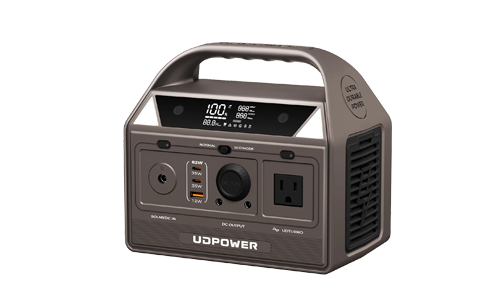
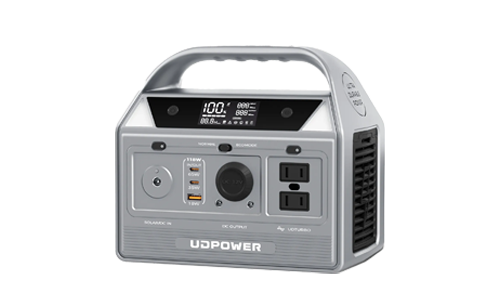
The UDPOWER C400, S1200 and S2400 serve different types of buyers.
They are not intended to be interchangeable simply because all three include AC outlets and LiFePO4 batteries.
UDPOWER C400: Best for Lightweight Portable Power
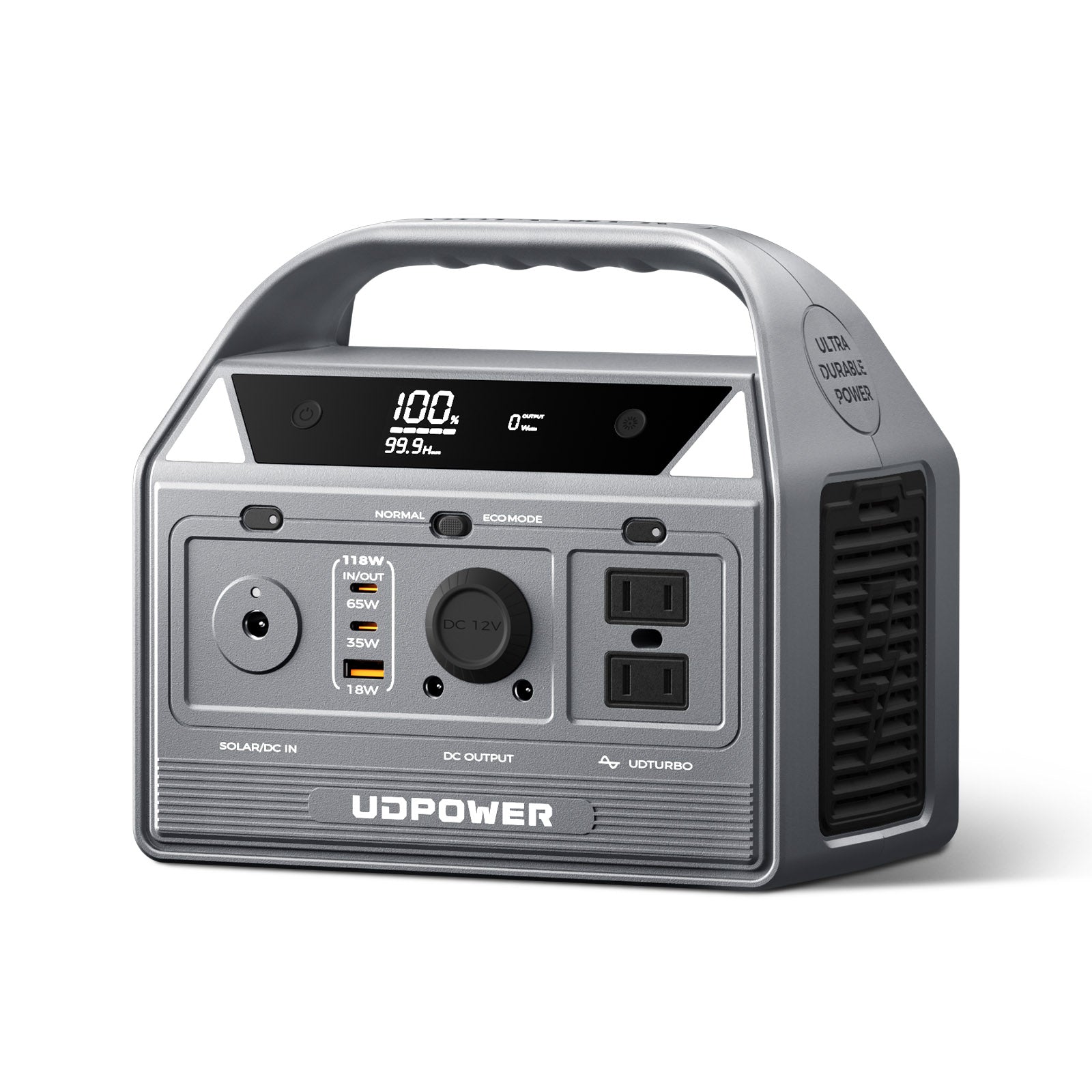
The C400 makes sense when portability is a higher priority than long appliance runtime.
Its 256Wh battery is suitable for charging smaller electronics, providing lighting and supporting other compatible low-power devices.
- Capacity: 256Wh LiFePO4
- Rated AC output: 400W pure sine wave
- Higher-power capability: Up to 800W for supported loads
- Maximum solar input: 150W
- Weight: Approximately 6.88 lb
- Connections: AC, USB-C, USB-A and DC outputs
At a steady 50W AC load:
= approximately 4.6 hours
Actual runtime will depend on load size and inverter overhead.
Best fit: Short trips, phones, laptops, camera charging, small fans, lighting and compact emergency kits.
When I would not choose it: A long overnight CPAP requirement, extended refrigerator backup or large combined household loads.
View UDPOWER C400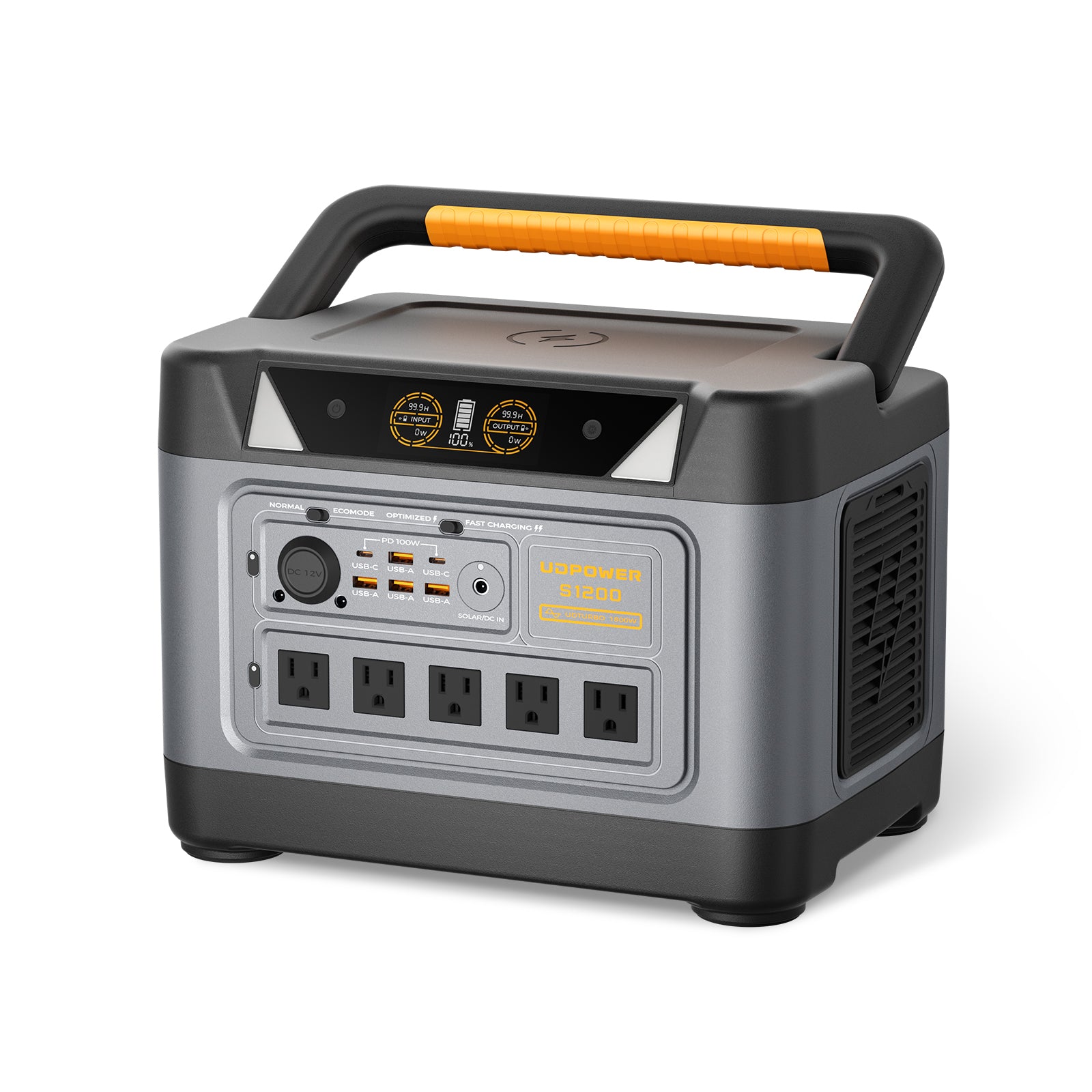
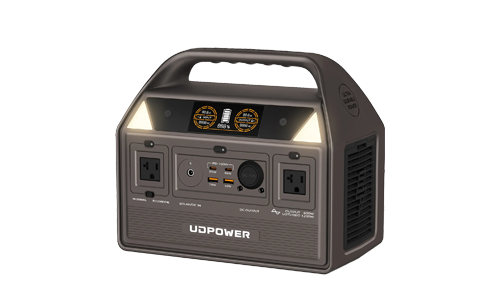
UDPOWER S1200: Best All-Around Choice for Home Essentials and Camping
The S1200 is a practical middle ground between compact electronics charging and larger household backup.
Its 1,190Wh battery offers substantially more stored energy than the C400, while remaining more manageable to transport than a 2,000Wh-class station.
- Capacity: 1,190Wh LiFePO4
- Rated AC output: 1,200W pure sine wave
- UDTURBO: Up to 1,800W for compatible higher-power loads
- Maximum solar input: 400W
- AC outlets: 5 on the five-outlet configuration
- UPS: Under 10ms transfer under supported conditions
- Weight: Approximately 26 lb
At a steady 100W AC load:
= approximately 10.7 hours
At 300W, the same formula gives approximately 3.6 hours.
Best fit: Family camping, laptops, routers, compatible CPAP equipment, refrigerators and general home essentials.
When I would choose a larger model: Longer outages, several simultaneous appliances or a high daily energy budget with limited recharging opportunities.
View UDPOWER S1200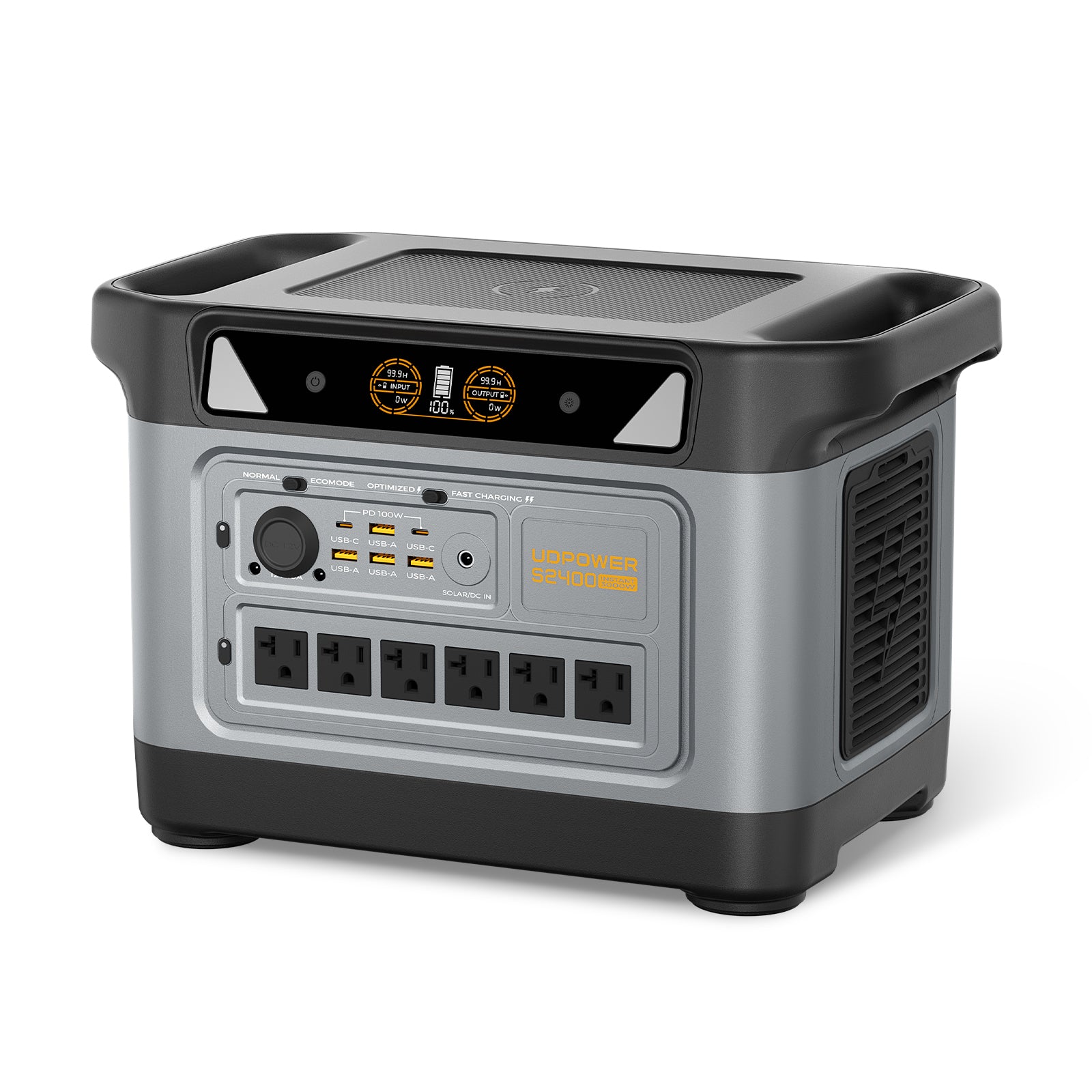
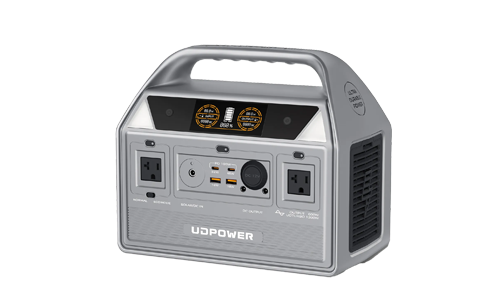
UDPOWER S2400: Best for Larger Loads and Longer Backup Needs
The S2400 is the stronger option when both higher AC output and more battery capacity matter.
Its 2,083Wh battery provides substantially more energy for refrigeration, larger electronics setups, selected appliances and extended backup planning.
- Capacity: 2,083Wh LiFePO4
- Rated AC output: 2,400W pure sine wave
- UDTURBO: Up to 3,000W for compatible higher-power loads
- Maximum recommended solar input: 420W
- AC outlets: 6
- UPS: 10ms or less under supported conditions
- Weight: Approximately 40.8 lb
At a steady 100W AC load:
= approximately 18.7 hours
At a steady 500W load, the estimate is approximately 3.7 hours.
Best fit: Larger home-backup loads, refrigerator-plus-electronics setups, extended RV camping, selected high-power appliances and situations requiring more reserve.
When I would not choose it: Backpacking, frequent long-distance carrying or simple phone charging where a much smaller station is sufficient.
View UDPOWER S2400UDPOWER C400 vs. S1200 vs. S2400
| Specification | C400 | S1200 | S2400 |
|---|---|---|---|
| Battery capacity | 256Wh | 1,190Wh | 2,083Wh |
| Rated AC output | 400W | 1,200W | 2,400W |
| Higher-power capability | 800W for supported loads | 1,800W for supported loads | 3,000W for supported loads |
| Battery type | LiFePO4 | LiFePO4 | LiFePO4 |
| Maximum solar input | 150W | 400W | 420W recommended |
| Approximate weight | 6.88 lb | 26 lb | 40.8 lb |
| Primary buying advantage | Portability | Balanced capacity and output | More capacity and output headroom |
| Official product details | C400 | S1200 | S2400 |
Portable Power Station Runtime Comparison Chart
The following estimates use the same 90% AC planning efficiency for all three models.
They assume a steady compatible AC load and do not include additional equipment sharing the battery.
| Steady AC Load | C400 256Wh | S1200 1,190Wh | S2400 2,083Wh |
|---|---|---|---|
| 20W | 11.5 hours | 53.6 hours | 93.7 hours |
| 40W | 5.8 hours | 26.8 hours | 46.9 hours |
| 60W | 3.8 hours | 17.9 hours | 31.2 hours |
| 100W | 2.3 hours | 10.7 hours | 18.7 hours |
| 200W | 1.2 hours | 5.4 hours | 9.4 hours |
| 300W | 0.8 hours | 3.6 hours | 6.2 hours |
| 500W | Above rated AC output | 2.1 hours | 3.7 hours |
| 1,000W | Above rated AC output | 1.1 hours | 1.9 hours |
| 1,500W | Above rated AC output | Above rated AC output; supported-mode assessment required | 1.2 hours |
| 2,000W | Above rated AC output | Above rated AC output | 0.9 hours |
These are simplified mathematical runtime estimates, not verified operating-time tests.
Actual results depend on inverter overhead, load variation, battery aging, temperature, output mode and appliance compatibility.
At very low loads, inverter self-consumption can make the simple runtime formula especially optimistic.
For your own device wattage, use the UDPOWER Portable Power Station Runtime Calculator.
Portable Power Station Buying Decision Table
If you're comparing several models, the following table helps turn the specifications into a purchase decision.
| Buying Question | Acceptable Result | Warning Sign |
|---|---|---|
| Does it run my devices? | Rated output supports combined load. | Marketing highlights peak watts without clear rated output. |
| Can it start motor loads? | Startup behavior is supported and tested. | Compressor requirements exceed supported electrical capability. |
| Does it last long enough? | Battery Wh covers required use with reserve. | Runtime relies on draining battery completely. |
| Can I recharge it? | Charging options fit the available time and location. | Large battery with inadequate charging opportunities. |
| Are the ports correct? | Voltage, current, connectors and protocols match. | Assuming all USB-C or DC outlets are identical. |
| Is UPS required? | Published transfer behavior and tested compatibility. | Assuming pass-through charging equals UPS. |
| Is solar compatible? | Voltage, current, wattage and connector are supported. | Choosing panels only by advertised wattage. |
| Is it portable enough? | Weight and dimensions fit real use. | Too heavy for the intended carrying distance. |
| Can I operate it safely? | Appropriate certification information and operating limits. | Missing documentation or incompatible installation requirements. |
| Is the ownership cost acceptable? | Clear price, accessories, warranty and return terms. | Unexpected accessories, fees or unclear support. |
What to Test After Your Power Station Arrives
A power station that looks correct on paper still needs a real-world compatibility check.
I would test the equipment while ordinary electricity and other options are available, not during the first storm or camping trip.
1. Inspect the Product and Accessories
Confirm the exact model, included cables, manual, plugs and physical condition.
Do not use a unit that arrives visibly damaged or shows signs of battery or electrical problems.
2. Charge the Battery According to the Manual
Confirm the charging input works and that the battery percentage changes normally.
Check whether the selected charging mode matches your needs.
3. Test the Largest Normal Load
Connect the appliance using the approved power arrangement.
Check the station's displayed output and watch for unexpected overloads or faults.
4. Test Motor Starting Behavior
If you intend to operate a refrigerator, pump or other motor load, verify it starts normally and that the connection is permitted by the appliance manufacturer.
Do not repeatedly force an appliance to restart after an overload fault.
5. Test Your Expected Runtime
Use the equipment under realistic conditions and record the battery percentage before and after.
Compare the result with your original watt-hour calculation.
6. Test Low-Load Behavior
Check whether the station's output remains active when connected equipment is idle.
This matters for routers, intermittent motor loads and other devices that need to remain available.
7. Test Solar or Vehicle Charging
Verify the station recognizes its approved charging source and operates within the relevant specifications.
Do not wait until you are off-grid to discover an incompatible connector.
8. Test Backup Transfer Where Supported
If you intend to use UPS-style operation, test the exact connected equipment using the manufacturer's approved procedure.
A published transfer specification does not replace a compatibility test.
Keep the test results with the manual, order confirmation and warranty information.
That makes it easier to troubleshoot later and helps you decide whether the station actually fits your needs.
12 Common Portable Power Station Buying Mistakes
1. Buying the Largest Watt Number
Rated output, higher-power modes and battery capacity are different specifications.
2. Ignoring Watt-Hours
A station may run a powerful appliance but only for a short time.
3. Forgetting Motor Startup Requirements
Compressors and motors can create loads that normal running-watt measurements do not reveal.
4. Assuming Advertised Capacity Equals Usable AC Energy
Conversion losses and inverter self-consumption affect actual runtime.
5. Comparing Fast-Charging Claims Without Checking the Percentage Range
Charging from 10% to 90% is not the same as a complete 0–100% charge.
6. Choosing Solar Panels by Wattage Alone
Voltage, current, connectors and approved arrangements also matter.
7. Ignoring Low-Load Shutdown
Equipment that remains idle for long periods may still need the outlet to stay active.
8. Assuming UPS Support Guarantees No Reboot
Transfer specifications do not guarantee compatibility with every connected device.
9. Buying More Weight Than You Can Comfortably Move
A power station isn't useful if it can't reach the place you need it.
10. Confusing Battery Cycle Life With Product Lifetime
Calendar aging and non-battery components also affect long-term service life.
11. Ignoring Return and Warranty Conditions
Shipping restrictions, return costs, seller authorization and coverage exclusions can matter.
12. Skipping the First Real-World Test
The most important compatibility problems are better discovered while you still have ordinary electricity available.
Printable Portable Power Station Buying Checklist
Use this checklist before purchasing. It covers the questions that determine whether a model fits your actual use case.
Portable Power Station Buying Checklist
My Equipment
- I have listed all the devices I want to power.
- I know the required voltage and connector for each device.
- I know the combined normal running watts.
- I have checked startup requirements for motors and compressors.
- I know which devices must operate simultaneously.
Battery Capacity
- I have calculated the watt-hours required for my intended use.
- I have allowed for conversion losses.
- I have included a practical battery reserve.
- I understand that actual runtime can vary.
Output Compatibility
- The rated AC output supports my required load.
- The station supports the actual voltage my appliances need.
- The USB-C ports provide enough power for my devices.
- The DC ports match my equipment's voltage and current requirements.
- I understand the station's automatic shutdown behavior.
Charging
- I have checked the AC charging time and percentage range.
- I have checked the solar input voltage, current and wattage limits.
- I know whether the required solar cables or adapters are included.
- I have a realistic recharge plan for long outings or outages.
- I know the allowed battery charging temperatures.
Safety and Portability
- I have checked the product's safety documentation.
- I know where the station will be stored and used.
- I can safely move its weight.
- I understand its moisture and ventilation requirements.
- I will not use the station to backfeed household wiring.
Purchase Terms
- I have checked the total price, including required accessories.
- I have read the warranty coverage and exclusions.
- I have checked return conditions and possible fees.
- I have verified the seller and official support contact.
- I will test the equipment after delivery.
Frequently Asked Questions About Buying a Portable Power Station
What should I look for when buying a portable power station?
Start with battery capacity in watt-hours, rated AC output in watts, the starting requirements of your appliances, charging options, port compatibility, weight and battery chemistry. Also review the warranty, safety documentation and return policy. The best model is the one that can run your actual equipment for the required period.
How do I choose the right size portable power station?
List the devices you need to power, calculate their combined running watts and estimate total watt-hours over the intended operating period. Then account for conversion losses and reserve. Check motor startup requirements separately. Choose a battery that meets both the electrical output requirement and the energy requirement.
Is a 500Wh or 1,000Wh power station better?
Neither size is automatically better. A 500Wh-class unit is usually lighter and can suit short trips or basic electronics. A 1,000Wh-class unit provides more battery capacity for longer use, refrigeration, CPAP planning and multiple devices. Choose based on required energy and portability rather than capacity alone.
Is a 1,000W portable power station enough?
A 1,000W rated AC output can support many electronics and moderate household appliances, but not every device. Check the combined running watts and startup behavior of your equipment. High-wattage heaters, cooking appliances, pumps and some tools may exceed a 1,000W output limit.
What is the difference between watts and watt-hours?
Watts measure the rate at which electrical power is used, while watt-hours measure stored or consumed energy. A 100W device running for five hours consumes 500Wh. A station's rated watts help determine which appliances it can operate, while its battery watt-hours help determine how long it can operate them.
How many watt-hours do I need for home backup?
Multiply the average power of each essential device by the number of hours it needs to operate, then add the energy requirements together. Allow for conversion losses and reserve. For example, a combined 100W load running for eight hours requires 800Wh at the devices before losses.
Should I buy a LiFePO4 portable power station?
LiFePO4 is a practical choice for frequent use and long-term backup because it generally offers strong cycle-life performance and good thermal stability. However, the quality of the battery management system, electronics, safety testing and overall product design also matter.
What does 4,000 battery cycles mean?
Battery cycles describe equivalent full discharge-and-recharge activity, not simply how many times a charger is connected. Under UDPOWER's current capacity-retention reference, approximately 80% capacity remains after 3,000 cycles and 70% after 4,000 cycles. This does not guarantee the entire power station will last a specific number of years.
Is pure sine wave output important?
Pure sine wave AC output is generally preferable for broad compatibility with household electronics and many motor-driven appliances. It more closely resembles normal utility-style AC power. However, correct voltage, frequency, output capacity and manufacturer-approved connections remain important.
Can a portable power station run a refrigerator?
Many portable power stations can run compatible refrigerators if their AC output and starting capabilities support the compressor. Battery runtime depends on refrigerator energy consumption, compressor cycling, ambient temperature and conversion losses. Check the refrigerator manufacturer's electrical requirements before relying on external power.
Can I run a CPAP machine from a portable power station?
Many CPAP machines can operate from a compatible portable power station using an approved power connection. Size the battery for the full prescribed sleep period and account for heated humidification or heated tubing. Confirm compatibility with the CPAP manufacturer and maintain any medically required emergency backup plan.
How much solar input should a power station have?
The appropriate solar input depends on battery size, daily energy consumption and available sunlight. Higher supported input can reduce recharging time when compatible panels and suitable conditions are available. Always verify voltage, current, connector compatibility and maximum charging power rather than comparing wattage alone.
Can I use solar panels from another brand?
Possibly, if the panels meet the power station's voltage, current, power and connector requirements. Check open-circuit voltage, especially for cold-weather use, and follow the manufacturer's approved connection arrangements. A matching advertised wattage alone does not guarantee compatibility.
Is a portable power station with UPS better?
A UPS-style feature is useful when you want compatible equipment to remain powered during a utility interruption. However, transfer speed alone does not guarantee every device will continue without resetting. If continuity is important, test the exact equipment combination and consider a dedicated UPS when specialized power conditioning or shutdown features are required.
Can a portable power station power a whole house?
Most general-purpose portable power stations are better suited to selected appliances and essential electronics than whole-house backup. Many U.S. models provide 120V AC rather than the 240V required by certain household appliances. Whole-home connections require suitable equipment and an approved electrical installation.
Can I take a portable power station on an airplane?
Most full-size portable power stations exceed ordinary passenger-aircraft lithium battery limits. FAA guidance generally permits lithium-ion batteries up to 100Wh, with certain batteries above 100Wh and up to 160Wh permitted only with airline approval and additional restrictions. Check current FAA and airline requirements before traveling.
What is the best portable power station for camping?
The best camping model depends on energy needs and carrying distance. A compact station such as the UDPOWER C400 is a practical choice for phones, lights and camera charging. The S1200 provides more capacity for family camping and overnight equipment, while the S2400 is better suited to larger vehicle-supported campsites and higher combined loads.
Which UDPOWER model should I buy for home backup?
The S1200 is a practical starting point for many home essentials, including laptops, routers, lighting and compatible refrigerators. The S2400 offers more battery capacity and a higher rated AC output for larger combined loads or longer outages. Choose based on your measured power requirements, runtime target and appliance compatibility.
How long will the UDPOWER S1200 run a 100W appliance?
The S1200 has a 1,190Wh battery. Using 90% AC planning efficiency, estimated runtime at a steady 100W load is approximately 10.7 hours. Actual runtime varies with inverter overhead, device behavior, temperature, battery age and operating conditions.
How long will the UDPOWER S2400 run a 500W appliance?
The S2400 has a 2,083Wh battery. Using 90% AC planning efficiency, a steady compatible 500W load has an estimated runtime of approximately 3.7 hours. Actual results depend on the device, conversion losses, temperature, battery condition and other connected loads.
Is a bigger battery always worth the extra money?
No. Additional battery capacity is valuable when you need longer runtime or more reserve between recharges. However, a larger station is usually heavier and may cost more. For light electronics, a smaller model can be more convenient. Choose the smallest suitable system that comfortably meets your essential requirements.
What should I test after buying a portable power station?
Inspect the unit, charge it according to the manual, test your largest compatible load, verify motor startup behavior if relevant, measure realistic runtime and check automatic output shutdown. If you plan to use solar, vehicle charging or UPS-style backup, test those exact configurations before relying on them during travel or outages.
Choose the Power Station That Fits Your Equipment
A portable power station should solve a real problem, whether that's keeping your home office running, maintaining refrigerator backup or supplying reliable electricity at a campsite.
Start with the devices. Calculate your required watts and watt-hours. Confirm the charging and connection requirements. Then compare models based on the complete setup rather than one advertised number.
Final Takeaway: Buy From Your Power Requirements Backward
The best portable power station is not automatically the model with the largest battery, highest watt rating or lowest advertised price.
It's the model that meets your real electrical requirements and provides enough stored energy for the period you need.
Before buying, answer these questions:
- What appliances do I need to power?
- What is their combined running load?
- Do any of them have higher motor starting requirements?
- How many watt-hours will they consume?
- How quickly and reliably can I recharge the battery?
- Are the connections, safety requirements and warranty acceptable?
Watt-Hours: Can it operate long enough?
Charging: Can you restore the energy before you need it again?
Compatibility: Can the entire setup operate safely and reliably?
When all four answers are clear, choosing the right portable power station becomes a much more straightforward decision.
And that is a better reason to buy a battery than choosing whichever product has the biggest number on its box.
Related Articles


